
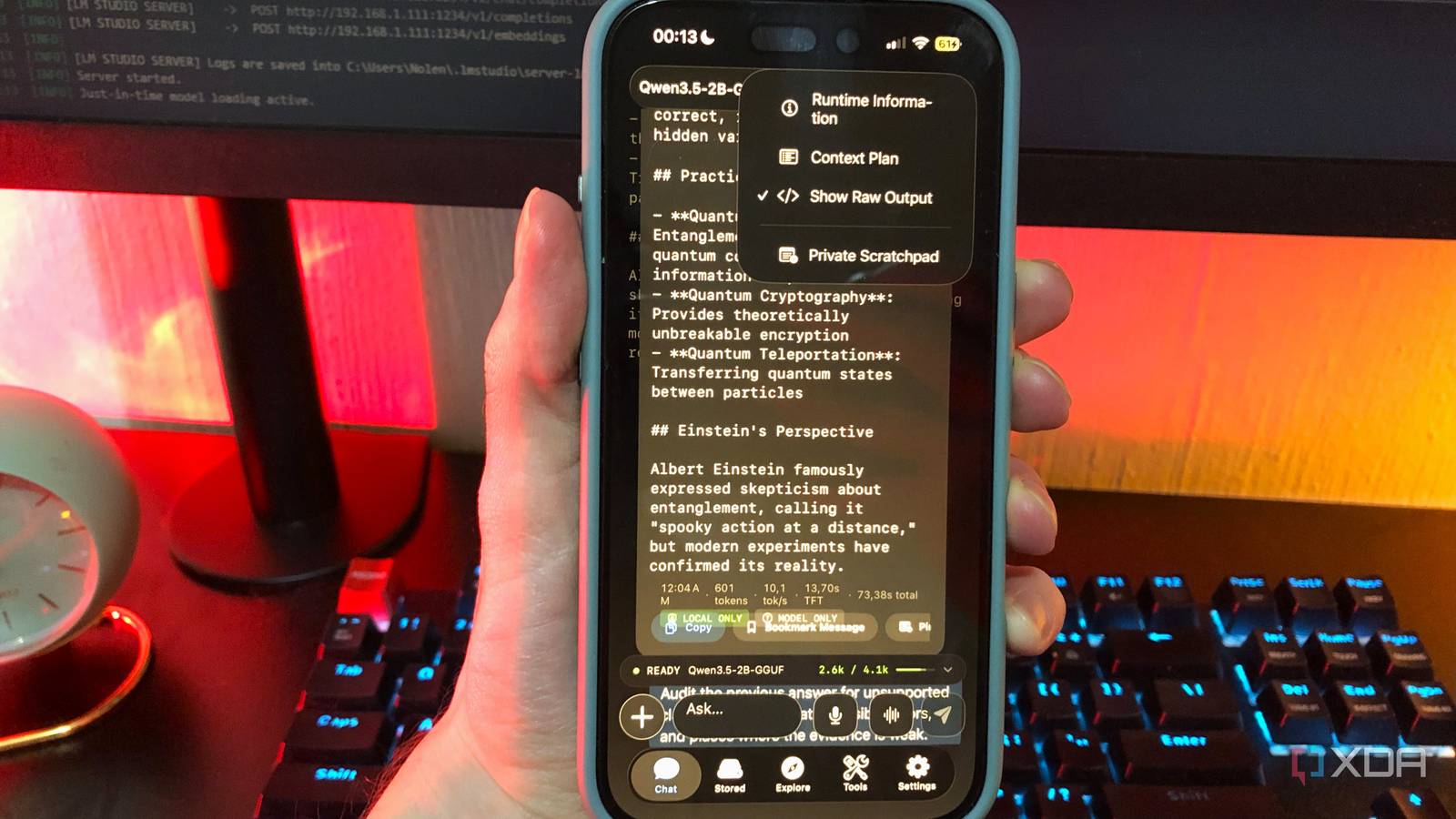
Published Nov 16, 2026, 5:30 PM EST Nolen began their writing career in 2019, with three years dedicated to editing the Creative section at MakeUseOf. Their expertise lies at the crossroads of technology and creativity, covering areas like photography, video editing, and graphic design. Outside of work, you'll often find Nolen diving into a good book, writing their own stories, or playing video games. Screenshots have become one of the main ways people use AI. Ever since the big players, Gemini in particular, introduced the ability to upload images and analyze them, it's become a staple in the workflow. I know it is for me, at least. There's nothing more convenient than snapping something and just showing it to an AI, as opposed to taking notes and describing what you saw to your chatbot. And that extends to mobile. The problem is that the screenshots, or any file for that matter, that you upload to a chatbot are subject to each provider's retention and training policies, for anywhere from a couple of days to a couple of years, depending on whether or not you opted in to model training. That's not something you want for screenshots that contain personal information. Local models have had the ability to analyze images not long after the cloud ones, but it only really became more popular around 2025-2026, and I've definitely been taking advantage of it. What actually leaves your phone with a screenshot Every detail in the shot goes along with your prompt Vision models have gotten very good at reading text out of images, down to the name on a notification banner that popped up right as you snapped it. That means sending a screenshot to a chatbot is basically the same as pasting every word on that screen into the chat, whether you noticed it was there or not. Whatever gets uploaded then sits under that company's data policy. OpenAI may use chats from consumer plans to improve models, unless you turn off "improve model for everyone", and Anthropic can hold onto chats for up to five years for model improvement if you opted into training. This is less than ideal for a myriad of reasons. I think screenshots of group chats are probably the most important thing to protect. If you want to send your own private information to a cloud bot, sure, but involving other people's is a bit of a moral grey area. Money-related information is a close second; this is data you should want to fiercely protect. Work is a big one too; plenty of companies will have rules about revealing internal dashboards or Slack threads to consumer AI apps. Then there's also the stuff that looks harmless, but really should stay off data centers in my opinion. Here I'm talking about things like boarding passes, which have your booking reference and a scannable barcode right on them. As well as health test results - the jury is still out on this one but I think it should be guarded. With a local model running on your own hardware, privacy still depends on the app and its settings because some local apps may still perform telemetry, optional cloud sync, or require remote services. But it greatly reduces uploads to third-party servers. My setup for running a 2B vision model on my phone A free app and a couple of settings I tweak My mobile runner of choice is Noema because it's the closest to cloud AI mobile apps you will find in terms of workspace features - it has web, file attachment, image upload, the works. This is hard to come by even on desktop apps, never mind mobile runners. But if you're looking for an Android option, I couldn't recommend Google AI Edge Gallery enough. Qwen 3.5 2B handles most of my screenshots, and I run it at Q4_K_M, a compressed 4-bit version that's small on storage and memory. It's very good at reading text out of images for its size. Qwen gets everything that needs reasoning and math, so all of my serious images go here. Gemma 4 E2B is the one I've had in PocketPal for months, now I have it in Edge Gallery because, like Noema, it's also packed with extras. This is the one I like to reach for when it comes to more creative screenshot workflows, such as design ideas or inspiration. I don't think either one is better than the other, it just depends on your use case. The way I see it, Qwen is the smart one, and Gemma is the fun one. Noema keeps most of its settings out of the way, which I think suits a phone workflow. I keep it at around 16k context which is half of what I do on my PC. And I also keep Web, Memory, and Search My Chats turned on. I normally keep Thinking/Reasoning off so it doesn't chew through my context budget, but for more complex images I set it to Low or Medium. Edge Gallery doesn't have web but it does expose parameters like temperature and Top-P. The routine itself is pretty short - I attach the screenshot from Photos and ask for something specific, for example every date and amount pulled into a list. Whatever comes back I pop over to Obsidian for mobile, and then I usually delete the screenshots from my camera roll. Where cloud bots are still the better option A screenshot has to earn the cloud upload now Claude still gets screenshots from me, just a lot fewer. These days a screenshot stays on my phone unless I have an actual reason to send it, which is the opposite of how I used to do it. Basically anything that doesn't fit into the categories of screenshots I'd rather keep private I mentioned above counts as safe to send to Claude or ChatGPT. For example, if I'm studying for a test, I don't think I trust a 2B model to fully walk me through a topic, and would rather have Claude's horsepower. Another thing I've gotten into the habit of doing is sending my shots to a local model first to see if it catches anything private I might have missed, like someone's full name, and that way I know what to crop or blur before sending it to a cloud bot. Screenshot habits can be a real privacy problem Scroll back far in most people's screenshots album and you'll find an old boarding pass or a group chat from months ago that nobody remembers saving. Plenty of those have probably been uploaded to a chatbot at least once. Mine's a lot smaller now since I delete them once the local model's done with its analysis, which is not only more private but also forces me to not hoard a bunch of personal screenshots anymore.
I run a 2B vision model on my phone and stopped sending my screenshots to ChatGPT and Claude
Full Article
Original Source
Read the full article at Xda-developers →KhanList aggregates and links to publicly available news content. We do not host full articles from third-party sources. Always verify important information with original sources.