
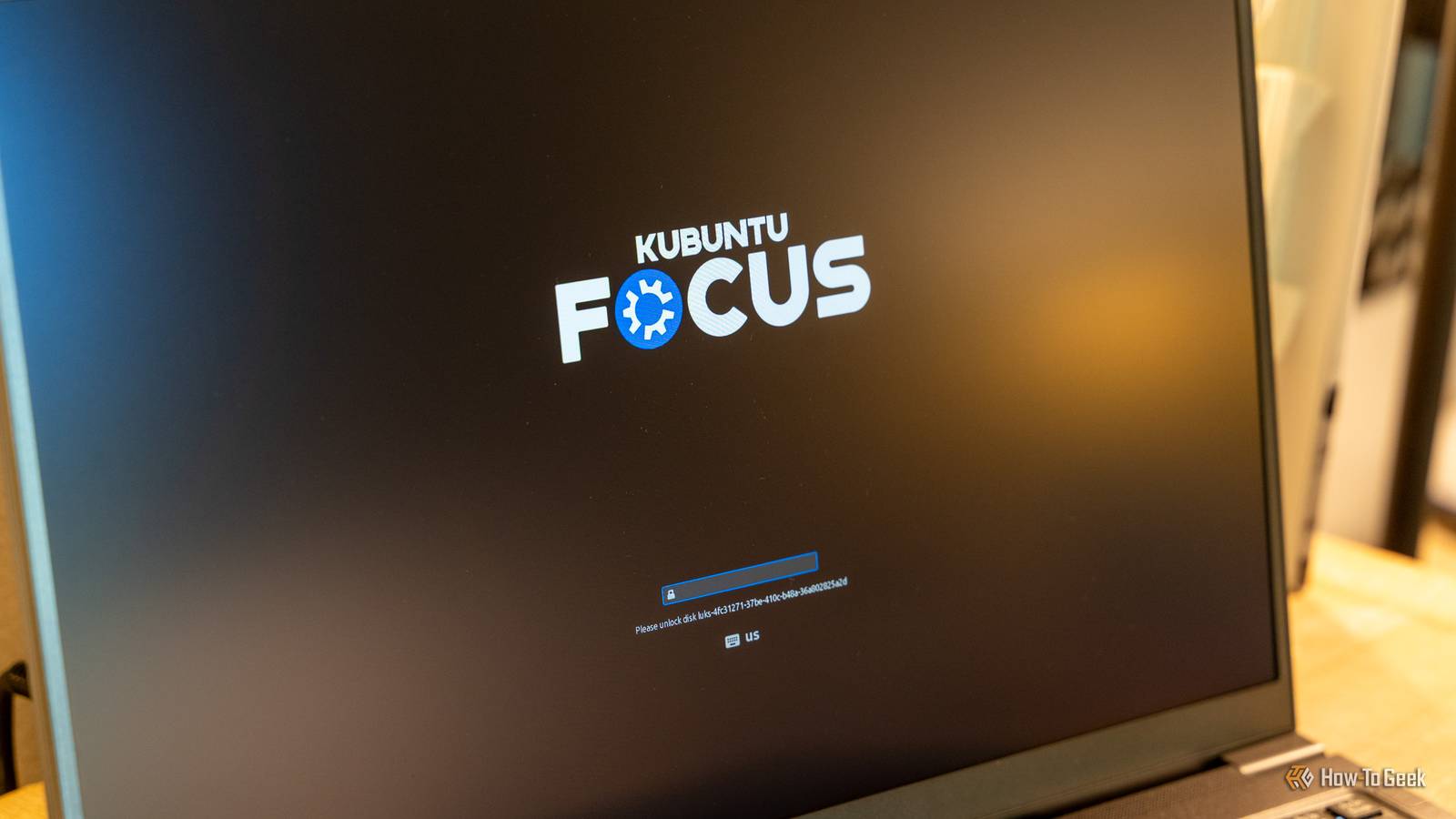
When you hear Kubuntu, you might think of the Linux-based operating system by the same name. But have you heard of Kubuntu Focus? It's a separate hardware-focused brand that sells machines with Kubuntu pre-installed and pre-configured. I've spent the last few weeks with the Kubuntu Focus Ar Gen 1 laptop and I have to say, I'm not all that impressed with the hardware. Kubuntu Focus Ar Gen 1 5/10 Operating System Kubuntu 26.04 LTS with Focus tools CPU Intel Core Ultra X7 358H GPU Integrated Intel Arc B390 graphics RAM 32GB LPDDR5X, not upgradeable The Kubuntu Focus Ar Gen 1 laptop features Intel's latest Panther Lake Core Ultra X7 processor with 32GB of onboard RAM. The Linux setup process is smooth overall, and the performance of the laptop is snappy. However, that's all overshadowed by a lackluster build quality and what feels like leftover hardware from several years ago. Pros & Cons Smooth 165Hz matte display Simple Linux setup and configuration out of the box Solid performance Very lightweight and repairable Flimsy-feeling chassis and keyboard Not a great trackpad Difficult to justify the price for the hardware Price and Availability The Kubuntu Focus Ar Gen 1 laptop comes in four pre-configured setups as well as a fully customizable option with pricing starting at $1,950. The version I reviewed was the "AWESOME: dev" model with a $2,125 pricepoint. Specifications Brand Kubuntu Focus Operating System Kubuntu 26.04 LTS with Focus tools CPU Intel Core Ultra X7 358H GPU Integrated Intel Arc B390 graphics RAM 32GB LPDDR5X, not upgradeable Storage 500GB SSD, user-upgradeable Battery 73Wh, replaceable Display (Size, Resolution) 16-inch, 2560x1600, 165Hz Camera 1080p webcam with a privacy shutter Speakers Two built-in stereo speakers Ports Two USB-C (one Thunderbolt 4), two USB-A, HDMI 2.0, microSD, and a headphone/mic jack Network Wi-Fi 7 and Bluetooth 6.0 Dimensions 14.1 x 10 x 0.8 inches Weight 3.13 pounds Power 65W USB-C charging Card Reader microSD Keyboard Full-size backlit keyboard with a number pad Display type Matte IPS Starting Price $1,950 Security Webcam privacy shutter, Kensington lock slot, and optional full-disk encryption The hardware doesn’t feel worth $2,125 I feel like the chassis came out of 2016 with a random Copilot key on the keyboard The very first impression I had of the Kubuntu Focus Ar Gen 1 laptop when I pulled it out of the box was, "wow, this thing is light!" The second impression was, "did this laptop come from 2016?" Overall, the Focus Ar Gen 1 is extremely light—like, way lighter than I expect it to be for the power it packs. That's a huge plus in my book, as I hate heavy laptops. The Kubuntu Focus Ar Gen 1 definitely gets that right. However, as far as the hardware goes, that's about all it gets right. After powering up the laptop via the top/side-mounted power button that reminds me of my 2011 Gateway laptop, I started using the keyboard, which is where the first disappointment came in. Kubuntu Focus claims the keyboard is a "no-flex" keyboard, and that's simply not the case. The keyboard deck has quite a bit of flex in it, way more than I think should be in a $2,000 laptop. The keys also remind me of that same 2011 Gateway laptop, though that style of keyboard stuck around for several more years after that. The trackpad is equally bad in my experience. It's a tilt-based trackpad, which is odd given how expensive the laptop is. I was hoping for haptic touch, or at least a non-tilt-based trackpad. I was only really successful in right clicking at the very bottom right of the trackpad, which isn't ideal in 2026. The rest of the hardware just really reminds me of older laptops. The screen has a ton of flex to it and overall the laptop just felt flimsy to me. The lightness is nice, but not when paired with a flimsy feeling. Also, there's a Copilot key on this Linux laptop. Why? I have no idea. I couldn't find any reason for it to be there, and the operating system treats it like a standard key. It doesn't trigger any AI functionality, and holding the function key while clicking it just brings up the right click menu. On a keyboard that already has a customized Kubuntu OS key, the Copilot key just feels out of place. The 165Hz display is a highlight above the meh hardware I have zero complaints about the display Credit: Patrick Campanale / How-To Geek While I wasn't a big fan of much of the hardware of this laptop, the screen is actually pretty great. The matte finish rejects reflections and glares, and the 165Hz refresh rate is a welcomed addition. Overall, the screen worked fantastically for me in my day-to-day use. I enjoyed the 16:10 aspect ratio with the 2560x1600 resolution and found the colors to be accurate enough for me for most things. I don't know that I would rely on the screen's color accuracy for photo or video editing if I needed perfect color reproduction, but that's also not what this laptop is designed for. It has solid ports but the layout could be better One USB-C port on the right side would have been nice The ports on the Kubuntu Focus Ar Gen 1 laptop are actually fairly decent. There are two USB-C ports, though one is only USB 3.2 10Gb/s, and the other is Thunderbolt 4 40Gb/s. There are also two USB-A 3.2 ports, a 4K HDMI output, a microSD card slot, and a 2-in-1 combination headphone/microphone jack. Overall, the port selection is decent, but it did leave me with more questions than answers. The Core Ultra X7 358H has enough capability to run both USB-C ports at Thunderbolt 4 instead of only having one be that fast, so why are we using two different standards for the ports? Also, I really would have liked to see a USB-C port on both sides of the laptop, instead of having both of them on the same side. The HDMI port being stuck at HDMI 2.0 instead of offering 2.1 with 4K144 output is also a letdown. Even Apple, which is known for selling overpriced, premium laptops, offers 4K144 output on their MacBook Pro, a laptop that costs less than the Kubuntu Focus Ar Gen 1. However, at the end of the day, at least you do get native HDMI output and one Thunderbolt 4 port, even if it's not in the ideal place or at the spec I would have liked to see at this price. The Linux experience feels well thought out and put together But you can just install Linux on any system anyway Credit: Patrick Campanale / How-To Geek This laptop has two areas that it had to sell me in: hardware and software. The main reason for buying this device over a standard Windows laptop is that it comes with Linux pre-installed and pre-configured, right? Well, the Kubuntu experience was actually pretty great for this reviewer who hasn't used Linux as a main operating system in quite some time. The setup was simple and it walked through everything that I needed it to. Kubuntu Focus is based on Ubuntu LTS, which means it might lag behind major releases, but that's okay in my book. The overall experience is great. During the setup process, it even walks you through making a new encryption password and setting up several things to make your life easier, including installing optional software. Unlike Windows, the entire setup process can just be skipped through and you can dive right into using the laptop, which is extremely nice. Kubuntu also has some unique apps as part of the Kubuntu Focus Suite, which worked well with the limited time I had to play with them. The problem is, you can install Kubuntu Linux on basically any laptop out there. The fact that it comes pre-installed is a pro, yes, but it's not a defining feature, and it doesn't overcome the hardware shortcomings here. I was impressed with its performance for how repairable and light it is Normally lightweight laptops also offer lightweight performance and unrepairability A multi-thousand dollar laptop should have decent performance, right? Well, the Kubuntu Focus Ar Gen 1 does have solid performance in my experience. However, I used the same benchmarks that Kubuntu Focus did and got pretty different results. My Geekbench 6 single-core score was 12.9% lower than Kubuntu Focus', and my multi-core score was 16.6% lower than theirs, too. Same thing with Unigine Superposition. I saw a 24.4% lower frame rate than Kubuntu Focus, and a 23.7% lower score than they did. While the overall scores weren't that great on benchmarks, this laptop does feel plenty snappy when doing daily work. The 32GB of LPDDR5X RAM is plenty for Linux, considering it's typically much better at managing RAM than Windows. The Intel Arc B390 GPU though left a lot to be desired on the gaming front. Overall, I was fairly impressed with the performance given how lightweight and repairable this laptop is. Often, when you go light and repairable, performance suffers, and Kubuntu was able to keep the performance up while making this laptop something easy to carry around and fix yourself. The Kubuntu Focus Ar Gen 1 specifically allows you to replace or upgrade the storage, battery, fan, and Wi-Fi modules should you ever need to. Should you buy the Kubuntu Focus Ar Gen 1 laptop? Credit: Patrick Campanale / How-To Geek After spending a few weeks with the Kubuntu Focus Ar Gen 1 laptop, I have to say, I can't really recommend it at its full price of $2,125 for the configuration Kubuntu sent me for review. The hardware feels flimsy, and the experience doesn't scream premium but asks a premium price. For a few hundred more, you could get the Lenovo Yoga Pro 9i laptop, which comes with a Core Ultra 9 CPU, 32 or 64GB of RAM and a dedicated NVIDIA GPU, and just install Linux on it. At the end of the day, the Kubuntu Focus Ar Gen 1 is a laptop that could have been great, but the hardware severely holds it back. Kubuntu Focus Ar Gen 1 5/10 Operating System Kubuntu 26.04 LTS with Focus tools CPU Intel Core Ultra X7 358H GPU Integrated Intel Arc B390 graphics RAM 32GB LPDDR5X, not upgradeable The Kubuntu Focus Ar Gen 1 laptop features Intel's latest Panther Lake Core Ultra X7 processor with 32GB of onboard RAM. The Linux setup process is smooth overall, and the performance of the laptop is snappy. However, that's all overshadowed by a lackluster build quality and what feels like leftover hardware from several years ago.
Kubuntu Focus Ar Gen 1 review: Smooth Linux, disappointing hardware
Full Article
Original Source
Read the full article at Howtogeek →KhanList aggregates and links to publicly available news content. We do not host full articles from third-party sources. Always verify important information with original sources.