
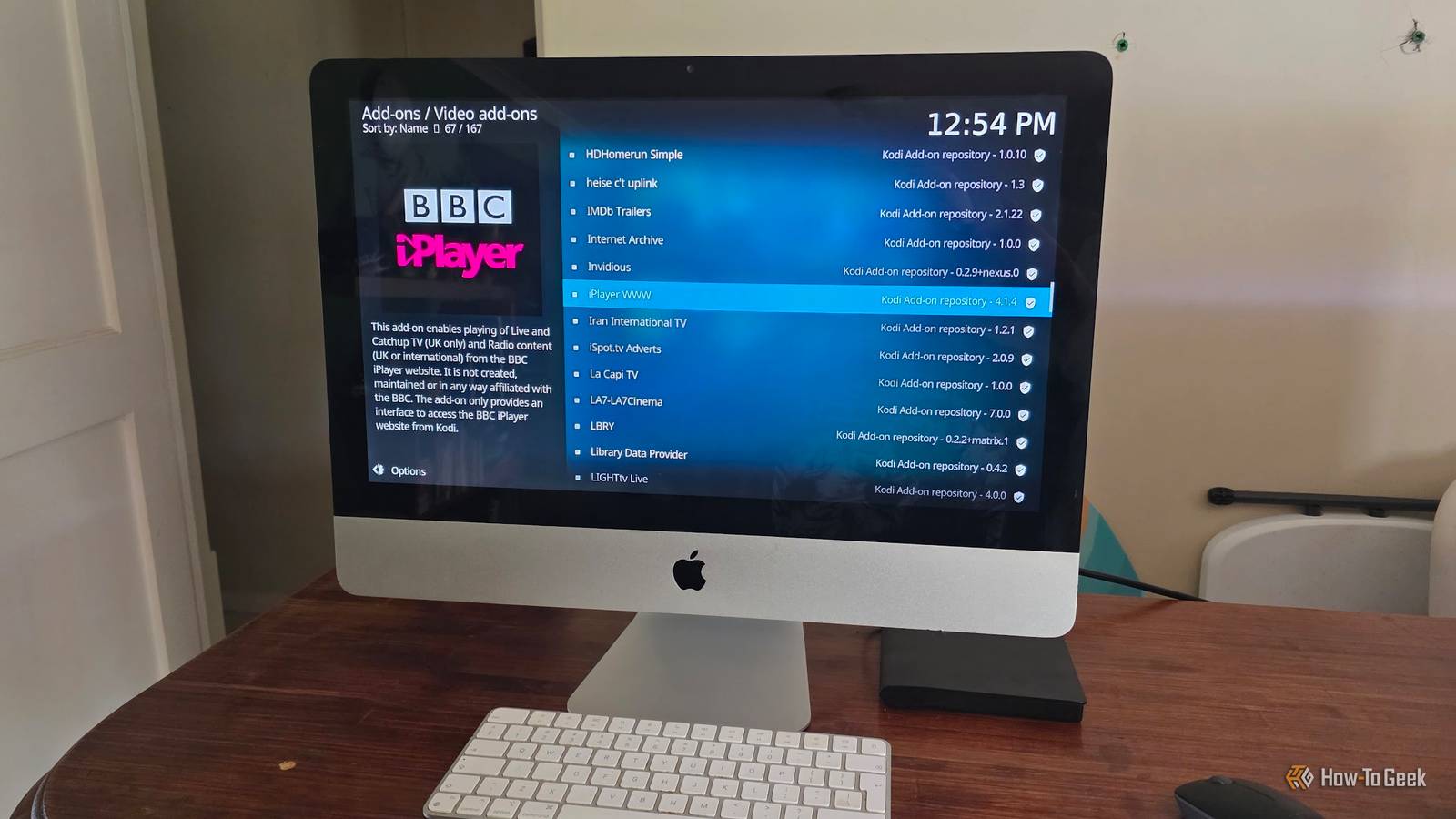
Published Nov 9, 2026, 8:30 AM EST Sydney Butler is a technology writer with over 20 years of experience as a freelance PC technician and system builder and over a decade as a professional writer. He's worked for more than a decade in user education. On How-To Geek, he writes commerce content, guides, opinions, and specializes in editing hardware and cutting edge technology articles. Sydney started working as a freelance computer technician around the age of 13, before which he was in charge of running the computer center for his school. (He also ran LAN gaming tournaments when the teachers weren't looking!) His interests include VR, PC, Mac, gaming, 3D printing, consumer electronics, the web, and privacy. He holds a Master of Arts degree in Research Psychology with a minor in media and technology studies. His masters dissertation examined the potential for social media to spread misinformation. Outside of How-To Geek, he hosted the Online Tech Tips YouTube Channel, and wrote for Online Tech Tips, Switching to Mac, and Helpdesk Geek. Sydney also wrote for Expert Reviews UK. He also has bylines at 9to5Mac, 9to5Google, 9to5Toys, Tom's Hardware, MakeTechEasier, and Laptop Mag. Thanks to the rise of streaming boxes and smart TVs, the age of the HTPC (Home Theater Personal Computer) seems truly over. However, things may not be as final as they seem. You see, streaming skepticism is on the rise as people realize they have no control or ownership over content hosted by others. It's led to growing interest in hosting content locally using platforms like Plex or Jellyfin. Not everyone is happy with the limited set of streaming sources they get with a given device or being told what they can or can't Kodi record from live TV. As such, a PC that you control in every way seems appealing, but without a media interface app like Kodi, it's nothing more than a paperweight. Kodi is completely legal to use, but some third-party add-ons may provide access to pirated content. You have been warned. Your HTPC needs a living-room interface And the Windows desktop is not it You can connect a PC running Windows, Linux, or macOS to your TV today, and you'll just see the same old mouse-driven interface that you do on a regular monitor. Unlike the days of CRTs, there's actually very little fundamental difference between a flat panel monitor and a TV. It's why I use a TV as my monitor these days, instead of having separate display devices. Funnily enough, Windows used to have a dedicated HTPC mode called Windows Media Center. It all started with Windows XP, where a specific MCE edition of the OS was available, but in later versions of Windows such as Vista and Windows 7, it just became a downloadable add-on. Microsoft ended support for its Media Center software with Windows 10, and so it's not part of Windows 11. On a modern PC, Kodi steps right into that niche, offering a full-screen interface that is designed to be readable from the other side of a living room and can be operated with a simple remote control. Yes, there are also options like Plex HTPC, but these all pale in comparison to the level of control Kodi offers. Ironically, Kodi is a direct continuation of XBMC, or the Xbox Media Center Home browser app. It means Microsoft and the homebrew coders behind XBMC had the idea for a media center interface around the same time. Your entertainment can live behind one interface One UI to rule them all Credit: Jorge Aguilar / How To Geek | Jellyfin | Kodi Once you start Kodi on an HTPC, you have no reason to navigate away. You can connect it to just about any media app or service you can think of, either through a built-in feature or by using an add-on. Want to use it as a front-end for Plex or Jellyfin? You can do that with ease. Local files? Easy-peasy. As you can see in the very top image above, I even got Kodi to play my Tintin DVDs from a USB drive on an old Intel iMac I'd reloaded with Zorin Linux. Stick a USB drive into your router's USB port, and you can even stream media files from a simple network storage share. It's almost infinitely flexible. It can handle more than your movie collection Is this a game to you? Well, good. Kodi can handle more than just local video files or movies and shows stored on your local media server. This is still a true HTPC application, which means it has support for live TV and DVR recording as long as your PC has the right hardware, that is. There are also retro gaming add-ons, which I used to great effect when I combined a Raspberry Pi 4B with a composite video output with a CRT TV to create a retro media system with access to both SD TV shows and retro game emulation. Combined with its add-on library, you might be surprised how much more you can do with Kodi than just watch video files from your own personal collection. LibreELEC takes the idea almost literally Turn it on, and you're good to go We love LibreELEC here at How-To Geek. We've called it "the best Linux distro for your mini PC" and "the ultimate Roku replacement." So, that's pretty high praise! What is it? It's a lightweight Linux distro that's designed to load Kodi at startup, and that's about it. This lets your PC act more like an appliance than a regular PC with an app running on top. While Kodi isn't an OS, LibreELEC uses it as a de facto shell. The desktop disappears, but the setup work doesn’t It's important to remember that even though Kodi itself is slick and simple to use once it's set up the way you like, it does require quite a bit of setup. There are, of course, endless guides on the internet on how to set Kodi up the way you like, but after putting in a few hours to get it just right, consider making a backup image of your HTPC's hard drive.
Kodi is the closest thing your HTPC has to a media operating system
Full Article
Original Source
Read the full article at Howtogeek →KhanList aggregates and links to publicly available news content. We do not host full articles from third-party sources. Always verify important information with original sources.