
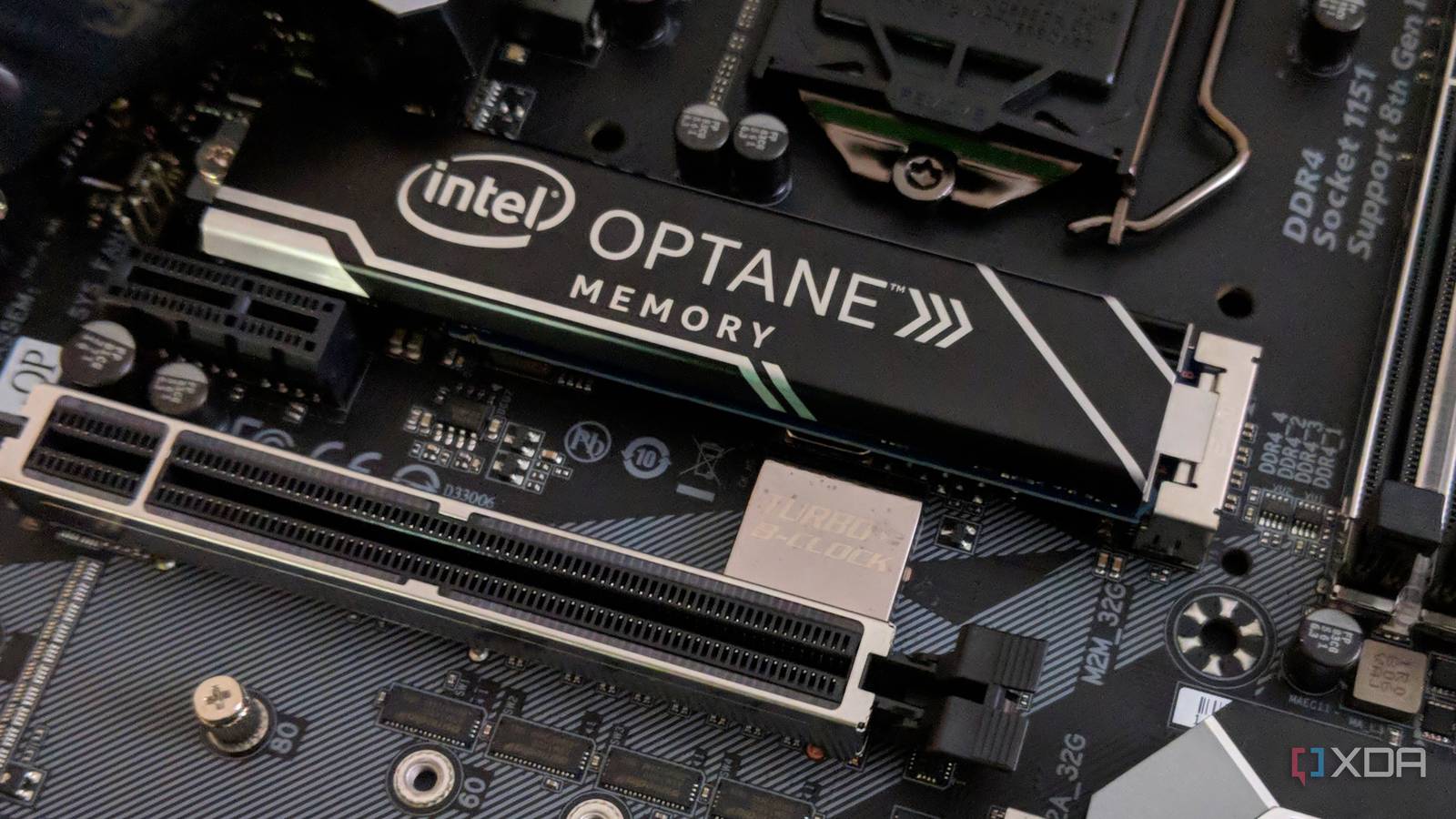
Published Aug 26, 2026, 12:00 PM EDT Maker, meme-r, and unabashed geek, Joe has been writing about technology since starting his career in 2018 at KnowTechie. He's covered everything from Apple to apps and crowdfunding and loves getting to the bottom of complicated topics. In that time, he's also written for SlashGear and numerous corporate clients before finding his home at XDA in the spring of 2023. He was the kid who took apart every toy to see how it worked, even if it didn't exactly go back together afterward. That's given him a solid background for explaining how complex systems work together, and he promises he's gotten better at the putting things back together stage since then. I have a soft spot for hardware that the industry left behind. Somewhere in my parts drawer is a first-generation Intel Optane Memory 32GB module from 2017 that I bought as soon as it came out. It was the first 3D XPoint product on the market, and didn’t really get a replacement in the five years before Intel wound down the product line. By every number on the box, it’s obsolete. Gen 5 NVMe boasts eleven times the sequential speed, and the 1,350 MB/s that the Optane stick can manage is laughable today. Except that’s not the line in the spec sheet that matters for daily use. Open up CrystalDiskMark with Optane, and the 4K random read line will embarrass a Samsung 990 Pro. Gen 5 drives don’t fare much better, and Optane is still the king of responsive day-to-day use. 3D XPoint never needed to pretend It was just fast, period The architecture of any SSD is complex, and it constantly juggles your data. NAND can’t overwrite data in place, so the controller writes to fresh pages, removes the old data, and shuffles things around to make it so you don’t notice. Slow TLC gets a pSLC cache in front of it, making it seem faster than it really is. And every 4K read is limited by the speed of a NAND page fetch, which is why Gen 3, Gen 4, and Gen 5 NVMe drives all perform similarly, around 40 to 50 microseconds per random read. 3D XPoint works differently, with phase-change memory designed by Intel and Micron. The juggling act was no longer needed because cells sit at the intersections of a grid and overwrite in place. No cache to fill and then fall off of, no garbage collection, and speedy random reads that made every other drive look slow. It was expensive, which is why you got a 32GB drive for the price of a 256GB Gen 3 NVMe, but Intel used it as system caching at the time to speed up spinning hard drives. The final Optane drive Intel released was the P5800X, which boasted sub-6 microsecond random read speeds and single-digit averages. Optane was the better technology, with drives that didn’t slow down as they filled. It also had a 100 drive-writes-per-day rating, compared with the typical 0.3 DWPD rating for a consumer TLC drive. Even my relatively inexpensive 32GB drive had a 182.5 TBW rating, which works out to rewriting the entire drive three times a day for every day of the five-year warranty. CrystalDiskMark CrystalDiskMark is one of the most popular storage benchmarking tools. This open-source program tests the speed and efficiency of your HDD or SSD by writing data in sequential and random tests. Three NVMe generations later, and the gap is still there PCIe 5.0 doubled the bus, not the flash underneath it Here's the thing. I've said for years that you don't need PCIe 5.0 SSDs, and the numbers show that. Sequential speeds make no difference to day-to-day usage, and your random read and write performance has more of an impact on how snappy your PC feels. And that's what Optane was optimized for, whether it was booting Windows or games, or opening up small files. Drive Interface 4K QD1 random read Roughly one request per Intel Optane P5801X PCIe 4.0 331.7 MB/s 9 microseconds Intel Optane 905P PCIe 3.0 286.8 MB/s 15 microseconds Intel Optane Memory 32GB PCIE 3.0 x2 273.90 MB/s 18 microseconds Samsung 990 Pro PCIe 4.0 72 MB/s 47 microseconds Samsung 9100 Pro PCIe 5.0 58 MB/s 35 to 40 microseconds My 32GB Optane drive is over three times as fast as a Gen 4 Samsung 990 Pro, even when it's running on PCIe 3.0 with only two lanes. Sure, the Samsung will win if moving a large game installation or your media library, but how often do you do that? There is one caveat. If you use BitLocker on your PC, the encryption/decryption stage wipes out any latency and speed gains. That means your Optane drive behaves like a normal NVMe SSD, which is fine, really, but it's not what you bought the drive for. I tend to keep BitLocker on only for devices I take out of the house, and if I'm using Optane for caching latency-sensitive tasks, it doesn't matter whether it's encrypted. Optane lost, and we're all worse off because of it The industry chose big numbers over latency Optane lost because it was more expensive per gigabyte than any other type of NAND. Micron bowed out of the partnership in 2021 and sold the fab to Texas Instruments, and Intel wrapped up the consumer drives that January, before shuttering the enterprise line in 2022. Every Optane drive on the market right now is surplus inventory, and nothing is coming to replace it. The AI-driven NAND crunch has made the eBay prices for large Optane drives look downright reasonable. I'm not sure I'd buy any SSD without a warranty and a viable replacement option, but I have no qualms about buying multiple smaller drives to build out NAS caching or other tasks. Optane is no longer supported for OS caching by the Intel drivers, but it still works just fine as an SSD. I love Optane so much I just ordered more on eBay Some tasks just work better with lower latency, and I just bought another four drives on eBay to put on a PCIe adapter to run those on. I wish Optane DIMMs weren't so expensive and limited to even more expensive enterprise motherboards, because I'd pick some of those up too. I'm not saying to put discontinued hardware inside your next PC; the industry spoke, and Optane lost. But it'll always have a spot in my home lab.
Intel discontinued its strangest SSD years ago, but it still makes my modern NVMe drives feel slow
Full Article
Original Source
Read the full article at Xda-developers →KhanList aggregates and links to publicly available news content. We do not host full articles from third-party sources. Always verify important information with original sources.