
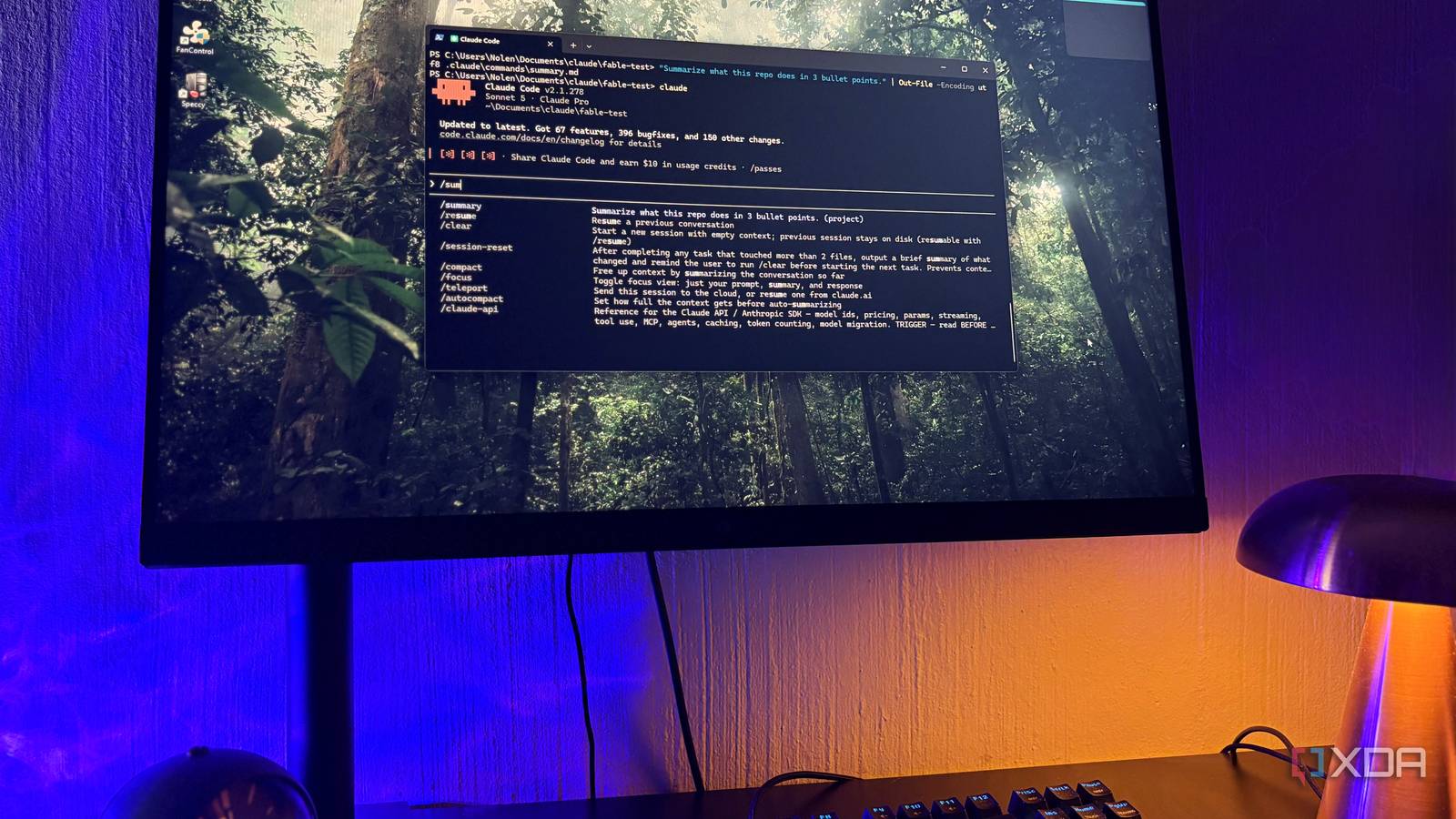
Published Sep 22, 2026, 10:30 AM EDT Nolen began their writing career in 2019, with three years dedicated to editing the Creative section at MakeUseOf. Their expertise lies at the crossroads of technology and creativity, covering areas like photography, video editing, and graphic design. Outside of work, you'll often find Nolen diving into a good book, writing their own stories, or playing video games. Claude Code has been an integral part of my work most of 2026, and even though I'm not a developer, I use it for productivity, computer admin, design, and vibe-coding experiments. It's safe to say that at this point I have a functional setup. But there was one feature sitting in the interface the entire time that I never made my own version of, not because I didn't know it existed, I just convinced myself it was redundant, at least when I have a million custom skills already. So, if I could start using Claude Code from the start as a beginner, there's one thing I'd pay more attention to, and that's the slash commands. Want to stay in the loop with the latest in AI? The XDA AI Insider newsletter drops weekly with deep dives, tool recommendations, and hands-on coverage you won't find anywhere else on the site. Subscribe by modifying your newsletter preferences! The Claude Code feature I ignored for months I built a complex setup and skipped the easiest part Slash commands are Claude Code's built-in shortcuts for controlling the session itself, separate from whatever you're actually prompting Claude to do, and you invoke them by hitting the slash / key. So /clear wipes the conversation and /compact summarizes it to free up context, for example, and there's a bunch more for models, subagents, and so on. Anthropic ships around forty of these built in, and the full list is documented over at code.claude.com, though the actual set you see depends on your version and plan. What took me way too long to properly clock is that you can easily create your own custom slash commands, and they behave exactly like the built-in ones, showing the same autocomplete when you hit /. The mechanism is super simple: A custom slash command is a Markdown file dropped into .claude/commands/ for project scope, or ~/.claude/commands/ if you want it available across everything. The filename becomes the command name, so deploy.md becomes /deploy, and the body of the file is just the prompt that gets sent when you type the command. Here's where I got a little confused at first, though… Custom slash commands and skills have basically merged as of the 2026 updates. Files in .claude/commands/ still work, but the recommended format now is .claude/skills//SKILL.md, and both create the same /name slash command. And if a skill and a command share a name, the skill wins. The distinction is that skills can auto-invoke when Claude decides the description matches what you're doing, while commands only get triggered when you actually type them. Which is why I skipped over custom commands for months - skills got all the marketing attention when they launched, my prompt library was already living in skills, and commands felt like the older, redundant version of the same thing. What I missed is that manual, deterministic invocation is its own use case, and sometimes I don't want Claude guessing whether a skill applies, so I started to actually intentionally incorporate the slash commands in my sessions. The built-in commands cover session control And the custom ones cover everything else A decent chunk of what I initially wanted to automate turned out to already exist, and the session-management set is porbably where you'll also live most of the time. /clear wipes the context, /compact summarizes it to save tokens (best run somewhere around 50% context usage, before quality starts to degrade), /rewind restores conversation and code to an earlier point, and /resume picks a previous session back up. So even if you don't plan on making your own commands, these are the ones I recommend memorizing and getting familiar with, they're basically like the steering wheel if Claude were a car. Beyond those, there's a group for switching models mid-session and managing subagents (/model and /agents), a few for configuration and permissions, and then the setup and diagnostics side, which is where you'll find things like /init for scaffolding a CLAUDE.md and /doctor for checking installation health. They're all about how Claude Code behaves rather than what it does with your actual prompt. Making your own one takes about a minute. You create the folder with mkdir -p .claude/commands for project scope (or ~/.claude/commands for personal), drop a Markdown file inside, write the prompt in the file, and that's the command live in the autocomplete. Optional YAML frontmatter at the top adds a description, argument hints, and allowed tools, which I'd say is worth adding once you have more than three or four going. Arguments work with $ARGUMENTS for everything after the command name, or $1, $2 for positional slots. In the desktop app, you can also just ask Claude to handle it for you so you don't need to do it in the terminal. Every one of these commands replaced a prompt I was retyping They save me from retyping the same thing for the fifth time Most of them are prompts I'd been retyping for weeks (or worse, half-retyping and getting inconsistent results because I'd forget a piece each time) before I bothered to save them. So I've created a couple of commands to reuse in these cases. /wireframe is the one I reach for most, since it takes a screen description as an argument and hands back a lo-fi structure I can take straight into Figma. This is basically the early exploration where I still need to figure out what a screen needs. Then there's /critique, which runs a UX critique against usability heuristics on whatever design I paste in. This is for when I kept asking for feedback in slightly different wording in every session. /responsiv is a smaller one for taking a desktop layout and rewriting it mobile-first, which for me is less about the code output and more about wanting the layout decisions worked through in a specific order. And /component generates a single UI component with my preferred stack defaults baked in, so I don't have to keep specifying the same framework and styling choices at the top of every session. And then I have a couple more for handling my computer admin, most specifically all my notes and files in my Obsidian vault. I even have a command for quickly renaming the screenshots you see here with the right format. Skills have been getting all the attention while commands were right under my nose The other thing worth saying is that custom commands scale weirdly well with messy work. Skills are great when your patterns are clean and Claude can pattern-match them, but the stuff I do jumps between design work, quick edits, one-off explorations that don't get repeated, and there isn't always a clear trigger condition covering all of that. Commands give me a manual override for the times when I know exactly what I want and don't need to rely on auto-detection and hope it pulls through.
If I had to start using Claude Code again, here's the one thing I would do differently
Full Article
Original Source
Read the full article at Xda-developers →KhanList aggregates and links to publicly available news content. We do not host full articles from third-party sources. Always verify important information with original sources.