
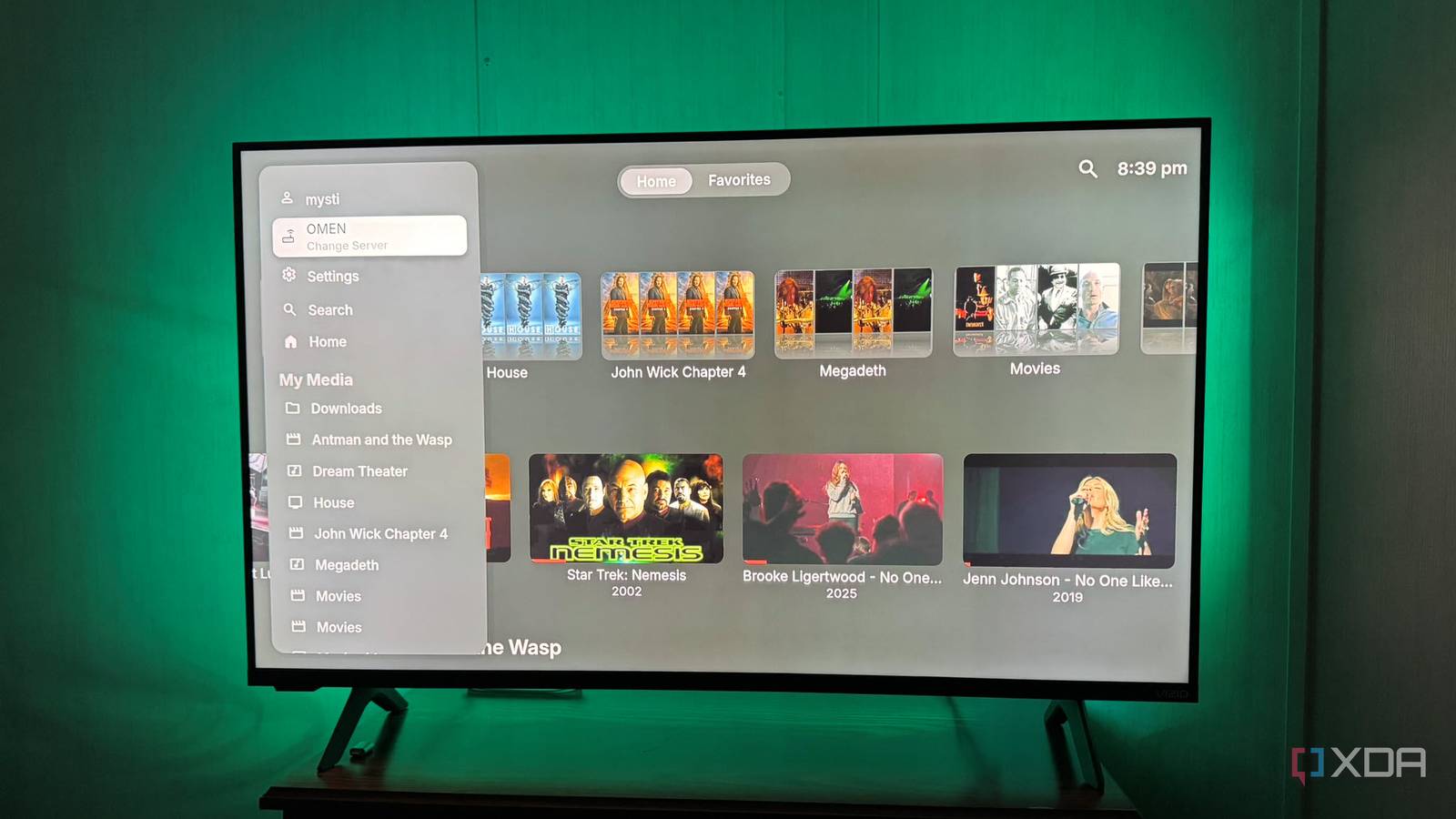
Published Nov 29, 2026, 11:30 AM EST Based in rural Minnesota, Brian Burgess worked in IT for 10 years before finding his passion for writing about consumer technology. Brian earned his degree in computer and network technology in 2000. He held various IT positions, including help desk support, router installations for IBM, database administration, and other associate network administration roles. He's been a personal technology journalist for 18 years and has written thousands of articles about Microsoft products and services, Android, iOS, streaming, and more. He has written for notable tech sites including XDA, InformationWeek, How-To Geek, Byte, groovyPost, and others. When he is away from the keyboard, you will hear him playing guitar, working outdoors, and watching Star Trek. After using Jellyfin for a long time, I decided it was time to try the self-hosted media platform people forget about. Emby has actually been around longer. But Jellyfin gained popularity as an open-source alternative after forking from the code. Using Jellyfin is an easy transition since it looks and acts similarly. Settings are also where I'm used to finding them. I expected familiarity with some advanced features behind a paywall. However, I wasn't expecting so many improvements since I last used it. That's likely because I've been so focused on Jellyfin versions, plugins, and tailoring settings to meet my specific needs. But the platform has notable improvements, including revamped home-screen customization. Visible upgrades on the Emby Server home screen Revamped controls and options The home screen experience in version 4.10 offers more than a standard arrangement of library rows. It is more flexible than I remember from using it previously. It lets you control the sections that make up the home screen, create sections with sorting and filtering rules, add featured Spotlight content sections, and more. I started with the section editor that lets me create custom titles and set controls for library selection, next-up episodes, view and image types, scroll direction, and more. I added my libraries first and used the home-screen editor to change how media displays. There's much more customization for how content appears in rows on the home screen, which makes organization and management easier. The experience is more flexible than I recall, and that is a good thing. I can rearrange sections, split my media libraries into different groups, and build rows with the content I want there. The Spotlight option gives more prominence to movies, shows, or music I want to highlight with a larger artwork presentation. Sometimes it seems too large, but I can always switch back to tiles if I need to. Overall, the "new to me" features let me shape the home screen around how I prefer to browse my movies and shows. A default layout presentation no longer limits me. The rest of library creation is still straightforward, and I can pull my content from local or external drives or a NAS, where most of my files live. Newer features, but still a familiar server platform It's still easy for Jellyfin-to-Emby converts to pick up While there are new features available to configure, it's still a familiar interface. When I went back, I thought I might have a hard time remembering where everything was or picking up new options. However, it is straightforward to use, and first-time users won't have a hard time picking it up. It acts and behaves only slightly differently than Jellyfin, but also as you'd expect from any self-hosted media platform. Icons and paths vary slightly, but you still open the dashboard to configure your media library. Rescanning libraries once new media is added, updating metadata, and identifying content is identical. Changing other server settings from the menu in the left panel from the dashboard is also something familiar to users coming from other platforms. Some features are still paywalled Annoying but not a deal-killer Similar to Plex, some of Emby's best features require an Emby Premiere subscription. A lot of it has to do with media playback like hardware-accelerated encoding and tone mapping while transcoding. Whether you want that depends on the device you're using to play the media. On devices that support Direct Play, H.264 and HEVC in MP4/MKV containers, it's not a requirement. A Premiere subscription is also required to both view and record live TV and DVR recordings. The two other media server platforms let you connect a tuner and view without paying. Plex even creates a channel guide, but DVR functionality costs more. For a guide and DVR, Jellyfin is free, but it takes some additional configuration. However, I knew this going in, and Emby Premiere is not as expensive as paying for Plex Pass. Plus, I get many of the same benefits with live TV playback and recording. The system will tell you when you need Premiere and, depending on how you use the media server, it might not be necessary at all. It's good I use Premiere for DVR since it's also required to play my lossless CD rips on certain devices. Emby continues to improve, and it's good to be back After manually configuring my server by trying different plugins and apps, I don't really have time for it all anymore. I wanted to see if I could have a more set-it-and-forget-it option. The self-hosted media server platform has improved a lot since I last used it, and it requires less upkeep, especially with Premiere. I still get live TV DVR functionality, and it's more affordable than Plex. However, if you want to use the free version for listening to CD rips, be aware that it only supports specific devices without a Premiere subscription.
I went back to Emby after years of using Jellyfin, and I wasn't expecting it to be this good now
Full Article
Original Source
Read the full article at Xda-developers →KhanList aggregates and links to publicly available news content. We do not host full articles from third-party sources. Always verify important information with original sources.