
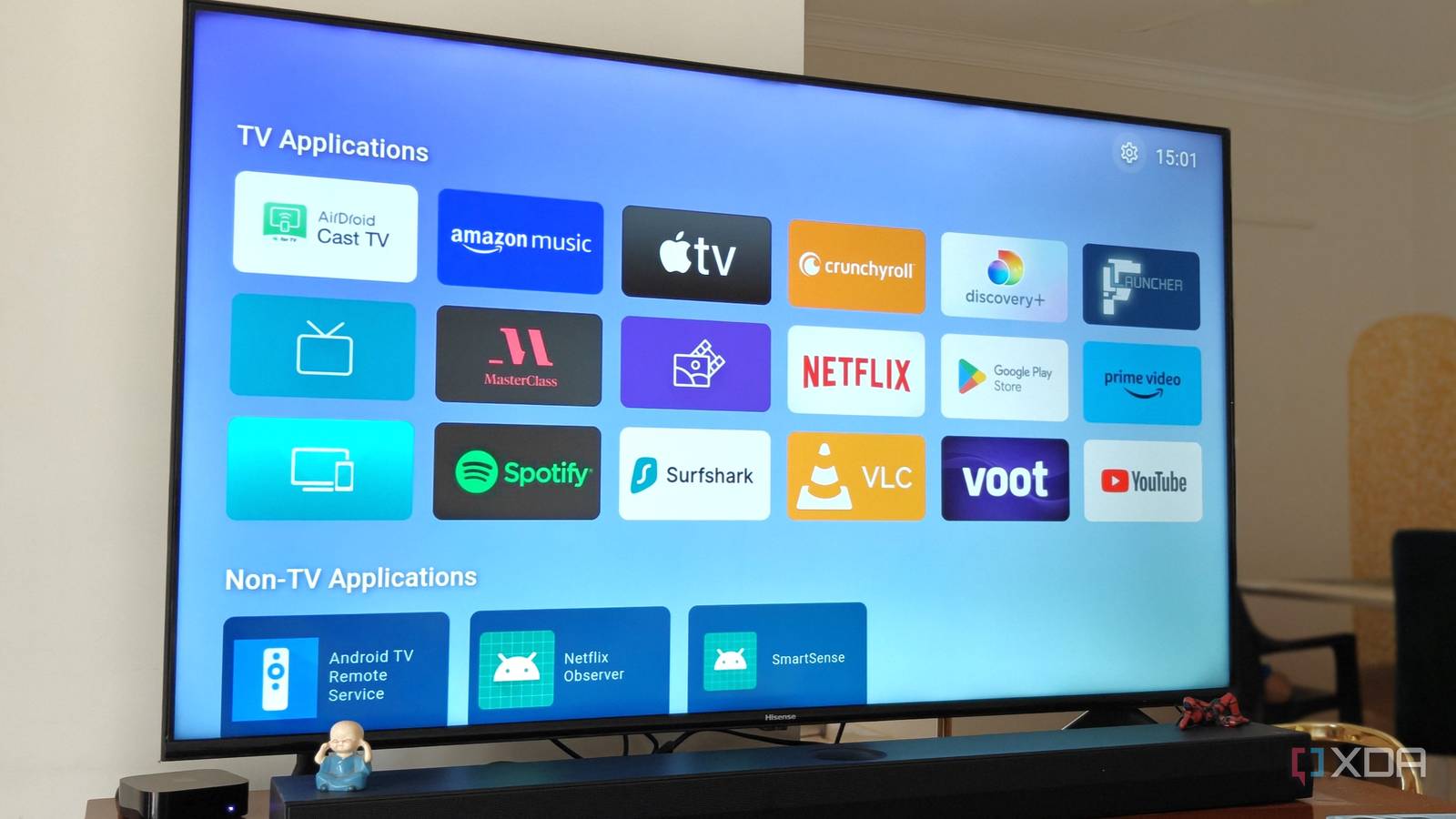
Published Nov 21, 2026, 11:30 AM EST After a 7-year corporate stint, Tanveer found his love for writing and tech too much to resist. An MBA in Marketing and the owner of a PC building business, he writes on PC hardware, technology, and Windows. When not scouring the web for ideas, he can be found building PCs, watching anime, or playing Smash Karts on his RTX 3080 (sigh). When I bought my Hisense TV in 2020, I didn't mind the stock Android interface. It was fairly responsive, and there weren't too many apps installed anyway. Slowly, however, the TV's internal hardware started to get overwhelmed by Google's bloated OS, and it struggled to respond to the remote's commands. For a while, my partner and I tried to get used to it, but we finally upgraded to the Apple TV 4K a few years ago. Vibe-coding hadn't matured by then, but it has now. People are hacking their smart TVs, debloating them, and installing custom skins. You don't even need root access or a custom ROM — every change can be reverted with a single command. I wanted to start small, so I picked one of the popular debloating projects (not exactly vibe-coding) and decided to remove all the bloatware that had annoyed me all those years ago. My free Claude tier would have run out of usage in the middle, so I borrowed my partner's Claude Pro account and got to work with Claude Code. I had given up on my Android TV years ago Most smart TVs are doomed to fail The biggest problem with smart TVs, even now, is the underpowered hardware. On top of that, TV manufacturers love to stack heavy operating systems crammed with all kinds of ads, recommendations, and suggestions. The sluggish experience nearly all of us have with our TVs' stock software is a design failure. I struggled with the same thing on my Hisense Android TV for the better part of 4 years before moving to the Apple TV 4K (3rd generation). The smooth, clutter-free interface of tvOS combined with the capable hardware eliminated all the problems created by Android's ecosystem. Of course, the lack of tracking and ads was a neat bonus. I haven't used my TV's stock OS for two years, but I was curious to revisit it, if only to see how much I could improve it using a simple Claude prompt. I picked a ready-made Claude prompt There are more than a few you can choose from I decided to use Mert Cobanov's Clean up your Android TV guide, which only required pasting a ready-made prompt into Claude Code. Before running the prompt, I had to install ADB on my Windows PC, enable USB debugging on the TV, and create a backup folder on the PC where Claude could save restore scripts (if I wanted to revert all the changes). After adding my TV's model and IP address to the placeholders in the prompt, I ran the prompt. As instructed by the prompt, Claude first listed all the packages on my Android TV before making any changes. It then asked me which apps I wanted to keep and which ones it could delete. After I gave my input, it connected to the TV. I approved the USB debugging request on the TV, after which Claude started disabling packages. After a few reboots, Claude informed me that it had removed all the apps and packages I had approved, and it was time to install FLauncher. I instructed Claude to do what was necessary, so it downloaded and sideloaded it, disabled the stock Google launcher, and finished the job. The entire process took around 30-40 minutes because Claude had to test the interface after every change and ensure no core functionality was being compromised. If you execute the same prompt on your Android TV, some things may not go as planned. For instance, the stock launcher mighty refuse to hand over control to FLauncher when pressing the home button on the remote. You can solve most issues like this by rooting the TV. I didn't want to do that for this project, so I was satisfied with the results. My TV feels as good as new Android TVs don't need to suck After Claude removed 33 packages from my Android TV and replaced the stock launcher with FLauncher, the difference was enormous. The Apple TV–like interface was simple and understated, but it made the TV visible faster. Gone were the ads, recommendations, and shopping screens. Everything was simply more responsive, and I had a simplified screen with only the apps I actually needed. I rearranged the TV and non-TV apps on the screen, and it looks slightly better. I still don't feel this is the final form my Android TV can take. After all, there are way more involved and visually impressive projects that can completely transform a stock Android environment. I have anyway moved to Apple TV 4K, so the Android system is now the playground where I can test all kinds of debloating and vibe-coding projects. My old TV feels new thanks to debloating, but vibe-coding has a lot more in store Debloating your Android TV can get rid of all the drag Google's services put on its modest hardware. I got decent results from my experiment, but I want to try more elaborate vibe-coded projects, such as benfirad/tv-vibehack and mihirgupta0900/tv-home. These projects do much more than remove the clutter; they enhance the look of your basic Android TV.
I used Claude to debloat my 6-year-old Android TV, finally fixing what Google broke
Full Article
Original Source
Read the full article at Xda-developers →KhanList aggregates and links to publicly available news content. We do not host full articles from third-party sources. Always verify important information with original sources.