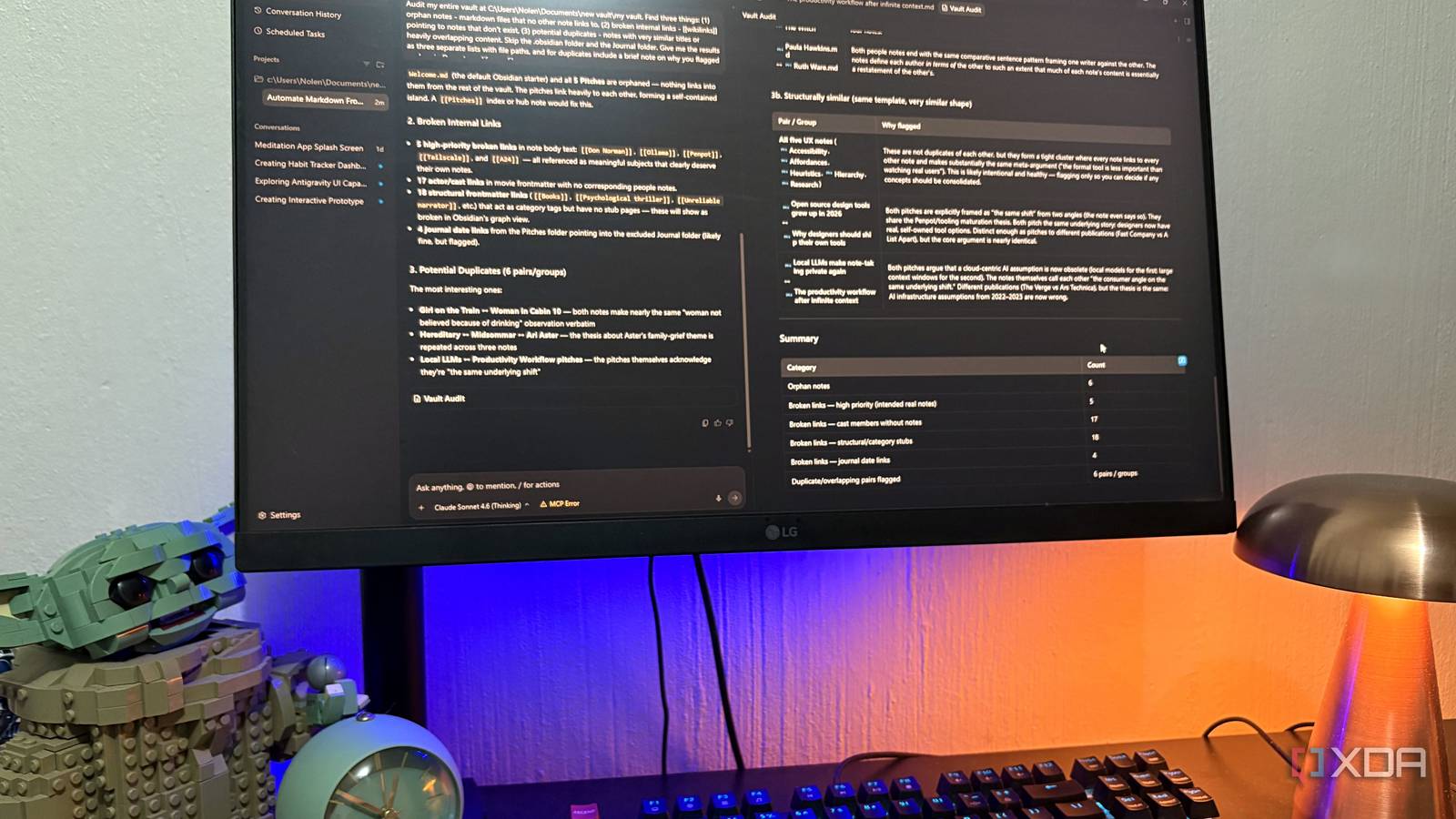
Published Aug 6, 2026, 1:00 PM EDT Nolen began their writing career in 2019, with three years dedicated to editing the Creative section at MakeUseOf. Their expertise lies at the crossroads of technology and creativity, covering areas like photography, video editing, and graphic design. Outside of work, you'll often find Nolen diving into a good book, writing their own stories, or playing video games. Obsidian as a "second brain" is something that gets tossed around a lot, but your vault doesn't actually think for you, or can do much on its own at all. It's just a pile of Markdown files, so all it does is remember where you put things and hold your data. If you want it to do more than that, the usual move is to reach for plugins such as Copilot, Smart Connections, and whatever else in the community list that promises peak productivity. Plugins are perfectly fine and I use a couple myself, but you're bolting intelligence onto Obsidian instead of pointing real tools at your vault. The three tools I've been using lately all live outside Obsidian entirely, and they treat my vault as their working directory. Each one turns the vault into a different kind of brain depending on what you actually want to do with it, and none of them require an install through the community plugins tab… Claude Code makes your vault the home base for your AI setup The entire workflow lives in the vault Everyone knows Claude Code as a coding tool but that framing kind of undersells what it actually is. It's an LLM with file access and terminal access pointed at whatever folder you want. Point it at your vault and you've got an AI that lives inside your notes. The CLAUDE.md file at the vault root is the first thing worth setting up because it's how Claude Code learns your vault's rules. This is where I tell it my folder structures, naming conventions, Obsidian-specific syntax it might not recognize like wikilinks and frontmatter, and so on. The bigger move is that Claude Code skills live inside your vault as folders. A skill is just a folder with a SKILL.md file inside it, plus any supporting scripts or reference docs, and Claude Code auto-discovers them and invokes them when a task you ask for matches it. This means your reusable AI workflows become part of the vault itself, so they travel wherever the vault does and get backed up with it, and they also get versioned with it if you use git. Same thing applies for subagents, which are specialised Claude instances defined as markdown files in .claude/agents/. The vault isn't just where you store notes anymore, it's where you store how you work with them too. Worth flagging that Claude Code runs at the OS level so it doesn't inherently know Obsidian's link-updating rules on rename, but the CLAUDE.md file covers most of that if you actually give it those guardrails. Claude is also just really fast which makes it the perfect pick for quick tasks. It's built for planning, not for quick answers Antigravity is Google's agent-first IDE forked from VS Code, and it's marketed as a dev tool but the underlying mechanism in the productivity space is the exact same: agents with file and terminal and browser access, pointed at whatever folder you want. All you need to do is set it up as an Antigravity project pointed at your vault and lock the permissions on anything you don't want touched. What makes Antigravity actually different from Claude Code is the multi-agent planning. It doesn't just do a task, it shows you a plan first, and it can spawn subagents to work in parallel or hand off to each other. For a vault, that means "audit orphaned notes, find broken wikilinks, flag duplicate content" is one prompt that produces a proper report rather than three separate asks. The terminal access is where it goes beyond a chat AI too. On my vault audit, the agent wrote its own Python script mid-task to verify its findings, which is not something a plugin sitting inside Obsidian can do. Google Antigravity AnythingLLM is how you actually chat with your vault And it's fully local AnythingLLM is a desktop app that gives you a full local AI workspace. It has the full stack, including the chat interface, RAG, agents, and MCP support, all wired to run against local models through LM Studio or Ollama. So if you love Obsidian primarily because of its local-first approach, this is probably the best tool to pair it with for the second-brain setup. There are two ways to give it access to your vault. First is by enabling filesystem access - just toggle it on and add your vault directory path. This also lets you write and modify files directly. The other way is through the built-in Obsidian data connector, which imports your entire vault into a workspace as vector-embedded documents. Once your vault is in the workspace, you literally just chat with a local LLM that now has your knowledge base. The workspaces thing is underrated I think, because you can create separate workspaces for different slices of your vault, each with its own model and system prompt. So a work-notes workspace and a personal-writing workspace can behave completely differently. And the second-brain angle here is recall. When you don't remember which note something's in or you want to synthesize across ten of them without opening them, this is what you talk to. The trade-off with AnythingLLM is that the RAG quality is only as good as your embedding models and note chunking, and you're going to need a decently sized GPU for this to be a long-term reliable setup. AnythingLLM Three ways to turn your vault into something smarter than a folder I actually have all three of these set up as sort of a productivity stack, but you don't have to use them together to get the most out of your vault. They're just options. If you want your vault to be where AI workflows live as reusable infrastructure, Claude Code is the pick. If you want an agent that can actually plan and audit across your notes, Antigravity. And if you want something you can talk to about your vault without any of it leaving your machine, AnythingLLM. Obsidian OS Windows, macOS, Linux, iOS, iPadOS, Android Individual pricing Free normally; $4/month for Obsidian Sync
I turned my Obsidian vault into a second brain without touching a single plugin
Full Article
Original Source
Read the full article at Xda-developers →KhanList aggregates and links to publicly available news content. We do not host full articles from third-party sources. Always verify important information with original sources.