
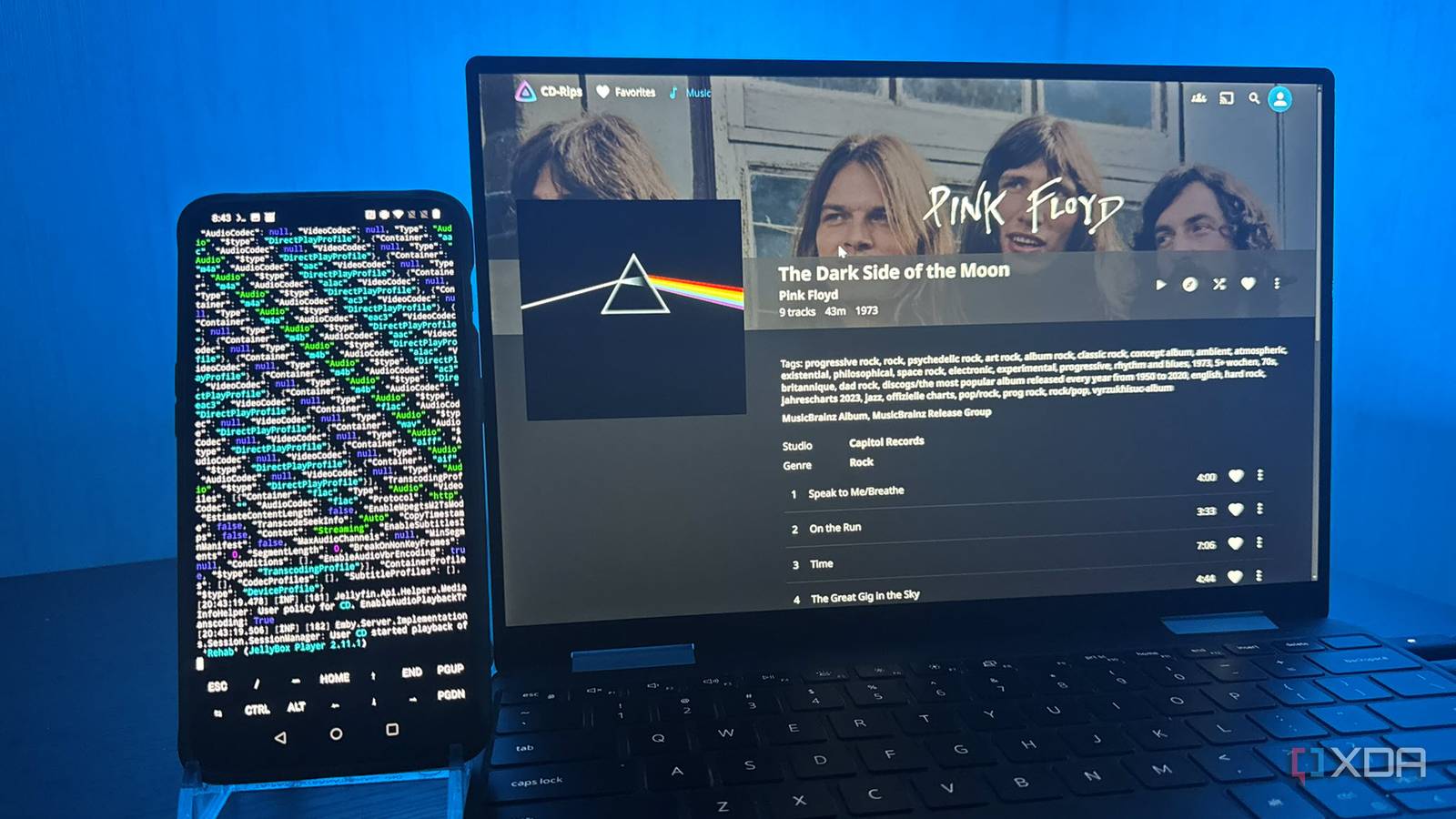
Published Nov 12, 2026, 8:30 AM EST Based in rural Minnesota, Brian Burgess worked in IT for 10 years before finding his passion for writing about consumer technology. Brian earned his degree in computer and network technology in 2000. He held various IT positions, including help desk support, router installations for IBM, database administration, and other associate network administration roles. He's been a personal technology journalist for 18 years and has written thousands of articles about Microsoft products and services, Android, iOS, streaming, and more. He has written for notable tech sites including XDA, InformationWeek, How-To Geek, Byte, groovyPost, and others. When he is away from the keyboard, you will hear him playing guitar, working outdoors, and watching Star Trek. I love breathing new life into old hardware by repurposing it. I once resurrected an old 2011 server with OpenMediaVault to use as a dumb NAS. After that success, I've been looking around at my old devices to see what they can do. I opened a drawer, found an old OnePlus 6T phone, and charged it up. I turned it on and was surprised by how much zip it has for such an old phone. I figured it should do more than collect dust in my drawer, and I wanted to turn it into a music server for my lossless CD rips. Its hardware is capable, and the small phone did better than I expected. I had to consider the phone's hardware and server system I could go different routes, but I landed on one My old OnePlus still has a Snapdragon 845 processor, 6GB of RAM, and 128GBs of storage on board. I had forgotten about the phone, and considered it a lucky find. I knew I couldn't fit my entire CD collection on it, but I could fit a decent amount and swap albums in and out as I wanted. I was also thinking of an external storage option. However, when I tested the phone with a USB-C power passthrough hub, it could read external storage without power, but it couldn't charge at the same time. Since it's an old phone, it has USB role-negotiation limits and can access data or power but not both at once. Still, fitting around 250 lossless CD rips on the phone would be worth it. I knew I could create a UPnP/DLNA server with it using Kodi or a similar app, but it wouldn't allow for easy remote connectivity. I also considered something meant specifically for streaming music like Navidrome. Since I already knew its library management system and most of its clients, including my favorite dedicated music app, I chose to install Jellyfin as the server on the phone. Turning my old OnePlus into a music server I used Termux to install and run Jellyfin Before starting, I factory reset the phone and removed as much junk as possible. I installed Termux from F-Droid instead of the Google Play version, which follows the project's advice to use the stable version. I ran a few commands to grant it permission to access the phone's Music folder and install Jellyfin. During installation, I had trouble pointing Jellyfin to Termux's runtime. Also, .NET failed to load its ICU globalization data, so I pointed it to where it lived, and that fixed the second error. Once I resolved the errors and Jellyfin was running from Termux, I opened Chrome, went to the localhost address, and saw the server setup screen. Everything looked good, so I started adding my CD rips to the phone's Music folder. Transferring albums was quicker than I expected, but things would get mixed up if I tried too much at once. The phone was old, so I needed to give it time and avoid creating new directories while files were in transit. Once I added the music files, I scanned the libraries, and my albums came up with covers and metadata. I listen to my own music with my favorite client — Jellybox. I can listen to my CDs in lossless quality, which is a massive upgrade over hearing the same songs on Spotify. I also installed the recently added Jellybox Relay plugin, which provides encrypted remote access to the server without the hassle of port forwarding and other network configuration. While there were delays and cutouts (even from my primary server), it held up and made my CD collection portable. Once it was set up, I had to treat it as a server now, not a phone, to keep accessing music around the clock. It's plugged in all the time, but I had to adjust Termux to run in the background constantly. I made it an exempt app from battery and sleep standby optimization settings that OnePlus hides in the menu system. I also acquired a wake lock, so Android keeps the CPU running with the screen off. Android storage permission woes with Termux Using this method has aggravations The Termux install worked well when I used Ctrl + C and a code string to restart the server during setup. However, after installing the Jellybox Relay plugin and restarting the server from the web UI, a Termux storage-permission issue reared its ugly head, starting with Android 11 and newer. I had to stop the server, force-quit Termux, toggle app permissions off and on again, and restart it. So, moving forward, I used Ctrl + C to stop the server and my trusty fallback code — which is also useful if Termux shuts down unexpectedly or the phone needs a restart: ICU_DATA=/apex/com.android.i18n/etc/icu DOTNET_ROOT="$PREFIX/lib/dotnet" jellyfin It has worked fine since, and I may try restarting the server via the web UI in the future to troubleshoot, but for now, I have left it alone. It's not a big deal; I'm just used to doing things a certain way on my main server, so I have to work through the command-line app instead. My old Android phone is useful again, serving my CD rips I could have run Debian inside Termux and installed Jellyfin there. But I installed the Termux package directly and avoided an extra layer of complexity. I am not sure how stable it will be in the long run, but it was a fun project and gave the old phone a second life. If this doesn't hold up and I do this again, I will consider another option or repurpose the phone differently. Termux Termux is a terminal emulator app for Android OS.
I turned my 8-year-old Android phone into a dedicated server for my CD collection, and it outperforms Spotify
Full Article
Original Source
Read the full article at Xda-developers →KhanList aggregates and links to publicly available news content. We do not host full articles from third-party sources. Always verify important information with original sources.