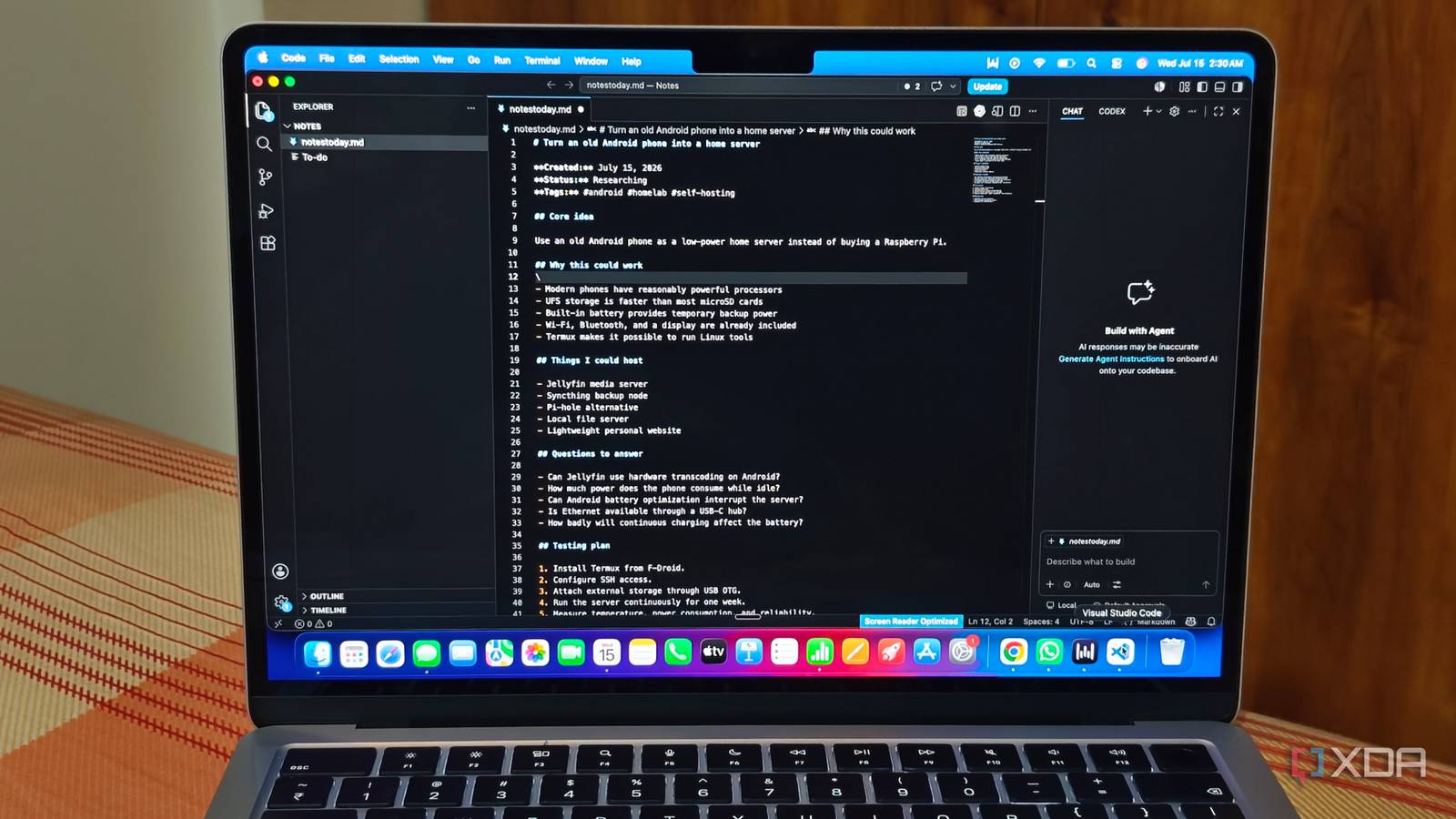
Published Jul 19, 2026, 2:00 PM EDT Anurag is an experienced journalist and author who’s been covering tech for the past 5 years, with a focus on Windows, Android, and Apple. He’s written for sites like Android Police, Neowin, Dexerto, and MakeTechEasier. Anurag’s always pumped about tech and loves getting his hands on the latest gadgets. When he's not procrastinating, you’ll probably find him catching the newest movies in theaters or scrolling through Twitter from his bed. VS Code is no longer just an IDE. It has become an ecosystem of its own. It’s more like an operating system now. By VS Code, I don’t just mean the app Microsoft develops. I also mean the open-source project that has made tools like Cursor, Antigravity, and others possible. VS Code now also has a full agent runner built around agentic AI and automation. The platform is clearly evolving. I’ve even been using it as a note-taking app for almost a week, and to be honest, I don’t have much to complain about. By pairing its native file management capabilities with Markdown and a few key extensions, I was able to easily build a future-proof, local-first personal knowledge management (PKM) system. Setting up VS Code as a note taker It required surprisingly little work Setting up VS Code as a note-taking app required surprisingly little work. I started by creating a dedicated folder for my notes and opening the entire folder as a VS Code workspace. Inside it, I created separate folders for daily notes, article ideas, research, ongoing projects, and archived material. Since every note is stored as a regular Markdown file, I can open it in another text editor, move the entire library elsewhere, or back it up without dealing with a proprietary format. VS Code already supports Markdown syntax and includes a built-in preview, but I installed Markdown All in One to improve the actual writing experience. It adds useful keyboard shortcuts, automatic list continuation, table-of-contents generation, and better handling of links and formatting. I also enabled Auto Save so that VS Code saves every change after a short delay. The global search was already powerful enough to find a word or phrase across my entire notes folder, so I didn’t need a separate extension for search. The most important addition was Foam, an open-source, local-first personal knowledge management extension built specifically for VS Code. Foam lets me connect notes using wiki-style links, create backlinks, maintain daily notes, and view relationships through a knowledge graph. This gives VS Code many of the organizational features you get with apps such as Obsidian while keeping everything inside ordinary Markdown files. I also created a few reusable Markdown templates for meeting notes, article research, and daily entries. Each template includes basic fields such as the date, tags, source links, and related notes, which prevents the folder from becoming a collection of randomly formatted files. While I didn't do it, if you want more control over the notes folder, you can put it in a private Git repository. It will give you a version history and an off-device backup, but any cloud storage or a regular backup tool can handle the same job. Actually using VS Code as a notes app It wasn’t very different from using just another notes app Once the initial setup was complete, using VS Code was not very different from using just another notes app. I keep the notes workspace pinned to the recent projects list, so opening it takes only a few seconds. The Explorer sidebar displays the complete folder structure, while Quick Open lets me jump directly to any note by typing part of its filename. If I don’t remember where something is stored, the global search can scan every Markdown file for a word or phrase. This works particularly well once the number of notes starts growing and manually browsing folders becomes inefficient. Writing in VS Code is also better than I expected. Markdown keeps formatting simple, and I can add headings, lists, links, tables, checkboxes, and code blocks without reaching for a toolbar. I usually write in the regular editor and open the Markdown preview beside it whenever I need to check the final formatting. Foam becomes useful when a note relates to something I have already written. I can insert a wiki-style link without searching for the exact file path, and backlinks show me every other note that references the page I’m currently viewing. I don’t use the knowledge graph constantly, but it provides a useful overview when I want to explore how different topics connect. VS Code might not be a notes app replacement for everyone You are probably better off with Obsidian It goes without saying that you’re better off using a tool like Obsidian or Notion for taking notes, as these tools are specifically designed for that purpose. I see this approach as especially useful for people who spend a lot of time in a code editor and don’t want to switch between tools whenever they need to take notes while working. For one, when I’m writing code or working in VS Code, I get a lot of ideas and remember things that I would otherwise forget. Having a note-taking system within the platform helps me write down those ideas as soon as they come to me without breaking my flow. The experience still resembles working inside a code editor, which won’t suit everyone. There’s no polished mobile app, rich-text canvas, or effortless web-clipping system included by default. However, the desktop experience is fast, predictable, and remarkably flexible. My notes remain as regular files on my computer, and VS Code provides enough structure to manage them without locking the entire system into a dedicated note-taking platform. VS Code remains the best IDE VS Code is still one of the best code editors you can use right now, primarily because of the sheer number of extensions it supports. Although tools like Cursor and Antigravity are quite good, they still do not match the size of VS Code's ecosystem. It's not like you're losing out on the AI features these tools promise if you're using VS Code. You can always add them through extensions. For example, there's support for Claude Code, Codex, and plenty of other AI extensions as well.
I tried using VS Code as my notes app, and it was better than it had any right to be
Full Article
📰 Original Source
Read full article at Xda-developers →KhanList aggregates and links to publicly available news content. We do not host full articles from third-party sources. Always verify important information with original sources.