
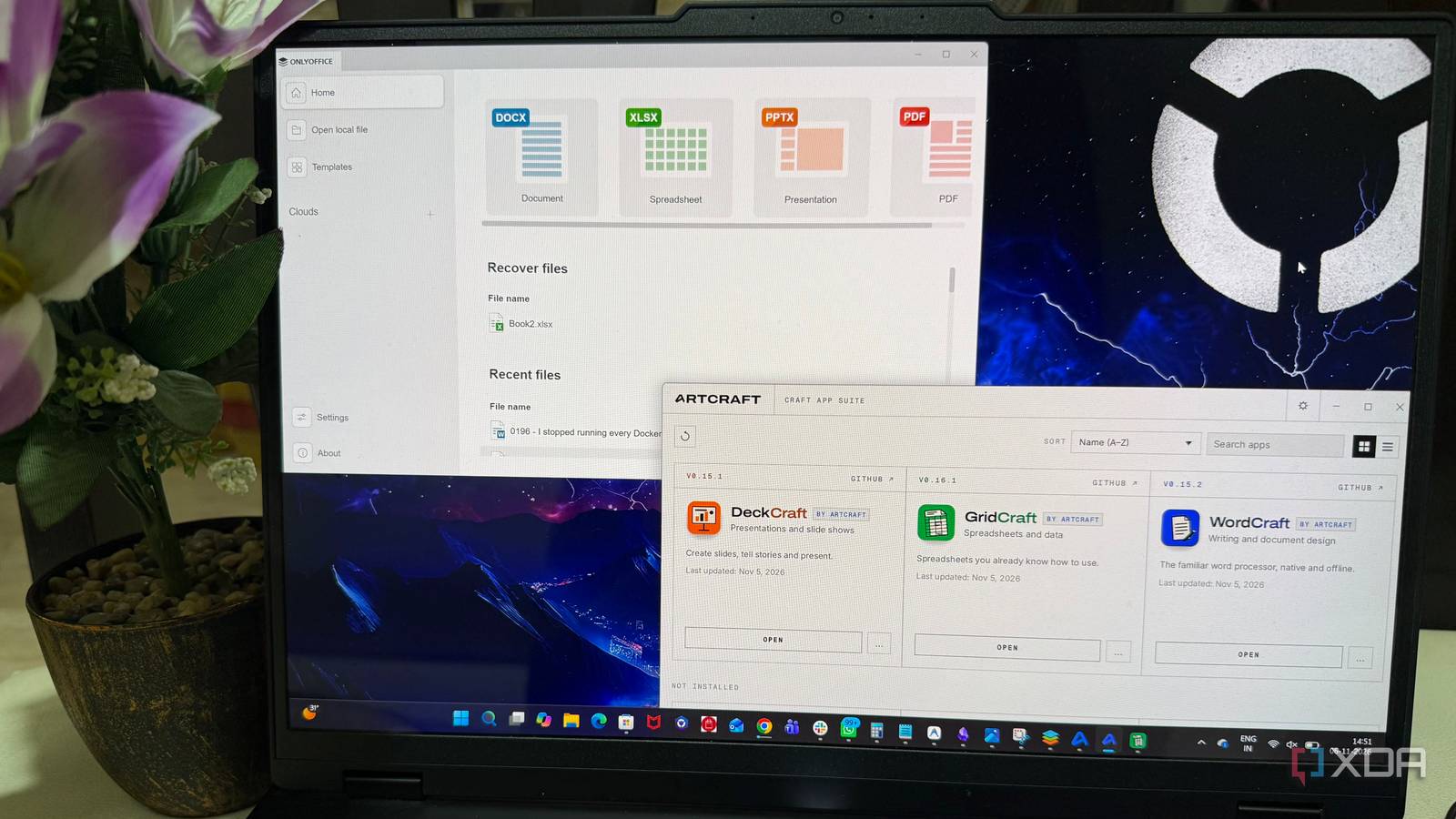
Published Nov 8, 2026, 1:01 PM EST Beginning his professional journey in the tech industry in 2018, Yash spent over three years as a Software Engineer. After that, he shifted his focus to empowering readers through informative and engaging content on his tech blog – DiGiTAL BiRYANi. He has also published tech articles for MakeTechEasier. He loves to explore new tech gadgets and platforms. When he is not writing, you’ll find him exploring food. He is known as Digital Chef Yash among his readers because of his love for Technology and Food. I've been using Microsoft 365 since my school days, and it has remained a constant part of my PC setup through college and professional life. Replacing it never really crossed my mind until recently, when the growing popularity of vibe-coded software caught my attention. Projects recreating popular applications with AI seemed fascinating, especially those challenging established software. One such project convinced me to step outside my comfort zone and try something different. Alongside this AI-built office suite, I decided to test a long-standing FOSS alternative to Microsoft 365. After spending time with both, I found myself choosing one over the other as a permanent replacement for a subscription I've relied on for years. The vibe-coded Craft App Suite made me curious I didn't expect this AI-built suite to get so much right The Craft App Suite is a collection of free, open-source desktop applications developed by the ArtCraft team. Built from scratch using Rust, the project aims to recreate popular commercial software, including alternatives to Microsoft 365, Adobe Creative Cloud, and other established applications. Instead of relying on separate third-party tools, it brings several familiar applications together under one umbrella. For my experiment, I focused on its three office applications: WordCraft, a Microsoft Word alternative; GridCraft, an Excel replacement; and DeckCraft, a PowerPoint replacement. I spent some time trying all three, and the initial experience was surprisingly good. In WordCraft, I created a document, added headings, formatted text, and played around with basic editing options. GridCraft handled entering data into cells and working with basic spreadsheet formulas without much trouble. I also opened DeckCraft to put together a simple presentation and experiment with slide layouts and text formatting. None of these tasks felt complicated, and the familiar interfaces made it easier to get started. I wasn't expecting a newly vibe-coded project to feel as polished as an established office suite. Interestingly, the suite also offers desktop and browser-based versions. Overall, it was an impressive attempt at recreating familiar office tools from scratch, and I was curious to see how it would compare with a more established alternative. ArtCraft ArtcCraft is a suite of applications that replicates many of Adobe's popular Creative Cloud apps, including Photoshop and Premiere. I gave OnlyOffice a shot It was time to test a more established alternative After trying the Craft App Suite, I turned to OnlyOffice to see how a more established open-source office suite would handle my workload. This time, along with creating new files, I used a few existing files as well, giving me a chance to test its compatibility with documents created in Microsoft Office. My first test involved a DOCX file. I adjusted page margins, changed fonts, modified headings, and inserted tables and images to explore its formatting options. For spreadsheets, I imported an XLSX workbook and tested its SUM and IF formulas. The exercise also included sorting rows, applying filters, and changing cell formatting. The presentation editor was next. A short slide deck let me try different layouts, insert images, apply transitions, and run the slideshow. After making these changes, I saved the files and reopened them to check whether the formatting remained intact. These tests gave me a clearer picture of how OnlyOffice would fit into my regular workflow. More importantly, they helped me evaluate it using familiar office tasks rather than judging it solely by its interface or first impressions. OnlyOffice won me over Dependable FOSS toolkit over the vibe-coding hype After spending time with both tools, OnlyOffice started feeling like the more practical choice for everyday work. The Craft App Suite actually surprised me with its feature set, offering several advanced tools that I initially expected to find only in established office software. However, OnlyOffice felt like a more mature office suite, with a well-established desktop application and a broader ecosystem for online editing and collaboration. Another factor was its suitability for a long-term setup. Craft App Suite is an ambitious project, but its applications are still evolving. OnlyOffice gave me more confidence as a daily productivity tool, especially when working with documents and spreadsheets that I need to rely on regularly. That difference ultimately influenced my decision. OnlyOffice Platforms Windows, Linux, macOS, Android, and iOS Publisher(s) ONLYOFFICE OnlyOffice is a free alternative to Microsoft Office that offers familiar features like Word, Excel, and PowerPoint. It has a simple user interface with tabs and multiple window options, making it easy to organize your work. Despite being feature-rich, OnlyOffice remains lightweight and compatible with Microsoft Office files. Sometimes, the boring choice is the better one Vibe coding is opening exciting possibilities for software development, and the Craft App Suite is a good example of what these projects can achieve. However, building something that works and building something people can depend on every day are two different things. My experiment reminded me that a newer tool might look polished and offer an impressive set of features, but that doesn't automatically make it a reliable long-term choice. When choosing software for everyday work, stability, ongoing development, technical support, and a mature ecosystem matter just as much as the features themselves. Sometimes, sticking with software that has stood the test of time is the smarter decision.
I tried replacing Microsoft 365 with a vibe-coded app and a popular FOSS toolkit, and only one stuck
Full Article
Original Source
Read the full article at Xda-developers →KhanList aggregates and links to publicly available news content. We do not host full articles from third-party sources. Always verify important information with original sources.