
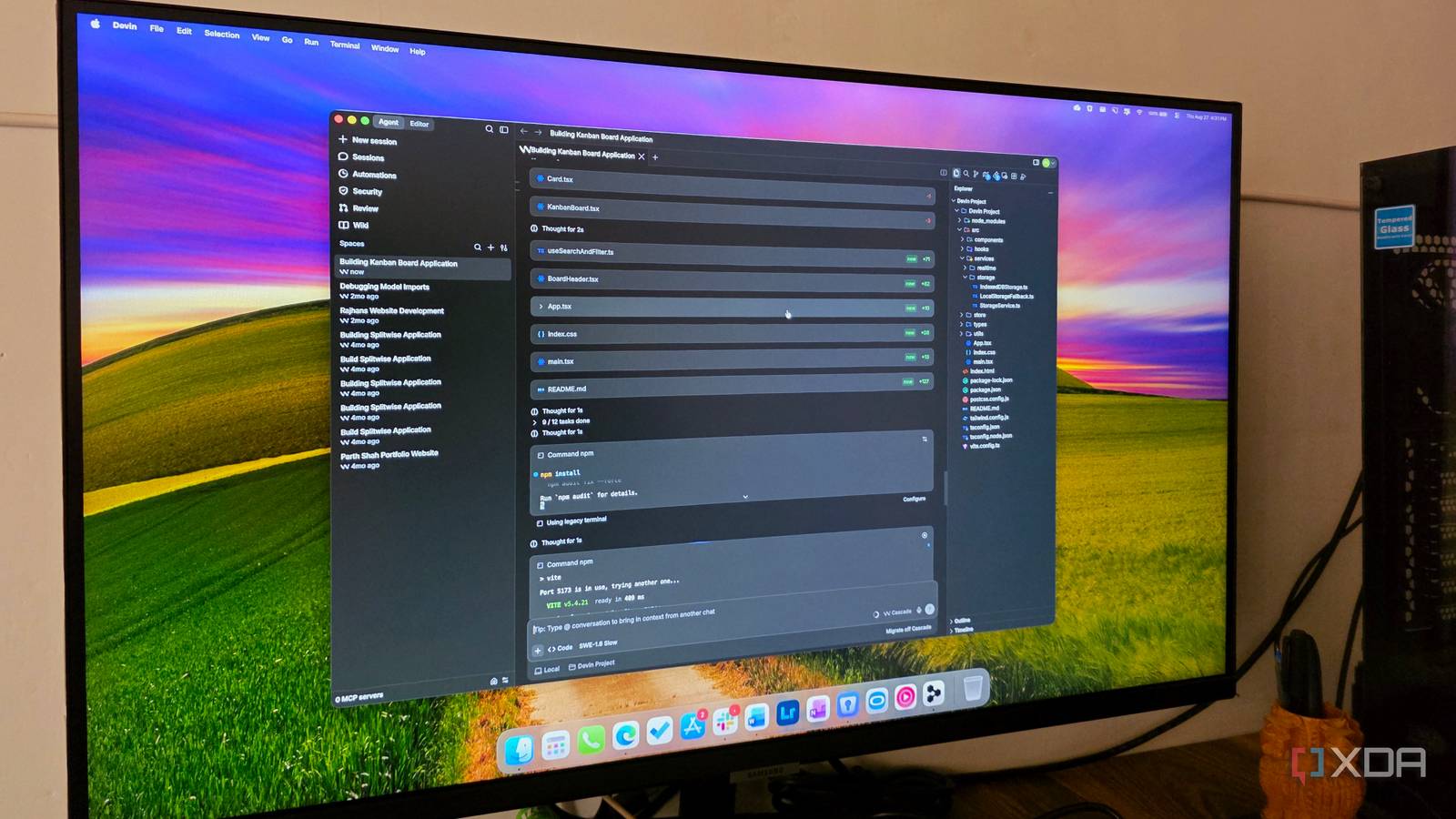
Published Sep 3, 2026, 6:00 AM EDT Parth, a seasoned tech writer, wields the keyboard (or pen) with finesse to unravel the intricacies of both Windows and Mac operating systems. He has covered evergreen content on mobile devices and computers for multiple publications over the last six years. You can find his work on AndroidPolice, GuidingTech and TechWiser. Whether it’s demystifying system updates, deciphering error codes, or exploring hidden features, Parth’s prose guides readers through the binary maze. When not immersed in tech jargon, you’ll find him sipping chai, pondering the next software review, and occasionally indulging in a friendly debate about mechanical keyboards. When it comes to vibe coding, the conversation usually hovers around tools like Claude Code, Codex, and Lovable. However, among them, I have found a tool that gets me started quickly with a project, helps me with nailing down minute details, and finishes the project without complicating my workflow. Devin Desktop gives you the speed of vibe coding without stripping away the hands-on control you actually need. The honeymoon phase of vibe coding The reality check I will be the first to admit that the honeymoon phase of pure vibe coding is powerful. When you open a prompt-driven tool, type in a loose idea for a dashboard or a utility app, and watch complete components, styles, and basic logic shaping up in seconds, it feels like cheating. It’s so addictive that you start convincing yourself you will never need to write a line of boilerplate or configure a project directory again. Then you hit the 80% wall. The breakdown almost always happens during the transition from a flashy concept to something genuinely usable. I have lost count of how many times I have spent twenty minutes in a prompt loop trying to fix a single responsive layout quirk or adjust a subtle animation timing, only for the AI to rewrite these unrelated components and introduce two brand-new syntax errors. Prompting around specific CSS alignment, tracking down environment variable bugs, or diagnosing why a third-party webhook fails silently quickly turns into frustration. At some point, explaining the exact line of code you want changed takes ten times longer than opening the file and editing it yourself. Natural language is fantastic for broad strokes, but when it comes to the precision required for that final touch, pure vibe coding leaves you frustrated. Enter Devin Desktop Native IDE with autonomous muscle This is where Devin Desktop got it right. Claude Code pushed everyone into the terminal (or as a native app) to operate strictly as an AI-driven agent loop. Then Google followed the same playbook with Antigravity 2.0, prioritizing its autonomous workspace over the standard editor and spinning off a dedicated Antigravity IDE app. While these platforms are technically impressive, they force you into an all-or-nothing mindset: you are either letting an AI drive the entire project, or you are manually copying files back over to your standard editor when things go sideways. Devin Desktop avoids that trap entirely. It doesn’t treat the code editor as a secondary afterthought — it keeps the complex, full-fledged IDE experience front and center. I can spin up a repository, select my preferred AI coding model, and then immediately click over to the dedicated Editor tab at the top of the interface. Having the seamless toggle changes everything in vibe coding. I am not stuck watching an agent struggle through a three-turn chat loop just to update a package version or fix a missing semicolon in a configuration file. Instead of forcing me to choose between a hands-off AI autopilot and a traditional code editor, Devin Desktop bridges both worlds into a single, unified workspace. The integrated Kanban workflow The game changer Having a built-in code editor solves the precision problem, but the real game-changer for me was the integrated Kanban board. The biggest headache with vibe coding is the endless, messy chat box. When you dump multiple ideas into a single chat, the AI gets confused, tries to do everything at once, and ends up breaking things. Devin Desktop fixes this by turning my project into a simple, visual board with clear columns. When I built a simple dashboard to track furniture and renovation expenses, I didn’t want to deal with a single prompt. Instead, I created three sessions to set up a database to store categories and costs, add a dark mode toggle and make the layout look great on mobile screens, and add a button to export all the data to a CSV file. I assigned sessions 1 and 2 to run at the same time. I can view all the tasks and their current status from the Sessions menu. This setup is what makes vibe coding actually work. It takes away the guesswork and gives me a clean, stress-free way to manage multiple tasks while staying in control of my code. The hybrid workflow developers actually need Vibe coding is excellent for kicking off an idea, but relying solely on chat prompts to cross the finish line quickly becomes frustrating. When you hit that final 10%, where precision styling, debugging, and direct code control matter, you simply need the muscle of a full-fledged IDE. That is what makes Devin Desktop such a practical sweet spot. If you have felt restricted by browser-based vibe coding or burned out by terminal micromanagement, I highly recommend loading a project into Devin Desktop and testing the hybrid workflow for yourself. Devin Desktop Devin Desktop is an AI-powered IDE that rivals VS Code and Cursor.
I tried Claude Code, Codex, and Lovable, but this underrated tool is the true king of vibe coding
Full Article
Original Source
Read the full article at Xda-developers →KhanList aggregates and links to publicly available news content. We do not host full articles from third-party sources. Always verify important information with original sources.