
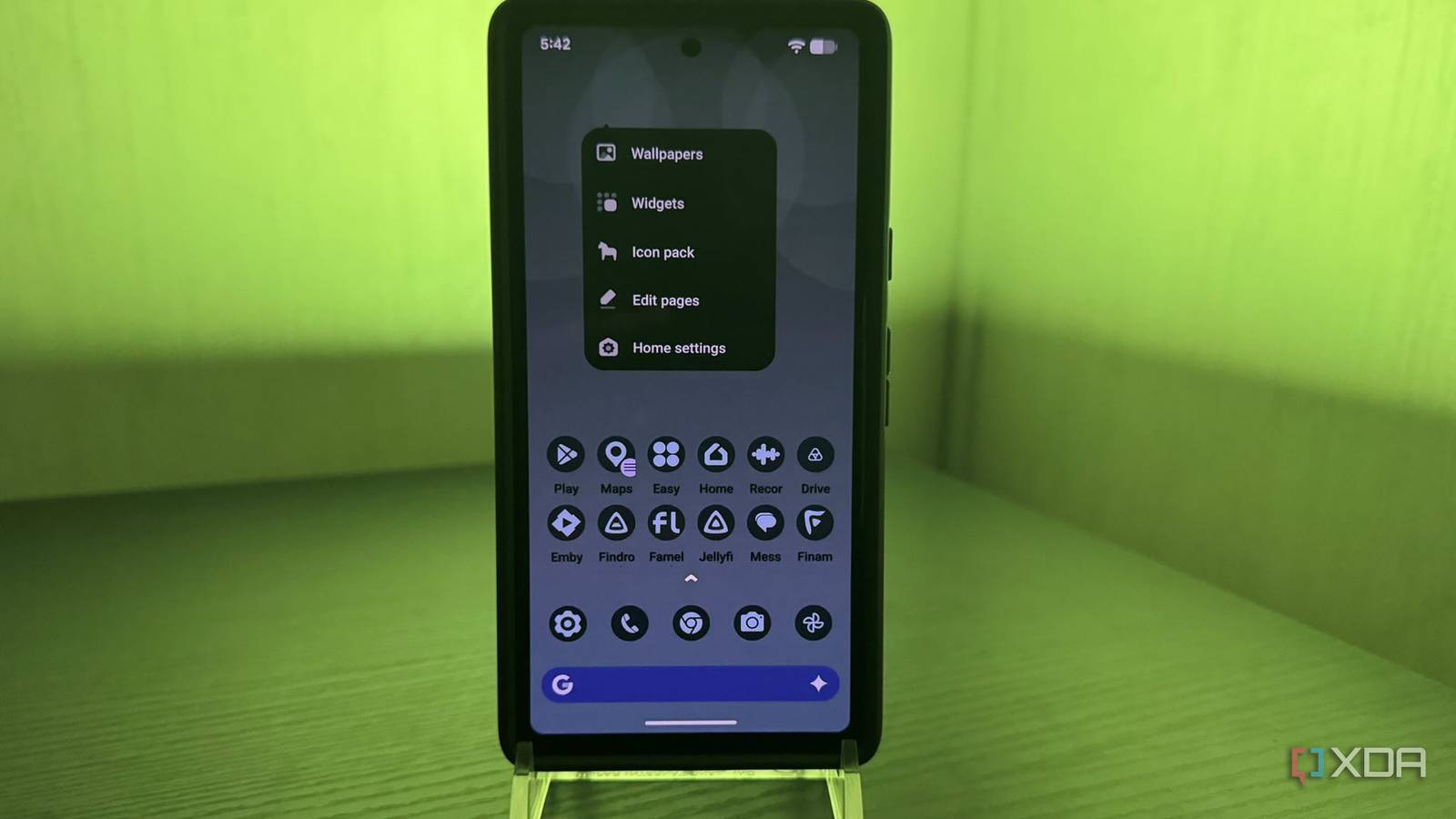
Published Nov 13, 2026, 6:00 AM EST Based in rural Minnesota, Brian Burgess worked in IT for 10 years before finding his passion for writing about consumer technology. Brian earned his degree in computer and network technology in 2000. He held various IT positions, including help desk support, router installations for IBM, database administration, and other associate network administration roles. He's been a personal technology journalist for 18 years and has written thousands of articles about Microsoft products and services, Android, iOS, streaming, and more. He has written for notable tech sites including XDA, InformationWeek, How-To Geek, Byte, groovyPost, and others. When he is away from the keyboard, you will hear him playing guitar, working outdoors, and watching Star Trek. My older Pixel phone has been running sluggishly with the default Pixel Launcher, and I was looking for a way to improve its responsiveness. I've tried several different launchers to get a faster home screen experience. I also tried some alternative widgets not from Google. They improved the experience but didn't speed up navigation. Then I tried a newer, lightweight launcher that has drastically improved how quickly I can access and manage apps and widgets on the phone. It's the fastest launcher I've tried — even the popular Nova Launcher. It's lightweight and lets me customize the app icon style, icon size, app drawer, and more on my Pixel. An instant app-launching speed boost with Hyperion I was immediately impressed with its speed I installed Hyperion Launcher and set it as my default home screen launcher. I was instantly blown away by how quickly I could navigate apps, move them around, and open the app drawer. It felt like I had just upgraded my phone by two generations. I could zip between app icons, widgets, and the app drawer. At first glance, the customization options are what you'd expect from an Android phone launcher, including customizing colors, icons, widget grid arrangement, and app drawer access. I played with some of those settings and created some cool customizations. Still, I couldn't get over the speed, since my phone felt faster than it has ever been. But the sheer number of customization settings is impressive. I can make my Pixel exactly how I want it. After a lot of experimentation and adjustments to the colors and sizes of individual home screen elements. Even with several customizations, the launcher doesn't get bogged down. So not only does it make my old Pixel feel new, but it gives it an entirely new appearance. It looks and feels like a new phone with this launcher. The features are similar to what you'd see in other launchers, but this one is not bloated. The main menu is clean and light, and even after I added customizations, the interface stayed responsive. It has speedy animations for icons and other on-screen elements, plus smooth frame rates that make my phone feel fresh and rejuvenated. Customizing my Android phone with Hyperion It has many choices, but paid gives more I'll start with the amount of customization options you can use with this launcher without spending a dime. You can change colors, typography, grid size, iconography, animations, and a lot more. Its settings are user-friendly and easy to set up, with toggle switches, adjustable sliders, and buttons. So, tweaking the available options is a cinch. There are a ton of different options available for free, but some are locked behind a paywall. It requires Hyperion Supreme, a one-time fee of $1.99, so unlocking all available features is affordable. It goes beyond changing the wallpaper and lock screen image. It lets me manage dark mode and transparency, change app icons, its theme base color, and more. I can control individual elements like the search bar, app drawer, widget items, and redesign the entire home screen. When I first installed it, I kept my existing dark wallpaper and gave the search bar a blue background. I changed the icon sizes and shapes, their labels, the number of rows, the search bar height, and dug into the typography settings. There are so many options and combinations; I get lost in it all, and it takes some exploring and experimentation. I have been able to create multiple looks for my phone. Changing its appearance doesn't hinder its responsiveness either. Hyperion is highly customizable and also provides a speed boost for my phone. An easy fix for an old (or new) bogged-down Pixel No developer settings required, just the launcher's settings The beauty of this launcher is that it doesn't require going into secret developer settings or monkeying around with other Android settings to improve your phone's performance. Simply install the launcher, and it immediately shows improved responsiveness with just a couple of swipes. Once you experience an improved interface, customizations galore await. It's a wonderful launcher, but the best features are behind the paywall. But for a couple of bucks, it's definitely worth it. The affordable price unlocks gesture mapping and biometric integration as added privacy options. But if you don't want to pay, it offers organized folder control. You can drag-and-drop icons on top of one another to make folders. Plus, you can pick a folder cover and swipe up to see the content. Oh, and did I mention how fast it is? Breathe new life into your Pixel phone with Hyperion Launcher I can't say enough about this launcher. It has all the great customization features of other launchers like Nova. It packs a lot of functionality into a zippy interface; others can't match its speed. The other launchers I've used do have great animations, features, and functionality but are sluggish in comparison. I installed it on my old Pixel 7a, and it feels like a brand-new phone, and I'm happy. Hyperion Launcher Hyperion Launcher is a highly customizable Android home screen replacement that combines sleek design with powerful personalization features. It lets users tailor icons, colors, layouts, animations, gestures, and widgets to create a unique smartphone experience. With its streamlined interface and extensive customization options, Hyperion offers a stylish and flexible alternative to the standard Android launcher.
I tried a new launcher on my Pixel, and nothing else I've done has made it feel this fast
Full Article
Original Source
Read the full article at Xda-developers →KhanList aggregates and links to publicly available news content. We do not host full articles from third-party sources. Always verify important information with original sources.