
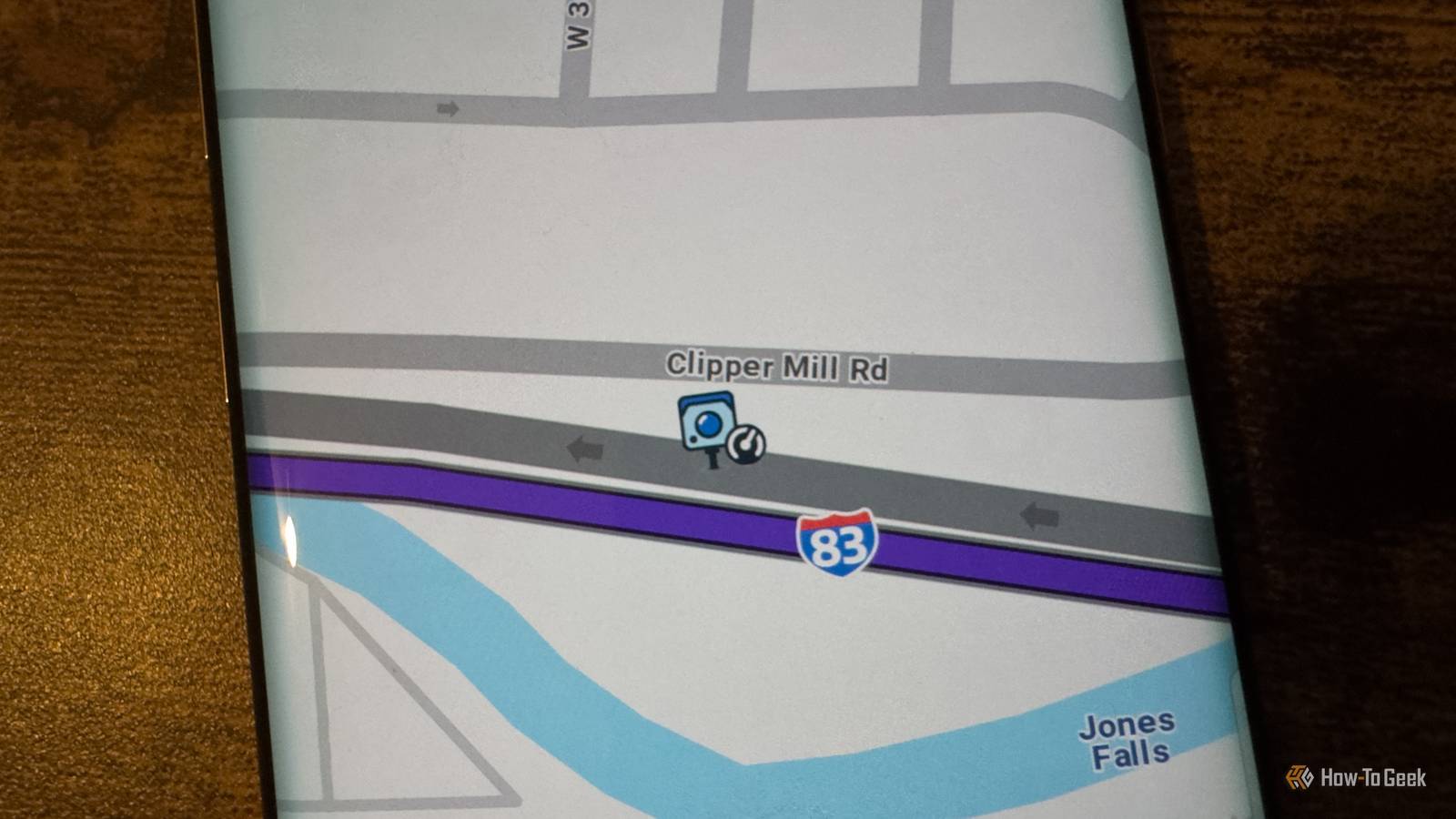
Published Nov 13, 2026, 6:30 AM EST Adam has a degree in Engineering and has a life-long interest in technology. He has been writing for over a decade for various print and online publications, with a focus on consumer tech. He joined How-To Geek in 2024 while working at Pocket-lint. As well as being a long-term fan of Apple products, he also has a strong interest in smart home tech, running a Home Assistant server at home to automate all his smart home devices. He believes that the ideal smart home should work with minimal interaction from the user, with automations running as if by magic rather than requiring you to push buttons on a control panel. You can find more of his work on Muck Rack. Waze has been my navigation app of choice for several years. I've tried Google Maps, but Waze has always proved to be a little better. That doesn't mean I've not been tempted to stray; Waze has several incredibly annoying features that make me look over my shoulder at Google Maps like the guy from the distracted boyfriend meme. I cannot get Waze to give me audible speed camera alerts Waze only lets me know about cameras when I'm already speeding This is my biggest gripe with Waze, and it drives me insane. It's one of the dumbest features I think I've ever seen in any app, ever. One of the most useful features of navigation apps is that they can tell you where speed cameras are located so that you don't blow through them like you're in The Cannonball Run. The trouble is that Waze usually only shows these cameras on the display and doesn't give me an audible warning. I don't want to drive with my eyes on Waze the whole time; I'd like Waze to give me an audible alert when I'm approaching a speed camera. Although I always try to stick to the limit, it can be easy to exceed it accidentally, especially when you move from one speed limit to the next. Waze can give you audible alerts for speed cameras, but only if you're exceeding the speed limit. While this might be the preference for some people, there's no way to make the alerts audible if you're driving below the limit. It's absolute madness, and Google Maps doesn't suffer from the same lunacy. If I need to pick up two friends, I'm out of luck This is another thing that really annoys me. Not every journey is from A to B. Some journeys are from A to B to C, and some go through a lot more of the alphabet. Waze lets you add an intermediate stop to a trip, so you can create a journey from A to B to C. The annoying thing is that it only allows you to add one. If you want to drive to a friend's house to pick them up, then swing by another friend's house to grab them, and then finally navigate to your destination, you literally can't build that journey in Waze. Google Maps has no such issues. You add up to eight intermediate stops to your journey before Google Maps eventually says no more. If you're planning on picking up more than eight people, good luck fitting them all in your car. Waze is completely reliant on a network connection You can't download offline maps We live in a connected world where access to an internet connection is something we almost take for granted. Even with mobile networks, however, there are still times when you can't get any network connection at all. If you're offline, good luck using Waze. Google Maps allows you to download offline maps that will work even if you have no signal. You can search for locations, plan routes, and more, although you'll miss out on things such as live traffic data until you get a network connection again. If you know you're going to be out in the sticks, you can download maps ahead of time, so you don't get stranded with no way to navigate. Waze, on the other hand, relies almost entirely on a network connection. It can cache some map data if you lose signal, but you can't download entire offline maps in Waze like you can with Google Maps. There have been countless times that I've had to start navigating by guesswork until I could finally get a signal. Business search sucks Google Maps has Waze beat Waze is a company devoted to navigation, while for Google it's more of a side hustle. Google has far bigger fingers in much larger pies. Some of the data from Google's other services can prove incredibly useful, particularly the data that it has on businesses. In Google Maps, you can not only see the locations of local businesses, but you can also see reviews, rough prices, menus, photos, and more. For hotels or restaurants, you can make bookings directly from Google Maps. In comparison, Waze offers very little information. For some businesses, you can see basic details such as the name of the business, and that's about it. Users can submit data, but it's very hit or miss and can't compare to the rich data offered by Google Maps. Waze looks like an app for kids I don't need cartoon cars on my navigation app My kids love Waze. There are plenty of fun navigation voices in the default options, and Waze regularly offers promotional voices for kids' movies voiced by characters such as SpongeBob and The Cat in the Hat. These can make the spoken directions a little less dull. When I'm on a road trip alone or with other adults, however, even if I switch to a more boring voice option, the navigation screen still looks like a really bad kids' game. Other drivers are represented with emoji characters wearing crowns or holding swords, which is all a bit ridiculous for an app that's supposed to help you get from A to B. Google Maps doesn't treat me like I'm still 12. I love Waze, but it tries my patience There's a lot about Waze that really annoys me, but it's still (literally) my daily driver. I tolerate its quirks because, for me, it does the best job of getting me where I need to go. Is it really so much to ask to have a button to enable audible speed camera alerts?
I love Waze, but these 5 features almost make me want to switch to Google Maps
Full Article
Original Source
Read the full article at Howtogeek →KhanList aggregates and links to publicly available news content. We do not host full articles from third-party sources. Always verify important information with original sources.