
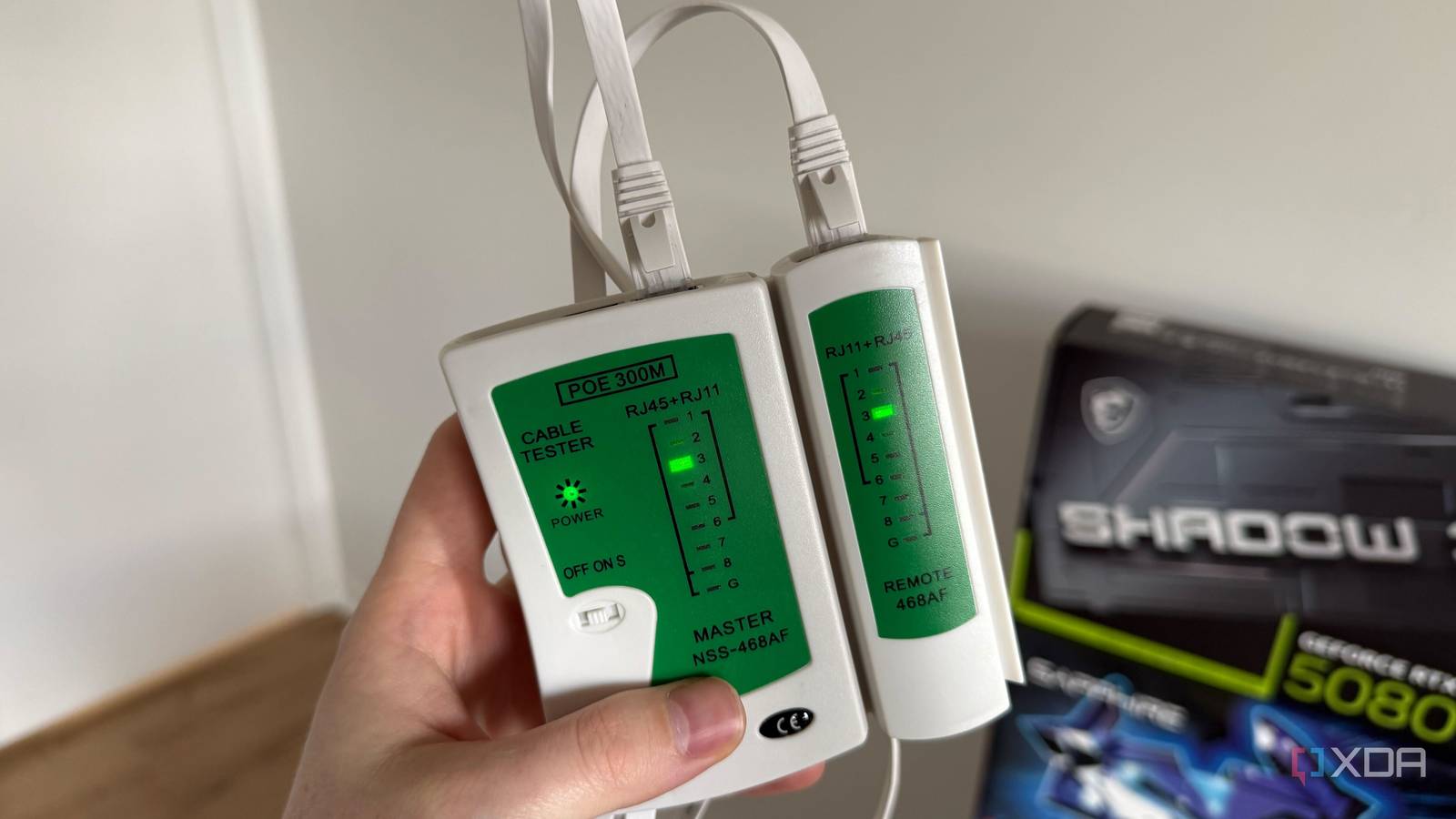
Published Sep 26, 2026, 5:00 PM EDT His love of PCs and their components was born out of trying to squeeze every ounce of performance out of the family computer. Tinkering with his own build at age 10 turned into building PCs for friends and family, fostering a passion that would ultimately take shape as a career path. Besides being the first call for tech support for those close to him, Ty is a computer science student, with his focus being cloud computing and networking. He also competed in semi-pro Counter-Strike for 8 years, making him intimately familiar with everything to do with peripherals. I personally don't mind if the networking stuffed in my closet is a bit of a mess, but when running cable throughout my home, I do want it to look somewhat neat. Flat Ethernet cables are perfect for tucking under carpets or running neatly against baseboards, but after setting up my network with them, I began experiencing intermittent issues that were very difficult to nail down. The culprit ended up being those flat Ethernet cables that were the backbone of the uplinks for some of my key devices, and the failure was invisible to the naked eye. What happens inside a bent Ethernet cable The flat variety might seem better for bending, but it's the opposite Inside a typical Ethernet cable are four twisted pairs of thin copper conductors, eight wires in all. The "twisted" in "twisted pair" serves an important function, which is to cancel out interference and limit crosstalk, and the cable's rated performance assumes that those twists stay intact. Now this is where things can get squirrely: the TIA-568 cabling standard sets the minimum inside bend radius for unshielded twisted-pair cable at four times the cable's outside diameter, and it applies that rule to patch cords as well as installed runs. For a typical Cat6 cable, that's an inside radius of roughly an inch, and if you're anything like me, your home setups break that rule all the time: a cable pinched behind a desk pushed flat against the wall, bent hard around a door frame, crushed under a staple or folded sharply right behind the plug. If the copper inside is bent past its limit, or flexed over and over at the same point, it can fatigue and crack while showing no visible damage on the outer jacket, and that's exactly what happened to me. The cable's category matters less here than you might expect. 2.5GBASE-T was designed to run over Cat5e at up to 100 meters, so for most home runs the category label isn't your bottleneck. A Cat6a cable with a cracked conductor will perform worse than an undamaged Cat5e one. A severed pair can look like a software problem It's a tough thing to get a handle on if you're not aware The worst part about an Ethernet cable issue specifically is that it can look like a software issue. The symptoms can be really similar. Gigabit Ethernet and 2.5GBASE-T sends data over all four pairs in the cable, but the older 100BASE-TX standard needs only two. If one of the pairs that only the faster standards use is broken, both ends can still see each other and agree to try a gigabit or 2.5GbE link, but the link can't train at that speed. Many network PHYs handle this with a feature usually called speed downshift: after several failed attempts at the higher speed, they fall back to 100 Mbps. It's easy to see the successful connection but low link speed and diagnose it as a driver issue. In both cases the network still "works," which is the problem. A link stuck at 100 Mbps gives you slow NAS transfers, stuttering streams and long backups. Nothing is visibly broken, so you blame the NAS, the switch or the driver, and an intermittent break can be even worse. A crack that opens and closes as the cable shifts or warms up causes the link to drop and renegotiate, and this muddies the waters even more. Corrupted frames fail their checksum and are thrown away, TCP retransmits the lost data—all of it shows up as packet loss, latency spikes and stalled transfers. Every symptom points somewhere different, yet all of them can come from one bad bend. And if the replacement cable goes through the same tight spot, all you're really doing is just resetting the clock until the next outage. This is exactly what was happening to me. I had a flat ~100ft cable run on the baseboards of my home up to my office, and somewhere along the way, there must've been a pair that had becomed severed, because my 2.5GbE connection kept defaulting down to gigabit, and sometimes, overnight, it would reset back to 100 Mbps. Check your flat cabling Flat cables are particularly problematic If you're seeing any of those symptoms, checking your cabling is the best place to start, especially if you're using the flat variety. Most flat cables still contain four twisted pairs, but the pairs sit side by side in a ribbon instead of being bundled inside a round jacket. The conductors are often much thinner, too: 32 AWG or smaller is common in flat cables, compared with the 23 or 24 AWG you'll find in a typical round Cat5e or Cat6 cable. That leaves less copper, less jacket and less cushioning around each pair to absorb a pinch or a crease. A round cable resists being bent too tightly, so you can feel when you're forcing it. A flat cable folds cleanly against itself, which looks tidy but is exactly the kind of hard crease that fatigues a conductor. Run one under a door and the hinge side pinches it every time the door closes, and that repeated flexing at a single point is the same failure mechanism I described earlier, just happening faster. In my instance, I never did nail down what part of the cable was the issue, and even if I did, it's nearly impossible to repair flat cables in the same manner that you repair a standard cable with a round jacket. This is because flat cables are often encased in plastic instead of the shield being a loose covering around the conductors. Ethernet is quite reliable, but it can be fickle if treated rough physically The physical layer is easy to overlook because it's usually quite straightforward. It's quite literally plug and play in many instances, but if you're a bit too lax with the way you bend cables (especially if they're flat), it can send you chasing connection ghosts in a hurry. If your link is slow, dropping or sitting at a speed it shouldn't, spend five minutes on the cable before you spend a weekend on everything else.
I tore apart my home network only to discover my Ethernet cables were the problem
Full Article
Original Source
Read the full article at Xda-developers →KhanList aggregates and links to publicly available news content. We do not host full articles from third-party sources. Always verify important information with original sources.