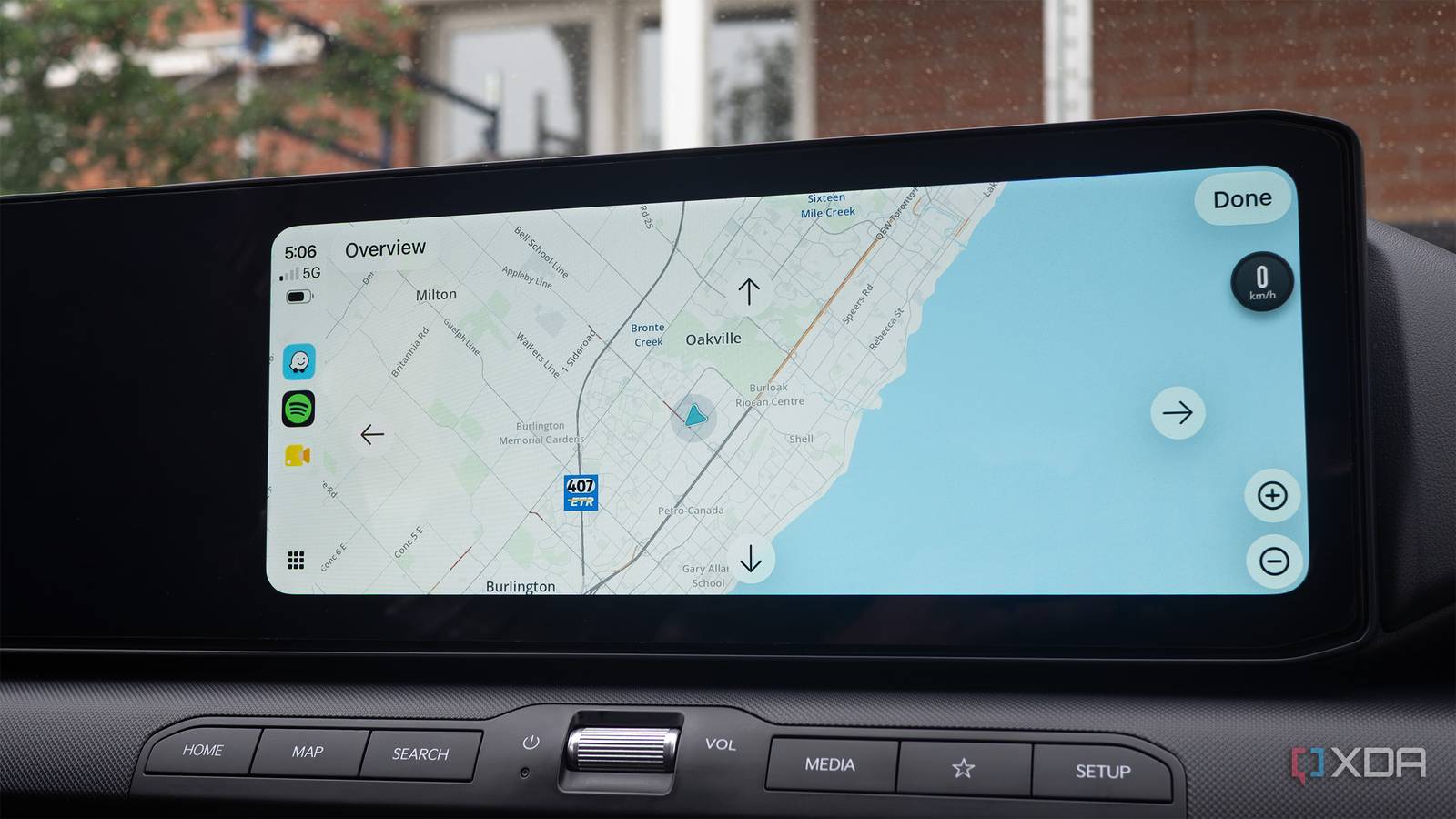
Published Aug 11, 2026, 11:30 AM EDT Patrick O'Rourke is XDA's News Editor and Entertainment Segment Lead. Previously, he was Pocket-lint's Editor-in-Chief, the Editor-in-Chief of Canadian tech publication MobileSyrup, and earlier in his career, he worked as the technology editor at the Financial Post and Postmedia. He's based in Toronto. Over the past 15 years, he's written thousands of articles. Patrick has also interviewed dozens of tech industry executives and covered GDC, E3, Gamescom, WWDC, Apple keynotes, Samsung Unpacked events and more. Patrick has a BA in journalism from Toronto Metropolitan University. Until somewhat recently, I didn't realize wireless Android Auto requires both Bluetooth and Wi-Fi to function. Look, I know it's probably a silly assumption for me to make. Of course, I've hooked my phone up to my car's peer-to-peer 5GHz Wi-Fi connection, but I thought this was only required for the initial setup and that after that, the wireless connection was handled over Bluetooth (no, I didn't really think about why it wasn't required for the initial setup). Then one day, I got in my car and wireless Android Auto just wouldn't connect. I spent a solid 15 minutes troubleshooting, and as far as I could tell, there was no clear reason why my Pixel 10 Pro wouldn't connect to my car. To my surprise, the issue was very simple: I had Wi-Fi turned off on my phone. This is when I realized wireless Android Auto requires both Bluetooth and Wi-Fi to function. Now that I own a vehicle that natively supports wireless Android Auto, I decided it was finally time to do a bit of research and get to the bottom of what actually connects my Android device to my vehicle. Here's why Android Auto requires both Bluetooth and Wi-Fi to function Most features are handled over Wi-Fi, but Bluetooth still plays an important role At a base level, both wireless technologies serve a specific purpose. When I turn my car on, Bluetooth performs the initial connection and the all-important handshake with my vehicle, pairing the two. Bluetooth is then used to share the information required to connect both devices over Wi-Fi. This is why in the situation above, my car continued trying to connect to Android Auto, but couldn't because I had Wi-Fi turned off on my phone. Apart from establishing the initial connection, Bluetooth is also used for hands-free in-car calling. However, beyond that, Wi-Fi Direct handles the heavy lifting with Android Auto. The direct 5GHz connection happens instantly as long as that initial Bluetooth connection is established, allowing you to project apps like Google Maps and Waze directly to your car's infotainment screen as you get into your vehicle and your phone is connected. My Kia K4 Hatchback doesn't feature built-in navigation, so I've come to really appreciate how quickly Waze appears on my car's screen because it lets me get going faster. At this point, something like "okay cool, so why doesn't Android Auto just handle everything over Bluetooth?" has likely crossed your mind. Solid question. Bluetooth just doesn't have enough capacity to establish the connection between your Android device and your phone, stream audio, and handle all the projected app graphical user interfaces, especially when you have a high-bandwidth app like Google Maps running, alongside Pocket Casts and a couple of Widgets. Bluetooth 5.0 tops out at 3Mbps, while 5GHz Wi-Fi Direct hits somewhere in the 100-500Mbps, which really puts things in perspective. That said, wireless Android Auto actually likely only requires about 10-30Mbps to run smoothly. Wireless Android Auto has a few downsides A wireless connection to your car's infotainment system can be less reliable While I've really enjoyed using wireless Android Auto natively because it connects far more reliably than the Carlink Kit 5.0 accessory I use in my Ioniq 5 (which only features wired Android Auto), it has a few downsides. For example, while this isn't an issue I've encountered yet, Bluetooth and Wi-Fi Direct are more susceptible to wireless interference, which can result in dropped connections. Of course, you can make the same argument about wired Android Auto, especially if you're using an older, slower USB-C or USB-A cable to connect your phone to your car, but I'd argue that wireless interference is likely more common. There's also a bit of delay with wireless Android Auto compared to a wired setup. Touchscreen taps are slightly laggy, swiping is delayed, and changing Spotify songs with my K4's steering wheel controls often takes a few seconds. This isn't a deal-breaker, but I assumed the wireless Android Auto lag I've experienced in the past was caused by the third-party wireless adapter I use. Now that I own a car that natively supports wireless Android Auto, it's clear that isn't the case. You also can't use your phone's Wi-Fi hotspot feature when connected over wireless Android Auto, which I've found frustrating in situations where I'm working remotely from my car, or I'm snapping a few photos for an XDA story with a phone that doesn't have an eSIM or SIM card in it. Additionally, wireless Android Auto drains your battery like crazy since it's constantly running both Wi-Fi and Bluetooth, so I've found that keeping my Pixel 10 Pro plugged in all the time is key to keeping it at a decent charge level. Still, even with these minor limitations and potential issues, I'll take wireless Android Auto over a wired connection in almost every situation. The ability to instantly connect to my phone as soon as my car is on just can't be beat.
I thought wireless Android Auto only ran off Bluetooth, but I was wrong
Full Article
Original Source
Read the full article at Xda-developers →KhanList aggregates and links to publicly available news content. We do not host full articles from third-party sources. Always verify important information with original sources.