
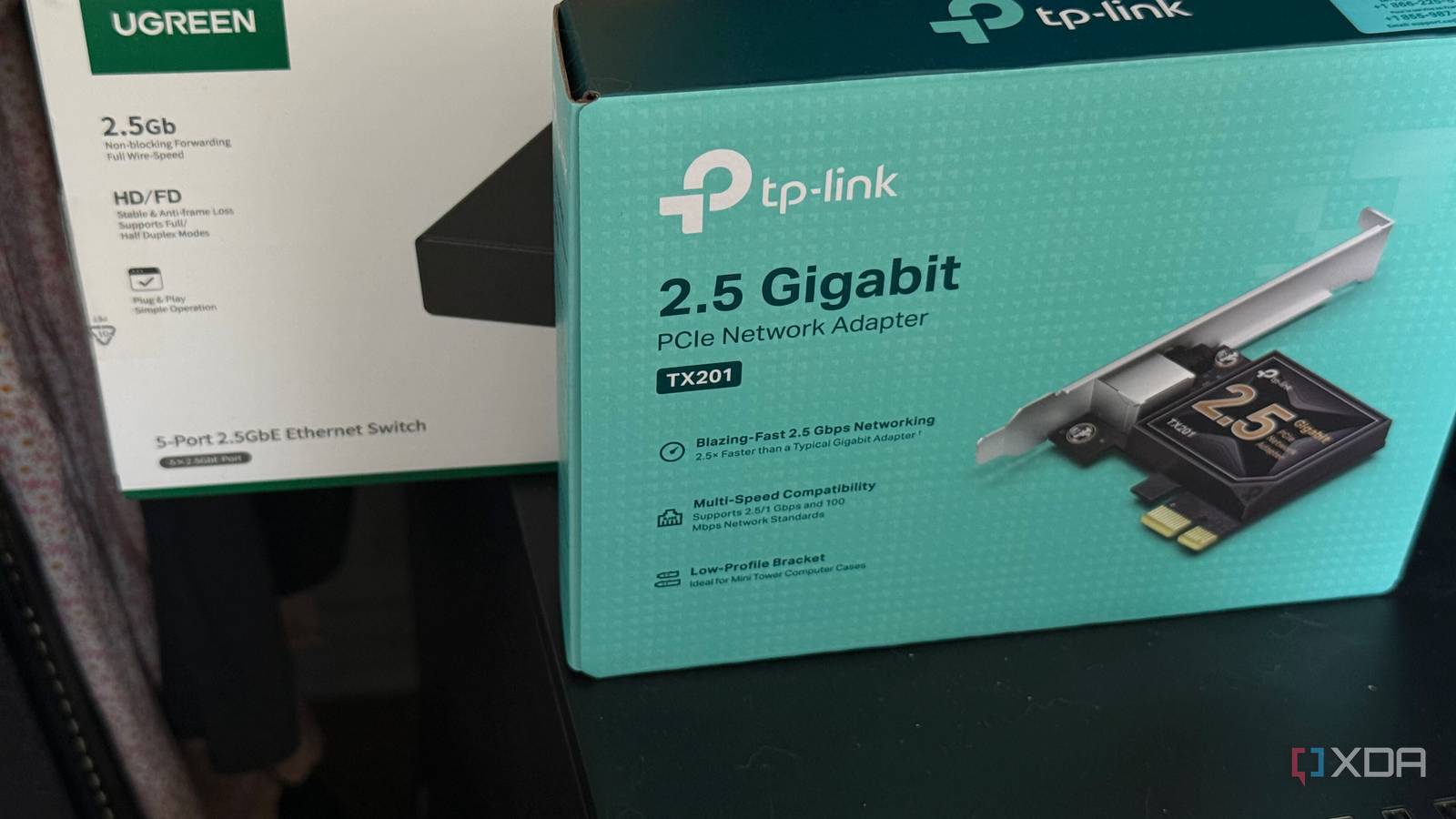
Published Aug 21, 2026, 10:00 AM EDT His love of PCs and their components was born out of trying to squeeze every ounce of performance out of the family computer. Tinkering with his own build at age 10 turned into building PCs for friends and family, fostering a passion that would ultimately take shape as a career path. Besides being the first call for tech support for those close to him, Ty is a computer science student, with his focus being cloud computing and networking. He also competed in semi-pro Counter-Strike for 8 years, making him intimately familiar with everything to do with peripherals. As soon as I had finished setting up my home lab and NAS, I had begun to see the limits of gigabit networking. It's definitely fast, but big transfers and bulk downloads were the areas where I saw room for growth, and it started with a couple of purchases. My ISP serves me 2.5Gbps symmetrical fiber speeds, so to take full advantage of that, I upgraded my home lab to support 2.5GbE alongside my main workstation. I had assumed this would be the end of my multi-gig upgrades, but it actually exposed that very few things can take advantage of those speeds, and making a speed change in an entire household means upgrades at every point in the chain. What 2.5 GbE actually buys you There are serious tangible benefits Gigabit networking speeds top out at around 118 MB/s after you account for Ethernet framing and TCP overhead. 2.5GbE, by contrast, grants you a theoretical line rate of 312.5 MB/s, but lands more in the 280 range during real-world use in a better-case-scenario. In my setup, transfers from my Samba share went from the low 110s to 250MB/s, which is a leap that you actually feel. The reason why 2.5GbE exists at all is the cabling and its signalling, which is derived from the 10GBASE-T standard, as is the case with 5GBASE-T. Both are the same PHY transmission running at a much lower signal rate, which lowers the expectations on the cable itself. 2.5GbE can run on Cat 5e, and 5GbE can do the same on Cat 6. The hardware it all plugs into is just as simple, and a lot cheaper than it used to be. My UGREEN 2.5GbE switch was under $100, and the same goes for any 2.5GbE NIC you buy. They're all plug-and-play, but as far home lab use is concerned, the bottlenecks it exposed were largely network-based, not anything to do with hardware. Upgrading to multi-gig exposes bottlenecks all over your network Most things are still Gigabit Upgrading a couple links in my home network made transfers between those links faster, but the links they didn't affect are what I noticed more. A transfer from anything else in my home is still gigabit, despite there being support for more at the other end. My router is probably the best example of this: the TP-Link Archer unit that runs routing for my entire home has one 2.5 Gbps WAN port, one 2.5 Gbps LAN port, and the rest are plain Gigabit. That single 2.5 Gbps LAN serves as the link to the switch upstairs, meaning anything downstairs is relegated to Gigabit for good, which includes my HTPC. Hardware inside my home server was never the issue My NAS drives can read faster than 2.5GbE can carry My initial concern with upgrading was that my two 8TB Seagate Exos 7E8 7200 RPM disks would be the limiting factor, but after seeing the transfer numbers after upgrading, there's actually a lot more left in the tank. Seagate rates these drives at a maximum sustained transfer rate of 237 MiB/s. In a ZFS mirror like I'm running, the reads can be distributed across both drives, meaning the sequential reads off of the pool can push well past what a 2.5GbE link is able to carry. When I'm pulling files off of the server, the drives are not the limiting factor. Writes are another conversation entirely, and that's because of the format I've chosen. ZFS mirrors, like any storage mirror, write copies to both members, so sequential write throughput is roughly one drive's worth rather than two, and that consistently lands below what 2.5GbE is capable of. Almost nothing in my house can use it, anyway Wi-Fi devices are especially limited I've accepted that the wired devices downstairs are stuck at Gigabit, but I thought that at least the Wi-Fi devices could push towards 2000 Mbps thanks to Wi-Fi 7. This was wishful thinking on my part. Despite being equipped for dual-band Wi-Fi 7, the TP-Link unit I have doesn't push real-world numbers that line up with that spec. Technically, it's rated up to 2882 Mbps on the 5GHz band, but once you add distance, walls, devices competing for airtime, and router placement, I see numbers down around the 800 Mbps mark. There's also a structural issue here, because if multiple devices are using that sole 2.5GbE LAN port to reach the lab, they can't both receive that speed, even if, in theory, the wireless limitations didn't exist. The road to true multi-gig is long and expensive While upgrading one or two links to 2.5GbE is rather inexpensive, doing so for the rest of my entire household would add up quickly in cost and effort. I had expected my drives to be the main bottleneck in this process, but a mirror with two enterprise SAS drives is fast enough to easily saturate its link, and instead, it's everything else that needs a boost to keep up.
I thought my NAS drives were the bottleneck, but 2.5GbE networking proved me wrong
Full Article
Original Source
Read the full article at Xda-developers →KhanList aggregates and links to publicly available news content. We do not host full articles from third-party sources. Always verify important information with original sources.