
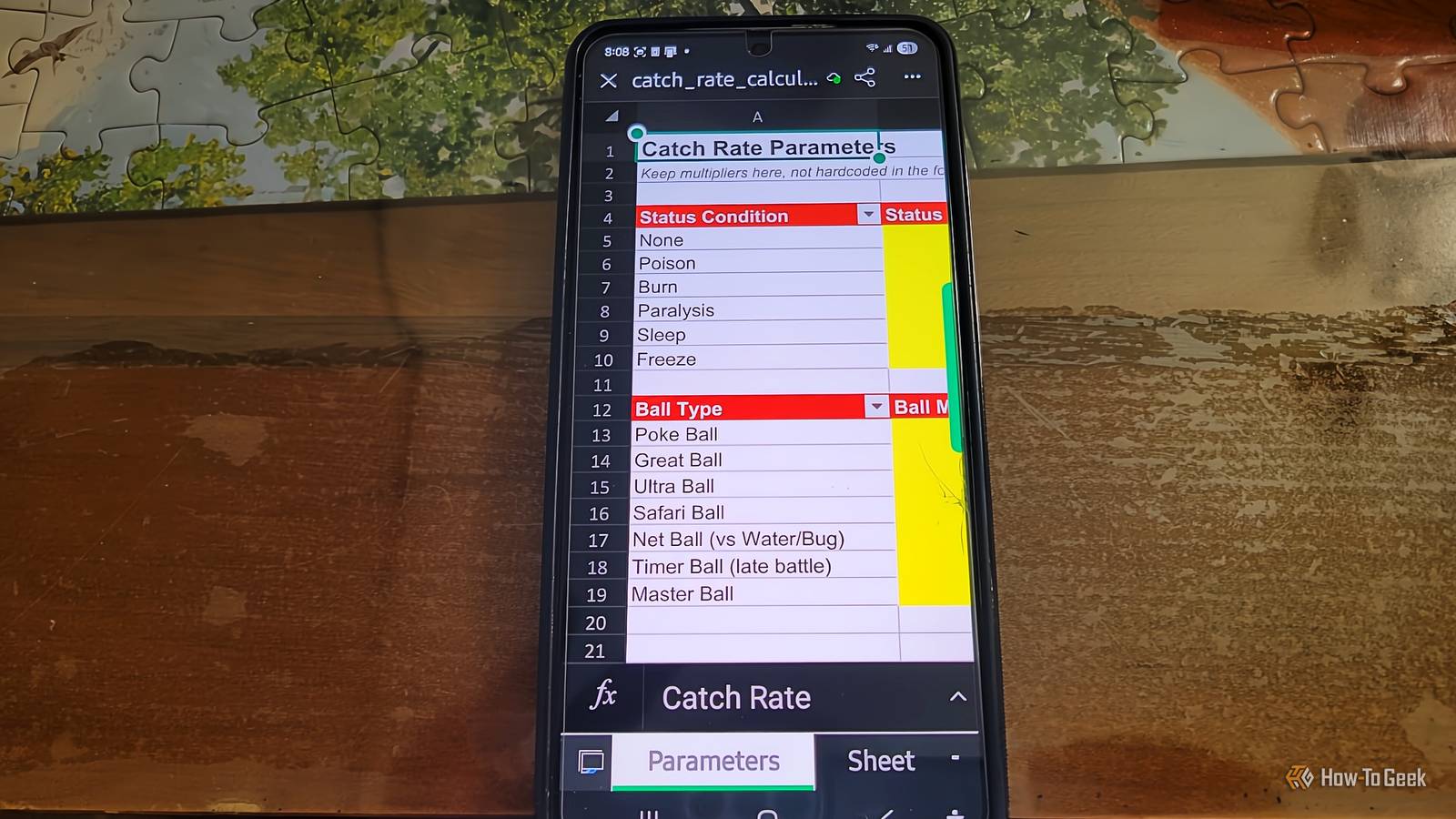
Published Nov 11, 2026, 3:00 PM EST Aggy is a veteran writer and editor in the technology and gaming space. Having served as a Managing Editor for high-traffic digital publications, alongside being an editor and consultant for over a dozen sites. Aggy's published work spans a wide and respected array of tech and gaming outlets, including WePC, Screen Rant, How-To Geek, Android Police, PC Invasion, and Try Hard Guides. Beyond editorial work, Aggy's direct experience in the tech sphere extends to app development. Aggy has published two games under Tales and is always eager to learn and do more. He also likes working on computers and researching in his spare time. He knows about Windows, Linux, Audio, Video, and much more. Every time I've tried to use Google Sheets from my phone, I've ended up frustrated and gone back to my laptop. But I spent a week living in Microsoft's Excel app on Android, and I can't believe a Microsoft app is built better than any other version I've seen. I am normally against Microsoft's ports, but this one is a whole new app when used on a phone. Spreadsheets were never built for phones Your fingers make the problem worse The obvious reason spreadsheets are terrible on phones is that they were designed for big monitors, and phones are small. On a desktop, you can view hundreds of cells at once, look over wide tables, and move around fast with keyboard shortcuts. On a phone, you're only seeing a tiny piece of the grid at any moment, and when you type, the keyboard takes up half the display. Keeping track of your position, what's in the next column over, or even just reading a header row gets really irritating in a way that's hard to fully get until you actually try it. I've hated the way that Google handles this, because it feels so thoughtless. Touch input makes it worse because of all the accidental taps. A mouse lets you hover, click where you want, select ranges, and a bunch of other things without worry. A finger doesn't hover, and it isn't accurate, and tapping a small cell without grabbing the wrong one is harder than it looks, and I've lost my temper with it before. Building a formula is especially rough because you're always hopping between letter keys, number keys, and symbol keys, then tapping cells to reference them, then heading back to the keyboard. Big software companies ignored this and shipped mobile apps that were really just viewers or shrunken copies of the desktop version. I'm sure the idea was that you'd do real work on your laptop and maybe open your phone to check a number while you're out. I do this with my budget so I can see the idea of it, but I can't excuse the execution. Making something that actually works as a primary tool on a phone means remaking the entire interface, not just shrinking the desktop version down. That means context-aware toolbars, smarter keyboards, and ways to display wide tabular data without forcing the user to scroll sideways forever. Somehow, Microsoft pulled it off. Cards View makes row entry easier After using this for a week, I'd have to say the best thing about Excel on Android is how much thought went into the toolbar. Instead of that huge ribbon you get on the desktop, you get a bottom bar that shows tools based on whatever you're doing. You can keep it minimal to see more of your spreadsheet, or expand it when you need more options. For general editing, switching between formats, and moving between sheets, it felt pretty natural and stayed out of the way. Things get more interesting with formula entry and what Excel calls Cards View. When you begin typing a formula, the bottom bar turns into a helper that guides you through the function, lets you search for what you need, and gives you draggable handles to select ranges without losing your spot in the formula. It's a small thing, but it saves you a lot of hassle. Cards View is what first made me realize that Excel was not a lazy port. I'm used to seeing a wide table with lots of columns side by side, despite that being terrible for a phone, but this feature turns each row into a vertical card you scroll through one at a time. For entering structured data row by row, it's way easier than trying to navigate a grid on a small screen. It only works if your data is set up as a proper Excel Table, so you can't use it on a random block of cells without converting it first. Sheets' grid never felt helpful to me and caused more problems than it solved. The phone version still has limits Google Sheets is there if the paywall bugs you While I recommend Excel on the phone over any other app, there's still a lot you just can't do on mobile. That's understandable, and no other app does those things well on a phone either. Unfortunately, macros don't run, no matter what you do. Also, Power Query, Power Pivot, and external data connections aren't available. There's also the fact that old .xls files open in read-only mode unless you convert them. If your workbook is big enough, things start getting slow or can crash on a phone with limited memory. Pivot tables and charts work, but doing anything detailed with them on a small screen is pretty annoying, and some of the more advanced formatting controls are locked behind a paid subscription. The subscription stuff gets old fast. If your screen is bigger than 10.1 inches, Excel goes read-only unless you're paying for Microsoft 365. Cloud storage through OneDrive for Business, SharePoint, and Box is also locked behind a subscription, along with some other features. I'm sure that's to keep people from using a tablet like a computer and bypassing the paywall. If this is a dealbreaker, go to Google Sheets. It doesn't have screen size restrictions, doesn't charge for cloud editing, works for free across personal and work accounts, and lets a bunch of people work in the same file at once with no trouble. It also plays nicer with the rest of Android, like drag and drop between apps and AI summaries on newer phones. I'd still say that Microsoft is worth it, even with the limited features on a free plan. You should make the move over to Excel if you can The app you use should depend a lot on what you're already using at work. If you're deep in Microsoft 365 and you need to edit complex files offline on a small phone, Excel's mobile app is really impressive, and Cards View alone might win you over. If you work across different tools, need collaboration to just work without thinking about it, or don't want to pay for a subscription to edit a file on your phone, Google Sheets is the better choice. Microsoft 365 Personal OS Windows, macOS, iPhone, iPad, Android Brand Microsoft Price $100/year Developer(s) Microsoft Microsoft 365 includes access to Office apps like Word, Excel, and PowerPoint on up to five devices, 1 TB of OneDrive storage, and more.
I tested Excel on Android for a week, and the phone-first workflow is better than it has any right to be
Full Article
Original Source
Read the full article at Howtogeek →KhanList aggregates and links to publicly available news content. We do not host full articles from third-party sources. Always verify important information with original sources.