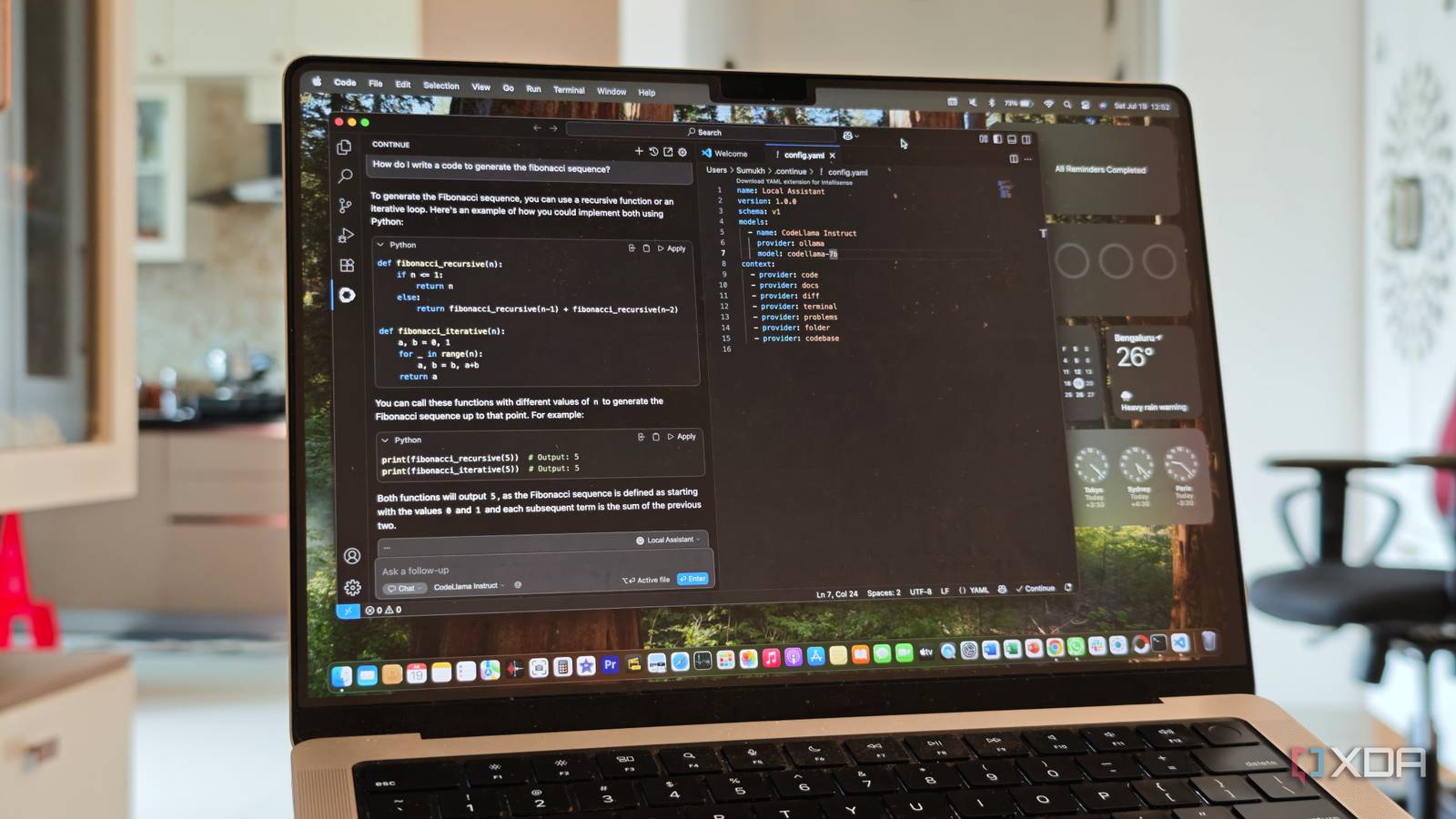
Published Aug 2, 2026, 3:30 PM EDT Korbin is a Linux system administrator who spends most of his time in a terminal figuring out how things actually work. Over the last decade he's written hundreds of articles about Linux configuration, troubleshooting weird problems, and using open-source tools in the real world. He also works a lot with Windows systems and networking, especially in mixed environments where things don't always behave the way the documentation says they should. Writing things down is how he makes sense of it all and hopefully saves someone else a few hours. There are now at least half a dozen serious code editors built on top of VS Code's open-source core. It has quickly turned into a highly competitive space, with big names backing the most popular editors. SpaceX recently signed a deal to buy Anysphere, the company behind Cursor; Google's Antigravity was released last year; AWS is sunsetting Amazon Q Developer and pushing everyone toward Kiro; and Cognition bought Windsurf before renaming it to Devin Desktop. There are a handful of other powerful companies with a hat in the ring, too, but the aforementioned editors are the ones that caught my attention. A lot of money has been invested in what is essentially the same Electron app repackaged with a different AI agent each time. I was curious to see if any of the corporations had found a clever spin to put on their rendition of Microsoft's base code, so I gave each editor a thorough test run as my daily driver for a few days. In the end, I wound up right back on good old VS Code. Microsoft has made strides with the AI layer of the editor over the past year, and now most of the capabilities offered by its competitors are sitting in the base product. My extensions all work again, too, which turned out to matter more than anything else. VS Code caught up while everyone was picking sides Agent features stopped being a good reason to switch The last couple of releases are what launched VS Code back to the front of the pack. Version 1.129 introduced a dedicated agent host, which runs agent sessions in their own process that you can connect to from multiple windows, and 1.130 expanded on it further. The mechanism behind it is called the Agent Host Protocol, and it allows you to host a number of different agents, including Copilot, Claude, and OpenAI's Codex. Bundled agents were the whole selling point of all the forks, and now that functionality has been added into base VS Code. The Agents window was added to Stable in May, and it does the same thing that the fancy agent dashboards do. Git worktree support works across harnesses, so parallel agent sessions don't interfere with each other. Another nice addition is assisted tool approvals, where the model evaluates the risk of using a particular tool before asking you about it. It cuts down on the endless stream of approval prompts that made me want to avoid using agent mode before. Reviewing the output from agents in VS Code is now a much more pleasant experience. One of the big pitches from the forked editors was that they'd let you choose which AI model runs behind the editor, rather than locking you into whatever the vendor picked. When Microsoft dropped the GitHub sign-in requirement for BYOK (bring-your-own-key), it rendered that argument irrelevant, since you're no longer required to use Copilot or GitHub. You can supply your own API key to whichever model you want to use. Ollama shipped an official VS Code extension, and it's now the recommended path for local models, replacing the old built-in provider. I have Qwen pointed at the chat panel, so I don't need a subscription or account sign-in just to use AI inside the editor. There's one other thing you're giving up Open VSX is great, but can't touch the marketplace Microsoft's Marketplace terms explicitly prohibit alternative products built on a fork from accessing it, so every fork has to use Open VSX instead. Open VSX is a great project, but it's still a compromise from Marketplace for some users, depending on what extensions someone needs. For 90% of tools, Open VSX has something viable. But that missing 10% is disproportionately the proprietary stuff that Microsoft wrote: Pylance, the C/C++ tooling, C# Dev Kit, Live Share, and Remote SSH. There are too many people relying on those extensions, especially if they have to write Python or C# every day. It's possible to download the VSIX file straight from the Marketplace website and sideload it manually, and that does work for plenty of extensions, but it stopped working for a lot of the ones that actually matter. Microsoft added runtime checks that look at which editor an extension is running inside, and the C/C++ tooling was the first big one to be disabled in forks. Open-source replacements are the only viable long-term solution to filling the gap, but that's just rebuilding tools that were already working fine before. It seems like more hassle than it's worth to me. What the forks still do better Cursor's tab model is the one thing I miss Other editors have a few advantages tucked away that VS Code doesn't yet have an answer for. Cursor's Tab is a perfect example of a convenient feature that has no equal. It's trained for next-edit prediction rather than next-token completion, and it can anticipate entire sections of code that you're halfway through typing, especially after you've use it for a few days. Nothing in stock VS Code feels like that, at least not yet. Forks also ship faster, since they aren't dragging a hundred million users and a public extension API behind them, so features like Antigravity's parallel agent manager view were ahead of Microsoft's by months. Being a few months behind on certain features isn't a big enough deal to pry me off of VS Code. It feels like every one of these editors is racing toward the same set of capabilities anyway, and getting there first isn't a good reason for me to migrate to other software. The future of some VS Code forks feels unstable, too, with Cursor's market share slipping from 41% to 26% recently. I have no idea what that product will get optimized for once it becomes a SpaceX subsidiary, and I don't want to continue using it while waiting to find out. The editor should be the boring part Plenty of people have good reasons for adopting a fork, but my experience with testing a few of them wasn't compelling enough to justify the switch. If nothing else, I'm grateful for the competition, since it's pushing Microsoft to move faster on AI-centered features. Now that agents are fully portable, and I can run a local model of stock VS Code, I think a lot of the competition has lost its draw. Plus, the fact that all my extensions work without extra fuss is reason enough to stay. Visual Studio Code Visual Studio Code or VS Code is an IDE developed by Microsoft for Windows, Mac, and Linux to write, edit, format, run, and debug code.
I tested Cursor, Antigravity, and Devin, but VS Code caught up while I wasn't looking
Full Article
Original Source
Read the full article at Xda-developers →KhanList aggregates and links to publicly available news content. We do not host full articles from third-party sources. Always verify important information with original sources.