
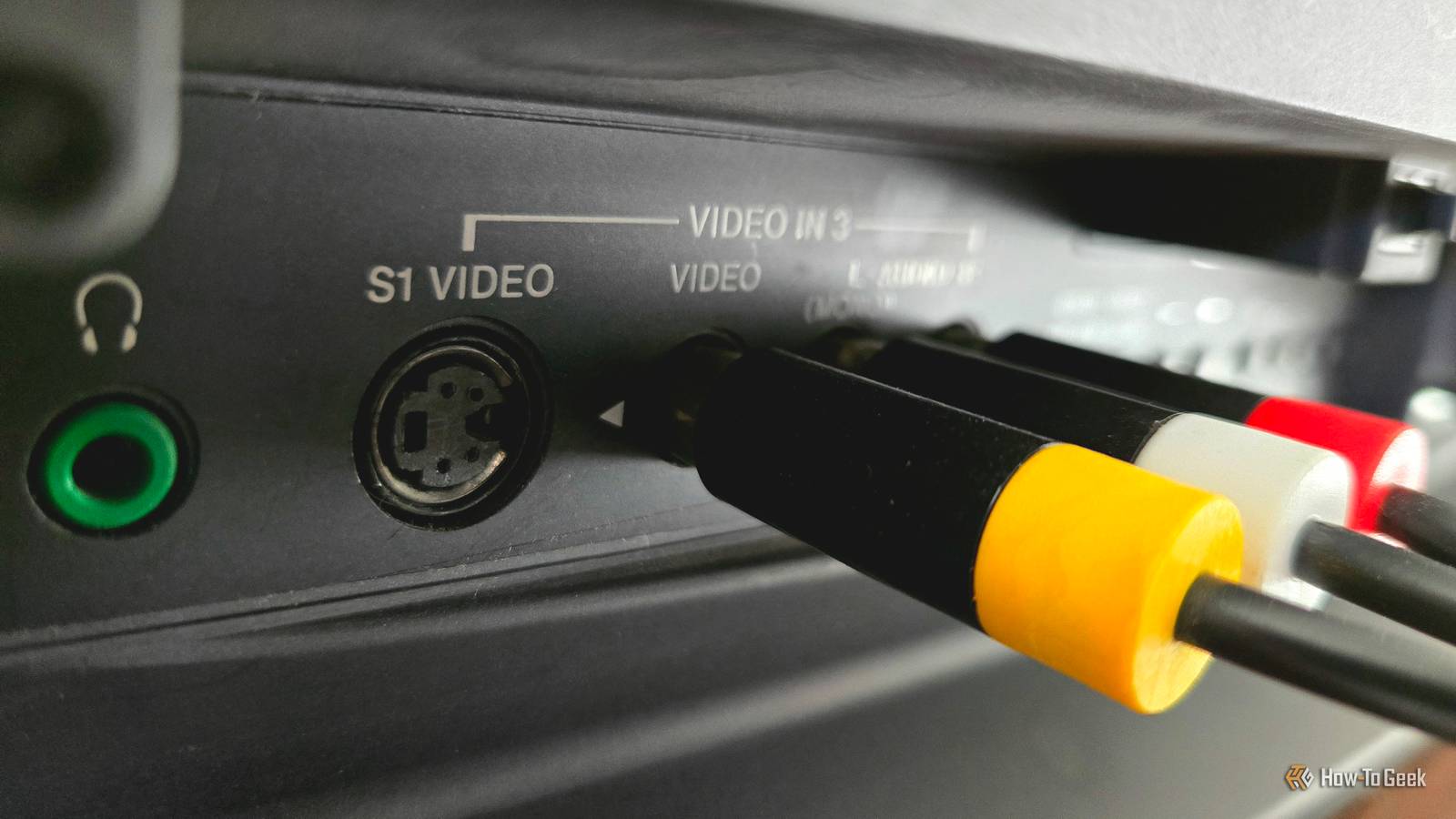
Published Nov 28, 2026, 6:00 PM EST Sydney Butler is a technology writer with over 20 years of experience as a freelance PC technician and system builder and over a decade as a professional writer. He's worked for more than a decade in user education. On How-To Geek, he writes commerce content, guides, opinions, and specializes in editing hardware and cutting edge technology articles. Sydney started working as a freelance computer technician around the age of 13, before which he was in charge of running the computer center for his school. (He also ran LAN gaming tournaments when the teachers weren't looking!) His interests include VR, PC, Mac, gaming, 3D printing, consumer electronics, the web, and privacy. He holds a Master of Arts degree in Research Psychology with a minor in media and technology studies. His masters dissertation examined the potential for social media to spread misinformation. Outside of How-To Geek, he hosted the Online Tech Tips YouTube Channel, and wrote for Online Tech Tips, Switching to Mac, and Helpdesk Geek. Sydney also wrote for Expert Reviews UK. He also has bylines at 9to5Mac, 9to5Google, 9to5Toys, Tom's Hardware, MakeTechEasier, and Laptop Mag. It's no secret that I like CRTs, and I like playing games on original hardware. The PlayStation and PlayStation 2 eras are core to me, so it's been my dream for a while to have a CRT setup for these two consoles. I achieved that after a great deal of patience. Getting the consoles wasn't that hard, but securing the Sony Trinitron TV I wanted took almost a year, and the story of how I got that 34-inch beast is interesting in its own right. I know I never got the best image quality from our home TV when I was a kid, but now, with a premium set from that era, I can finally do better. Armed with an S-Video cable, it's time to see how much better retro gaming can be if you take a different road than the one almost everyone else did. The retro-gaming image quality hierarchy From trash to treasure To understand what the big deal is, it's necessary to quickly recap the different ways retro consoles send signals to analog TVs. The first and most basic form of input is RF (Radio Frequency), where the console effectively emulates a TV channel. You connect the machine to the TV's antenna input, then tune the TV to the specified channel frequency. Since early TVs were designed only to receive broadcasts, VCRs, gaming consoles, and other local video devices had to piggyback on the sole input TVs had. This offers the worst image quality of these options, and is often used with retro consoles when no better connection is available. Next, we have composite, which is carried over that iconic yellow cable, along with audio on the white and red cables. Actually, apart from the coloring, the cables are identical. As the name suggests, composite video puts all the video information into a single signal that combines chroma (color) and luma (brightness). This is a huge step-up over RF, and if you lived through the CRT analog TV era in the '80s and '90s, most of what you saw on a TV that wasn't an RF broadcast was likely delivered using composite video. But because of how the video information is combined, there are telltale artifacts. You'll see crawling dots along sharp edges, rainbow striping or fringes, color bleed, and a general softness to the image. S-Video (short for Separate Video) sends luma and chroma on different wires, so they cannot interfere with each other. This reduces the artifacts caused by signal overlap in composite video and is a major jump in color accuracy and clarity. Finally, we have component and RGB. Both have broadly similar qualities but work in different ways. The component splits the video across three signals, commonly carried on three cables. One carries luma, and the other two carry color-different signals. With RGB, the red, green, and blue image information is sent separately and combined by the TV. RGB is the gold standard, but component is more common on North American CRT TVs, while RGB is more common on European sets. While component and RGB are better than S-Video, the jump from S-Video to these standards is quite small compared to the jump from composite to S-Video. Upgrading my PlayStation setup with S-Video I had to wait for the right one The PlayStation and PlayStation 2 (and PlayStation 3) all use the same combined AV cable system. The one that comes in the box is composite, with the S-Video version being a separate premium purchase. You can buy third-party versions, but I've read the user reviews, and those can have problems of their own. Luckily, my patience paid off, and I was able to buy a dusty but sealed and brand-new Sony original from a local website that's basically my country's version of eBay. Seeing the difference It's as clear as day Showing the full advantage of S-Video compared to composite in still images is challenging. As with all things CRT (or OLED, or VR, etc.), you need to experience it first-hand with your own eyes to appreciate it. Nonetheless, I have tried my best to illustrate it here. I tried a few different games to find a clear example of the difference between S-Video and composite visible in a photo, but by far the best example I could create was the menu screen from the PS1 game Wipeout 3. In the comparison above, the composite video is on the left side of the slider, and as you pass over the text or colored parts of the image, you can clearly see how much sharper and more well-defined the text and graphics are. If you have a TV that accepts S-Video and a console that can output it, I'd say it's almost always worth it. The downsides of S-Video While S-Video is objectively superior to composite both in motion and when looking at still images, when it comes to original PlayStation games, there can be a curious downside. PS1 games often made use of a method known as "dithering" to create the impression of more colors than the system could actually produce, and this partly relied on the natural blur and color bleed of composite to be effective. With the sharpness of S-Video, in some games the dithering patterns become apparent. It doesn't bother me, but this is a matter of taste.
I switched my retro gaming CRT setup to S-Video from composite, and the difference is shocking
Full Article
Original Source
Read the full article at Howtogeek →KhanList aggregates and links to publicly available news content. We do not host full articles from third-party sources. Always verify important information with original sources.