
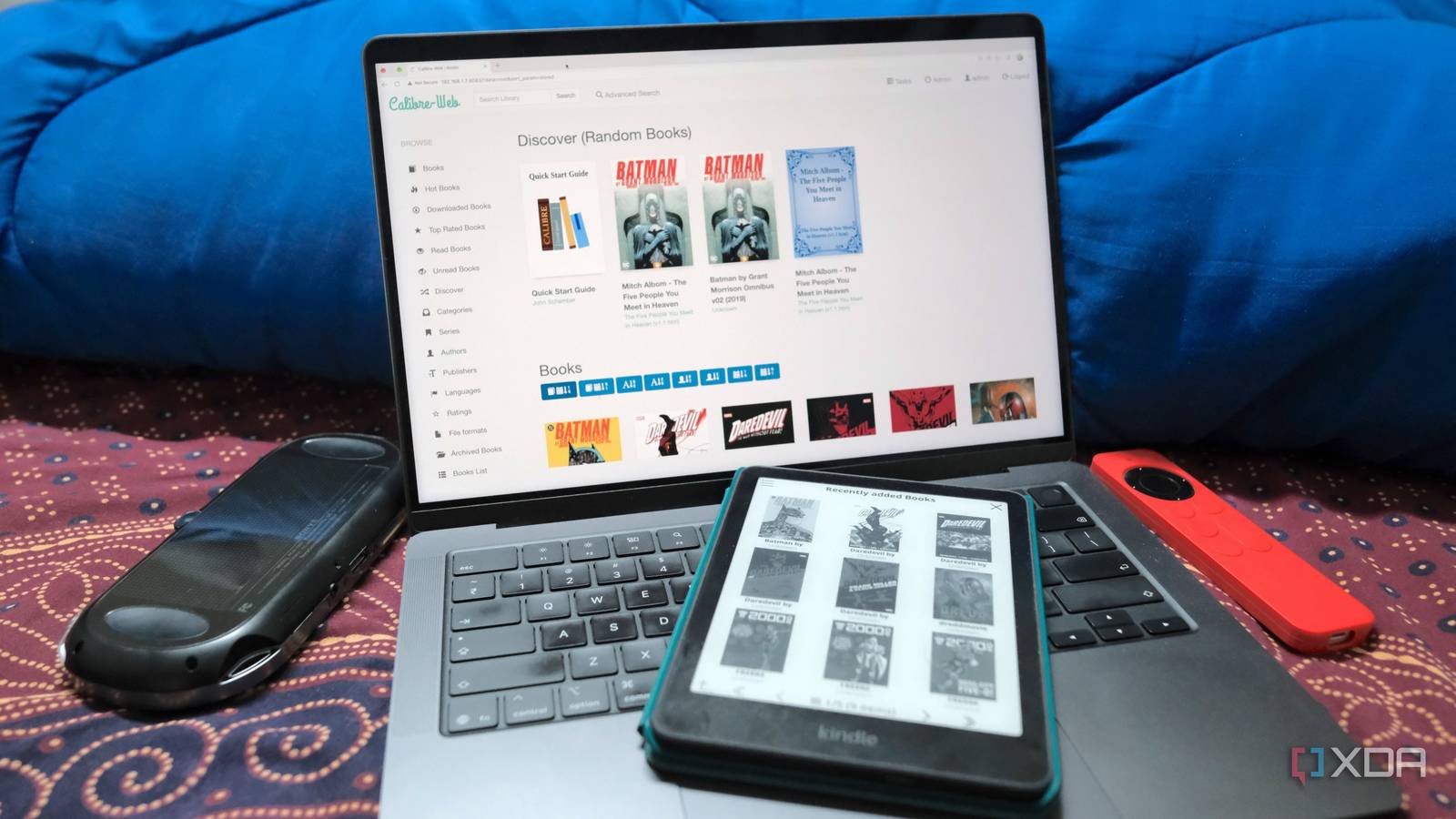
Published Nov 8, 2026, 4:01 PM EST Samir Makwana is a technology journalist and editor from India since past 18 years and his work appears on MakeUseOf, HowToGeek, GSMArena, BGR, GuidingTech, The Inquisitr, TechInAsia, TechWiser, and others. He has written news, features, and gadget reviews for national technology media publications. His passion is to help people with their technology problems and gadget purchases. For that, he has worked for some of the biggest international technology publications, covering news, explainers, how-to guides, listicles, and product-buying guides. He has worked as an editor and managed teams since 2015. His expertise broadly covers computers, smartphones, game consoles, headphones, smart home products, browsers, and apps. It sounds preposterous, but I used Amazon’s Kindle app for my entire reading routine. It picked up a book wherever I left off on any device and never cared where the file was. Then Amazon changed its transfer options, and I started pushing my EPUBs through Send to Kindle. But that’s when it hit me: I never really owned the library on that app. I started moving my humble collection of EPUBs, PDFs, and other file formats to a self-hosted server. I didn’t want to wake up to find a book I was reading pulled from every device. So I run Calibre-Web on my home server, and my jailbroken Kindle Paperwhite connects to it through OPDS. Also, I run KOReader on my Kindle and haven’t got back to using the Kindle app for my own files since. Here’s how my setup works and what I gave up for it. Calibre-Web lets me control a home for my books The self-hosted server sits on top of a library I already had Calibre-Web is a web-based front end for the Calibre library I created with the Calibre desktop app. It reads Calibre’s metadata.db file and folder structure, so there’s no need to import the whole library. If you’re comfortable installing it using Python, setup is easy. Otherwise, you can run it in a Docker container. I run it on my home server where I store my offline library, and I can browse it like a bookstore with covers, authors, series, and search. I created a separate account for my Kindle that can browse and download books. If I lose my Kindle, I can disable this account without touching anything else. Because the library stays in plain files, Calibre can still open it, and I keep every book if I move on from Calibre-Web. Calibre can still open the whole library that stays in plain files, and if I move on from Calibre-Web, I still retain all the books. OPDS lets my Kindle browse and download directly from the server You need only one URL for KOReader’s built-in catalog browser OPDS (Open Publication Distribution System) is an open catalog format for ebooks and digital comics. By default, Calibre-Web exposes OPDS at its “/opds” path for the relevant client to discover it. KOReader on my Kindle has a built-in OPDS client, so I just need to add the OPDS URL. You’ll need to “jailbreak your Kindle” to install KOReader first. In KOReader, I have to add the server address of my Calibre-Web instance, which is something like “http://192.168.1.25:8083/opds” along with the username and password of the account. That’s all the setup needs. If the catalog doesn’t load, open the same URL in a desktop browser to check the credentials. Then I open the top menu, tap the search icon, and select “OPDS Catalog.” I get sections like recently added, top-rated, authors, series, ratings, etc. From the list, I scroll to “File Formats” at the bottom and pick EPUB, so I can read books without an Amazon account. By default, the server is reachable only on my home network. When I’m away, I use Tailscale on the Kindle to reach my home server. KOReader gives me more control than Amazon’s reader From typography to file formats, I get to configure everything Amazon’s reader is fine if you just want to read books. Meanwhile, KOReader offers a plethora of settings including font choice, line spacing, margins, hyphenation, and per-book overrides. Sure, they’re available in the Kindle reader as well, but not as easy to use. What I really like is the wider format support for files like EPUB, MOBI, PDF, CBZ, and more, so I don’t have to spend time converting files before loading them to my Kindle. One of the key reasons I use KOReader is its PDF support. It reflows the text and even crops the margins, which is a bit of a chore to achieve in Kindle’s stock reader. I’ve added a bunch of plugins, like KinAMP Player to listen to audiobooks and music, BT Manager to connect to a Bluetooth keyboard, and OPDS Plus to view books on my Calibre-Web server by cover instead of a list. Adding the plugin was a simple drag-and-drop from my computer into KOReader’s plugin folder on the Kindle. Those customization settings and plugins give me a sense of control over my reading experience on an e-ink reader. Giving up the Amazon app costs less than I expected Bidding adieu to cross-device sync and DRM-protected titles The books I bought from Amazon are DRM-protected, and neither KOReader nor Calibre-Web can open them. So the new setup doesn’t exactly replace everything. Those titles only work with Amazon’s own reader. I also pick up some books from DRM-free sources, but not every title I want is sold that way. I miss Amazon’s Whispersync the most, which picks up a book where I left off on any device. It doesn’t work outside Amazon’s reader. KOReader has its own progress sync, but it needs a separate sync server to work across a phone, a tablet, or a Kindle. The jailbreak needs maintenance, so I watch over firmware updates. I’ve turned off automatic updates and update only when the KindleModding community confirms it’s safe. Those are fair trades. I now have a reading setup that works with the files I own, on hardware I already had. Making Kindle work with my own library If you have a few hundred EPUBs on a hard drive and have an old Kindle sitting in a drawer, jailbreaking your Kindle seems like a practical thing to do. Setting up Calibre-Web, adding the OPDS catalog in KOReader, and downloading my first book took less than an hour. After that, everything just works on my Kindle reader. The only catch is that I have to stay on my home network or Tailscale. Calibre-Web and KOReader are both free, so the setup cost me nothing. I’ve already turned my Kindle into a pocketable terminal and a part-time Home Assistant display. Making it a proper reader for my own library fits right in with those two. Calibre-web Calibre-Web is a self-hosted web app for cataloging digital books, comics, and other readable files.
I stopped using Amazon’s Kindle app after connecting my old e-reader to a self-hosted server
Full Article
Original Source
Read the full article at Xda-developers →KhanList aggregates and links to publicly available news content. We do not host full articles from third-party sources. Always verify important information with original sources.