
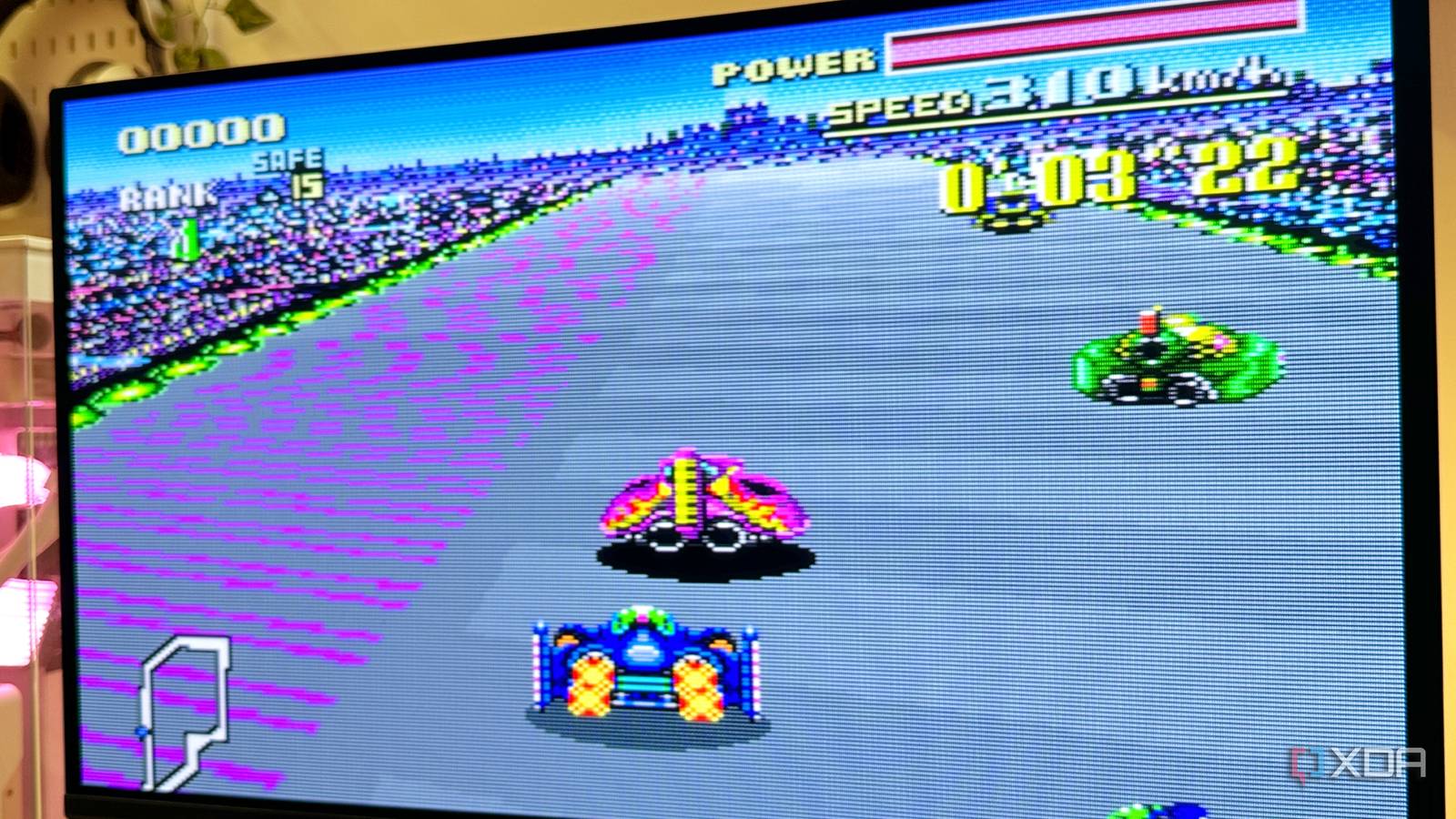
Published Oct 8, 2026, 11:30 AM EDT Gaming has been Samarveer’s greatest passion, and the Literature graduate in him takes immense joy in dissecting games for their themes, messages, and impact. Samarveer holds a deep appreciation of gaming, and considers the platform to be the most immersive and impactful across all media. He can be found engaging with gaming communities online, always ready to debate the finer points of ray tracing or itching to write an 8-page collegiate thesis on any game that impacts him emotionally. For years now, modern hardware has far surpassed our childhood consoles by a hundredfold, so emulation runs easily at sharp 4K resolutions — settings our old consoles could never even dream of. Plus, seeing an old favorite run at 1440p or 4K, at a smooth 60fps, with every texture cleaned up and every jagged edge smoothed out, should be the definitive way to play, right? Only, increasingly, I'm not convinced it is. Upscaling my childhood titles to 4K 60fps through emulation has made them all strangely sterile. In fact, running them on my 240Hz OLED screen only lays bare every imperfection. Ironically, as my emulation setup gets more technically impressive, my games seem to drift further from how I remember them. 4K emulation actually showed me too much The sharper image wasn't necessarily always better One of the best things about modern emulation is also one of its strangest problems. I can easily take an old SNES, Sega Dreamcast, PS1, or PS2 game, and render it at resolutions that simply didn't exist at the time, all the way up to 4K or even 8K. I can also lock those games to 60fps, and make something designed for a CRT look incredibly clean on my modern display. Now, technically speaking, this is the dream. In practice, however, I started noticing that the extra resolution was making some of my favorite games feel less convincing. With my emulated games rendered at 4K, I began noticing every compromise that the game developers made, as was the norm at the time. Low-resolution textures started looking like low-resolution textures instead of what they used to be — parts of a cohesive scene. The geometry in these games becomes so obviously primitive when you upscale them to 4K, with its jagged edges and low-res sprites. As such, the 4K rendering option in my emulator didn't improve the artwork so much as put it under a microscope. Another problem I ran into was how everything became exceptionally well-defined. At 4K, every sprite, texture, and environmental element in the game occupies its own perfectly sharp little patch of the screen. I could easily see each element existing in its own layer, so to speak. As a result, the image was losing some of the visual cohesion I remembered, since the original presentation never asked me to inspect every individual component. Now, at the risk of sounding nitpicky, this difference definitely mattered. After all, my memory of playing these games wasn't of individual pixels, but of the full image they became — each game was more than the sum of its parts, while at the clearest, sharpest resolution, the modern-day emulated version was pretty much just the sum of its parts. CRT shaders are so much more than just nostalgia filters Native resolution made the image feel right again I went the opposite direction. Instead of pushing my games further toward 4K, I brought the internal resolution back down to native. This time around, though, I paired my emulators with a proper CRT shader, and the difference was instant. The new image was obviously less sharp, and yet, with the CRT scanlines and pixel blur doing their job, the image was somehow much more convincing. Scanlines don't automatically make everything look older, though — the CRT filter changed how the entire image interacted with itself in fundamental ways. Old games were designed around displays where pixels didn't appear as perfectly isolated squares. Because of a CRT display's beam, phosphor structure, analog signal, and limited resolution, neighboring colors and pixels in an image actually blend together. Developers and artists knew what the final image would look like on that hardware, and the artwork benefited from those boundaries becoming softer rather than remaining perfectly discrete. This helps make the sprite's edges look more "real," with foliage blending into the background or a waterfall giving off a shimmery effect when you stand underneath it. A good CRT shader recreates some, if not all, of that behavior. Textures stop looking like collections of enlarged pixels, sprites sit more naturally against their surroundings, and harsh edges become part of a continuous image again. I could lose a considerable amount of sharpness while gaining something 4K couldn't provide — cohesion. The difference was surprisingly physical, too. With the room lights off and the CRT effect doing its thing, I genuinely felt transported to another time. Objectively, the graphics weren't better. However, they were definitely how my brain remembered them. Recreating the CRT look is actually pretty easy RetroArch makes the easy option surprisingly good If you're using RetroArch to emulate your old consoles, you're in luck — you don't have to download or install any CRT shaders externally. I myself use RetroArch to emulate the NES, the SNES, the Wii U, the Dreamcast, and the PlayStation. I emulate my PS2 and PS3 games via PCSX2 and RPCS3, respectively. For RetroArch games, just run any game you want, then pause it (press F1 to bring up the Quick Menu). Head to Shaders and toggle the Video Shaders option on. Then, head to Load Presets > shaders_slang. You'll see all the shaders RetroArch offers. There are a ton of CRT shaders, so you'll have plenty of choice between arcade-style, handheld-style, and regular CRT filters. Of course, since we're talking about a real-time filter, these CRT shaders will indeed have a performance cost. Thankfully, for those on lower-end GPUs, RetroArch also offers lighter shaders that achieve a similar visual effect. For PS2 and PS3 games running through dedicated emulators, I use ReShade as a post-processing layer. The setup takes more work, but the principle is identical: render at native resolution, inject a sensible CRT shader, and avoid effects that scream retro filter. With the wrong filter equipped, excessive curvature, bloom, or chromatic aberration can quickly become distracting. I'm not trying to make my screen look ancient, by any means. The goal here is to make the image behave as it belongs on the display these games were designed around. If and when a shader makes me notice it, that's when I know I've gone too far. RetroArch OS Windows, macOS, Linux, Android, iOS, Others RetroArch is a cross-platform emulator frontend that supports many different emulators. It lets you play classic games on modern computers with a single interface. Maybe preservation isn't about perfection Modern emulation has spent years giving us things our childhood consoles never really could — higher resolutions, smoother framerates, cleaner textures, and enough graphical headroom to make decades-old hardware look almost absurdly capable. However, preservation has never really been about showing us what an old game could look like with unlimited horsepower. The goal should be to preserve the experience of encountering it as it was meant to exist. That realization has changed what I want from emulation. When the presentation becomes technically superior, it can also become less faithful since it strips away the limitations that helped define the original image. It's wonderfully backward to need modern hardware for deliberately making an old game look less precise. If doing that is what gets me closer to the feeling I remember, perhaps accuracy was never supposed to mean more pixels in the first place.
I stopped using 4K upscaling for emulation, and my childhood games finally looked right
Full Article
Original Source
Read the full article at Xda-developers →KhanList aggregates and links to publicly available news content. We do not host full articles from third-party sources. Always verify important information with original sources.