
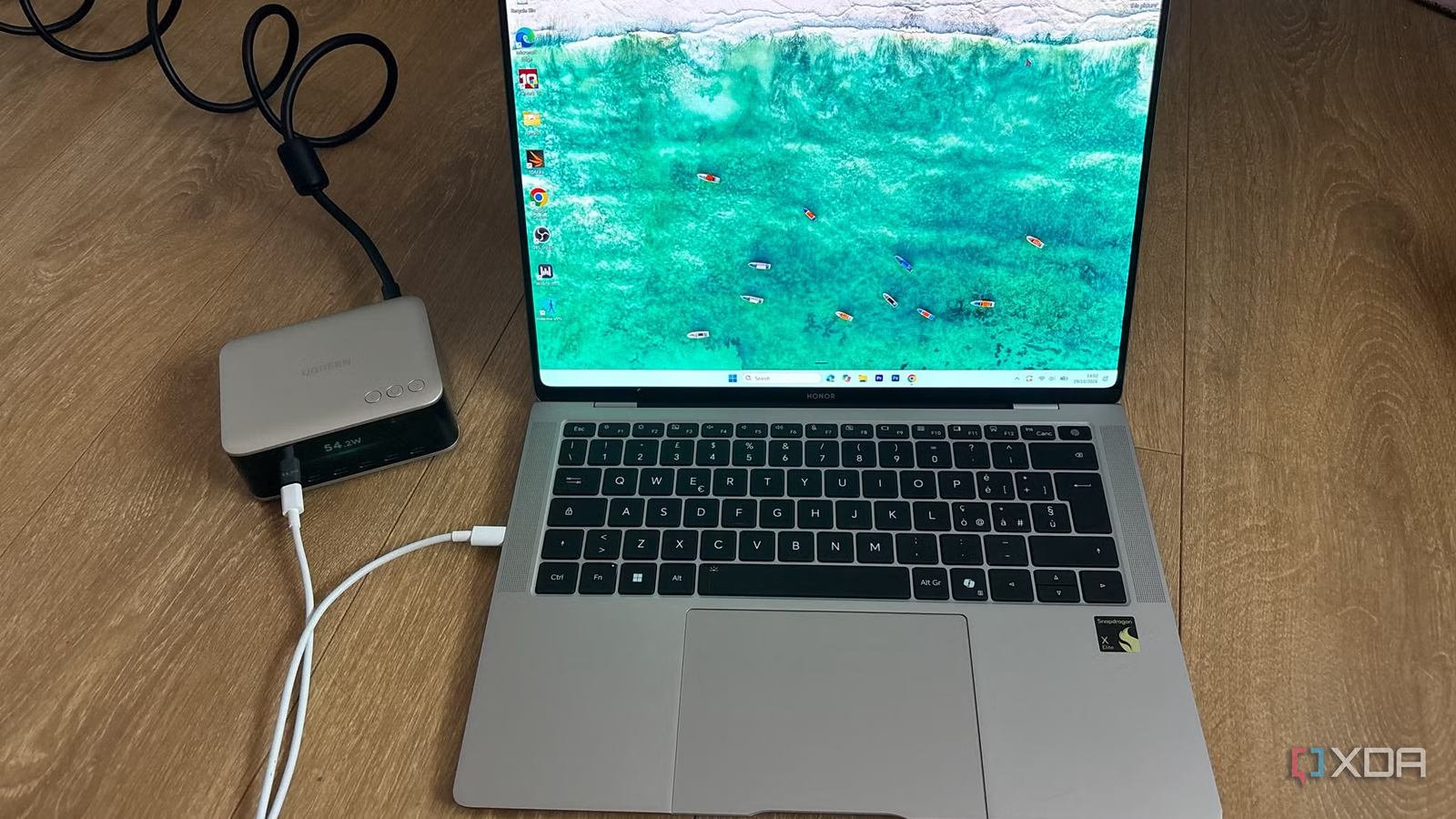
Published Nov 1, 2026, 1:00 PM EST Jasmine is Software and PC Hardware Author at XDA with years of tech reporting experience ranging from AI chatbots right down to gaming hardware, she's covered just about everything. Whether it's breaking news about the latest AMD NPUs or creating video tutorials on social media platforms, Jasmine has contributed to the world of AI and tech in a variety of ways including interviewing the CEO of Razer, AMD's Director of Product Marketing and the VP of Lenovo. Passionate about gaming and PC technology, she has built countless computers, keyboards and other peripherals - knowing them inside and out. A single-cable USB-C dock comes with such high all-in-one convenience, allowing you to plug in one cable to pipe dual 4K video, high-speed Ethernet, peripheral data, and power your laptops simultaneously. However, you might notice that your high-performance laptop slowly loses charge while plugged into a dock boasting a bold 100 W power delivery badge on the box, even during moderate multitasking workloads. USB-C dock power ratings are often marketing illusions. Between internal power overhead, split port allocation budgets, and aggressive thermal throttling under sustained loads, the wattage printed on the retail box rarely matches what reaches your laptop's battery management system. Why do docks not do what they say on the tin? 100W just isn't enough When picking up a multi-port dock, it feels like some of these specifications can be misleading, and the power delivery might be a bit of a compromise. The box might state 100W power delivery or a 130W power adapter, leading consumers to believe a full 100W is dedicated entirely to charging the host laptop. But docks require power to run their own internal bridge chips, Ethernet controllers, audio codecs, and downstream USB-A/USB-C controller logic. A dock powered by a 100W external brick often reserves 15W to 20W exclusively for its own operational overhead and accessory port budgets. Alongside this, multi-port hubs frequently share a single internal power rail. When you plug in high-draw peripherals (such as portable bus-powered NVMe enclosures or multiple power-hungry USB devices), the doc advertises a lower PDO during PD renegotiation, which can force the laptop you're using to request a lower voltage/current contract in return. This can quietly drop your charging rate from 85W down to 60W or sometimes even lower. Many brand-name laptop docks use proprietary power negotiation handshakes over USB-C to deliver high wattage to their own proprietary laptops. However, when you're using them in conjunction with a standard non-vendor laptop, they will default to standard USB PD specs, which are typically capped at 60W or 100W. This can cause heavy throttling under load. Thermals play a part in the performance drop too Docks don't have active cooling Alongside the specifications sometimes not being as accurate as they should be, a lot of docs can suffer from thermal derating under sustained power delivery. While in the short term it's fine, these specifications collapse during prolonged workloads. First of all, there's the heat dissipation bottleneck. USB-C docks contain PD controllers, video processing chips, DC-DC buck converters, and power MOSFETs in compact plastic or aluminum enclosures with passive cooling. As a result, when they're subjected to sustained high loads (such as driving dual 4K/60Hz displays while charging a laptop at 85W and transferring large files over a local NAS), the internal temperatures can dramatically skyrocket. When they get too hot, since they don't have a way to actively cool themselves down, they have a safety fallback. When the internal thermal limits are reached, the dock's power delivery controller automatically triggers thermal derating, which lowers the voltage-amperage output profile in order to prevent hardware failure. While it keeps the device from overheating, it can cause unexpected slow charging or intermittent disconnects on the host machine, making your dock not work as intended. Monitoring the power made it clear that the docks weren't delivering My laptop needs 130W, and docks were delivering less than 100W When actually putting different USB-C docks to the test, you'll find that the testing itself reveals some very different information from what could be printed on the box. I placed a hardware USB-C power monitor (in the form of the UGREEN Nexode Pro Smart Display Desktop Charger) between the dock output and a high-performance laptop during a prolonged stress test workload. I found that while an idle or low-utilization laptop successfully negotiated and maintained a stable 85 W charge, launching a sustained CPU and GPU workload causes total system power consumption to surge. It can be strained by internal heat, saturation, and port overhead, and the dock's actual delivered power drops significantly, sometimes falling below the laptop's real-time consumption threshold, which, of course, leads to battery drainage even though it's on charge. The host laptop's internal battery management system is forced to supplement the deficit by drawing power from its own battery under significant load, a phenomenon known as battery creep. This can accelerate long-term battery capacity degradation as well as not deliver you the performance that you're hoping for. I found that the best step forward when picking up a USB-C dock is to avoid vague "legacy 100W maximum" marketing claims and look for hardware supporting official USB PD 3.1 specifications (capable of supplying higher fixed voltage rails, such as 140W profiles via 28 V rails going all the way up to 240W using 28V, 36V, and 48V fixed rails at 5A). For demanding mobile workstations, you should also never rely on a single dock to power heavy external storage arrays, desktop USB hubs, or power-hungry accessories, even if the box says it's possible. If possible, route peripherals through independent powered wall bricks to preserve the dock's internal electrical headroom, and ensure the dock's external power adapter has enough overhead to handle the combined maximum theoretical draw of all downstream ports and full host charging simultaneously without saturating thermal limits. Docks don't do as they promise Shoot higher Manufacturer power ratings on USB-C hubs are theoretical ceilings rather than guaranteed performance floors. This means treating a dock as a universal high-wattage power supply without actually accounting for internal conversion loss and thermal throttling can invite hardware instability and silent battery wear. You should treat dock power specifications with engineering skepticism. Unfortunately, not all of them offer exactly what they state on the box, so you're always better off overshooting than going for the bare minimum. UGREEN Nexode Pro Smart Display Desktop Charger If you're looking for a desktop charger that allows you to see the wattage of all of the devices you're charging, then the UGREEN Nexode Pro Smart Display Desktop Charger is the one for you.
I stopped trusting USB C dock power ratings after testing them against my laptop
Full Article
Original Source
Read the full article at Xda-developers →KhanList aggregates and links to publicly available news content. We do not host full articles from third-party sources. Always verify important information with original sources.