
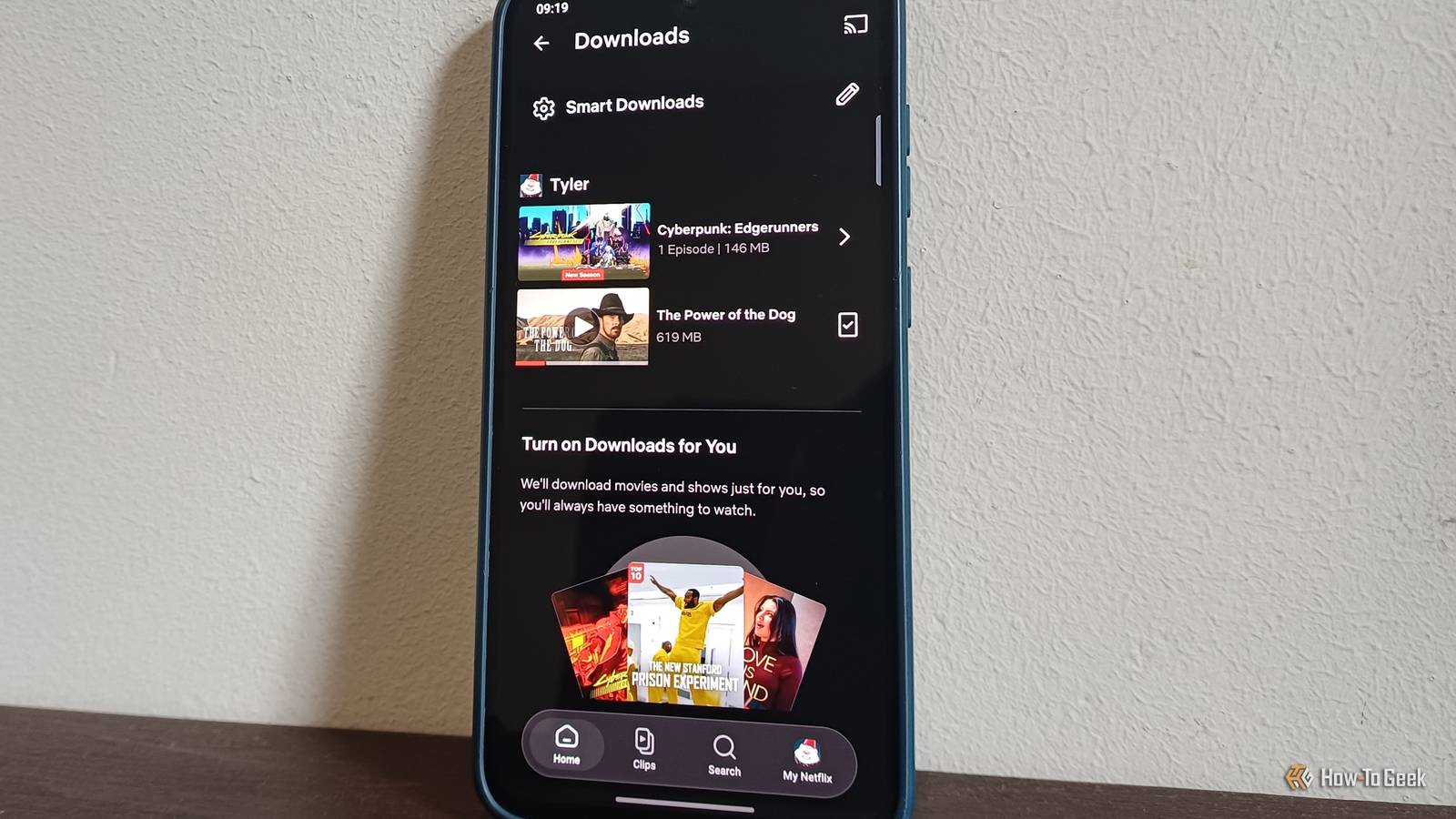
Published Nov 10, 2026, 6:00 PM EST Tyler is an journalist and content contributor at How-To Geek with over three years of experience covering the automotive and tech industries. His work focuses on delivering clear, well-researched, and engaging content that helps readers better understand the vehicles they drive and the technology that they use everyday. Before entering automotive media, he spent five years as an academic editor, developing a strong foundation in research methodology, factual accuracy, and structured analysis. This background informs his journalistic approach today, ensuring that every article balances technical insight with accessibility for a broad audience. Keeping shows and movies downloaded for those times that you find yourself without an internet connection can be a lifesaver. I generally have a list of things loaded on my phone and ready to go, meaning I can catch up on some content when I'm on a bus, plane, or just on the treadmill at the gym. I am, however, chronically bad at making sure my downloads are up-to-date. Luckily for me, I don't really have to be. Netflix comes with a great little feature built into their app that makes sure you're never behind on your downloaded shows, and it does it without swamping your device's storage. I keep this feature toggled on all the time, and it's a tool plenty of people can make use of, so they rarely have to manually download their favorite shows again. Netflix's smart downloads means you don't have to lift a finger A simple but genius automation There is nothing worse than having the power or the internet go out right when you're about to watch a show, only to realize that you've already watched everything in your downloaded list on Netflix. That is why Smart Downloads is such a great feature. It is a set of tools that makes sure that you always have something to watch, automatically downloading series and movies without you having to do anything. The best part is that after you've watched something, the app will also automatically delete things, so your device's storage doesn't get clogged up. To find the feature, all you have to do is open the Netflix app and navigate to your downloads. You should see the Smart Downloads tab at the top of this screen. Tap here, and you'll be met with two distinct functions, which we'll go into a little more detail about below. Download Next Episode keeps your series rolling The next episode is always ready to go Credit: Netflix In the Smart Downloads section, you'll see a toggle for the "Download Next Episode" function. The premise of how this feature works is pretty simple. Essentially, when you download an episode of a show, and you finish watching it, Netflix will automatically download the next episode for you. It makes sure to wait until you're connected to a Wi-Fi connection before downloading the episode, so don't worry about it eating up your data plan. It will also go ahead and automatically delete the episode that you've already watched, so you don't have a backlog of downloaded episodes that you don't need on your device. There are a ton of use cases for this feature, and I keep it toggled on all the time. For example, my gym has really poor Wi-Fi, and trying to watch something on their network has me wanting to pull my hair out. With "Download Next Episode" turned on, I only had to manually download an episode of the show I'm watching once. After that point, Netflix automatically makes sure the next episode is ready to go for my next gym session. This is just one of a ton of different cases where the feature is super useful. Downloads for You is for more adventurous folk Let Netflix take the wheel Credit: Netflix Underneath the toggle for 'Download Next Episode', you'll see another option titled 'Downloads for You'. If you prefer your viewing to be a little more varied, or you're just looking for something new to try, this is another great Smart Downloads feature. Netflix will automatically download shows and movies that it thinks you will like, giving you a selection of fresh content loaded on to your device. It doesn't go overboard, though, and fill your device's storage to the brim with content. When you enable the feature, you'll be prompted to allocate a certain amount of your device's storage to the downloaded content. You can even allocate individual storage limits to each profile linked to your Netflix account. This allocation is specifically for the "Downloads for You" function, and it won't be used for manually downloaded content. This feature is also pretty adaptive. It'll make sure that it doesn't clog up your device's storage space by not exceeding the allocated limit, but it will also delete stuff that you've watched as well as any content that has been sitting on your device unwatched for a while. This means that it is rotating downloaded content, so you're not stuck with a library of stuff you're not interested in. There are a couple of prerequisites for the feature to work Things to consider before enabling Smart Downloads There are some obvious limitations at play here that affect the functionality of Smart Downloads, including your Netflix plan. Smart Downloads isn't available as a feature on ad-supported Netflix plans. It's obvious so that users don't use the feature to get around advertisements. If you're on a plan with ads, you'll have to upgrade if you want to make use of Smart Downloads. There are a couple of other little caveats. Smart Downloads is meant to be used primarily on mobile devices. This means that you won't necessarily have access to the feature on things like your computer, smart TV, game console, or streaming box. The other thing that you have to consider is that it will only automatically download content when you connect to a Wi-Fi network, so you have to wait to get onto a stable Wi-Fi network to top up your shows and movies. An obvious feature that changed the way I consume content on the move As someone who moves around a lot, Smart Downloads has been a lifesaver. It's not like the app hides the feature, but very few people I've spoken to even knew it existed, along with a slew of other useful features. Having Netflix automatically keep my downloaded shows up to date is fantastic for when I'm in areas with shoddy connectivity. I don't use the "Downloads for You" feature nearly as much, but I know a lot of people who would get a lot of value out of it.
I stopped manually downloading Netflix shows after finding this time-saving setting
Full Article
Original Source
Read the full article at Howtogeek →KhanList aggregates and links to publicly available news content. We do not host full articles from third-party sources. Always verify important information with original sources.