
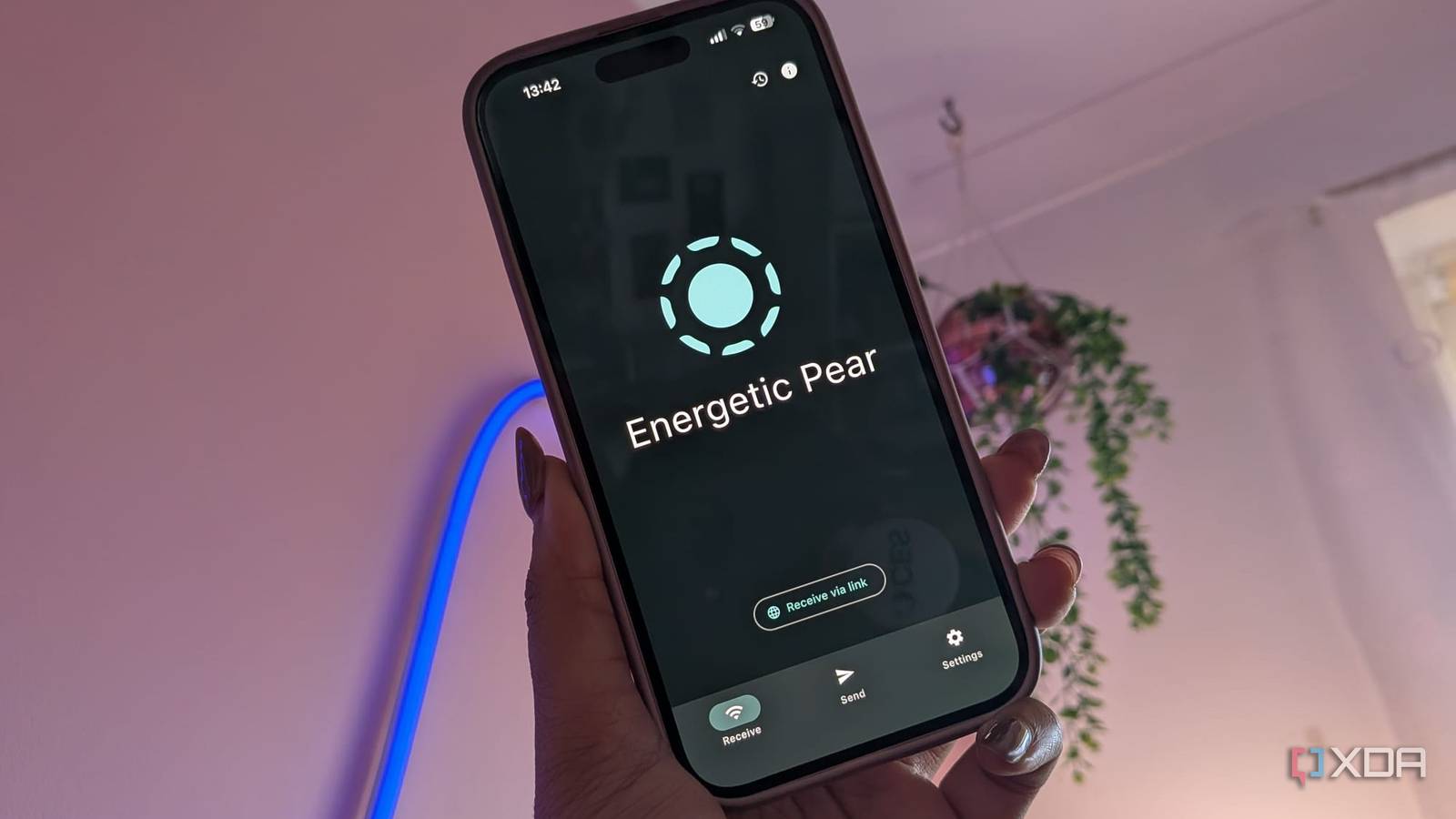
Published Nov 20, 2026, 10:30 AM EST Jasmine is Software and PC Hardware Author at XDA with years of tech reporting experience ranging from AI chatbots right down to gaming hardware, she's covered just about everything. Whether it's breaking news about the latest AMD NPUs or creating video tutorials on social media platforms, Jasmine has contributed to the world of AI and tech in a variety of ways including interviewing the CEO of Razer, AMD's Director of Product Marketing and the VP of Lenovo. Passionate about gaming and PC technology, she has built countless computers, keyboards and other peripherals - knowing them inside and out. When I'm trying to move small-to-medium files (like screenshots, receipts, raw photos, or even quick URLs) between my desktop and phone, I typically draft an email to myself or paste it into a self-DM on Slack or Discord. I often encounter payload ceilings with a 25MB attachment cap put on Gmail. This process includes an unnecessary round trip when I'm just trying to send a file from a phone to a PC, which is sitting a foot away. Suddenly the data has to go out through my ISP's upload pipe onto third-party email servers and then back down my connection, leaving persistent copies on external servers. I decided to instead try out LocalSend, which is a free open-source cross-platform utility available across Windows, macOS, Linux, Android, and iOS. This eliminated the need for email workarounds by shifting file and text transfers onto direct encrypted local network pipelines with zero accounts or any cloud intermediaries. How does LocalSend work? No more cloud round trips LocalSend can move data without the cloud. Unlike cloud-relay transfer tools, LocalSend uses a lightweight REST API over HTTP or HTTPS and requires only one device to host an active HTTP server. By default, it uses port 53317 for HTTP/TCP and UDP multicast. Because the protocol only requires one party to host an active HTTP endpoint, devices can negotiate transfers regardless of platform restrictions. There is zero-configuration device discovery thanks to UDP multicast, and there's a two-way registration handshake. Receiving peers pass the sender's alias, protocol version, device type, and fingerprint and then respond directly over HTTP/TCP, so both devices populate each other's UI within seconds. There is a security and encryption model on shared networks too. At startup, each client generates a self-signed TLS/SSL certificate locally and derives a SHA-256 certificate fingerprint as its verifiable device identity. When encryption is enabled, file bytes and clipboard strings are transferred over HTTPS rather than plain-text HTTP, helping protect them from passive packet sniffing on shared Wi-Fi without requiring a central certificate authority. The browser-based "Share via link" fallback uses HTTP. This AirDrop alternative works across platforms No more 25MB file cap When working across mixed hardware, it's not as simple as using AirDrop between devices to share files, but LocalSend provides cross-platform parity without any ecosystem lock-in. It delivers near-identical behavior across all platforms, including when I used it on Windows and macOS, Android, and iOS. It's also available on Linux, but unfortunately, I didn't test it on that platform. It bridges the exact gap where Apple AirDrop and Google Quick Share stop. On Android and iOS, LocalSend appears as a share option in the system share menu. On Windows, it offers context-menu integration, while macOS supports the system share menu and drag-and-drop (meaning you never have to open a browser tab or compose window to use it). Instead of emailing links, 2FA backup codes, or terminal commands between my phone and PC, LocalSend's dedicated text mode sends raw UTF-8 strings directly to my PC screen with a single tap to copy to the system clipboard. Because it transfers streams directly over local TCP sockets, transfer speed depends on the devices and local network, including the Wi-Fi link and storage I/O. It means that large files like multi-gigabyte MKV videos or raw photo batches are moved without any compression or arbitrary file size caps. You also get quick save modes for personal devices on a trusted home LAN. You can mark your own devices as favorites and then enable quick save or auto-accept, which removes the manual confirmation prompt each time. There's also a browser fallback option, which comes up as "Share via link" when sending a file to a secondary machine or a guest device that doesn't have LocalSend installed. You can spin up a local HTTP endpoint and display a QR code or local IP URL so that you can pull the file via any standard web browser. I did have to fall back on my trusty method sometimes Mainly when away from home Unfortunately, there are some instances where LocalSend just isn't enough. It's strictly a synchronous local network tool, so both devices must be powered on, awake, and reachable on the same LAN/subnet at the moment of transfer. Unlike emails or cloud drives, there's no asynchronous store-and-forward queue, so if your desktop is asleep or you're away from home, you can't queue a file for later delivery. In these instances, I fell back on my email-to-myself method. There are some constraints on iOS as well. While desktop clients can minimize to the system tray and listen, definitely in the background, iOS aggressively suspends background sockets, meaning the LocalSend app generally needs to be open in the foreground to receive files reliably. On Android, there's also aggressive OEM battery optimization customization that terminates the background receiver unless the user explicitly sets battery usage to unrestricted. Sometimes, if you've got Windows Defender or Linux firewalls, first-time setups can occasionally block incoming discovery or transfer packets until TCP and UDP port 53317 are explicitly permitted on private networks. Profiles and users running segmented IoT/guest VLANs or routers with strict multicast filtering may experience intermittent peer visibility, requiring manual IP entry or subnet scanning. LocalSend is free And you don't need an account By replacing my email-to-myself workflow with LocalSend, it removes that 25MB attachment ceiling that I've previously encountered and also any cloud storage clutter, and keeps my sensitive personal documents off of third-party mail servers. LocalSend isn't a replacement for cloud storage or asynchronous messaging, but it's an essential zero-cost utility in a cross-platform toolkit, proving that moving data between two devices in the same room shouldn't require routing packets halfway across the internet. LocalSend LocalSend is a multi-platform file transfer app that's open-source, secure, and fast.
I stopped emailing files to myself after installing this free open-source app
Full Article
Original Source
Read the full article at Xda-developers →KhanList aggregates and links to publicly available news content. We do not host full articles from third-party sources. Always verify important information with original sources.