
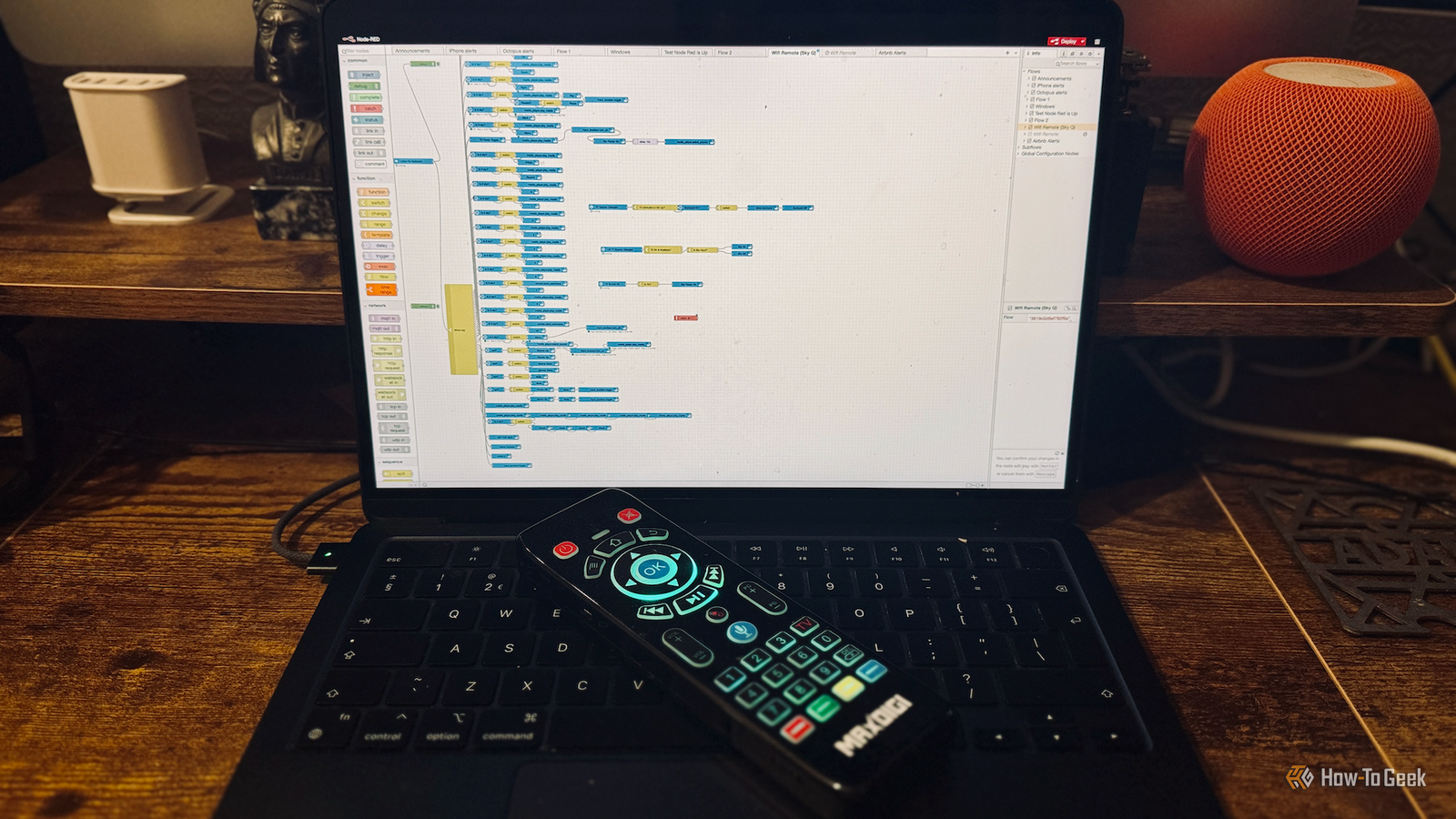
Published Sep 5, 2026, 12:30 PM EDT Adam has a degree in Engineering and has a life-long interest in technology. He has been writing for over a decade for various print and online publications, with a focus on consumer tech. He joined How-To Geek in 2024 while working at Pocket-lint. As well as being a long-term fan of Apple products, he also has a strong interest in smart home tech, running a Home Assistant server at home to automate all his smart home devices. He believes that the ideal smart home should work with minimal interaction from the user, with automations running as if by magic rather than requiring you to push buttons on a control panel. You can find more of his work on Muck Rack. Home Assistant is incredibly powerful, but all that complexity means things can and do go wrong. I was tired of one of my most useful automations failing, so I decided to rewrite the automation with the expectation that it would fail. The result is that my smart home is now far more reliable. My most complex automation kept failing The universal remote is awesome, but only when it works Credit: Adam Davidson/How-To Geek I have a lot of smart home automations, but there's one that's by far my most complicated. I was sick of having to switch between what felt like 15 different remote controls just to change settings on my various AV devices in my living room. There was a remote for the TV, a remote for the set-top box, a remote for the surround sound, a remote for the Apple TV, a remote for the Roku stick, and more. I decided I would use Home Assistant to set up my own remote that could do everything. I assumed it would be fairly simple to find a cheap TV-style remote that would integrate nicely with Home Assistant, but it took much longer than I expected. I ended up buying a Wi-Fi keyboard remote that had enough buttons for my needs. I then spent a long time building an automation in Node-RED that mapped each button to the relevant command. What made things far more complicated was that the same buttons needed to send different commands depending on which device I was trying to control. It took a long time to set up, but I finally ended up with a single remote that could completely replace the other pile of remotes. I decided to build a fallback into my automation If the main process fails, an alternative can pick up the slack Most of the time, the remote works perfectly. The trouble is that most of the time isn't all of the time. Frustratingly often, the remote will stop working correctly. This isn't the fault of the automation; it's usually because there's an issue with one of the many integrations that the automation uses. When the remote stops working properly, I'm forced to go back to using the same pile of remotes that my complex automation was supposed to replace. This annoys me no end and annoys my family even more. I decided enough was enough and waded back into the automation to make it even more complex. Part of the automation uses a Harmony Hub to send out commands to the surround sound system. The TV, set-top box, and other commands are sent via dedicated Home Assistant integrations. Unfortunately, sometimes it's the Harmony Hub that fails, and sometimes it's the integrations. I decided to ditch the Harmony Hub altogether and replace it with an IR blaster that I can control locally, removing another potential point of failure. I then waded into the complex Node-RED flow and made it even more complex by adding fallback IR commands for the devices that are controlled by integrations. This means that if the integration fails for any reason, the command is sent from the IR blaster instead, so the remote still works. It took a lot of effort to update the flow to include these fallback options, but once it was done, I had a remote that continued to work even if part of the whole setup failed. I still need to know when part of the automation fails There's no fallback to the fallback Having a fallback is helpful, but if you don't fix the problem with the primary option, there's nothing stopping the fallback option from failing eventually too, leaving the remote useless once again. I needed to make sure that I was alerted when the automation was forced to use the fallback option so that I could fix whatever had stopped working. I added Catch nodes to the flow that capture errors from nodes within the flow. If an error is caught, it sends a notification to my phone with the details of the error. I can then see which part of the automation has failed, even if the remote keeps working thanks to the fallback options, and fix the problem so that I'm not relying solely on the fallback. I'm applying the same principles to other automations Improved reliability is keeping my family and me happy Credit: Tim Brookes / How-To Geek It took a lot of work to update my automation, but it was worth the effort. The remote failing was a real cause of frustration. If it wasn't happening to me, it would happen to my family, who would then complain to me about it. My automation still isn't bulletproof. It's still possible for both the main method and the fallback option to fail, but so far this hasn't happened. It's the longest continuous period of uptime for the remote that I can remember. I've now started adding fallback options into other key automations in my smart home, and when I build any new automations, I always weigh up whether it's worth the additional effort to make the automation more reliable. Reliability has always been a problem with Home Assistant The downside of Home Assistant is that because it's so powerful, there are plenty of potential points of failure in a complex setup. With a little effort, you can improve reliability considerably and keep your family off your back.
I started building automations I expected to fail and my smart home became far more reliable
Full Article
Original Source
Read the full article at Howtogeek →KhanList aggregates and links to publicly available news content. We do not host full articles from third-party sources. Always verify important information with original sources.