
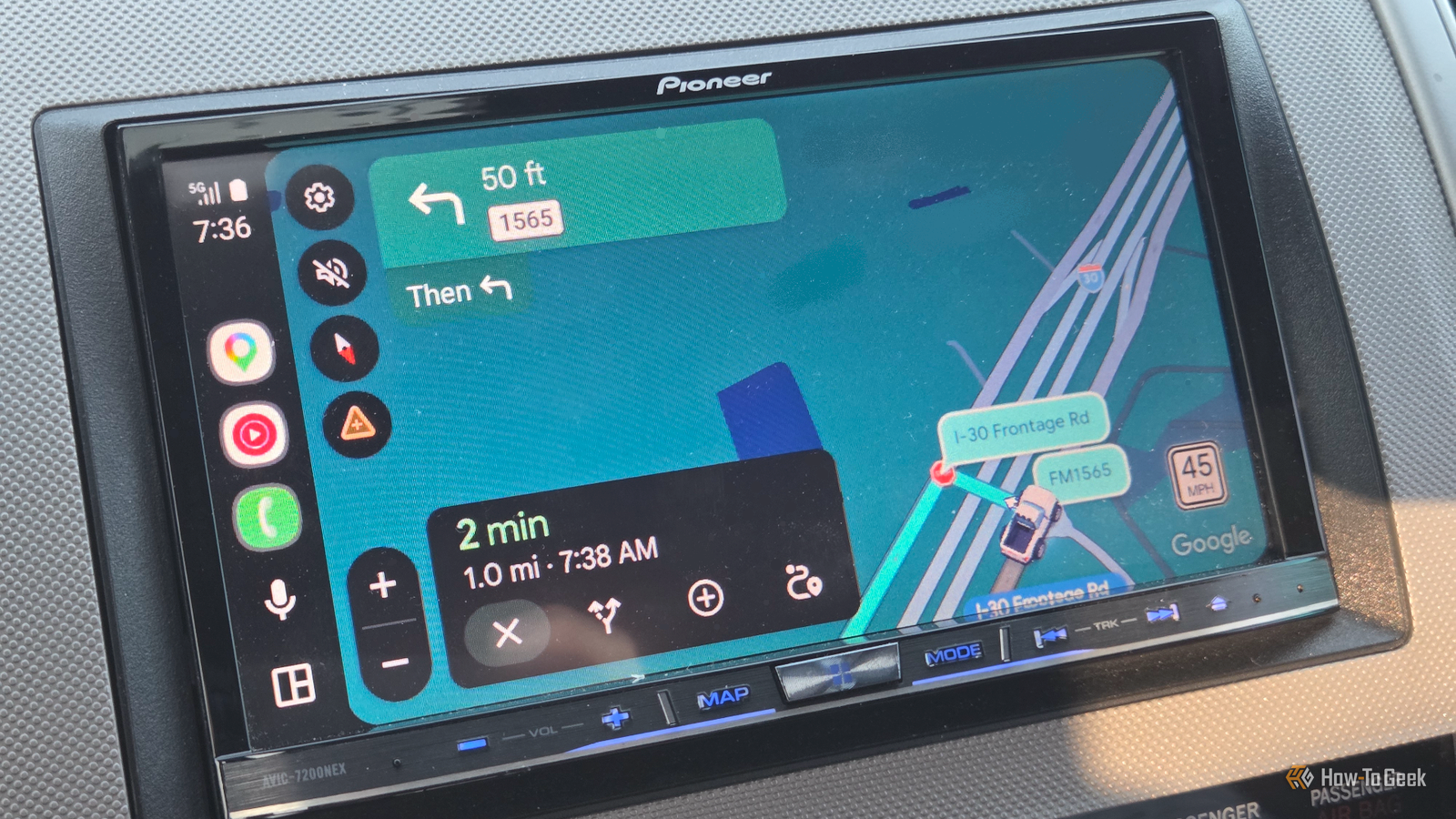
Published Sep 5, 2026, 1:30 PM EDT Aggy is a veteran writer and editor in the technology and gaming space. Having served as a Managing Editor for high-traffic digital publications, alongside being an editor and consultant for over a dozen sites. Aggy's published work spans a wide and respected array of tech and gaming outlets, including WePC, Screen Rant, How-To Geek, Android Police, PC Invasion, and Try Hard Guides. Beyond editorial work, Aggy's direct experience in the tech sphere extends to app development. Aggy has published two games under Tales and is always eager to learn and do more. He also likes working on computers and researching in his spare time. He knows about Windows, Linux, Audio, Video, and much more. Most people know texting while driving is dangerous, but they do it anyway. There is so much peer pressure to be considerate of those waiting for you, but the law is pretty clear. Distracted driving is one of those crimes that makes a lot of sense when you see the numbers, but you want to be considerate. Luckily, Google has already thought this through. Texting your ETA while driving is worse than you think Texting while driving is a bad idea Credit: Belkin I used to feel so guilty for being late anywhere or for making someone feel like they had to wait for me. I wish more people were considerate of making them places on time or at least giving notice, and I have made it my mission to be as considerate as possible. It feels harmless to grab your phone to send a quick "be there in 5" text, but that is illegal and extremely dangerous. As a former law enforcement officer, I've learned to care a lot about statistics like this. Distracted driving killed over 3,200 people in 2024 alone. When you look down to type anything, your eyes are off the road, and you're not paying attention to what could come. People don't realize this stuff actually ends lives. If you looked away for about five seconds and were going 55 mph, you've driven more than an entire football field. You did that blindly. Imagine the number of people, vehicles, or property you could hit because you weren't paying attention. Typing or reading a message also wrecks your lane control, makes your speed all over the place, and generally makes you a worse driver. Obviously, the guilt of being late is a big factor when it comes to doing this. Social pressure is a lot worse than it seems. We don't want people thinking we're ignoring them or worrying we'll die in a ditch. But with the statistics in mind, taking our eyes off the road to reassure someone we're safe is like dangling from a cliff to show your grip strength. When you're already stressed about being late, your brain does this tunnel vision thing, and you convince yourself you can handle a quick text. Even though I've done it once or twice in a pinch, I always regret it. That's why the Google Maps "Share Trip Progress" feature is actually clever. You turn it on before you start driving, pick who you want to share it with, and then forget about it. The app handles everything, sends them your location, and updates your ETA automatically based on traffic. No typing, no touching. The best part is the sharing stops by itself as soon as you hit your destination. It removes the whole reason you were reaching for the phone in the first place. That way you're not messing with your phone once you're already moving. You just open the app, put in where you're going, and hit directions. Then tap the green Start button to get navigation going. Once you're in navigation, there's a little card at the bottom with your ETA and distance. If you swipe up on it, you'll see a bunch of options, one of them being Share trip progress. Tap that, and it pulls up a share sheet with suggested Google contacts plus apps like iMessage, WhatsApp, or Messenger. If you share it directly with a Google contact, they get a notification inside Maps. If you use something else, it generates a link you can paste into a chat. After that, the whole thing runs hands-free. The phone is constantly sending your real-time position to Google's servers, and the person on the other end sees a live map of where you are. They see your route, and if you take a detour or traffic gets bad and Maps reroutes you, their view updates too. One small but great detail is it also shows your phone's battery level and whether it's charging. So if your location suddenly stops updating, whoever is watching knows your phone has died instead of assuming something bad happened. Find My and Google Maps work well together So Google Maps has the "Share Trip Progress" feature, but if you have a significant other or kids, it's better to use Find My. Find My is always tracking you in the background and lets the other person check in to keep tabs on you. Share Trip Progress only exists while you're actively using turn-by-turn navigation. Once your car hits the destination, it just shuts itself off. I use both together to keep my family updated without making me do anything. Someone at home can glance at Find My to make sure that you're still alive and moving around, then use the Google Maps trip share to see the specific route, traffic jams, and when you'll actually pull in. Of course, it is a big deal to run multiple location trackers at once. It's redundant, sure, and there are privacy concerns. Even though phones try to share location data efficiently so the GPS chip isn't firing constantly, each app still burns extra battery doing its own background processing and sending data to its own servers. I won't go into the details of how many people get your details this way, but at this point, you have to go out of your way for that not to happen. You have to balance that against the danger of fiddling with your phone while driving. Typing an ETA or glancing at a text while moving is genuinely dangerous, and I'd rather my family always know where I am. My wife has my passwords and access to my phone whenever she wants. It's worth being secure and not hiding things in marriage. Sending a short burst of location data to Google during a drive is nothing compared to the risk you'd be taking otherwise. But it's a personal call. Some people will never be okay with broadcasting coordinates to a company, no matter how temporary, and they'd rather use encrypted tools or just agree on a strict no-phone rule before driving. This is better than texting while driving Some people just aren't comfortable with all they have to give up just to let others know where they are. If that trade-off doesn't sit right with you, then you should at least have a no-phone rule for driving. Still, if you are the kind of person to give out an ETA, it's better and safer to use this method.
I stopped texting my ETA while driving after discovering this Google Maps feature
Full Article
Original Source
Read the full article at Howtogeek →KhanList aggregates and links to publicly available news content. We do not host full articles from third-party sources. Always verify important information with original sources.