
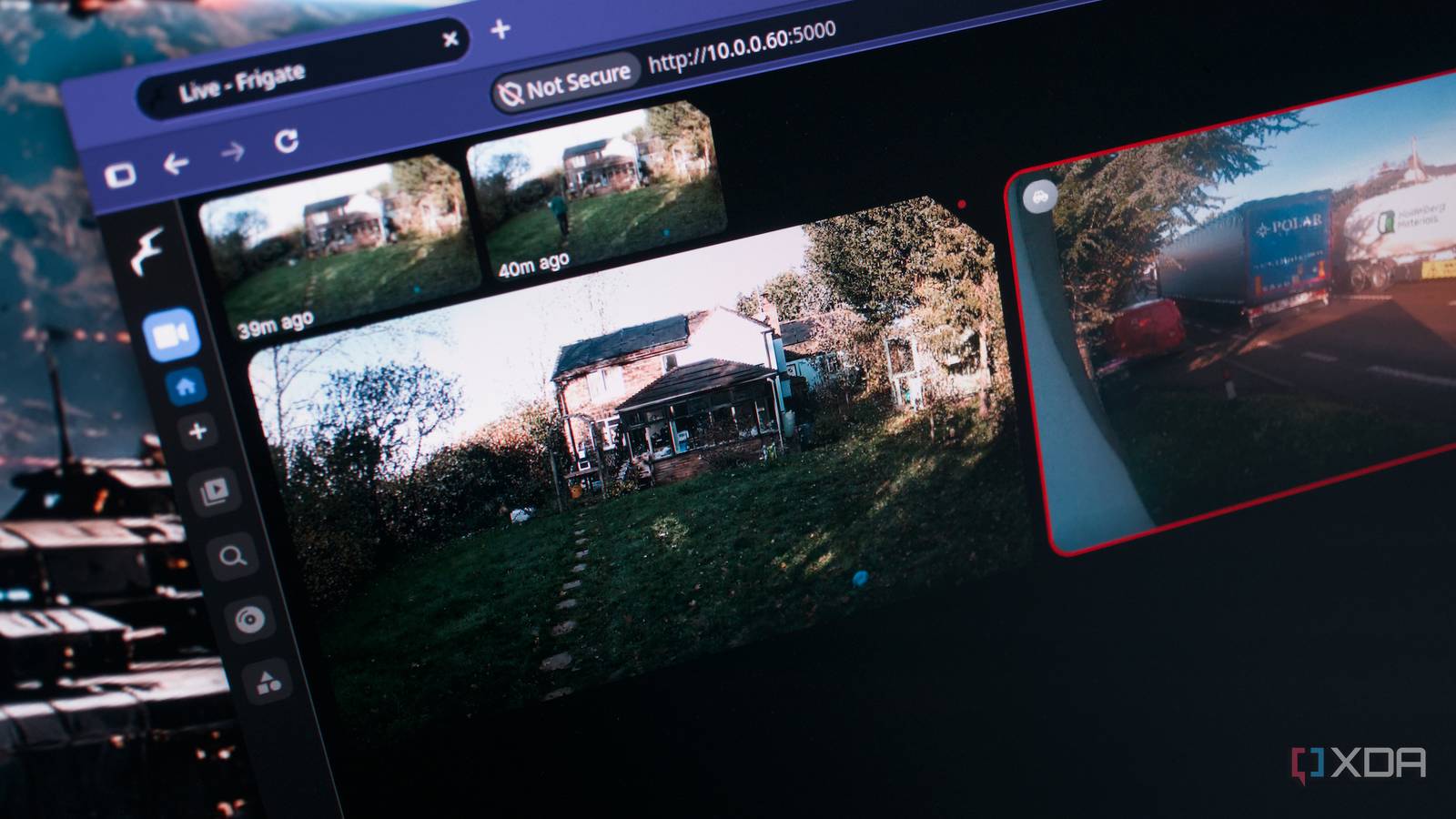
Published Nov 23, 2026, 10:00 AM EST Richard is the PC Hardware Lead at XDA and has been covering the technology industry for almost two decades. He's been building PCs since young, and when not creating content, you can often find him inside a chassis somewhere. Frigate is always recommended as the go-to option for setting up a custom network video recorder (NVR). But what's not revealed is just how much of a pain this excellent app can be to set up and use. Don't get me wrong, I love Frigate and have used it to protect my home for months, but it hasn't been easy at times to get it all running problem-free. I managed to get there ... with the help of an LLM. What I encountered while using Frigate It went from hero to zero and back again Recently I migrated my Frigate LXC from the Threadripper server to a dedicated small form-factor (SFF) system with an Intel Core i5-7400, 16GB of RAM, and a single 2TB drive for recording footage. The specifications are more than enough for running three Reolink cameras, or so I thought. After around 30 minutes, I would notice the system's fans revving up for takeoff. Visiting the Proxmox dash, I saw CPU usage was flat out. Swap was also deployed. It was a mess, and Frigate was anything but responsive. While I only dedicated 4GB to the LXC out of the 16 available, that should have been ample for running the NVR. Still, I encountered one of the Reolink cameras offline; another claimed to be delivering more than 100 frames per second (more than GTA VI). The Intel Core i5-7400's integrated GPU was meant to be doing the heavy lifting, but its usage showed a whopping 0%. While the rest of the system was almost collapsing, the iGPU was acting like the John Travolta meme, trying to locate something to do. I went from three Reolink cameras semi-reliably recording footage to Frigate to barely anything working. The former I put down to Reolink, but it seems more was amiss. It's one of Frigate's biggest complaints The UI may be user-friendly, but the config file certainly isn't Frigate may be one of the best open-source NVRs I've used with local object detection, tight Home Assistant integration, and no cloud subscription, but it's also, by wide agreement, a pain to configure. It's awful to troubleshoot because there's almost nothing to point you in the right direction, outside of checking through logs. If you're not at least somewhat comfortable troubleshooting software, good luck. It's easy to find others with similar experiences. Check this Home Assistant forum post simply called Initial config: Frigate with Reolink nightmare. After spending almost a week of daily attempts, not one of six Reolink cameras appeared. Another, Struggling trying to setup Frigate, opens with a Python YAML stack trace and the line "I've tried so many things that I forget where I am." Just about anyone who has edited a Frigate config knows the feeling. But it's not just Frigate here. My choice of camera brand may also be playing a part. It has also been discussed that Reolink cameras have trouble with ffmpeg. The official Frigate documentation has a dedicated Reolink section that warns that mainstream RTSP "isn't always reliable on all hardware versions" and steers owners of cameras at 5MP or below towards an http-flv stream instead. Not a great start. YAML ain't anyone's friend But there's also the way Frigate handles its configurations. Everything is in YAML Ain't Markup Language (YAML). It relies on space-based indentation to illustrate structure, which sounds fine on paper, but it can be a pain to work with. Frigate's config is a deep tree of global settings and per-camera overrides, and the rules for how they combine are not obvious. This isn't anything new, however, and the developers understand that changes need to happen to make it easier for users to add and manage cameras. 0.17 did make moves to address this with a camera wizard and a safe mode that opens up the config editor if the file is invalid. Those alone make a huge difference, but it's still not quite perfect. Work continues, and 0.18 is slated to be when UI-based configs will be recommended. But just because a config is valid, it doesn't mean you won't encounter problems. Three Reolink IP cameras, one Frigate LXC A match made in heaven when the stars align with the right config I don't have some otherworldly setup. Three Reolink cameras cover the grounds of the property, one in the rear, one up front, and one monitoring the driveway entrance. A smart doorbell handles the view from the front door. The three Reolink cameras (office, garage, and driveway) connect to an LXC running Frigate 0.17.2 with the aforementioned four CPU cores and 4GB of RAM. To start, playback in the web UI was sluggish to the point of being unusable. Recordings went missing, which rather defeats the purpose of a security camera. And the logs filled with errors faster than I could read them. The first problem, admittedly, wasn't Frigate's fault, nor Reolink's. Chromium just doesn't like to handle that type of video stream too well. Switching back to Firefox addressed that one out of the gate. But things progressively worsened. The garage camera's primary feed broke. The driveway dropped around 60% of its frames before going offline itself. One can see the steps I took to try and troubleshoot, including rebooting the LXC, attempting to provide more RAM, and then checking over the config. The logs didn't help either. They reported "method DESCRIBE failed: 401 Unauthorized." The logs helped ... after some searching I knew for a fact the login credentials for the camera were spot on. But this same error message can cover credentials, as well as a camera hitting its concurrent-connection limit or the RTSP URL being too long. I kid you not. Then there was storage with the entry detailing "garage has a bandwidth of 682126.85 MB/hr which exceeds the expected maximum." That's about 6.8 TB/hr of data, so it's obviously false and related to camera feed problems. Two cameras were affected by this issue. Then they just gave up altogether after Frigate complained about being unable to read frames from the ffmpeg process. Altogether, I managed to paint the picture after some frantic searching and LLM troubleshooting that the two cameras reported a 100 FPS reading, with almost all of them being skipped and none actually reaching the Frigate detector. None of our Reolink cameras run at 100 FPS—I don't believe any security camera does. Something was seriously wrong with the stream, and ffmpeg and the capture process were burning half the container's CPU allocation just trying to keep up. None of the log entries was the smoking gun. They simply reported what happened, and I had to work backwards to see what actually caused this. Finally getting everything working After much soul-searching, we finally arrived at the perfect config I finally resorted to providing an LLM with my entire config file and respective log snippets. It took thousands of tokens and hours of prompting, but we managed to get through the root cause. I switched to using go2rtc, opening the connection to the three Reolink cameras. Two streams per camera were set up, one for streaming and recording and a second for detection. GPU was finally used, though this had the least impact. Finally, I disabled everything we don't use. License plate and face recognition, and semantic search. If it wasn't used, it was getting cut. The issue with Frigate is that it's not simply a single app running within the LXC. There's firmware from each camera, go2rtc, ffmpeg, decoders, detectors, recording, and the web UI. Missing recordings were a stream issue since they kept dropping. It just takes a while to reach the conclusion because with each config file edit, one has to save, restart, wait, check logs, and start again. But once everything came together, Frigate quickly transformed into the ultimate NVR security powerhouse. It's rapid, recordings are where they should be, and the container is no longer pinned at 100% usage. But I would tell anyone starting out, especially with Reolink cameras, to read the camera docs, add one camera at a time, and rely on AI's excellent troubleshooting skills. Frigate It may cause frustration sometimes, but Frigate remains one of the best ways to set up your own home security system.
I spent weeks fighting Frigate and Reolink cameras, and an LLM finally fixed it
Full Article
Original Source
Read the full article at Xda-developers →KhanList aggregates and links to publicly available news content. We do not host full articles from third-party sources. Always verify important information with original sources.