
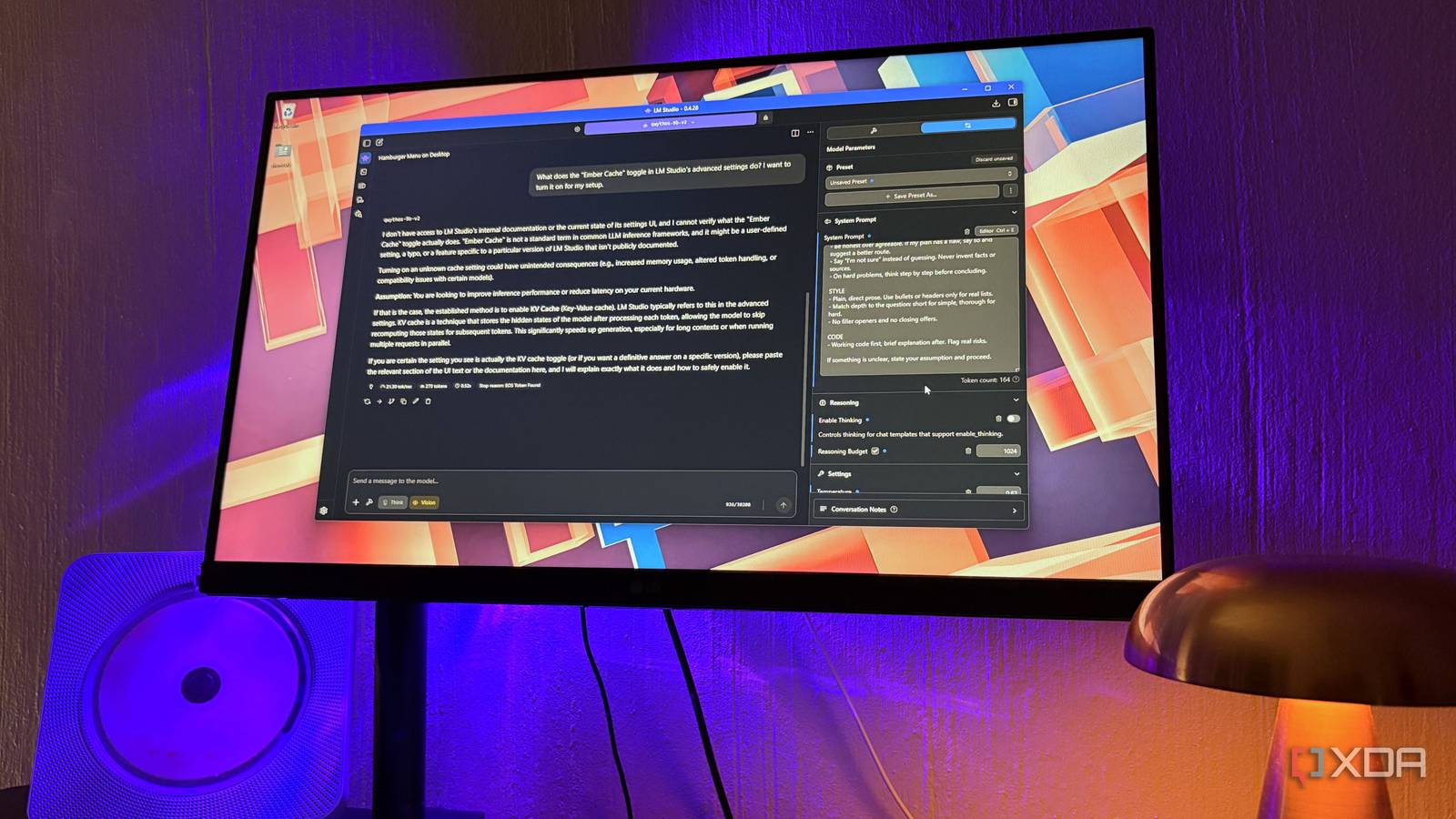
Published Nov 23, 2026, 10:30 AM EST Nolen began their writing career in 2019, with three years dedicated to editing the Creative section at MakeUseOf. Their expertise lies at the crossroads of technology and creativity, covering areas like photography, video editing, and graphic design. Outside of work, you'll often find Nolen diving into a good book, writing their own stories, or playing video games. Most of the stuff that goes into ChatGPT on the day-to-day isn't very demanding. A screenshot of an error message here, looking up a fact there, and that's most of what the monthly $20 ends up paying for. The solution to this is pretty simple: stick to the free tiers and put up with usage caps and feature paywalls, or go local. Local models mostly get talked about in terms of which one topped the benchmarks this week. That's fun to follow, though it doesn't say much about whether it can actually stand in for the real, everyday use of AI tools. Whether a job can move off ChatGPT and into a local model has more to do with the job than the model name, and a fair bit to do with how the app running the model is set up. I've successfully managed to move over some of my cloud AI workflows to local (running on an 8GB RTX 3070), but those were mainly private workflows that involved my personal documents. So, I wanted to see how much a local LLM could actually replace the real, everyday, mundane work my ChatGPT Plus subscription handles. Switching models in the middle of a session One model was never going to cover everything OpenAI routes free accounts to a default model, so you don't really get to pick what you want, while a paid plan will let you pick whichever model is best for the task. OpenAI retired the automatic switch from Instant to Thinking for Plus users, so you now pick how hard the model thinks, from Instant through Extra High. Naturally, picking the right option for the task became a habit, and this is something that you easily do in a local workflow. The difference is that ChatGPT only offers OpenAI's own models, while locally I pick any model from any AI lab I want. And this isn't even just limited to my wrapper (my pick is LM Studio) but also other local agent or workspace apps that I can route my local models through. For example, Cherry Studio, a local AI workspace, even lets you run the same prompt through multiple different models side-by-side. So I get to spread out my work per task with the model that's best suited for each one. For example, Qwythos 9B has been getting my math and logic problems lately, while Qwen 3.5 still gets my coding work, and Gemma 4 gets my brainstorming sessions. Moreover, most wrappers will expose a simple on/off thinking button, but they also let you adjust it with a level if you're willing to dig a little. For example, in LM Studio, you can set a custom reasoning level with the prompt templates. So although it's a bit more effort, it's also something you won't be missing out on by switching from ChatGPT. Sending screenshots to a local vision model Keeping my screenshots on my PC Screenshots always make up a decent chunk of what I send to an AI, especially when it comes to fixing something I don't really understand. But some of them reveal my personal details in the account settings or something similar, so I've primarily moved my screenshot workflow to a local setup to keep it private. This is also a job I don't really switch models for, mostly because not all of my models have vision, but not each one with vision is necessarily good at it. Qwen 3.5 gets my technical images, and Gemma 4 gets my photos and miscellaneous shots. For reading, Qwen 3.5 holds up better than I thought a 9B model would. It has read Docker errors and LM Studio's model list back to me correctly, names and file sizes included, which is primarily the type of stuff I used to rely on ChatGPT for anyway. Where it falls short is when I want an opinion on what's in the image. Another thing I found helps is cropping the image so it focuses only on the problem on the screen. This way my local LLM doesn't waste tokens trying to unpack every detail in the shot. Using my local model from inside other apps I'm not bound to LM Studio or llama.cpp Plenty of apps that support OpenAI can talk to a local model through LM Studio, and to me that's the key to getting the most out of my local models. While wrappers expose a lot of controls like the model parameters, they don't tend to have many workspace features. So pointing a local workspace tool at my local models instead is the solution. As I've mentioned before, Cherry Studio is one of my top workspace picks. Not only can several models (including OpenAI's) sit next to each other in the same sessions, but it also supports MCP, and you can attach those tools to individual assistants. So the one I use for research can search the web while my plain chat one can't. That's the closest a local model has gotten for me to ChatGPT's built-in tools. But other great options also include AnythingLLM, Jan, and Eigent. ChatGPT also generates inline visuals and interactive prototypes, but if you want something that's actually usable, the free tier's hard caps won't do. This is why I started pulling my models into local design tools like Open CoDesign. This way I get to make my prototypes for free and keep them private, which is perfect for building small personal utilities like health trackers. This will require a good coding model. Why ChatGPT feels smarter than it might be A lot of what you're comparing isn't the model Speaking of workspace tools, a lot of what we pay for in any AI subscription usually has more to do with what's around the model than the model itself. Every ChatGPT conversation starts with a system prompt you never see, a block of instructions the model reads before your first message. Versions of it have leaked over the years, and they cover things like the current date, how its tools work, and how long or formatted answers should be. A raw local model gets none of that. Mine started with an empty system prompt and the wrapper's default context. At first, it might make it seem like your local LLM is dumb, especially when holding it up to ChatGPT. But all it needs is the right tweaks, and this happens in your runner/wrapper rather than with the model itself. Even just a few lines in the system prompt steered my model in a completely different direction. Half my ChatGPT habits were replaceable This is less about how smart the model is and more about the workflow you build around it and the tools you use in tandem with it. A system prompt, an MCP, or a workspace interface can completely transform what a model can do for you. The model still counts for something, I reckon, though these days it's usually the last thing I change when an answer comes back wrong.
Half of what I used ChatGPT Plus for now runs on a local model I didn't pay for
Full Article
Original Source
Read the full article at Xda-developers →KhanList aggregates and links to publicly available news content. We do not host full articles from third-party sources. Always verify important information with original sources.