
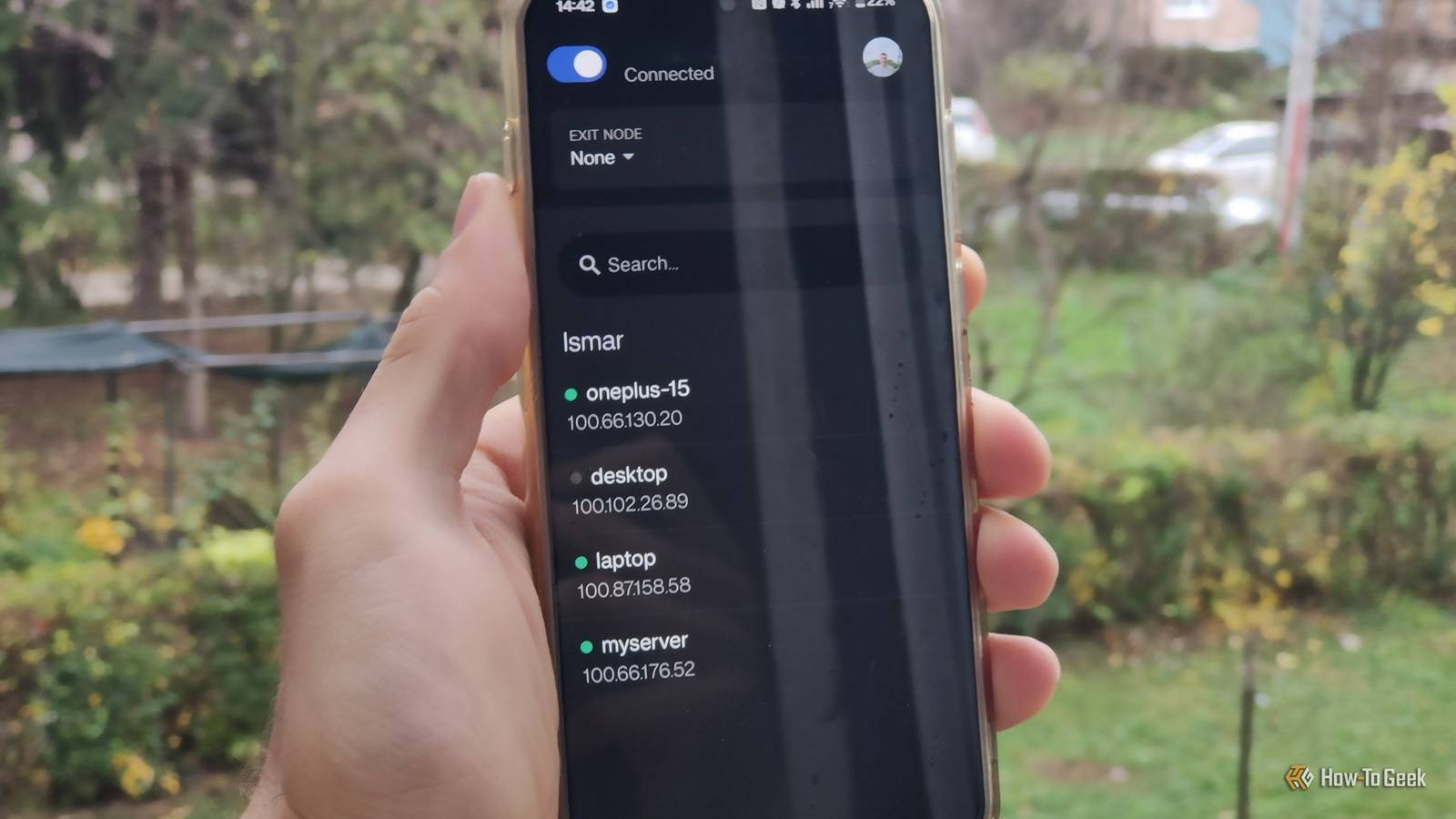
Published Nov 18, 2026, 1:30 PM EST Ismar is a Senior Author at How-To Geek. He previously worked as a writer, editor, and general manager at a content agency before joining the team in 2023. He began his writing career in 2021 after completing a BA in English Language and Literature. Beyond How-To Geek, Ismar has contributed to Red Stag Fulfillment and Authority Hacker. He has also worked on various SEO projects to help clients improve their search visibility. Ismar has been around Windows PCs since the age of three, so friends and family naturally chose him as the resident tech support. His projects often involve tinkering, such as disassembling mechanical keyboards and gaming mice to mod his beloved gear. He also enjoys pushing hardware to the max through overclocking while staying on a reasonable budget. An avid gamer, Ismar has logged thousands of hours across various genres, including first-person shooters, RPGs, racing games, and roguelites. When he is not at his desk, he is probably exploring other people’s phones to discover their quirks and features or experimenting with the latest AI tools. In his free time, Ismar enjoys spending time with his wife, working out at the gym, playing guitar and bass, cooking gourmet meals, and traveling. Above all else, he’s a proud cat owner. A homelab is something you build to serve the devices on your home network almost by default. And for most of us, most of the time, that works just fine. I spend most of my typical workday at home, so having access to self-hosted services like Immich and Jellyfin for the couple of hours I spend outside isn't exactly a necessity. However, on those occasions when I wanted to show someone a photo stored on my server or watch a show while I was away, I found myself sorely missing that convenience. I lived with this arrangement for months until I finally had enough and decided to set up remote access. It turned out to be way easier than I expected, and all it took was a little help from Tailscale. My home server worked perfectly fine, so I kept putting remote access off A project that I kept pushing back I started my homelab earlier this year with an old laptop I had lying around and some spare USB drives loaded with old movies and shows. I just wanted to see what the hype was all about, so I installed Jellyfin and started watching my content on my phone and TVs. I ended up loving the experience so much that I soon expanded my storage with an external hard drive and set up a few apps from the arr stack to automate library management. Things only grew from there, and I started relying more and more on my self-hosted apps. I eventually replaced the old laptop with a significantly more powerful mini PC, which allowed me to expand my Docker stack. I now have 29 containers running 24/7 on my home server. Just to name a few of my favorites, Home Assistant manages my entire smart home, Jellyfin and the other media services ensure I always have something to watch, and Immich has completely replaced Google Photos. Although I use these services every single day, I never really felt the need to access them remotely. Not having access to Immich isn't ideal, but I primarily use it as a backup anyway. Eventually, though, I realized just how much functionality and convenience I was missing by keeping my homelab accessible only through my local network. For starters, I became much more reliant on Home Assistant after moving my smart devices to local control with the Tuya Local integration. This essentially meant I could no longer rely on Google Home to turn my iron off remotely if I wasn't sure I unplugged it. Likewise, not having access to Jellyfin outside my home wasn't really a problem until we flew to Germany and I realized I hadn't downloaded enough episodes of the show we watch. This happened several more times throughout the year, which eventually prompted me to fix the problem once and for all by figuring out how to set up remote access. Tailscale made giving my home server remote access ridiculously easy and secure There are a few different options for setting up remote access to a home server. Port forwarding can feel like playing with fire, as a bad configuration could expose a service on my home server directly to the internet. A reverse proxy can add another layer of protection, but it still leaves a potential vulnerability in the proxy software. A tunneling service like Cloudflare Tunnel is much easier to set up, but Cloudflare restricts video streaming on the free plan. Other setups can be even more complicated, as they involve things like DDNS on top of port forwarding. It turns out I didn't have to worry about any of these things, as the easiest option also happened to be the perfect solution for my use case. It came in the form of Tailscale, a mesh VPN that doesn't require open ports on your router to work. Instead, it uses WireGuard to create a safe P2P link between devices, with Tailscale's servers helping initialize the encrypted connection. This essentially gives me all the access I need, at the convenience of a single tap on my phone to turn on Tailscale. The best part is that setting it up was way easier than I could've possibly imagined. All I had to do was create a Tailscale account, generate an auth key, install the Tailscale container on my home server through Docker Compose using the key, and install the app on my phone. Tailscale takes care of the rest. Just like that, every app I rely on is now accessible remotely. I can even open my phone's web browser and access services that I don't have dedicated apps for, like Sonarr, Radarr, and Endurain. Having Jellyfin access outside my network made watching content when I travel so much easier I can finally stop planning downloads ahead of a trip With my setup finalized and all the testing done, I did something rather bold: I went on a weekend getaway to a secluded cottage without downloading any content ahead of time. I wanted to see if this actually worked, so I relied entirely on Tailscale to keep me connected to my server. Thankfully, it did! I was finally able to stream Family Guy while having my morning coffee, without worrying about where I was drinking it. However, when I tried streaming a high-bitrate movie later that evening, I discovered an entirely different problem: my home internet's upload speed couldn't handle it. Thankfully, I was able to lower the bitrate, and with the help of hardware transcoding, I didn't experience any stuttering. I learned my lesson, so the next time I wanted to watch something, I just used remote access to download an episode or movie a couple of hours before watching it. I can finally make use of my self-hosted services wherever I go While I'm mostly excited about the prospect of streaming my shows remotely, my whole setup actually benefited from remote access. Immich works great when I'm working on the go and need quick access to photos, and I can finally control my entire smart home remotely with Home Assistant. I can also retrieve files, access my various other self-hosted services, and even manage my home server to an extent, all while being many miles away from home. Looking back, setting up Tailscale counts among the easiest yet most significant upgrades I've made to my homelab, and my only regret is that I didn't do it sooner.
I spent months putting off remote access to my home server, but Tailscale made it ridiculously easy
Full Article
Original Source
Read the full article at Howtogeek →KhanList aggregates and links to publicly available news content. We do not host full articles from third-party sources. Always verify important information with original sources.