
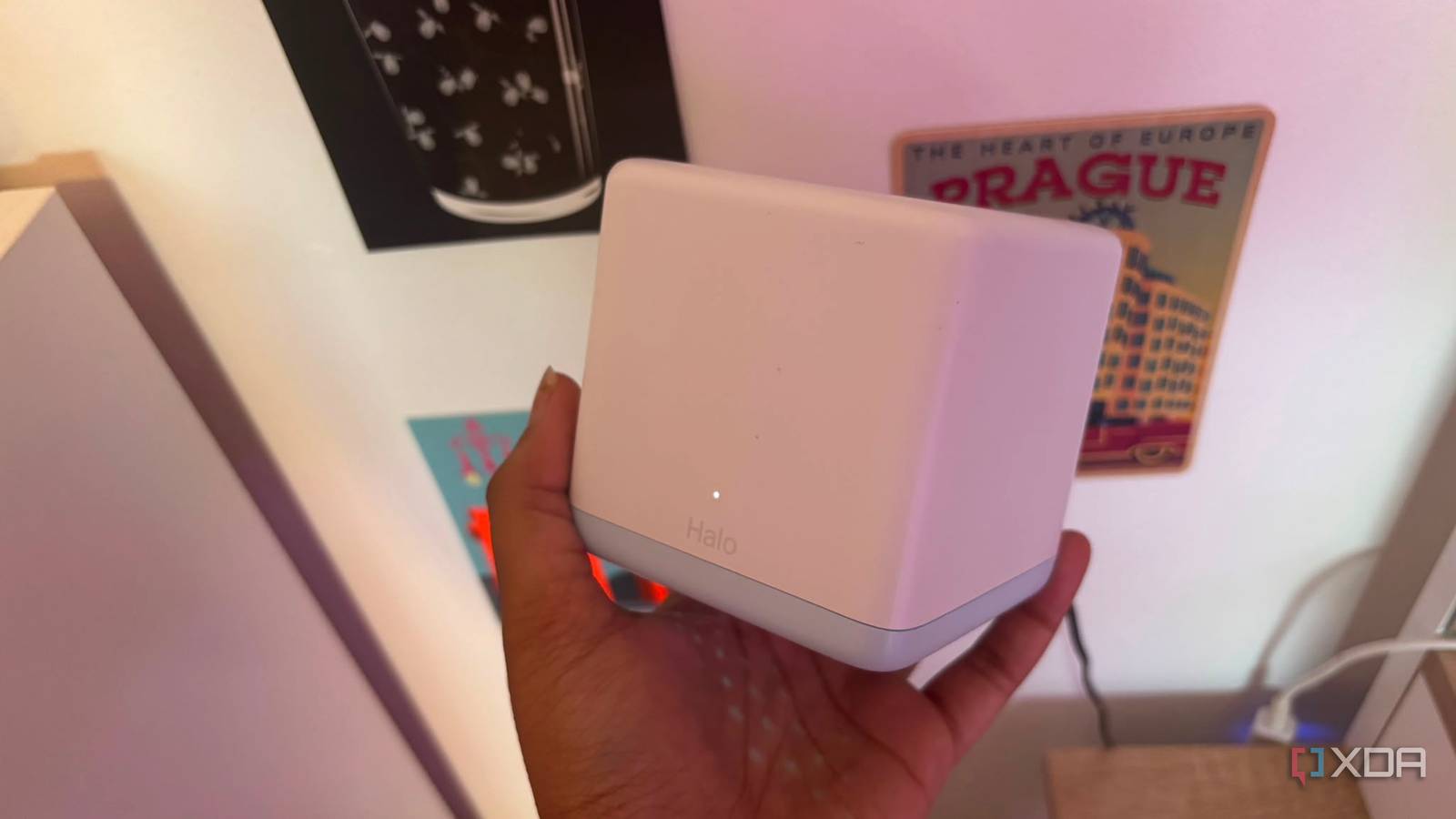
Published Jul 20, 2026, 1:30 PM EDT Jasmine is Software and PC Hardware Author at XDA with years of tech reporting experience ranging from AI chatbots right down to gaming hardware, she's covered just about everything. Whether it's breaking news about the latest AMD NPUs or creating video tutorials on social media platforms, Jasmine has contributed to the world of AI and tech in a variety of ways including interviewing the CEO of Razer, AMD's Director of Product Marketing and the VP of Lenovo. Passionate about gaming and PC technology, she has built countless computers, keyboards and other peripherals - knowing them inside and out. For a long time, I felt like I had multiple dead zones in my home when it came to my Wi-Fi. Upgrading to an expensive mesh network felt like the default step to take in order to rectify this. However, after I had set it up, I found that my connection behaved pretty similarly to how it did on the free router that my internet service provider gave me in the first place. Really and truly, correcting the placement of my ISP router probably would have rectified the issues without requiring me to spend $300 on a new mesh system. If you live in a modest-sized space, have a sub-gigabit internet plan, or fail to configure dedicated backhaul links, a $300 mesh system won't deliver a better experience. Instead, it introduces high latency hops and configuration headaches that make the ISP's simple single-box router actually look appealing. Too many nodes is not the solution The overlap may cause issues When first taking out a new internet plan, it might feel that the stock ISP gateway that you're provided with is just a cheap bottleneck piece of junk. You might feel the urge to replace it immediately with high-performance multi-satellite mesh grids in order to unlock your true internet speeds. This is the way that I felt. I thought that the dead zones were as a result of the cheap router and that a mesh system would fix everything. However, the hard truth is that for a large percentage of users the bottleneck isn't actually the ISP physical router. It's the physical constraints of your home layout, your service plan, or the way your device handles wireless data. In smaller homes, terraced houses or single-storey flats, mesh systems are structurally wasted. A high-quality single-point router can likely cover up to 1,500 to 2,000 sq. ft. under normal conditions, making it the ideal solution for the majority of users. Placing too many high-power nodes too close together in a smaller home leads to a hidden performance penalty. When satellites are forced to share the same physical radio spectrum inside tight quarters, they crowd the available air time, creating localized interference that actually reduces raw throughput and can spike latency too. Many client devices, including smartphones, tablets, and laptops, have stubborn roaming algorithms. Instead of cleanly handing off to the nearest satellite, they can cling to a distant weaker node, leaving you with slower speeds than you would get from a single centrally located ISP hub. Mesh systems can cause speed drops You don't have to face this issue with standard routers Mercusys mesh wifi system changed my life after I struggled with a WiFi extender for so long. By setting up a mesh system on a wireless backhaul, you actually might be strangling your own speeds. Wi-Fi is inherently half-duplex, meaning it cannot transmit and receive data at the exact same millisecond. This means you're making a technical compromise when opting for a mid-range $300 dual-band mesh system because they do not have a dedicated isolated radio band for unit-to-unit communication. The satellites must use the exact same 5 GHz channels to talk to your phone and also then relay that data back to the primary router. As a result, you might see dramatic speed loss that occurs with each wireless hop. If your main node gets 500 Mbps from the wall, a device connected to a satellite node one hop away will instantly see that throughput cut by roughly 50% simply due to the airtime sharing tax. Again, this is halved with another hop and so on and so forth. With one ISP-provided router, you don't have to experience this degradation of your Wi-Fi with each unit that's communicating. ISP routers are better than they've ever been You don't need to bin them immediately One thing to keep in mind is that the ISP router which is provided to you when taking out an internet plan, is actually improved quite dramatically over the years and many consumers just haven't been paying attention. Years ago, standard advice was to immediately bin your ISP router because it's outdated. This is because providers shipped cheap single-band boxes. However, there's been a rise of modern ISP gateways. Modern fiber, like FTTP, mean cable providers now bundle highly capable Wi-Fi 6 and sometimes even Wi-Fi 6e gateways into their packages. These units feature high-gain internal antennas, multi-gigabit Ethernet ports, and modern MU-MIMO and OFDMA chipsets that easily handle 30+ smart devices without sweating. Your ISP-provided router has to be able to provide you with the bandwidth that you're paying for. If you're paying for a 300Mbps or 500Mbps broadband tier, then your router physically has to be able to provide you with it. Sometimes the real bottleneck might be your plan. A 300 Mbps system cannot magically pull more data out from the street if you're only paying for a lower-tier plan. Your stock ISP router is already fully capable of saturating that speed profile over Wi-Fi. Audit your current set up The solution might be right in front of you Investing in a mesh system might be the right choice for you as it's an incredibly powerful tool, but it's only the case if you have the specific physical layout to justify it (such as a large multi-story home, concrete partition walls, or a garden home office). For the average user, replacing a modern free ISP router with a mesh kit is an expensive sideways step that trades simplicity for unnecessary hardware complexity. If you feel like you're experiencing dead zones in your home, drops in speed, or just latency, it might be time to audit your current setup rather than investing in a new one. Use a free Wi-Fi analyzer to clear channels, move your stock ISP router out of closed TV cabinets and lift it onto an open shelf and then test your speeds again. If your coverage is still struggling in a far bedroom, consider running a single discrete Ethernet cable to an access point instead.
I spent $300 on a mesh system, but my ISP's free router was doing the job all along
Full Article
Original Source
Read the full article at Xda-developers →KhanList aggregates and links to publicly available news content. We do not host full articles from third-party sources. Always verify important information with original sources.