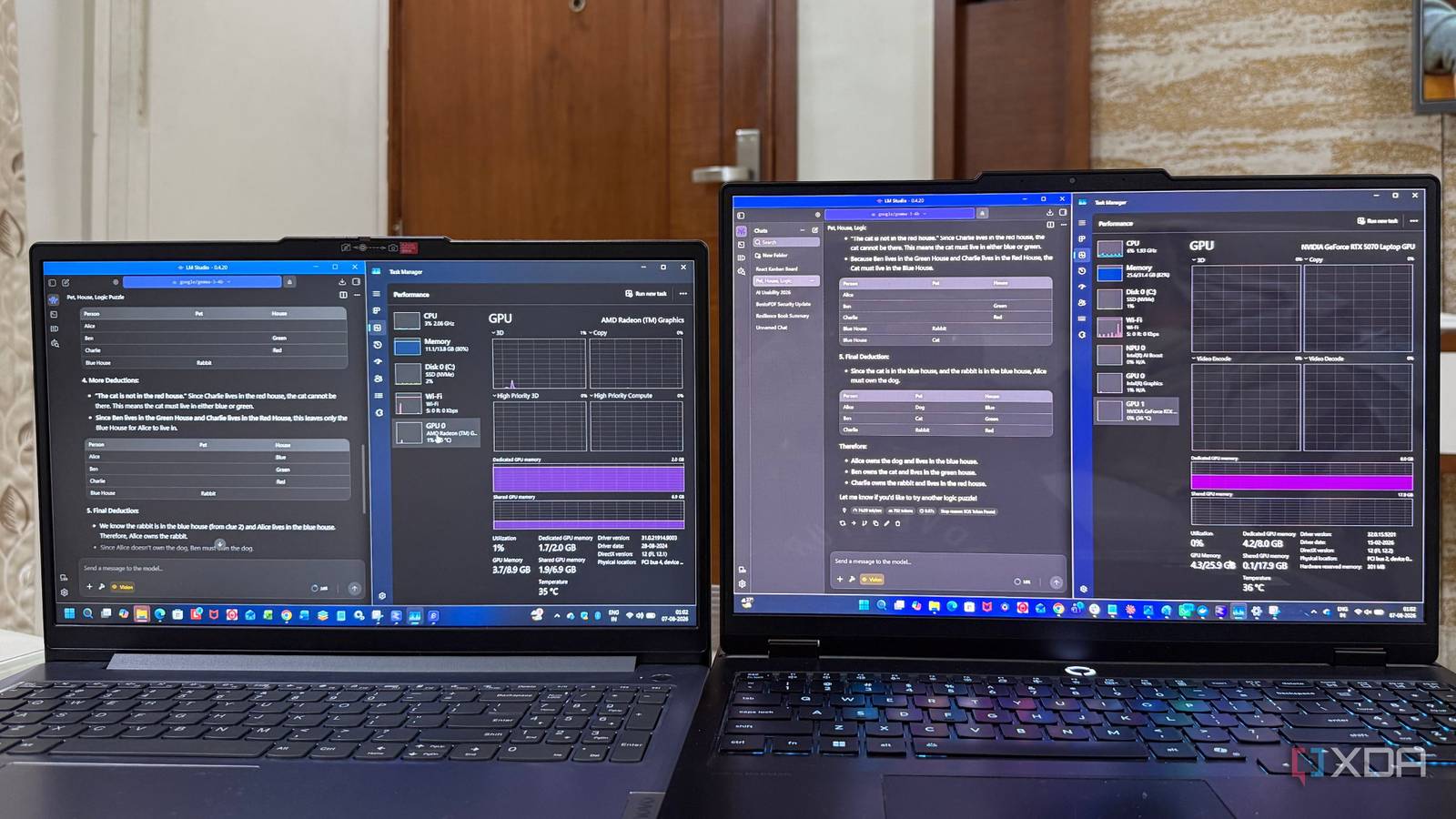
Published Aug 10, 2026, 6:00 AM EDT Beginning his professional journey in the tech industry in 2018, Yash spent over three years as a Software Engineer. After that, he shifted his focus to empowering readers through informative and engaging content on his tech blog – DiGiTAL BiRYANi. He has also published tech articles for MakeTechEasier. He loves to explore new tech gadgets and platforms. When he is not writing, you’ll find him exploring food. He is known as Digital Chef Yash among his readers because of his love for Technology and Food. Local AI has become much easier to run, but most people still think you need an expensive graphics card to get started. I wanted to find out how true that really is. Instead of comparing different models, I decided to run the same local AI model on two very different systems and see how much the hardware changed the experience. I expected the dedicated GPU to win, but I was more interested in how close integrated graphics could get. After spending time with both setups, I came away with a few surprises that changed the way I look at running AI models locally. The two systems couldn't be more different I deliberately chose a model both systems could run To keep the comparison fair, I used LM Studio on both machines and ran the same Gemma 3 4B model with the default settings. That way, the only real difference was the hardware powering the model. Heavy graphics setup My primary system is a laptop with an Intel Core Ultra 9 processor, 32GB of RAM, and an Nvidia GeForce RTX 5070. It's the machine I normally use for local AI, and it has more than enough power for running modern language models. I expected it to handle Gemma 3 4B effortlessly. Integrated graphics setup For the second test, I switched to my dad's laptop with an AMD Ryzen 7 5825U processor, integrated Radeon graphics, and 16GB of RAM. On paper, it's nowhere near as powerful as my desktop. I was curious to see whether the same model would still be practical on hardware that many people already own. The RTX 5070 was obviously faster Fast enough to forget it was running locally The RTX 5070 handled Gemma 3 4B exactly how I expected. As soon as I entered a prompt, the model started responding almost instantly. Whether I was asking it to summarize an article, rewrite some text, or answer a question, I rarely had to wait. Longer responses were just as smooth. The text appeared quickly, and I could move on to my next prompt without breaking my workflow. I also didn't notice any lag while using other apps at the same time. The faster speed didn't change what the model could do, but it made the overall experience much better. Everything felt more natural because I wasn't sitting around waiting for responses. After using local AI on hardware like this, it's easy to see why a dedicated GPU is recommended if you plan to use AI regularly. But the integrated graphics performed far better than I expected Better than the specs suggest I went into this test expecting a poor experience, but the laptop surprised me. Gemma 3 4B loaded without any issues and answered every prompt I gave it. It was clearly slower than the RTX 5070, but it never felt completely unusable. I tried a mix of everyday tasks, like summarizing articles, rewriting text, answering questions, and brainstorming ideas. It handled all of them without any problems. I just had to wait a bit longer for each response. What surprised me most was how usable it felt. Once I adjusted to the slower speed, I could still get my work done. It made me realize that you don't always need expensive hardware to run a local AI model. If you're using smaller models for everyday tasks, a laptop with integrated graphics can do a much better job than many people expect. The biggest difference wasn't answer quality Both gave me almost the same answers One thing that stood out during my testing was that the quality of the responses was nearly identical. Since I was running the same Gemma 3 4B model on both machines, I wasn't expecting smarter answers from the RTX 5070, and that's exactly what I found. Whether I asked it to explain a topic, rewrite text, or summarize an article, the output was almost the same. The real difference was how long it took to get those answers. The RTX 5070 finished each task much faster, while the integrated graphics needed a little more patience. Once the response was complete, though, I didn't notice any major drop in quality. That was probably the biggest surprise from this test. You might not need the upgrade you think This comparison reminded me that local AI is no longer limited to high-end hardware. If you're just getting started, don't let your hardware stop you from experimenting. Try a smaller model, see how it performs, and upgrade only if your needs grow. After running the same model on both systems, I came away with one simple takeaway: the best hardware is the one that lets you use local AI today, not the one you're waiting to buy.
I run same local LLM on an RTX 5070 and integrated graphics, and the results were beyond my expectations
Full Article
Original Source
Read the full article at Xda-developers →KhanList aggregates and links to publicly available news content. We do not host full articles from third-party sources. Always verify important information with original sources.