
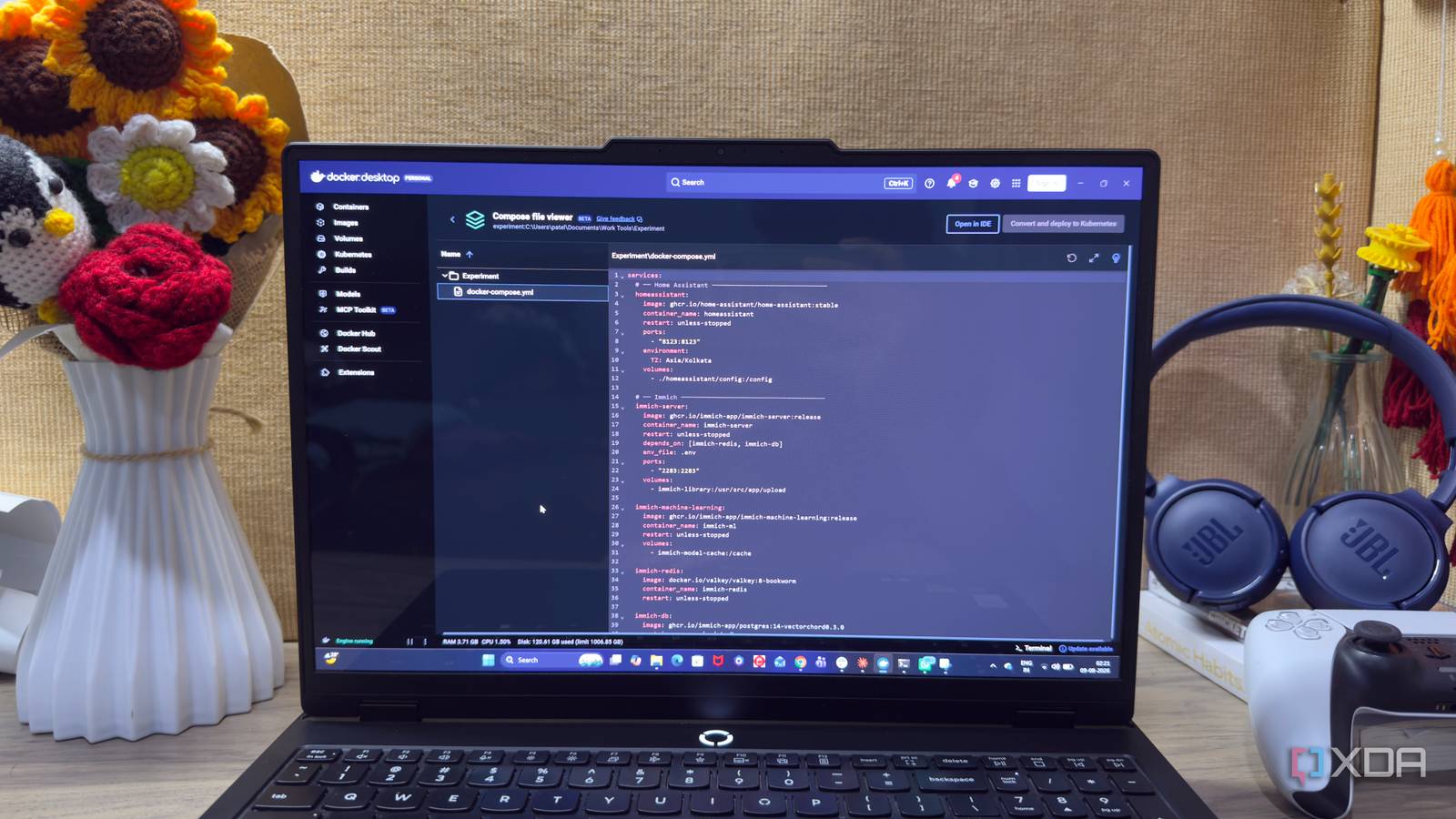
Published Aug 15, 2026, 6:00 AM EDT Beginning his professional journey in the tech industry in 2018, Yash spent over three years as a Software Engineer. After that, he shifted his focus to empowering readers through informative and engaging content on his tech blog – DiGiTAL BiRYANi. He has also published tech articles for MakeTechEasier. He loves to explore new tech gadgets and platforms. When he is not writing, you’ll find him exploring food. He is known as Digital Chef Yash among his readers because of his love for Technology and Food. I've been experimenting with self-hosting for a while, and I recently started thinking about how easy it would be to rebuild my server if I ever had to start over. Docker already makes it easy to recreate containers, but I wanted to take that idea a step further. What if I could define the main components of my home server in one place and restore everything with a single command? I wasn't sure how well it would work, especially with services that have databases and other dependencies. So I decided to try it with the services I rely on the most and see how the setup behaved in real use. The result was much better than I expected. I put multiple services into one Docker stack I put my everyday services under one roof I don't run every self-hosted service on my server all the time. Some are things I start only when I need them, while a few services are part of my everyday setup and stay running 24/7. For this experiment, I picked only the services I expect to stay active at all times: Home Assistant, Immich, and Nextcloud. Home Assistant handles my smart-home setup, Immich manages my photos, and Nextcloud takes care of my files. These are the services I already expect to be available whenever my home server is running. Instead of managing them as separate Docker projects, I wanted to see if I could treat them as one stack. That way, I could define the applications, databases, supporting services, ports, and storage in a single Compose file. How I approached this whole experiment I kept the experiment simple from the start I didn't want to over-engineer this setup before knowing whether the idea would work. I started with the Compose file, added the services and their dependencies, and kept their persistent storage separate from the containers. Once everything was running, I used the server normally for a while instead of immediately trying to break it. I wanted to make sure the three services behaved as expected in day-to-day use. Then came the real test. I pulled the latest images and forced Docker Compose to recreate the containers. After that, I checked whether Home Assistant, Immich, and Nextcloud had restored their existing configurations and data. That simple test gave me a good idea of whether this setup was actually practical. The Docker Compose File services: # ── Home Assistant ────────────────────────────── homeassistant: image: ghcr.io/home-assistant/home-assistant:stable container_name: homeassistant restart: unless-stopped ports: - "8123:8123" environment: TZ: Asia/Kolkata volumes: - ./homeassistant/config:/config # ── Immich ────────────────────────────────────── immich-server: image: ghcr.io/immich-app/immich-server:release container_name: immich-server restart: unless-stopped depends_on: [immich-redis, immich-db] env_file: .env ports: - "2283:2283" volumes: - immich-library:/usr/src/app/upload immich-machine-learning: image: ghcr.io/immich-app/immich-machine-learning:release container_name: immich-ml restart: unless-stopped volumes: - immich-model-cache:/cache immich-redis: image: docker.io/valkey/valkey:8-bookworm container_name: immich-redis restart: unless-stopped immich-db: image: ghcr.io/immich-app/postgres:14-vectorchord0.3.0 container_name: immich-db restart: unless-stopped environment: POSTGRES_USER: ${DB_USERNAME} POSTGRES_PASSWORD: ${DB_PASSWORD} POSTGRES_DB: ${DB_DATABASE_NAME} volumes: - immich-db:/var/lib/postgresql/data # ── Nextcloud ─────────────────────────────────── nextcloud-db: image: mariadb:11 container_name: nextcloud-db restart: unless-stopped command: --transaction-isolation=READ-COMMITTED --log-bin=binlog --binlog-format=ROW environment: MYSQL_ROOT_PASSWORD: ${NC_DB_ROOT_PASSWORD} MYSQL_DATABASE: nextcloud MYSQL_USER: nextcloud MYSQL_PASSWORD: ${NC_DB_PASSWORD} volumes: - nextcloud-db:/var/lib/mysql nextcloud-redis: image: redis:7-alpine container_name: nextcloud-redis restart: unless-stopped nextcloud: image: nextcloud:apache container_name: nextcloud restart: unless-stopped depends_on: [nextcloud-db, nextcloud-redis] ports: - "8080:80" environment: MYSQL_HOST: nextcloud-db MYSQL_DATABASE: nextcloud MYSQL_USER: nextcloud MYSQL_PASSWORD: ${NC_DB_PASSWORD} REDIS_HOST: nextcloud-redis NEXTCLOUD_ADMIN_USER: ${NC_ADMIN_USER} NEXTCLOUD_ADMIN_PASSWORD: ${NC_ADMIN_PASSWORD} NEXTCLOUD_TRUSTED_DOMAINS: ${NC_TRUSTED_DOMAINS} volumes: - nextcloud-html:/var/www/htmlvolumes: immich-library: immich-model-cache: immich-db: nextcloud-db: nextcloud-html: Env File # ImmichDB_USERNAME=immichDB_PASSWORD=change_me_immichDB_DATABASE_NAME=immichDB_HOSTNAME=immich-dbREDIS_HOSTNAME=immich-redis# NextcloudNC_DB_ROOT_PASSWORD=change_me_rootNC_DB_PASSWORD=change_me_ncNC_ADMIN_USER=adminNC_ADMIN_PASSWORD=change_me_adminNC_TRUSTED_DOMAINS=my_domain_list A simple way to rebuild Then I put the whole stack to the test Once I knew the setup worked, I wanted the rebuild process to be as simple as possible. I didn't want to remember separate commands for Home Assistant, Immich, Nextcloud, or their supporting containers. So I use this: docker compose pull; docker compose up -d --remove-orphans --force-recreate The first part pulls the latest images. The second part recreates the containers and restarts the entire stack. I use --force-recreate option because I want to make sure the containers are rebuilt instead of just starting the existing ones. At the same time, my persistent volumes stay in place, so I don't have to set up everything again. I tested this a few times, and it worked well. The containers were recreated, but my existing configurations and data remained. For my use case, this made rebuilding the server surprisingly easy. The setup is not perfect yet Planning to introduce a proper backup strategy The experiment worked well, but I wouldn't call my home server setup complete yet. The biggest thing still missing is a proper backup strategy. Right now, the Compose file makes it easy to recreate my containers, and the persistent volumes keep my data in place. But that doesn't protect me if the drive fails, I accidentally delete something, or the data gets corrupted. That's the next part I want to work on. I plan to add a proper backup system for the important data from Immich, Nextcloud, and Home Assistant. I also want to make sure I can actually restore those backups instead of simply assuming they will work when I need them. For now, the Docker setup has made rebuilding much easier. But this experiment also reminded me that easy rebuilding and proper backups are two different things. I have solved the first one; the backup part is next. A small Docker experiment that actually worked I started this experiment to simplify my home server, and it turned out better than I expected. I now have a cleaner way to manage the services I use every day without an unnecessarily complicated setup. There is still work to do, but the basic idea has worked well for me. Sometimes, the simplest setup is the one that makes the most sense. Docker Docker Desktop simplifies container management on Mac, Linux, or Windows with a GUI, handling setups like port mappings and file systems
I run my entire home server in one Docker Compose file, and rebuilding it takes a single command
Full Article
Original Source
Read the full article at Xda-developers →KhanList aggregates and links to publicly available news content. We do not host full articles from third-party sources. Always verify important information with original sources.