
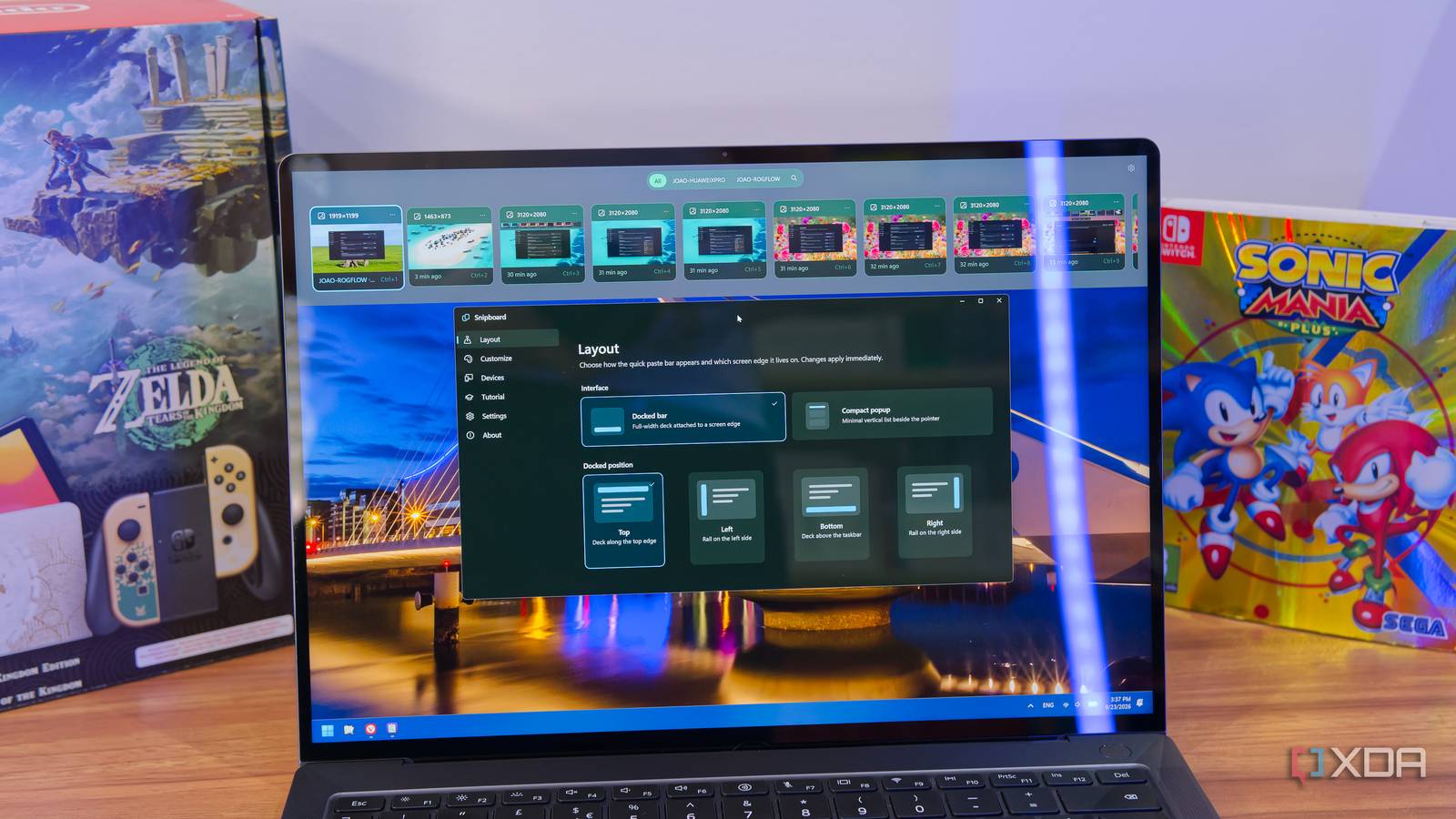
Published Sep 23, 2026, 1:30 PM EDT João has been covering the tech world for over 7 years, with a heavy focus on laptops and the Windows ecosystem. I also love all things tech and videogames, especially Nintendo, which he's always happy to talk about. Prior to joining XDA in 2021, he worked at Neowin: https://www.neowin.net/news/poster/jo%C3%A3o-carrasqueira/ The Windows clipboard is an essential tool, but it's one that has felt somewhat neglected throughout the years. Windows 10 finally gave us a clipboard history, but that feature hasn't evolved significantly since its initial debut. And while some rivals exist, they also tend to feel either outdated or clunky. Snipboard is aiming to change that, and it does so extremely well. Joining the growing family of productivity and customization apps from Stardock, this may be one of my favorites yet, making the clipboard feel faster and more useful than ever. About this article: Stardock provided XDA with early access and a license for the Snipboard beta release. The company had no input on — nor an early preview of — its content. Clipboard history as it should be Fast, responsive, and persistent As useful as the clipboard history is on Windows 11, it's also severely flawed in a few ways. The biggest, to me, is the lack of a search capability in the UI, along with the fact that clipboard items aren't retained across reboots unless you pin them. I would also say that the UI in general doesn't feel as fast as it could be. Snipboard fixes pretty much all of these issues. It takes over the Windows + V shortcut by default (though it can be remapped), and it appears instantly. You can set it to open on any edge of the screen, or make it appear in a more compact floating design similar to the native Windows solution, but it's always faster. You can browse results with the arrow keys or select an option by pressing Ctrl and any number from 1 to 9, and you can even select formatting options like pasting as plain text or changing the text to uppercase using just the keyboard. Unlike the official Windows solution, anything saved to your clipboard is kept there until your allotted storage or the set timer (both of which can be customized) runs out, so rebooting your PC doesn't mean you lose access to those items. They're always there, and pinning items just means they're always at the top and never deleted to save space. To make it easier to sift through long lists of copied items, once you've summoned the clipboard, you can start typing to search for items in your clipboard — though I've noticed that some keys, like V and B, don't seem to automatically trigger the search. Alternatively, pressing the up arrow lets you filter items, which includes selecting the search option so you can type freely. It's not quite perfect yet, but it's a huge improvement from what Windows offers. On top of all this, Snipboard doesn't just work with text or images. In addition to those two types of items, it can also save copied items like files and folders in File Explorer. These items also persist across reboots, so you can always bring them back up later. It syncs across devices No cloud needed What makes Snipboard even better is that it's not just a clipboard history for one PC, but it's also an engine for keeping those copied items synced across multiple PCs. Microsoft does offer something similar, but while that solution uses the cloud and can sometimes be slow, Stardock's syncing works entirely within your home network, so data is never sent outside your home. Syncing works by creating a link code on one of your devices and entering it in another, which enables items to stay in sync between those two devices. It's not clear how the licensing will work for the standalone version of Snipboard, but the current version is included at no additional cost in Object Desktop, and that supports up to five devices, so you can get a fairly big network of synced devices right out of the gate. Sync is customizable, too, so you can choose whether synced items are automatically downloaded to each device or if they should only be downloaded when selected from Snipboard (the default behavior). This isn't a huge deal for text or small images, but if you're copying files, it can make a big difference, and it effectively lets you move files from one PC to another very easily. You can also choose whether pinned items should be kept in sync across devices. One thing I will point out is that there is no sort of buffer method, so if you copy an item on one PC while the other PC isn't on, that clipboard item won't sync, even if the two PCs are online at the same time at a later point. You can tweak its looks, too It wouldn't be a Stardock app otherwise Stardock apps usually lean heavily on customization, and Snipboard is no different. Some of the options are more functional, like changing the position of the dock or the behaviors for syncing. One thing I touched on is that you can also change how long clipboard items are saved (the default is to keep them forever) and the size of the clipboard history, which is set to 1GB by default. This determines how many files are kept until older ones need to start being deleted. But much of the customization is also visual. The app comes with an array of preset color themes, but you can also customize the individual colors for each app element and tweak things like the thickness of the highlight outline or set a transparency level for the background, so you can let your desktop background shine through. It's not the usual, almost overwhelming, level of control Stardock apps often have, but I'd say that's a good thing in this case. There's no need to go overboard for something this simple, and there's already plenty of customization to be had here. Snipboard is great Even though it's still in beta, Snipboard makes the Windows clipboard exactly what I'd want it to be. It's faster, more capable, and more useful than the built-in solution, on top of offering polenty of customization options and a very welcome sync engine. During the beta period, Snipboard is included at no additional cost in Stardock's Object Desktop suite, so it's a total no-brainer if you're already subscribed. We don't know how much the standalone release will cost yet since it's not planned to release for a while, but that will be a big factor in whether it's worth it or not. In the meantime, you can also try the app for free for 30 days to see if it's worth it to you. Snipboard OS Windows 10/11 Developer(s) Stardock
I replaced the Windows clipboard with Snipboard, and it fixed every problem I had with it
Full Article
Original Source
Read the full article at Xda-developers →KhanList aggregates and links to publicly available news content. We do not host full articles from third-party sources. Always verify important information with original sources.