
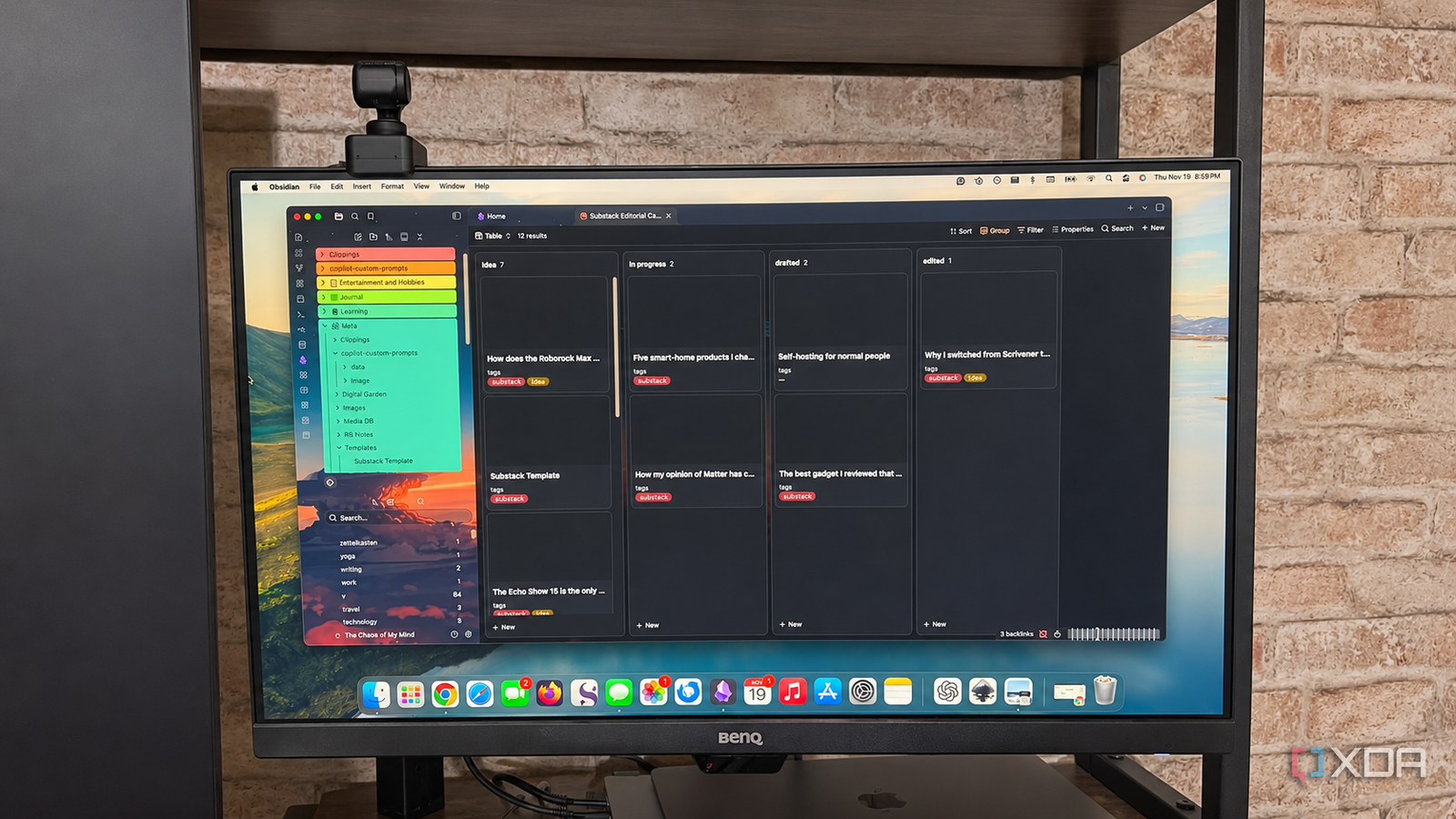
Published Nov 21, 2026, 7:30 AM EST Patrick is a seasoned writer with more than a decade of experience, specializing in any and all things tech. His work has been featured on platforms like CNET, Yahoo, Xfinity, and many other outlets. When not typing away, he can be found with his nose in a book. It's no secret that Obsidian is my go-to app for nearly everything. I've written at length about how I've turned it into a personal command center, but I use it for more than that — it also serves as a project manager that tracks every Substack article idea I have. It replaces Notion or Trello; I can see which articles are edited and ready to schedule or publish, which are drafted, and which are still in the ideation phase. With my idea list for Substack now totaling more than 50 stories, my process would be a disorganized mess without it. But Obsidian, at least in its base version, isn't enough for the task. I rely on a series of different plugins to keep things chugging along, but none of these plugins are overly complicated to use. Most of them are likely familiar to the average Obsidian user, and those that aren't have a gentle learning curve. Bases The entire process relies on it My setup wouldn't work without Bases. Yes, it's a default Obsidian plugin (albeit a somewhat recent one), but recent updates have made it significantly more powerful. More specifically, the update that added Kanban functionality. With it, Bases mimics Trello in functionality and allows me to move notes between columns, automatically updating the frontmatter as I go. This is how I can see the status of any given article at a glance. Bases is the core of my setup, but the Kanban feature is relatively new. Before the update that added it as a native feature, there were several plugins in the community repertoire that provided the same functionality. I tested most of them, but none worked as well as the core plugin. Tasks You get a checkbox, I get a checkbox, everyone gets a checkbox Tasks add another level of functionality to my vault. While Bases might indicate whether an article is drafted, that doesn't mean it's ready to go. Other tasks might still remain, like fact-checking, adding screenshots and links, etc. Tasks allows me to set up a to-do list for each article, but its real strength lies in its ability to pull tasks from multiple notes at once. I can see an overview of all outstanding tasks across my entire vault, not just my Substack-related work. I can create a dashboard of all my tasks and update them directly from that dashboard. In turn, those tasks are updated in their original card, and vice versa. Templater Every article begins with the same foundation Templater is one of those plugins that belongs in nearly every Obsidian vault, whether you intend to use it as a project management platform or not. It's immensely useful, cutting the repetitive tasks from note creation. For example, I have a Substack template that automatically creates a note with all of the tags, properties, and other elements I want in an article I'm working on. I can edit it to have a Tasks checklist at the top that covers all of the expected steps, but I haven't implemented that yet — I prefer to add those on an as-needed basis. Aside from convenience, Templater makes it easy to keep things organized. The same properties appear in each article, which means each article appears where it's supposed to be in the Base. Templater supports elaborate scripting, but it also works just as well for simpler, more straightforward layouts. Day Planner Tasks gives me a to-do list, but Day Planner gives me a timeline I'm someone who is easily distracted by unimportant things, and that makes it difficult to stay focused on the task at hand. The only workflow I've found that really helps is setting a deadline for myself, but even that isn't quite enough. A deadline tells me when something needs to be finished, but not when to actually do the work. Day Planner helps me figure out how to divide up my time during the day so everything gets finished within a reasonable amount of time, rather than waiting until the last minute and rushing through a project (which I tend to do). Day Planner is more than just a way to plot out your day, though. It supports time-tracking and has a "clock in" button you can press to signify the start of your work. That's optional, though, so you don't have to use it if it doesn't fit your workflow. Keeping everything together is what makes it work All of these plugins work together to show me what's next on my list. Rather than facing decision paralysis because I'm not sure what to do next, the combination of a Kanban board, planner, Task checklist, and ready-made templates means I always know the next step I need to take in order to remain productive. It took a bit of trial and error to find a workflow that fit, but now that I have, it more than makes up for the time I spent setting all these plugins up. Obsidian OS Windows, macOS, Linux, iOS, iPadOS, Android Individual pricing Free normally; $4/month for Obsidian Sync Obsidian is a feature-rich note-taking app that's available on different platforms and offers a neat and clean interface. It's also free-to-use for individuals.
I replaced Notion and Trello with my Obsidian vault, and these plugins made it work
Full Article
Original Source
Read the full article at Xda-developers →KhanList aggregates and links to publicly available news content. We do not host full articles from third-party sources. Always verify important information with original sources.