
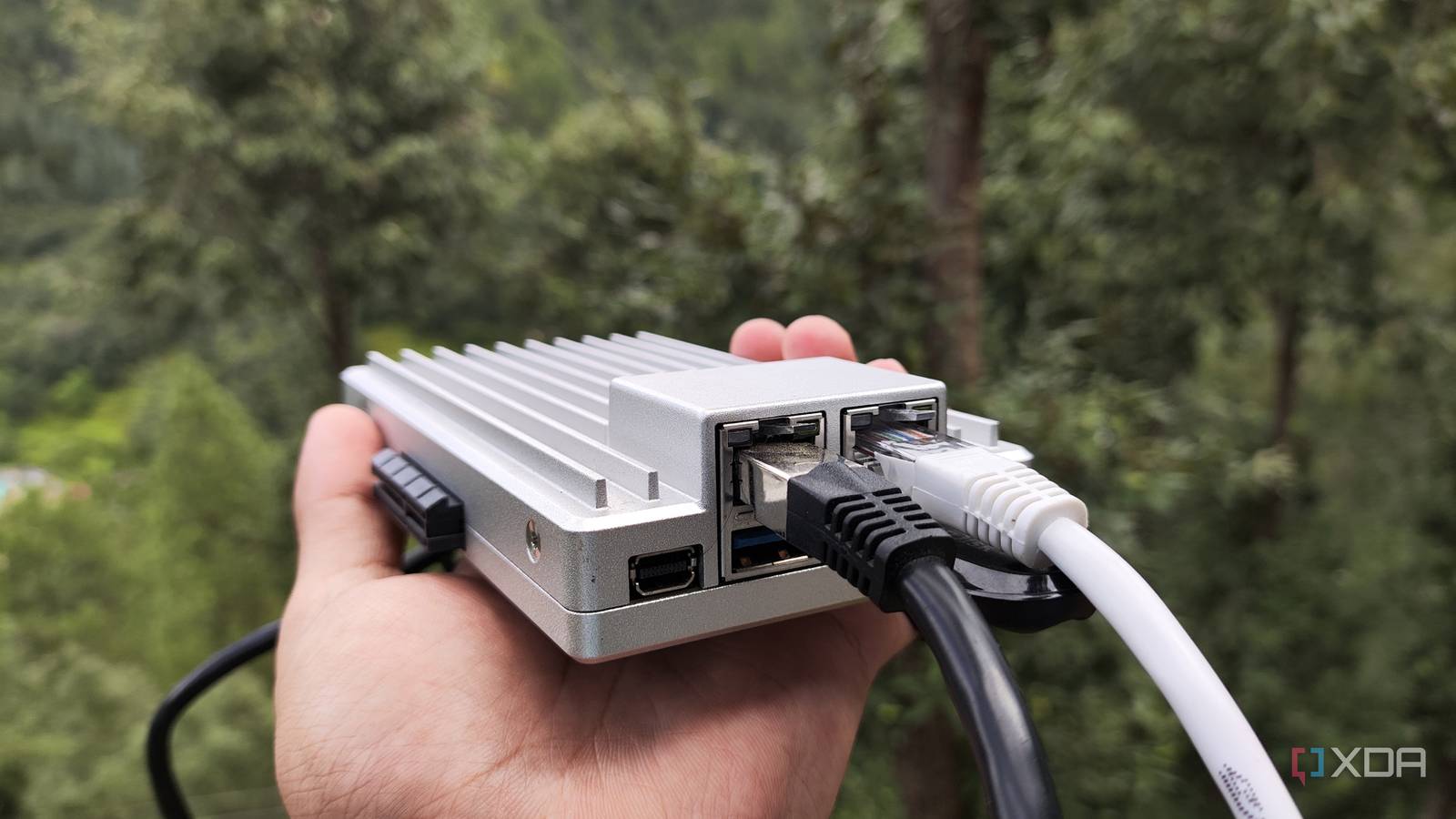
Published Nov 14, 2026, 3:30 PM EST Ayush Pande is a PC hardware and gaming writer. When he's not working on a new article, you can find him with his head stuck inside a PC or tinkering with a server operating system. Besides computing, his interests include spending hours in long RPGs, yelling at his friends in co-op games, and practicing guitar. Running Pi-hole on my first Raspberry Pi as a teenager made me realize these single-board computers can handle networking tools just fine. Ever since then, I’ve worked on my fair share of network projects that can harness my pint-sized companions. But when I got my Raspberry Pi 5 a few years ago, I figured I could try turning it into a DIY firewall for my tech cave. After arming my Raspberry Pi 5 with OpenWRT, I tried using the setup for a few weeks, and truth be told, it worked better than I expected. But when I started upgrading my home lab, it was clear that my tiny tinkering companion would turn into a bottleneck for the rest of my rigs, and I eventually began looking into replacements for my DIY firewall. The ZimaBoard 2 seemed like a decent alternative, and after arming it with OPNsense and a handful of plugins, my x86 SBC single-handedly knocked its Raspberry Pi-powered counterpart out of the park. The Raspberry Pi’s ARM architecture limits the OS pool for my DIY router Meanwhile, my x86 SBC worked with OPNsense from the get-go Credit where it’s due, the Raspberry Pi family boasts solid compatibility with popular operating systems, especially when you compare it to rival ARM-based boards. However, things are a bit different when you pit them against the likes of x86 systems, as the latter provide several OS options to choose from besides common Linux flavors. And the situation only worsens for the uber-popular SBC lineup when you start looking into specific-purpose operating systems, like the router distros for this project. When I built my DIY Raspberry Pi firewall, OpenWRT was the most straightforward router-tier distribution that provided a working image for the SBC. Meanwhile, pfSense and (my personal favorite) OPNsense don’t support the ARM-based Raspberry Pi family. Although there are certain experimental ARM variants and community ports of OPNsense out there, I’d have to jump through several hoops, only to be met with lackluster performance and broken drivers. Now, OpenWRT is a fantastic router distro, especially for folks looking to build a travel router with wireless capabilities. But since I wanted to experiment with cool firewall features on OPNsense without putting up with the extra workarounds required on my RPi. Meanwhile, my ZimaBoard 2 houses an N150 processor, which is more than enough to accommodate OPNsense. Heck, I’ve even armed it with Tailscale, Nginx, Unbound, and AdGuard packages, and the SBC chugs along nicely even with detailed rules configured for my home lab paraphernalia. I also had to rely on external Ethernet adapters for my Raspberry Pi firewall The dual Ethernet ports on the ZimaBoard 2 turned out to be the real star of the show Another major caveat of my Raspberry Pi-powered router was that the SBC only has a single Ethernet port. While it’s technically possible to create firewalls involving just one Ethernet connection on the server, I’d rather stick to a painless, dual Ethernet setup where I could specify one of the ports as a LAN connection and leave the WAN capabilities to another. On the Raspberry Pi, I had to utilize a USB Ethernet dongle as the WAN port on my DIY firewall. Considering that USB ports aren’t all that reliable, it was only a makeshift solution. Another option would be to opt for a PCIe-to-NIC HAT for my Raspberry Pi, but these accessories tend to be somewhat expensive, and aren’t all that useful outside of my SBC. The ZimaBoard 2, however, ships with dual Ethernet ports, so I didn’t have to invest in extra accessories or rely on unreliable USB adapters for my custom router. And the ports in question support 2.5G capabilities, and since I don’t have an L3 switch that can handle inter-VLAN traffic routing, my ZimaBoard 2-powered OPNsense router’s faster Ethernet ports provide better speeds when I need to transfer excess data between VLANs. Better yet, the ZimaBoard 2’s RJ45 ports are powered by a pair of Intel Ethernet Controller I226-V chips, which are significantly better than the cheap Realtek ones I’ve had the displeasure of using on cheap thin clients. When I tried installing OPNsense on this SBC, the FreeBSD distro had no trouble detecting the Ethernet ports. What’s more, the ZimaBoard 2 even has a PCIe 3.0 x4 expansion slot, so I can always grab a spare NIC from my home lab nodes and reuse it on my OPNsense router if I ever need more ports to work with. Too bad the RAM pricing makes this setup a little too pricey these days With most Raspberry Pi 5 models becoming obscenely priced these days, I’d never recommend grabbing this SBC for a simple home lab project, let alone a DIY router where it leaves a lot to be desired. Unfortunately, the ZimaBoard 2 has also seen a massive price hike in the last few months. When I first got it, the SBC used to cost $179, which was a fair price tag considering all its features. However, if I were to build my DIY setup again with fresh hardware, I’d have to shell out a whopping $339 on the cheapest ZimaBoard 2 model. Personally, the SBC’s I226-V Ethernet controllers and a fully-functional PCIe port still puts it high on my OPNsense chart. But for folks who aren’t interested in the extra features it brings to the table, old x86 mini PCs and recycled thin clients tend to retail for half the price, and as long as you can confirm OPNsense would detect their RJ45 ports, you could build a reliable custom router with them. ZimaBoard 2 8/10 Storage 32GB eMMC (up to 64GB), 2x SATA 3.0 6Gb/s ports CPU Intel N150 (4 cores, 4 threads; up to 3.6 GHz clock speed) Memory 8GB LPDDR5x (up to 16GB) Operating System ZimaOS (default)
I replaced my Raspberry Pi router with an x86 SBC, and it was the network upgrade my home lab needed
Full Article
Original Source
Read the full article at Xda-developers →KhanList aggregates and links to publicly available news content. We do not host full articles from third-party sources. Always verify important information with original sources.