
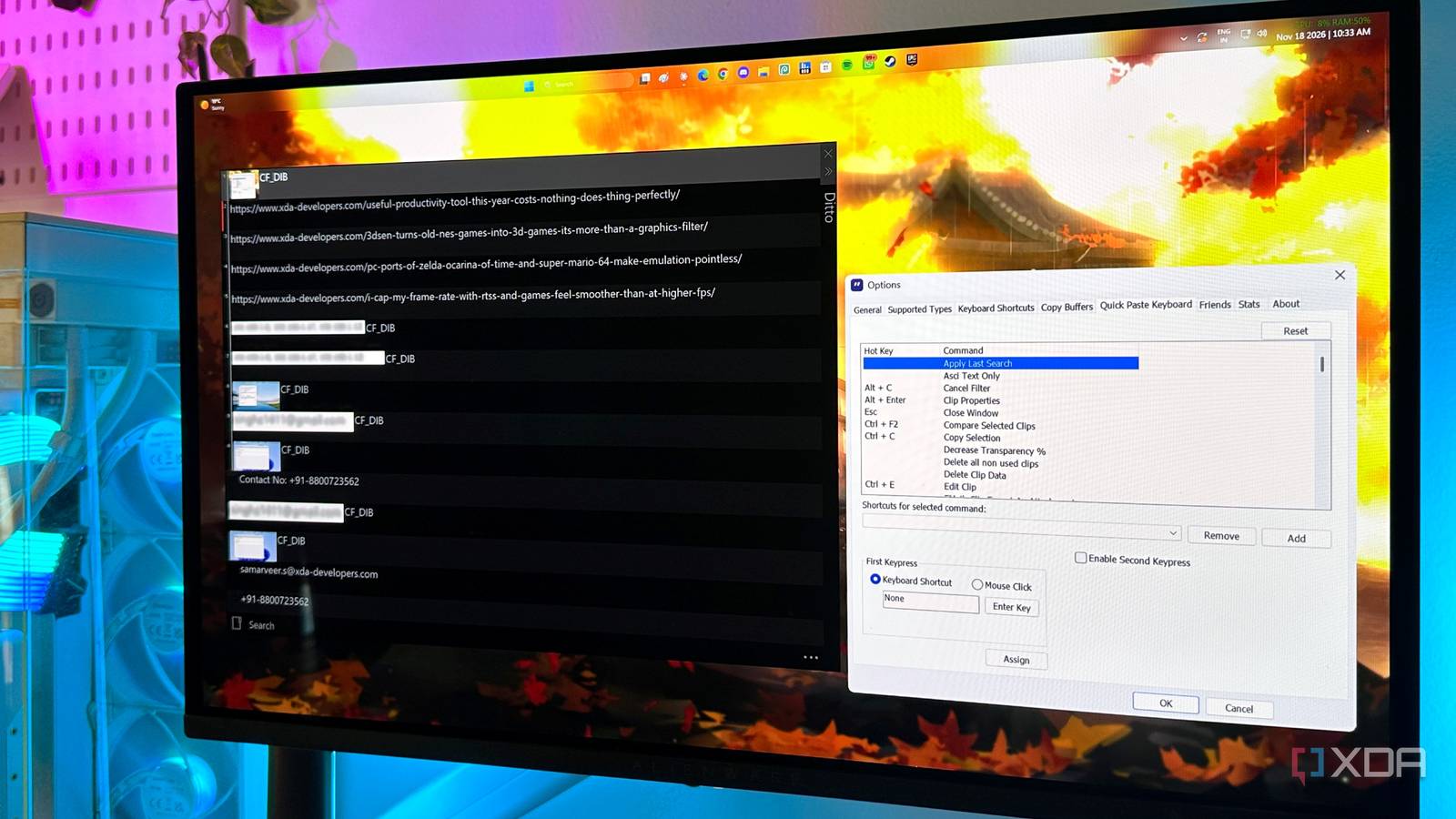
Published Nov 18, 2026, 2:00 PM EST Gaming has been Samarveer’s greatest passion, and the Literature graduate in him takes immense joy in dissecting games for their themes, messages, and impact. Samarveer holds a deep appreciation of gaming, and considers the platform to be the most immersive and impactful across all media. He can be found engaging with gaming communities online, always ready to debate the finer points of ray tracing or itching to write an 8-page collegiate thesis on any game that impacts him emotionally. I didn't realize how much I relied on a clipboard manager until mine stopped letting me use it properly. For the past month, ClipboardFusion had quietly become one of those everyday utilities I never thought about anymore. I copied something, reached for the keyboard shortcut, found what I needed, and moved on. After my trial ended, though, the features I'd begun relying on now required a subscription. That's when I figured I'd much rather put in some elbow grease to set up an open-source alternative instead. After trying multiple options and settling on one (which might surprise many), I'm beginning to wonder why I ever accepted Windows' clipboard limitations in the first place. I replaced Windows 11's clipboard with a commercial app Neither was good enough in every respect Windows 11's clipboard history is perfectly adequate if your idea of clipboard management is copying something, pasting it once, and forgetting it existed. For the longest time, it did the job for me, too. All I did was press Win+V, pick from my recent items, and that was it. The problem, however, began when I started relying on my clipboard as an integral part of my workflow. Ever since I began regularly copying addresses, email addresses, phone numbers, email sign-offs, snippets, and other bits of text and images that I know I'll need again, the Windows clipboard simply hit its ceiling. Windows gives me a pinned history of just 25 items, and anything I haven't pinned can disappear after a restart. If I had a dollar for every time I forgot to pin something important and restarted only to find it gone, I probably would have been able to buy a lifetime license for ClipboardFusion several times over. That's why I moved to ClipboardFusion in the first place. It turned my clipboard into something I could search, reuse, and actually trust to remember what I'd copied, and it was available right in the Windows Store. Most importantly, I stopped having to think about what Windows would retain and what it would throw away. If I'd copied something earlier in the day, there was a good chance I could find it again without having to recreate it from scratch. Unfortunately, the minute my 30-day trial ended, the app reverted to its free version, disabling the Pro features I'd begun depending on as if they were second nature. Now, I could either pay for a $19 lifetime license just to use it on my PC, or a $29 license to use it across all devices on my home network and one work laptop. So I started looking elsewhere, and it didn't take long to find an open-source alternative that has made me forget ClipboardFusion completely. Ditto had a high bar to clear I wasn't looking for another basic clipboard manager ClipboardFusion had already spoiled me. I was used to having a substantial clipboard history, searching through old entries, and treating things I'd copied hours ago as recoverable rather than disposable. Naturally, any replacement had to meet that standard before I would even consider keeping it. Heading into it, I knew Ditto's interface wouldn't be nearly as polished or modern-looking as ClipboardFusion's, but the important features were all there. Ditto lets me bring up my history, search through it, find something I copied earlier, and paste it without having to remember whether I pinned it first. For something that lives in the background, that's considerably more important to me than whether the UI looks like it was designed in 2026. Ditto picked up right where ClipboardFusion had left off, even if it was the uglier cousin. Plus, it sweetened the deal with some features that I've grown to use and love, and at the top of that list is Special Paste, which lets me paste clipboard content as plain text, strip formatting, or apply different text transformations before it ever reaches the destination, saving me from the usual copy-paste-cleanup dance. Not only does Ditto hold on to my copied items after my PC restarts, but I can also set expiration dates for certain things on my clipboard. If I know a piece I'm working on might take a day or two, I know it will be gone in a few days after, and I don't have to regularly clean house or manage my pinned items manually. Furthermore, it also acts as the actual Windows clipboard for me, since Ditto lets me bring up the ten most recently copied items without having to go through the whole menu or even bring it up in the first place. Ditto had to replace a tool I already considered indispensable, and after using it for a while, I realized I wasn't actually missing much of what I had left behind. Ditto won me over without asking for my data My new clipboard doesn't need another cloud account The biggest reason I'm comfortable making Ditto my daily clipboard manager is that it doesn't turn my clipboard into another cloud service. Everything I copy with Ditto stays on my PC. That's pretty important since my history inevitably contains personal information and the occasional personal photograph I have no interest in uploading somewhere just because I happened to press Ctrl+C. That matters more to me than it probably would have a few years ago. My clipboard routinely contains information I use every day, including credentials I deliberately don't keep in Chrome's password manager. I wouldn't recommend treating Ditto as a password manager, but I also don't want some random clipboard utility syncing those snippets to an account I never asked for. After all, one of my favorite features in Ditto — or any clipboard manager worth its sauce — is the ability to search for it by typing anything I remember. Getting the right results feels just a little uncomfortable when I know that I just searched for a personal mobile number or address that is now also stored on ClipboardFusion's servers if I wanted my clipboard history synced across devices. Ditto being open source adds another layer of confidence, particularly because its entire purpose is straightforward: capture and organize clipboard history locally. There isn't much reason for the software to know anything about me beyond what I explicitly copy into it. This clipboard manager is staying on my devices for good I don't see a reason to go back Another way in which Ditto managed to impress me in its replacement of ClipboardFusion was how it lets me use my clipboard across all devices on my home network. All I have to do is feed in the IP address of all my laptops, my Jellyfin credentials and a few important log-ins are never out of reach. The biggest compliment I can give Ditto is that I stopped thinking about replacing it. After spending years treating clipboard history as something Windows should have figured out by now, I finally have a tool that behaves the way I expected it to in the first place. I copy something, forget about it, and I know I can probably find it again later. That's ultimately why I'm sticking with it. A commercial clipboard manager may have showed me how much better clipboard management could be, but Ditto proved I didn't need to keep paying for it. For something as mundane as copying and pasting text, that's about as strong an endorsement as I can give. Nothing quite like avoiding a subscription and not losing functionality In hindsight, it feels rather ridiculous that I needed third-party software to make the simple act of copying and pasting feel genuinely useful on my PC. Ditto has proven to be a utility that stepped in to fix a gap I felt in my workflow, and it did so without adding another subscription or cloud account on my machine. It's a no-nonsense tool, and that's why I'm sticking with it. I wanted my clipboard to remember things and let me find them when I needed them. Ditto does exactly that, and once a utility becomes this invisible in your workflow, you know it has done its job properly. Ditto
I replaced my clipboard manager with an open-source one, and it's now one of my most-used apps
Full Article
Original Source
Read the full article at Xda-developers →KhanList aggregates and links to publicly available news content. We do not host full articles from third-party sources. Always verify important information with original sources.