
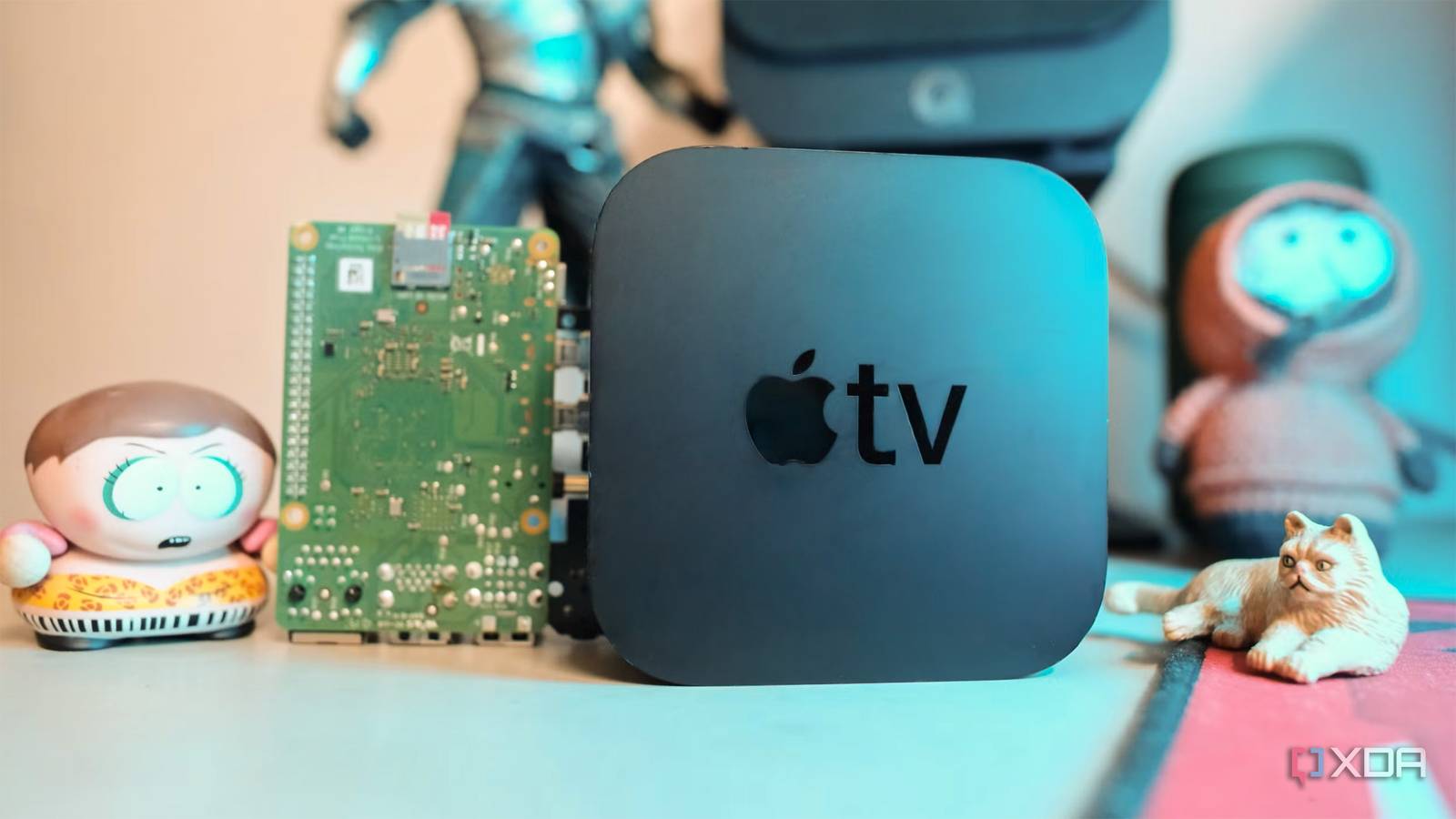
Published Aug 26, 2026, 3:00 PM EDT Samir Makwana is a technology journalist and editor from India since past 18 years and his work appears on MakeUseOf, HowToGeek, GSMArena, BGR, GuidingTech, The Inquisitr, TechInAsia, TechWiser, and others. He has written news, features, and gadget reviews for national technology media publications. His passion is to help people with their technology problems and gadget purchases. For that, he has worked for some of the biggest international technology publications, covering news, explainers, how-to guides, listicles, and product-buying guides. He has worked as an editor and managed teams since 2015. His expertise broadly covers computers, smartphones, game consoles, headphones, smart home products, browsers, and apps. When I tried LibreELEC on my Raspberry Pi 4, I kept coming back to it despite using an Apple TV 4K. When I did the math on what my Apple TV 4K (2nd Gen) was actually costing me, it ended up being more than the $179 I paid in 2023. Totaling the streaming subscription services, I was paying a recurring fee. When renewal notices kept piling up for services I’d forgotten I was subscribed to, I finally decided to do something about them. I already had a Raspberry Pi 4 for experiments and wanted to use it to replace my Apple TV 4K. So I flashed a fresh LibreELEC image onto a microSD card and pointed the interface to my media server to see whether it could help me unplug the Apple TV for good. The hardware cost gap is the whole reason I switched Cost of Apple TV 4K vs what I already had Currently, the Apple TV 4K (128GB) with Wi-Fi + Ethernet costs $249 (up from $149) following the price hike in late June 2026. Meanwhile, my Raspberry Pi 4 now costs $80, fits inside an Argon40 case for roughly $30, and uses a 64GB microSD card for $10. A fresh build might still cost less than $120 total before a single subscription app enters the picture. My Pi 4 was already sitting around after being used for other projects. If you get your hands on a used Pi 4, it’d still cost you less than buying a new board. You can always opt for a cheaper enclosure that still fits a dedicated fan. Apple TV 4K (3rd Gen) Some of the paid apps on tvOS became free Kodi add-ons App Store subscription tax was quietly adding up Compounding the subscriptions for Netflix, Prime Video, Hulu, HBO Max, and other services in a bundle costs well into three figures annually. Only a few of those were used often. So I planned to discontinue many of them. To access my local media library, I paid $99 as a one-time fee and received a lifetime license for the Infuse Pro app. On my Pi 4 running LibreELEC, I pointed it to my SMB share so it could add the media folders to the library. Then I let it scrape The Movie Database (TMDB) and The TV Database (TVDB) for metadata, which took several minutes the first time. After that, I managed to install a bevy of interesting add-ons using Slyguy’s Repo into Kodi’s Add-ons. That repo let me install several unofficial add-ons for online streaming services like Discovery+, Disney+, HBO Max, Hulu, and others. These add-ons often worked inconsistently. Adding the YouTube add-on seemed straightforward, but configuring it with the YouTube Data API required me to jump through hoops. But once set up, I could easily catch up with the new videos from the channels I subscribed to. I also run Jellyfin alongside Kodi, and using a Kodi add-on keeps watched status synced between the two. Live TV and library extras weren’t locked behind a paywall Replacing a paid guide app with Pluto TV I always wanted to watch Live TV on my Apple TV 4K, but the only good options, like the Channels app, require a subscription. I tried using Jellyfin with a retro channel guide interface, but that didn’t stick for long. Meanwhile, adding the Live TV option to Kodi required installing a PVR client or a video add-on capable of handling the channel guide. I had two options in front of me: use a hardware tuner with a full PVR client, or use a software-based, digitally curated playlist of channels. Instead of going through the PVR setup, I tried running through and offline Live first. It let me check out a handful of free channels without creating an account. That was good enough to watch news or a movie in the background, though the streaming quality wasn’t up to my liking. In my house, live TV was mostly limited to occasional game watching. So I stuck with Pluto TV rather than build a tuner setup for something that’s rarely used anyway. Thankfully, the YouTube add-on was the saving grace that strips ads and plays my subscribed videos as well as trending ones. Of course, the setup requires some work as noted above. That’s worth the trouble, since I can totally skip the Shorts. Kodi Kodi isn't really a media server as such, but it's a great way to access video files stored on your network. Thanks to plugins, too, you can use it with Plex, Jellyfin, or Emby. Dolby Vision and Atmos don’t feel the same on the Pi Audio pipeline and HDR tone-mapping are hard to replicate With the slashed hardware cost, I was aware of some compromises I’d have to make. For starters, Apple TV 4K handles Dolby Vision tone-mapping by flipping a couple of options in the settings. Kodi offers Audio Passthrough for Dolby Atmos. For Dolby Vision, using a compatible AVR between the Pi and the TV solves that. Manually adjusting the display settings took a while, with some trial and error. Though the final result is fairly acceptable, the trade-off of plug-and-play experience is worth considering for anyone who doesn’t want to spend time tinkering with the settings menu. Streaming apps still require a dedicated box LibreELEC can’t get past the Widevine DRM wall Honestly, I am happy with the Kodi interface in LibreELEC, and my media library is enough to keep the family entertained most days. But whenever my family wants something specifically on Netflix, Disney+, or Prime Video, I can’t get any of them to work reliably on Kodi. So far, LibreELEC doesn’t support the Widevine DRM those three streaming apps require. Even though a workaround to play Netflix exists, its development has been abandoned. That’s why I still keep a Fire TV Stick loaded with a custom launcher plugged into another HDMI port of the TV. The Pi 4 managed to replace the Apple TV in my library, but not the streaming subscriptions I still pay for separately. In the end, the cost of subscriptions to those apps just moved to a different box. When does switching from Apple TV make sense For the polished tvOS experience and the presence of several streaming apps that support 4K HDR effortlessly, it still earns a spot, provided you’re willing to pay the premium for Apple's hardware. But if you want to stream what’s already inside your home or a server somewhere, you might want to strip off those App Store subscriptions. LibreELEC’s library-first approach breaks the cycle of streaming app fatigue, and you aren’t constantly juggling different account passwords. If you prefer an apps-first approach, check out KonstaKANG’s LineageOS builds that can give an Android TV experience on Raspberry Pi. Just know that Widevine on an uncertified Pi 4 caps most streaming apps to SD quality. LibreELEC LibreELEC is a pared-down distro to do one thing and one thing well - run Kodi as a media center.
I replaced my Apple TV with a Raspberry Pi, and the apps I use no longer cost me anything
Full Article
Original Source
Read the full article at Xda-developers →KhanList aggregates and links to publicly available news content. We do not host full articles from third-party sources. Always verify important information with original sources.