
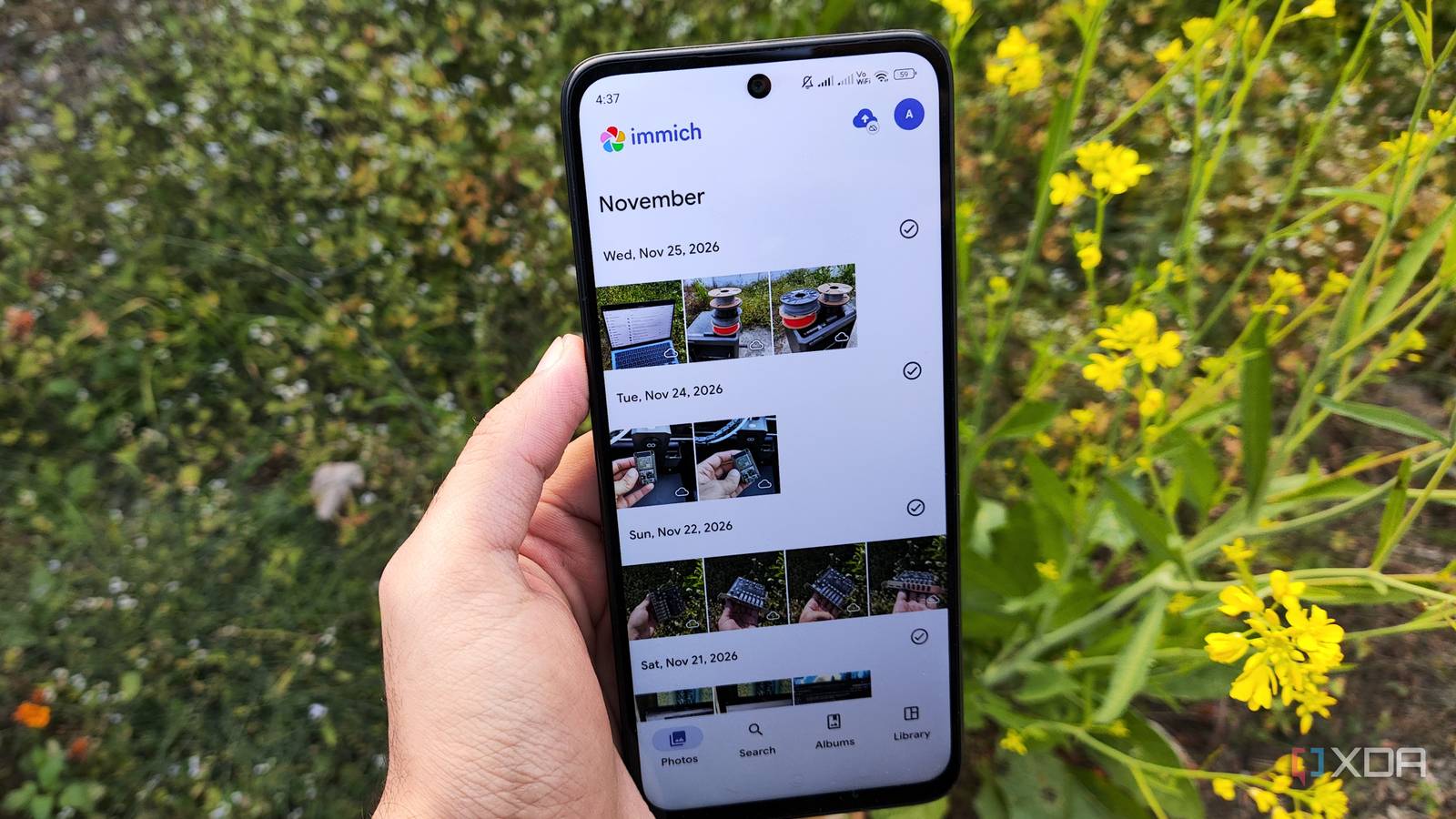
Published Nov 27, 2026, 11:00 AM EST Ayush Pande is a PC hardware and gaming writer. When he's not working on a new article, you can find him with his head stuck inside a PC or tinkering with a server operating system. Besides computing, his interests include spending hours in long RPGs, yelling at his friends in co-op games, and practicing guitar. I’ve spent a lot of time tinkering with Docker containers, LXCs, and Podman environments, and most of these projects revolved around self-hosting my own services. And considering that containerized services typically don’t need a lot of computational horsepower, even the weakest devices in my arsenal can hold their own against self-hosted tools. Data archival platforms, for example, mesh well with outdated systems, and Immich is a great example of this notion. In fact, I recently tried deploying it on an old Raspberry Pi 5 module, and this single-board computer could easily drive most of its image archival tools once I armed it with some extra storage provisions. Immich is more cost-effective than Google Photos in the long run And that’s before you consider its privacy perks If you’ve only got a few gigabytes of photos you wish to preserve, the pricing tiers on Google Photos (or rather, Google One) don’t seem too bad. The free plan can accommodate up to 15GB of media, while the $1.99/month basic plan lets you go up to 100GB, and you can pay around $2 more every month to upgrade to 200GB. Unfortunately, the problem begins when you’ve got images and videos that hog hundreds of GBs. Google’s AI Plus subscription, for example, requires you to shell out $4.99/month for 400GB of storage space. My photo collection alone consumes more GBs than that plan, and if I were to include all the images I’d like to back up for my family, I’d have to shell out $9.99 every month (or $99.99 when billed annually) for the 2TB plan. This sum gets pretty high when I run the numbers for a few years. Meanwhile, a self-hosted Immich instance could run on a Raspberry Pi 5 that I already own. A 2TB HDD costs around $120, and this upfront investment is fairly cheap considering that I’d otherwise have to pay around a hundred bucks on Google One’s 2TB plan, anyway. Then there’s the privacy aspect that often gets overlooked when it comes to cloud platforms. Sure, storing images on Google’s servers is fairly simple, and with the right plan, you also get to tinker with different AI tools. But personally, I’d rather keep my private family photos far away from the cloud, especially since I’ve already created a generative AI-powered pipeline for editing my images on Krita. With enough storage, even a Raspberry Pi 5 can handle Immich I’ve offloaded the machine-learning tasks to my daily driver Although a simple Immich server doesn’t require a lot of firepower, I wanted to keep resource consumption to a bare-minimum. So, I went with a simple DietPi instance as the underlying OS, with a rootless Docker setup acting as the container runtime. For now, I’ve connected an external 2TB HDD to my Raspberry Pi 5, as I’ve yet to buy a dedicated SATA HAT for my tiny tinkering companion. But since I’m already supplying enough power to the SBC, a single external HDD shouldn’t be a problem. Just like typical Docker containers, deploying Immich was a cakewalk. First, I pulled Immich’s docker-compose.yml and example.env files from the official docs. Then, I edited the latter to use my USB-powered HDD for the library and renamed it to .env. Once I’d run the docker compose up -d command, Docker began working its containerization magic, and my Immich server went online within a few minutes. UI-wise, Immich has a similar design as Google Photos, and it borrows plenty of archival, sorting, and image sharing features from its cloud rival. Just to test things out, I uploaded around a hundred review images to Immich, and the upload process was wrapped up in a few seconds. Just like Google Photos, Immich supports albums and memories-esque photo collections, and I was able to configure extra user accounts for my family. Besides letting the other denizens of my household store their images, Immich also lets me share individual albums with my family, and the Cast functionality works just as well when I want to display my media on a projector, TV, or another device. Although I don’t use it very often, Immich supports reverse-geocoding and map view, which make sorting images a lot easier. To my surprise, my Raspberry Pi 5 was able to perform OCR analysis pretty well. However, Immich supports other AI-powered services that require a bit more processing oomph, which is where my daily driver comes into the equation. Immich lets me configure a remote processing system for machine-learning tasks, and I was able to deploy this service as a Docker container on my PC. That way, my Raspberry Pi Immich hub can remain online 24/7 and trigger the smart search, facial recognition, and duplicate detection pipelines when my PC comes online. And I haven’t even mentioned Immich’s best perk yet … Immich’s robust mobile app is the real star of the show Thanks to Tailscale, I can back up photos outside my home network Google Photos’ ability to create automatic backups of everything you capture on your phone is pretty neat, and Immich manages to replicate this feature to a T. Typical self-hosted services don’t have mobile apps at all, and the ones that do often have half-baked instances that leave a lot to be desired. Immich, on the other hand, has a mobile app that can not only provide a smartphone-sized UI for accessing my photo collection, but also copy photos and videos automatically to my Raspberry Pi server. Heck, the app even includes provisions for clearing my smartphones’ storage after a specific date, so my backed up media don’t hog too much space on my portable companion. I’ve also got Tailscale running on a separate Raspberry Pi Zero board, and thanks to its subnet router functionality, my smartphone can access the Immich server even when I’m away from my tinkering cave. But even with all these perks, I can’t quite call my Immich instance a backup server as is, because my photos can become irretrievable if something were to happen to it. And between random HDD failure, fire, theft, and other untoward incidents, there are plenty of risks in storing everything on a single server – which is where Google Photos gets the upper hand. However, I’ve already got an old NAS set up at a relative’s place, and since it’s already on my tailnet, I use it as a secondary backup node. For my Docker-based Immich container, I’ve deployed a Kopia instance to sync its library and database with my remote server every week. That way, I’d still be able to recover my precious media even if my Raspberry Pi hub became unusable. Build a cheap image management server with Immich Personally, the only reason I chose a Raspberry Pi for this project is that I had one lying around after buying a bunch of them in 2023. But considering its current prices, I wouldn’t recommend grabbing the board in this day and age. That’s because Immich runs well on most devices, including old laptops and outdated gaming machines, and you don’t need to spend money on expensive hardware just to build a Google Photos replacement. But if you’re more interested in the backup and recovery aspect of Google’s cloud platform, I’d recommend picking up any ol’ x86 system for your Immich hub. Refurbished mini-PCs can cost under $100, and you can arm them with a cheap HDD or two for your Kopia/Borg backup tasks. Even with the electricity costs of running a remote server every few days, this 3-2-1 backup setup would still cost less than the more expensive plans on Google One. And the fact that everything remains on your own hardware is just the icing on top. Immich OS iOS, Android, web Key highlights Self-hosted iOS compatible Yes Android compatible Yes Immich is a self-hosted photo and video backup solution.
I replaced Google Photos with Immich on a Raspberry Pi, and my phone backs up to it automatically
Full Article
Original Source
Read the full article at Xda-developers →KhanList aggregates and links to publicly available news content. We do not host full articles from third-party sources. Always verify important information with original sources.