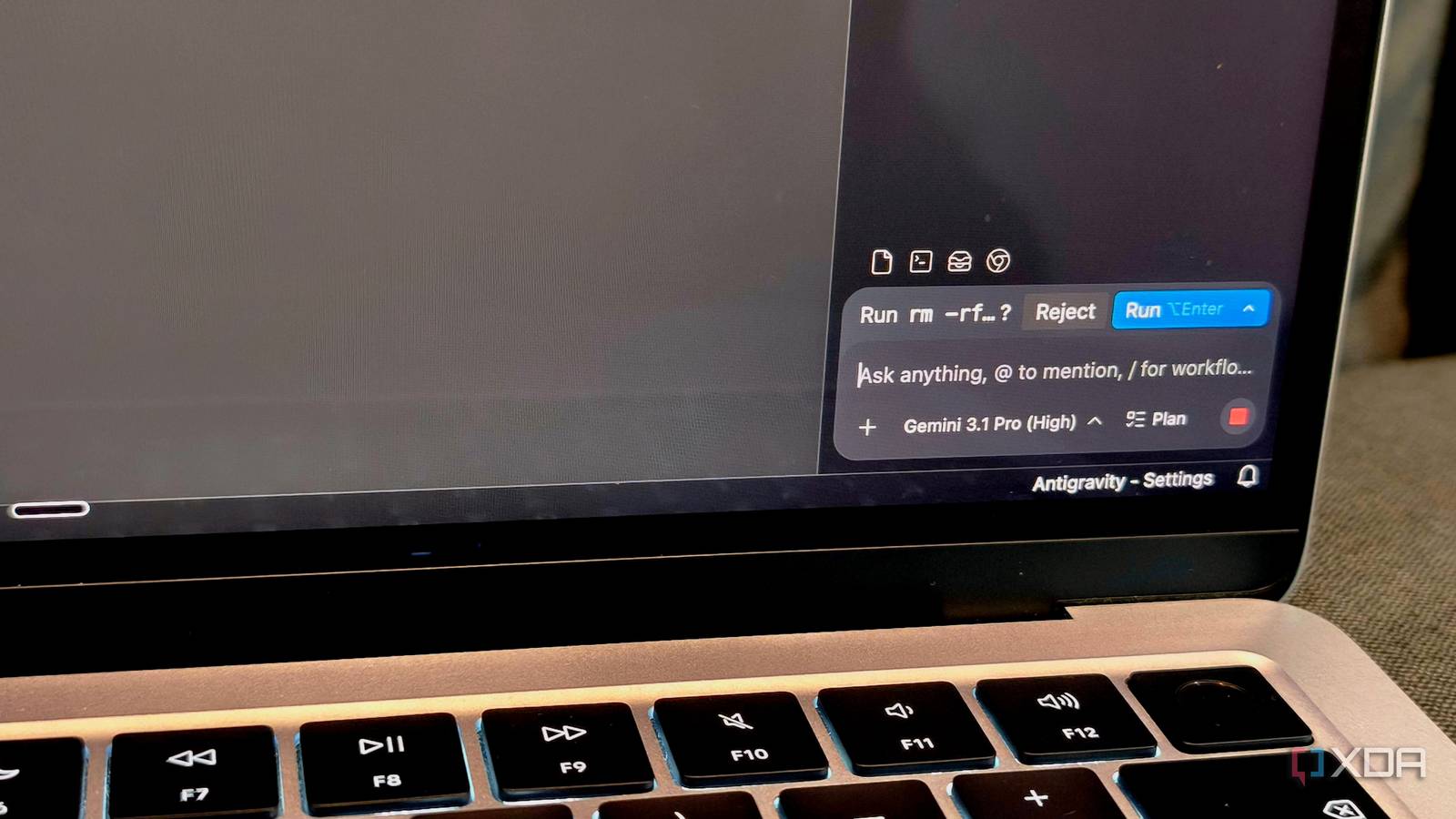
Published Jul 17, 2026, 5:00 PM EDT Anurag is an experienced journalist and author who’s been covering tech for the past 5 years, with a focus on Windows, Android, and Apple. He’s written for sites like Android Police, Neowin, Dexerto, and MakeTechEasier. Anurag’s always pumped about tech and loves getting his hands on the latest gadgets. When he's not procrastinating, you’ll probably find him catching the newest movies in theaters or scrolling through Twitter from his bed. I have seen enough success with local agents to take them seriously. They work especially well for coding because they can inspect a project, edit files, run tests, and correct their own mistakes. That experience convinced me that one local agent could handle more of the routine work happening across my laptop. I already had five tiny Python scripts handling jobs that rarely needed my attention. One backed up photos, while another organized my Downloads folder according to file extensions. Other scripts renamed downloaded files, cleared application caches, and warned me whenever disk usage crossed a fixed threshold. Each script handled one tiny job and followed explicit rules through a scheduler. I replaced them with one local agent who could inspect the system and decide what needed to be done. It all seemed rosy until the agent started making decisions that my scripts never needed to make. The scripts already knew exactly what to do And they do it well My download organizer shows why the original approach worked so well. The script checks the folder every few minutes and moves recognized formats into fixed destinations. A PDF goes into Documents, while an image goes into Pictures. The backup script behaves similarly because it copies only new files and verifies the destination before finishing. Anything outside the approved rules stays untouched until I handle it myself. The agent approached the same job through a much longer chain. It inspected the folder, interpreted each file, chose a tool, constructed a command, executed it, and reviewed the result. None of those decisions improved a task that explicit rules already described completely. My local agent sometimes chose the wrong directory, skipped a validation step, or reported success before producing the expected result. Scripts also give me tighter control over unusual cases. I can prevent overwrites, reject symbolic links, and stop execution whenever a destination becomes unavailable. The agent can follow similar instructions, but it must interpret them during every run. A local agent also consumes more resources. The agent needs a language model loaded before making its first decision, which means a single filesystem command becomes a multi-step inference workload that keeps the processor and memory occupied longer. The model also remains loaded between runs unless I deliberately unload it. I would be more comfortable attempting repetitive agent-based work with a frontier model such as Claude Opus 4.8, Gemini 3.1 Pro, GPT-5.5, or GPT-5.6. These models are specifically designed and evaluated for longer workflows, tool use, software engineering, and multi-step execution. Even these models have not reached script-level reliability. OpenAI’s own published GPT-5.6 results list scores of 18.1% for GPT-5.6 Sol, 12.9% for GPT-5.5, 15.5% for Claude Opus 4.8, and 14.5% for Gemini 3.5 Flash on AutomationBench. Human review defeats the purpose of tiny automation I'd rather do it myself then The whole point of automating tasks with scripts is that you do not have to do anything yourself. Of course, you still need to keep a broader eye on things and make sure the scripts are working as intended, but that is usually a one-time process. You test the script, confirm that everything is working properly, and then forget about it. You only need to check the logs occasionally or step in when something breaks. A tested script will not suddenly go haywire by itself unless something changes, such as an API failure, a dependency breaking, or a bug appearing after a system update. The chances of that happening are much lower than the chances of an agent going rogue while carrying out a task. When I started using a local agent to automate these tasks, I also found myself constantly checking what it was doing because I simply did not trust its output. I was right to question it because I saw mistakes every now and then that never occurred with the automation scripts I had been using before. There is also a broader cybersecurity problem with the use of agents for automation. When you give an agent system access, you create another possible attack surface. A downloaded file could contain a prompt injection that the agent interprets as a command. If the agent can access your files, terminal, browser, or other system tools, a malicious instruction could cause serious damage before you even realize what happened. Agents work better when scripts remain responsible I still think local agents belong inside personal automations I still think local agents belong inside personal automations. They handle ambiguous requests better than fixed code and can inspect exceptions that would otherwise require manual sorting. My mistake came from giving the agent responsibility for every execution step. A better setup places the agent before the script rather than replacing it. The agent can classify an unfamiliar request, select the correct automation, and prepare structured arguments. A validator can check those arguments against approved paths, file types, and operating limits. The script can then perform the final action through a fixed and testable execution path. An invoice workflow shows how that separation protects the important steps. The agent can read an email and decide whether the attachment contains an invoice. A script can validate the attachment, generate a predictable filename, calculate a checksum, and store the result inside an approved folder. Local agents are quite useful While this particular use case doesn’t have much need for local agents because scripts are already quite efficient, I don’t mean to dismiss local LLMs entirely. They’re still quite useful, whether you’re working on home automation, coding, or simply want something lightweight running in the background to help you get things done.
I replaced five automation scripts with one local AI agent, and it broke things I didn't expect
Full Article
Original Source
Read the full article at Xda-developers →KhanList aggregates and links to publicly available news content. We do not host full articles from third-party sources. Always verify important information with original sources.