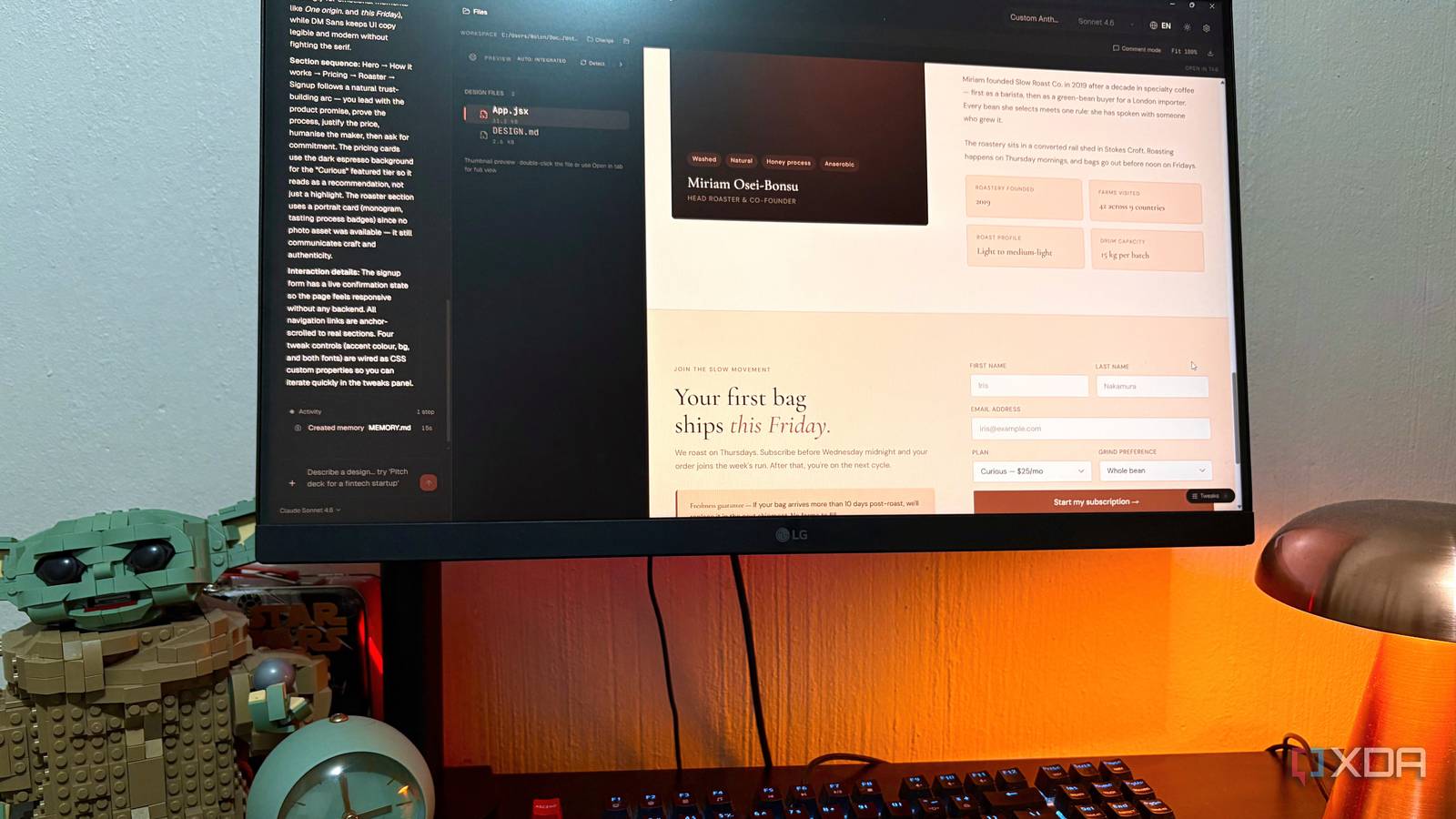
Published Jul 23, 2026, 6:00 PM EDT Nolen began their writing career in 2019, with three years dedicated to editing the Creative section at MakeUseOf. Their expertise lies at the crossroads of technology and creativity, covering areas like photography, video editing, and graphic design. Outside of work, you'll often find Nolen diving into a good book, writing their own stories, or playing video games. Vibe design has probably done more for design accessibility this year than any other boom in the industry I can think of. You can describe a landing page in a sentence and get something usable back, without ever having opened a design tool or knowing what a design system is. I think it's pretty neat for the most part. The catch is that to actually use any of these tools properly, you're paying for a subscription, and often more than one - Claude Design sits inside Claude Pro, Figma Make sits inside Figma Pro, and while Replit is free, you're better of with the subscription too. So the accessibility part is legit, but the "free to try" framing gets a little wispy when you try to get serious with these tools. Turns out there are cheaper ways to get pretty much the same experience, and one of them barely costs anything at all if you set it up right. Want to stay in the loop with the latest in AI? The XDA AI Insider newsletter drops weekly with deep dives, tool recommendations, and hands-on coverage you won't find anywhere else on the site. Subscribe by modifying your newsletter preferences! The vibe design tax nobody puts on the pricing page You're paying for the app, and then paying again for the AI inside it Here's the thing about the vibe design trio I've been running. Claude Pro is $20 a month, and that gets you Claude Design, Claude Code, Claude Cowork, and the chatbot with Sonnet 5 and Opus 4.8 on top. It's actually a decent deal on paper. Figma Professional is $16 a month for a Full Seat with 3,000 AI credits, which sounds fine until you find out that a single Make prompt can burn 100 to 340 credits depending on complexity - and there's no way to see the cost before you run it. Replit Core is $25 a month with $25 in included credits, and once those are gone you're paying per action at effort-based rates that nobody can predict properly. All three plans do give you plenty on top of the AI feature. Claude Pro has Projects, unlimited chats, and Microsoft 365 integrations. Figma is still Figma. Replit is a whole development environment. So it's not like you're paying for nothing. However, the AI feature you're actually there for is the thing eating everything else. Claude Design pulls from the same rolling 5-hour usage pool as everything else on Pro, so a long design session leaves you with no chat allowance for the rest of the window. Figma's credits reset monthly and don't roll over, so if you don't use them you lose them, and if you do use them you're often out before the month is. Replit users have reported $1,000 weeks with Agent 3, and failed operations get billed the same as successful ones. So you're paying for iteration in a workflow that only makes sense if you can iterate freely. Own the app, pick your model, keep the files I've been using Open CoDesign (not to be confused with Open Design) for a couple of weeks now and it's genuinely made me rethink what I'm paying for elsewhere. It's a desktop app for Windows, macOS, and Linux, and it runs locally. You bring your own key for whichever model you want to route through - Anthropic, OpenAI, Gemini, DeepSeek, OpenRouter, Ollama, or any OpenAI-compatible endpoint. It's the same idea as pointing a coding CLI at whichever backend suits you, just built for prompt-to-design work. There are twelve built-in design skill modules covering slide decks, dashboards, landing pages, SVG charts, glassmorphism, editorial typography, heroes, pricing sections, footers, chat UIs, data tables, and calendars. Every skill is available for every generation, and the model picks which ones apply before it starts writing CSS. Generic prompt-to-design tools tend to spit out generic prompt-to-design results, but Open CoDesign's outputs actually look considered. It also has Comment mode. You click any element in the preview, drop a pin, leave a note, and the model rewrites only that region. This was the thing that kept tripping me up in other open-source design tools I've tried because normally you'd have to reprompt the whole thing. There are also generative sliders that the model emits per design as CSS custom properties you can drag to refine, including color, spacing, typography, whatever it decides is worth exposing. So you get manual editing without the whole thing needing to be a full canvas editor. And if you already use Claude Code or Codex, your existing provider config, models, and API key import in one click. I had it running in under three minutes from install to first artifact. Exports are HTML with inlined CSS, PDF, PPTX, ZIP, or Markdown, all as real files in a local workspace with version history in local SQLite. Multiple ways to power it Same app with different bills The nice thing about Open CoDesign is that you get to decide how you want to run it. The pure local route is Ollama plugged in through OpenAI-compatible endpoints, and if you have the hardware for it, it's genuinely free to run beyond electricity. Everything stays on the machine, works offline, and there's no per-token cost. Reality is that prompt-to-design is a heavier workload than a chat session because the model is planning, tool-calling, self-checking, and writing multi-file artifacts back-to-back. That kind of agentic loop punishes smaller local models that normal conversation doesn't, so unless you're running something in the 30B+ range on serious hardware, local is not the best option in my opinion. If I had to go local I would pick something from Qwen though, as Gemma 4 didn't get me very far. The middle route is genuinely nice if you already pay for Claude Pro or Max for coding. Open CoDesign detects your Claude Code config and lets you route design generations through your existing subscription quota. So no extra token bill, just your Pro or Max allowance doing double duty across coding and design. But BYOK API is the sweet spot for most people I reckon, and it's the one I've been using. You pay per token, which always ends up being cheaper for me than a full subscription. A moderate month of design work on the Anthropic API comes to way less than the $20 you'd pay for Claude Pro just for the design tool. I usually get to make a couple of iterations for under a dollar. The other thing worth mentioning is visibility. Subscription AI features hide the cost behind credit counters and 5-hour windows. Open CoDesign shows you tokens per generation in the sidebar as it happens. The cheaper option happens to be the more private one too I'm not about to abandon Claude Design completely, I still like it and Anthropic keeps shipping updates to it. But having a cheaper option, especially a local one, is hard to argue with. As vibe design gets more accessible, the open-source side is matching pace, and I think that's a good thing for anyone who'd rather not stack another three subscriptions to keep up. Open CoDesign
I replaced Claude Design, Figma Make, and Replit with an open-source local-first alternative, and it saved me a fortune
Full Article
Original Source
Read the full article at Xda-developers →KhanList aggregates and links to publicly available news content. We do not host full articles from third-party sources. Always verify important information with original sources.