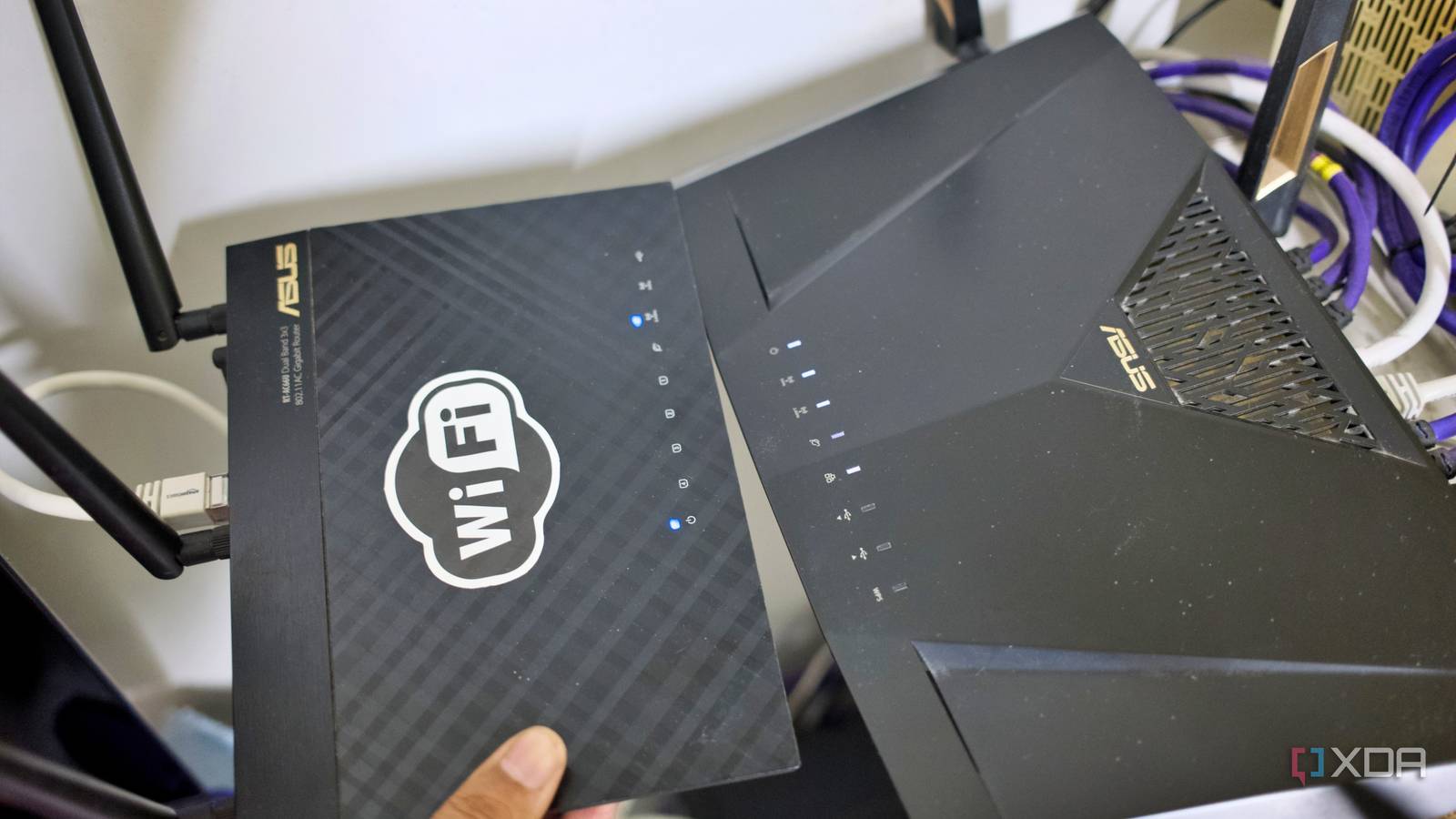
Published Jul 27, 2026, 1:30 PM EDT Samir Makwana is a technology journalist and editor from India since past 18 years and his work appears on MakeUseOf, HowToGeek, GSMArena, BGR, GuidingTech, The Inquisitr, TechInAsia, TechWiser, and others. He has written news, features, and gadget reviews for national technology media publications. His passion is to help people with their technology problems and gadget purchases. For that, he has worked for some of the biggest international technology publications, covering news, explainers, how-to guides, listicles, and product-buying guides. He has worked as an editor and managed teams since 2015. His expertise broadly covers computers, smartphones, game consoles, headphones, smart home products, browsers, and apps. For the past two years, I didn’t know my network had a second, yet invisible router working against me. I never noticed because my home internet never felt broken. Web pages loaded fine. Videos streamed without stuttering. Still, there were some things that I learned to live with, like stubborn port forwarding, smart devices struggling to communicate with each other, or a flaky remote connection. Over time, I had a theory about those hiccups. Later, I learned that every single theory was wrong. The real reason was sitting on my network the whole time: double NAT. The person responsible for that was yours truly. It was a router I added as an afterthought and never got around to configuring it properly. Putting two devices in router mode is one too many Credit: SeanChangX/MakerWorld I use the ASUS RT-AX88U as my primary router, and it has been the backbone of my home network for the past four years. It can handle the Pi-hole and Tailscale that I run at home. Everything worked fine until I started noticing patchy Wi-Fi coverage and random dropouts. So I took out my old ASUS RT-AC66U router that was lying around to fix this problem. I powered it on and plugged its WAN port directly into the AX88U’s LAN port. It removed the dead zone, and I moved on. Now, I realize that I didn’t switch the router into access point mode. I left it in default router mode, and it did exactly what routers do. It was handing out its own DHCP leases on its own subnet. It was performing its own layer of NAT on top of what the AX88U was already doing. That's a textbook example of double NAT. Traffic from any device connecting to the AC66U got translated twice: once by the second router, then again by the primary router before it touched the internet. I inadvertently created two private networks stacked on top of each other. Both convinced they were in charge. When the fixes don’t actually fix anything Network stack shared a different story The sneakiest thing about double NAT is that it rarely breaks the obvious stuff. I never ran into any serious issues with browsing, streaming, video calls, and downloads; mostly, everything worked fine. So I had no reason to peek into my network setup. However, I always had a running list of quibbles, and each was related to a different cause. When trying to access my desktop remotely, RustDesk worked only with its relay network instead of a direct peer-to-peer link. Getting into Vaultwarden from outside my network was quite frustrating. Some days the vault loaded instantly from my phone, and other days it hung until I gave up. I never considered that it might share a root cause for everything else. I just assumed I had messed up the port forwarding rule on the AX88U and never noticed. Home Assistant integrations often failed to discover a device, and I blamed it on the busy Wi-Fi. So I moved the smart plugs closer to the access point. The timeouts with Immich’s mobile backup, especially when I was away from home, made me think my cellular provider was throttling speeds. Streaming my Jellyfin media library remotely was riddled with buffering issues, which made me think that my home connection’s upload speeds weren’t cutting it. None of those fixes stuck because none of those explanations were the actual problem. Most of those services were living behind the second router, and each of them was fighting the extra translation layer. Diagnosing double NAT took less time than my workarounds The second router’s status page revealed the whole story The way I learned about all the network problems was embarrassingly simple. I logged into AC66U’s admin panel to check for DNS settings. That’s when I happened to glance at its WAN IP address, which showed 192.168.1.100. It was a private address, and a router’s WAN interface should show that only if another router upstream of it is also handling NAT. I ran a quick traceroute from a device connected to the AC66U to confirm that the first two hops landed on private IP ranges before the traffic reached a public address. That’s what confirmed that I had been running two layers of NAT all along. All that happened because I forgot to reconfigure the second router. Putting the secondary router into access point mode fixed five things One setting untangled the mess I created The fix took less time than what I spent on the workarounds I tried before it. I switched the AC66U to access point mode, which turned off its DHCP server and NAT entirely. Every device connecting to the AC66U pulled a fresh address directly from the AX88U instead. There was only one router, one gateway, and one NAT layer for the whole network. The difference showed up immediately. RustDesk connected directly instead of falling back to its relay network. Media backups to Immich stopped timing out on mobile data. Jellyfin’s remote streams stopped buffering the moment I stepped outside my LAN. Vaultwarden became reachable from outside every time. My smart home devices stopped losing their connection to Home Assistant. I hadn’t fixed five separate problems. Instead, I fixed one problem that led to those five. You’ll need to go looking for double NAT on your network It’s no surprise that you can diagnose and fix problems repeatedly, and it still shows up. And you’d never suspect that your network topology could be the real issue. Double NAT quietly hides in plain sight. It doesn’t affect your browsing or streaming, so no one goes about checking for it. That’s why it’s natural to blame your ISP or limited bandwidth whenever a remote connection breaks, or a video call keeps dropping. When something on your self-hosted network isn’t working right, and you’ve been using more than one router on your network, make sure you check the WAN IPs on all of them. If you want to repurpose your old router or set up more than one on your network, make sure the second one is always set to access point mode.
I ran double NAT for two years without knowing it, and fixing it explained problems I'd blamed on everything else
Full Article
Original Source
Read the full article at Xda-developers →KhanList aggregates and links to publicly available news content. We do not host full articles from third-party sources. Always verify important information with original sources.