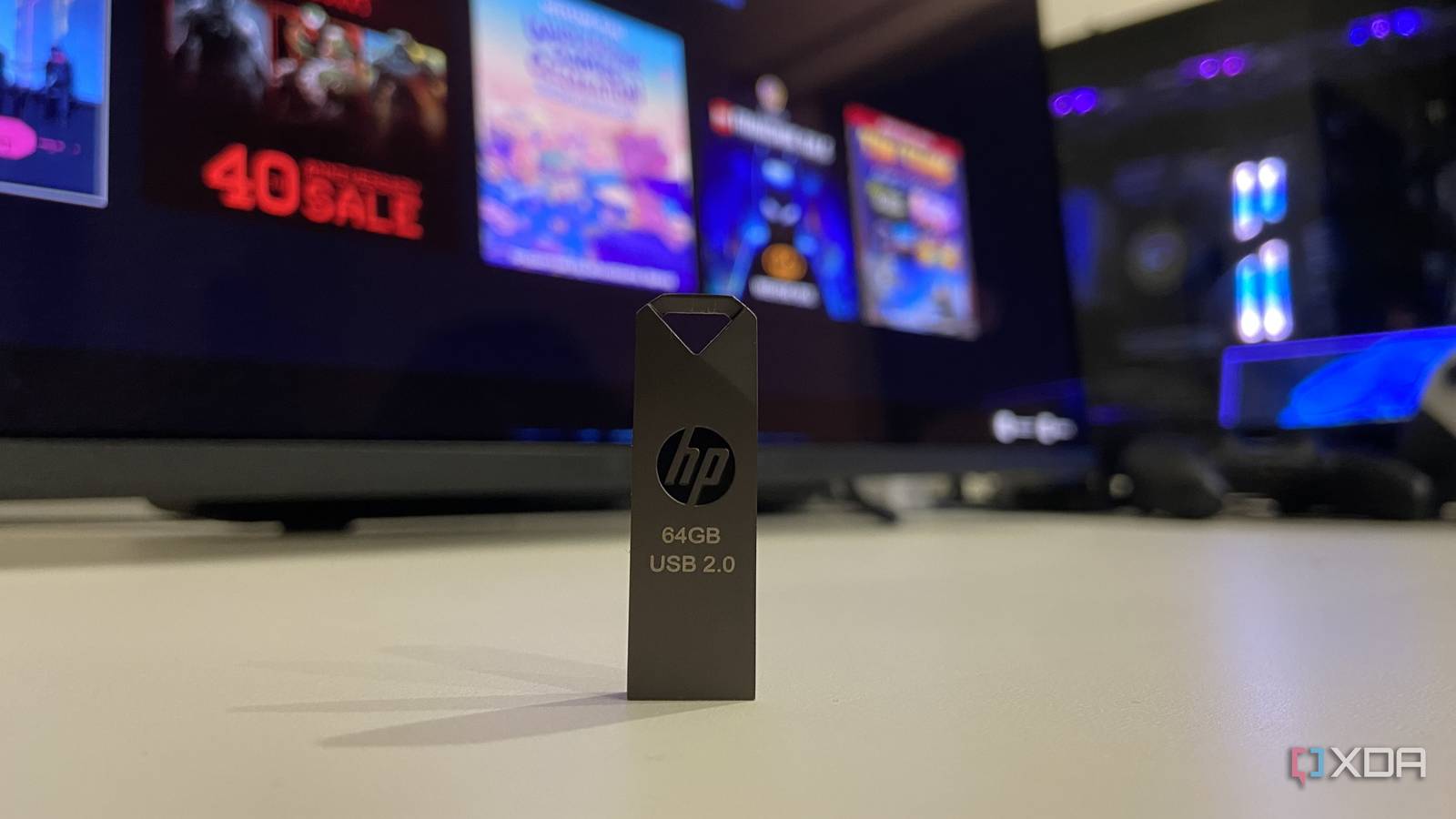
Published Aug 8, 2026, 7:00 PM EDT Abhinav pivoted from a career in banking to pursue his first love in writing. Even while working full-time, he continued contributing as an editor-at-large, a role he has held for more than 7 years. A lifelong tech enthusiast who has built three gaming and productivity powerhouse PCs since 2018, his passion for technology keeps him closely following the semiconductor industry, from NVIDIA and AMD to ARM. His MSc dissertation explored how artificial intelligence will reshape the future of work, reflecting his curiosity about the wider social impact of emerging technologies. Anyone who has read the headline is probably wondering, "why would anyone put their Steam library on a USB stick at all?", and I'd think of it as a very fair question. The answer is a little long and winding, but I promise it'll make sense. I live by myself, but most weekends I'm at my parents' place, where the RTX 2070 Super rig I built in 2019 still runs. Except now, it's SSD doubles as the family document and photo dump (yes, I should get a NAS, or perhaps turn the PC into one). The drive, as you'd expect, is out of room, and I don't have an hour to spare to re-download all 11 gigabytes of Portal 2 every Saturday, and I'm not buying a second NVMe SSD seeing how the prices have been. So, I decided to drop a part of my Steam library onto a $30 USB stick instead. I'm surprised to admit, it turned out to be useful in ways I didn't expect, and portability is only one of them. My Steam library travels with me on a keychain No waiting for downloads, I can dive in wherever I see a rig in sight The setup is stupidly straightforward once you get past the formatting. To set up the Steam Library, the stick needs to be formatted into NTFS format, since the default FAT32 will choke on any Steam title over 4GB because of its hard 4GB file-size limit. Then, in Steam, you'd have to head into Settings, then Storage, and then open the drive dropdown, click on Add Drive, and point it at the USB. Steam creates its own library folder, and any game you install afterward asks whether you want it on the internal drive or the stick. The payoff for this entire process seems obvious when you give it a go yourself. I could plug the stick into any PC (or Laptop) on a Saturday morning, Steam will pick up the library, and Portal 2, Deep Rock Galactic, and whatever else I transferred the night before will be sitting there, ready to go, without having to queue each individual title to go through a multi-gigabyte download. On Sunday evening, I could unplug it, take it home, and the entire library comes with me. Steam doesn't really care which PC the drive is attached to. As long as it can see a valid library folder, the game runs. In my case, it happens to be dangling from the same keychain my car keys are attached to. The drive is slow, but the games are surprisingly not Boot times pay the USB 2.0 tax, but nothing else does I must confess though, writing to a USB 2.0 stick is excruciatingly slow. Steam quoted nearly six hours to install Portal 2 and Deep Rock Galactic, so understandably, I gave up on that path and decided to move both over from my NVMe SSD using the "Move Install Folder" feature in game properties. That was comparatively faster, but painfully slow nonetheless. That, however, was the end of the suffering. Upon migration, Portal 2 took only 19.61 seconds to cold boot and another eight seconds to load Chapter One. I re-checked the installation directory and ran it again because I didn't believe the timer myself, and measured 18.92 seconds this time. Similarly, Deep Rock Galactic took 15.65 seconds to boot and 12.01 seconds to drop me into a mission. This is definitely a lot slower than the worst SATA SSD, but surprisingly snappy for a USB 2.0 drive nonetheless. Once I was in-game, the difference was almost imperceptible. Cave streaming in Deep Rock Galactic produced only milisecond-long hitches, while Portal 2 felt indistinguishable from a session that would run directly from an SSD. A semi-decent USB 2.0 stick with a modern microcontroller can genuinely hit 30–40 MB/s sequential reads, which is effectively on par with spinning HDDs. Besides, once the assets are loaded into the system memory, the games become less reliant on storage speed. A cheap and portable library on the go comes in handy Not every game needs the fastest drive This fun little experiment made me realize that, most of my Steam library was sitting on my main NVMe not because the games needed the speed, but because I never bothered to sort the games between the ones I play from the ones that are just sat there. The USB stick made me revisit that aspect. Now, I could put two or three titles I'm playing this month along with anything competitive that can benefit from shaving a few seconds off the loading time. Everything else can be put on the slower flash drive, because I can't really tell the difference. Fascinatingly enough, having a small segment of my library with me at all times has removed the lethargy that comes with reaching for a game when I'm not home. For fun, relatively small and engaging titles like Portal, that makes the difference between playing them and just simply launching Steam, estimating how long it would take for it to install, and then just giving up on the whole idea altogether. An unconventional solution, but an effective one nonetheless Quite frankly, USB 2.0 was my workaround for a very specific problem that I had, so for that reason, I wouldn't recommend copying it entirely. For most people, a portable external SATA SSD is an infinitely better option. That being said, it doesn't hurt to put something you could just "emulate" on the go on an unused USB stick that has been sitting without a purpose in its life to keep you entertained on the go.
I put my Steam library on a cheap USB stick, and it changed how I think about game storage
Full Article
Original Source
Read the full article at Xda-developers →KhanList aggregates and links to publicly available news content. We do not host full articles from third-party sources. Always verify important information with original sources.