
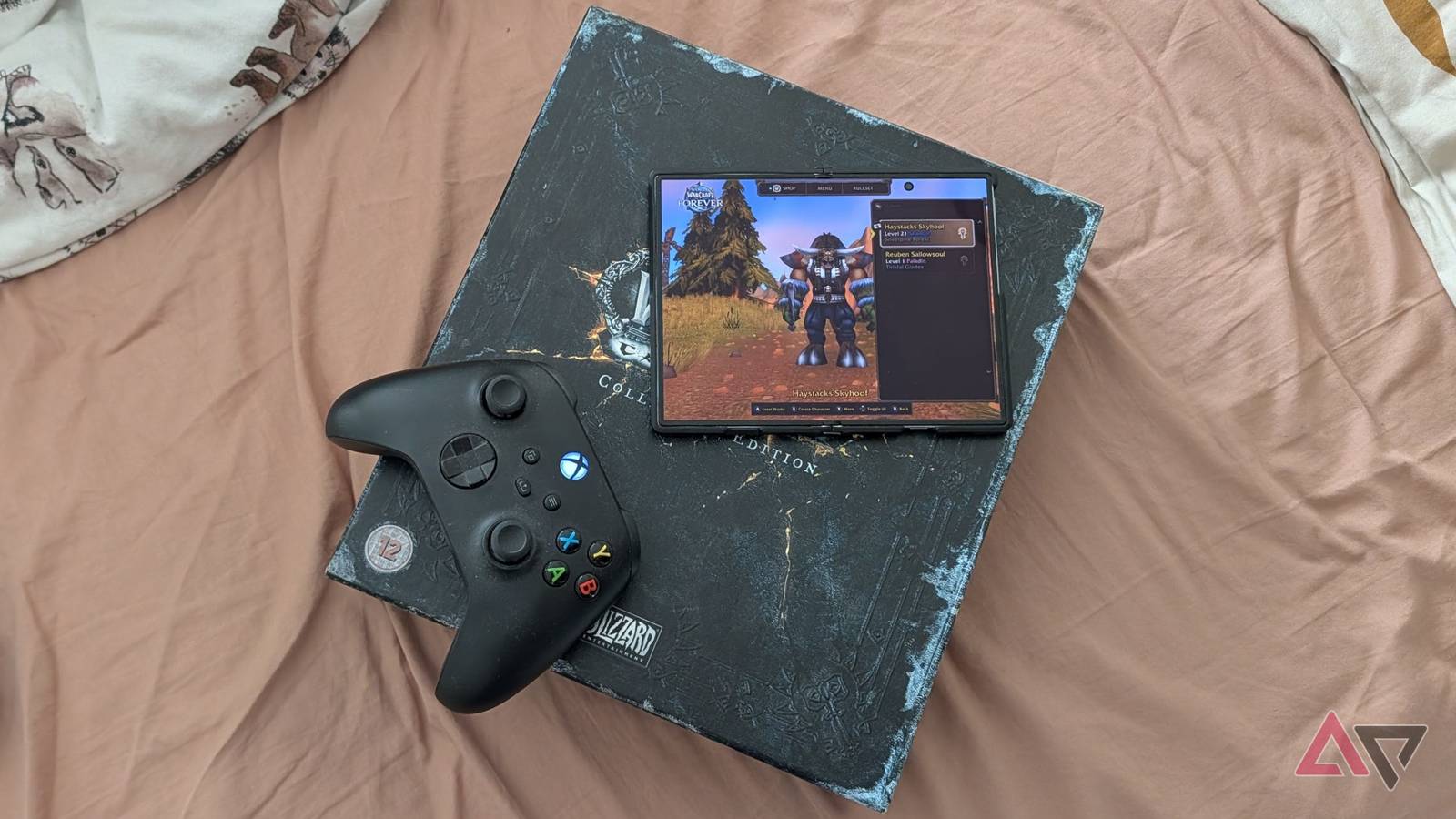
Published Nov 14, 2026, 8:45 AM EST I've been covering Android and other mobile technology for close to ten years now, with a specific interest in phone accessories, e-readers, and what makes each individual phone different from another. I delight in looking at the phone market from as many angles as possible, and while my opinions may be odd, at times, they're always from the heart as much as the head. I have a background in the mobile accessories world, which explains my odd enthusiasm for cases and things that clip onto smartphones. I worked for Digital Trends from 2017 to 2025. While the upcoming Grand Theft Auto 6 release may excite a certain class of gamers, World of Warcraft Forever has captured my heart. The recently released re-release is an enhanced version of the original World of Warcraft, launched in 2004. But unlike that version, WoW Forever adds a bunch of changes and additions, while still evoking the spirit of the original WoW. As a result, it's been a huge hit with old fans like me. That release also brought a beta feature: the ability to control WoW with a gamepad. Clearly, Blizzard is looking to expand into the console market, and that means you can play WoW Forever on a TV or Steam Deck. But, unexpectedly, it also means it's playable on your smartphone. Yes, you can play WoW Forever on your phone, as long as you meet certain criteria. Installing WoW Foreverywhere is as easy as getting an APK No tech-wizardry needed Nary a few days after the official release came WoW Foreverywhere, a GitHub project that aims to let you play WoW Forever on your smartphone. And incredibly, it actually works. It's a launcher that downloads the game from Blizzard's servers and sets up your device to play it. It's not available for any device. Your device needs to run Android 17, have a 64-bit ARM processor, and an Adreno GPU. My Google Pixel 10 Pro wasn't compatible (sorry Google fans), but my Samsung Galaxy Z Fold 8 was, so it was there I got it set up. Installing the APK was as simple as downloading the APK from the GitHub release and installing it on my phone. As with these sorts of things, you must allow your phone to install apps from unknown sources, and in the case of my phone, turn off the Auto Blocker feature. Modern phones get sniffy about installing apps from anywhere that isn't the Google Play Store. The nice part about this launcher, compared to other options, is that it downloads and installs the game for you, lets you store your login details on your phone (encrypted), and has a built-in add-on manager. It has a display controller on the screen, but for the best experience, use a Bluetooth controller. There's an initial menu option where you pick your language, which you also need to select using the launcher's touchscreen mode, so make sure you swipe back to open the menu to enable Touchscreen Mode. If you have an authenticator on your WoW account, you'll need to swap between apps to get the code. This is a bit tricky, and you need to make sure you also switch on the keyboard as you do it; otherwise, you can't paste properly. This is a bit of a mess, but it went smoothly enough after I got the hang of it. For a GitHub project that's clearly been made quickly, I'm impressed with what WoW Foreverywhere offers. Installation was easier than I thought, and there were no bugs or real problems that kept me from playing. So surely it can't all be that great after I get in, right? Gameplay is much better than I expected WoW with a gamepad isn't just possible; it's good! Holy cow, I didn't expect it to be this good. World of Warcraft has many, many buttons to press. Depending on your character, you could have 20-plus spells and talents you need to access at any time, and many assumed a game like that couldn't be played on a gamepad. Well, it turns out you absolutely can. And it works pretty well. The gamepad is set up like most third-person action games you may have played. The sticks control character and camera movement, and the face buttons control the spells you can cast, make you jump, and so on. But there's a little touch of genius here too. You can bind items and spells to your gamepad's d-pad and face buttons. But then you'd assume you only get eight slots in total, right? Wrong. Hold the left trigger, and another eight potential bindings open up. The right trigger holds another eight, and holding left and right at the same time opens another eight, for 32 potential spells and items. It sounds complicated, but it's more intuitive than it sounds, and I got to grips with it very quickly. The left and right bumpers control targeting allies and enemies, and the start button opens the menu radial wheel, so you can open your inventory, professions, and character sheet just as easily as on the PC. You're unlikely to be raiding on this setup, at least not without a very chill raid leader, and setting up your spells takes a few minutes, but this is an oddly easy interface to use. Cranking out a few hours of grinding and questing using this setup was more than possible, and just as much fun as on my PC. World of Warcraft: Forever is more than possible on a smartphone Come on Blizzard, make it official WoW Foreverywhere might be an unofficial setup, but it proves there's easily a way for World of Warcraft to officially come to smartphones. Blizzard may have been thinking of consoles when it started working on gamepad controls, but there's no reason they couldn't be used to bring the world's biggest MMO to smartphones. Based on my experience, it works extremely well. The game ran perfectly throughout the time I played it, and I could imagine sitting down with my Xbox controller and Z Fold 8 to play a few hours on the couch after work. There's no indication that Blizzard is planning on releasing World of Warcraft for smartphones any time soon, but when WoW Foreverywhere works this well, it kinda doesn't need to. Lok'tar ogar, friends. I'll see you in Azeroth.
I played WoW Forever on my Galaxy Z Fold 8, and it performed perfectly
Full Article
Original Source
Read the full article at Androidpolice →KhanList aggregates and links to publicly available news content. We do not host full articles from third-party sources. Always verify important information with original sources.