
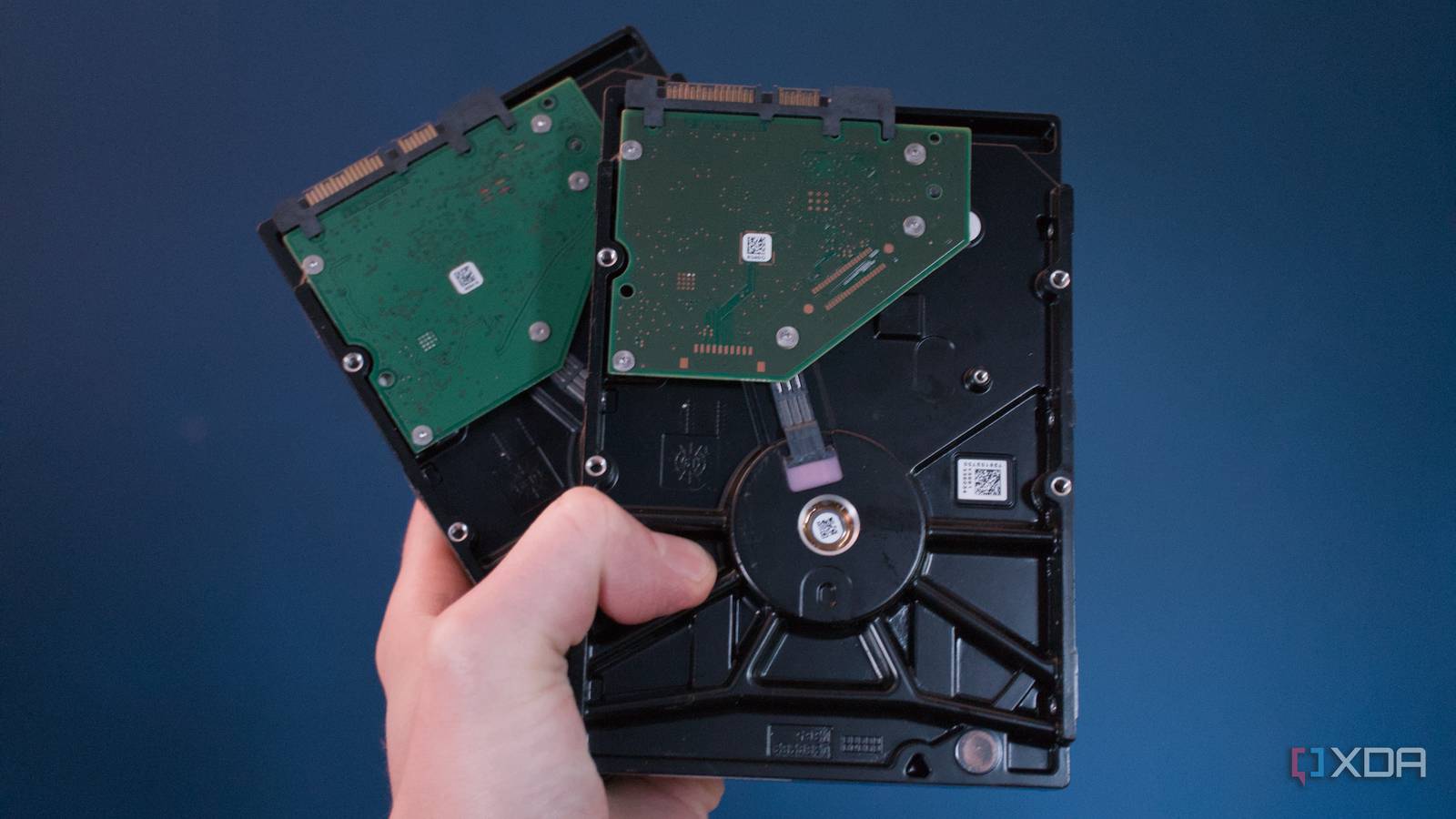
Published Nov 27, 2026, 4:30 PM EST Richard is the PC Hardware Lead at XDA and has been covering the technology industry for almost two decades. He's been building PCs since young, and when not creating content, you can often find him inside a chassis somewhere. When upgrading a PC, server, network-attached storage (NAS), or simply replacing a drive, the old hard disk drives (HDDs) and solid-state drives (SSDs) were either discarded or thrown into a storage box somewhere. I was the same. If I was upgrading storage somewhere, the old drive would be extracted and binned or locked away somewhere. That was until the price of drives and memory started to skyrocket in recent years. Now, I always reuse everything from a system, including old drives. Every drive can have a new lease of life Even if it's a 250GB SSD Credit: The home lab doesn't demand much. I have a single small-form-factor (SFF) system running as a network video recorder (NVR). It has 16 GB of DDR4 RAM, an Intel Core i5-7400 CPU, and a small SSD to run Proxmox and a few containers. That SSD has been in use for almost a decade at this point, and it refuses to give up, which is fantastic for me since I sourced this platform as a barebones box from a classified site. I popped in the old SSD, and we were good to go. The same goes for the primary node in the home lab, running Proxmox on a Minisforum U850. It has a capable mobile Intel chip with 16 GB of RAM and another small 250 GB SSD. Now, using such a small storage drive isn't the best idea when it comes to running a few heavy VMs and LXCs, but it does the job until I eventually hit the ceiling and need to migrate everything to another drive. I'm almost there at this point, with 33% and 92% of local pools in use. What these SSDs provide is the means to set up and launch these home lab systems without forking out on new hardware. A 250 GB SSD will set you back $40 with a Black Friday deal. That's $40 for a SATA SSD, working out to be around $0.16 per GB, which is an incredible amount to pay for local storage. To put it into perspective, I view $0.02 to $0.06 as the sweet spot for spending per GB for storing lots of data. It's why the cost of everything is increasing. But it's also a great opportunity to make better use of older parts, especially if they're doing nothing but collecting dust. I wouldn't dream of buying a 250GB SATA SSD for my gaming PC today, but I'd happily install another one in a Proxmox node if I had one lying around. Old drives are still more than enough You don't need PCIe 5.0 SSDs inside every device We've managed to launch some incredible tech over recent years. The speeds that modern PCIe SSDs can hit are nothing short of incredible, but it's also largely pointless for the home lab. Granted, SATA interfaces top out at around 550 MB/s, but that's actually more than enough for most local network setups. Unless you're using 2.5Gb networking (or faster), these drives will easily saturate your network with file transfers. And that's for hard drives, which are notably slower than SATA SSDs; the latter being the better fit for storage drives inside home lab servers. The system running my NVR doesn't require a ridiculously fast NVMe SSD to boot Proxmox or launch Frigate. Likewise, a server handling a few lightweight Docker containers or LXCs doesn't necessarily need thousands of megabytes per second of sequential transfer performance. An old SATA SSD capable of hitting around 500 MB/s can still be plenty fast for these tasks. The more important benefit of using an SSD over a mechanical drive for an operating system is its ability to quickly access numerous small files without waiting for a physical read/write head to move across spinning platters. That's something even an older SATA SSD can do remarkably well compared to an HDD. And there's a better chance you have SATA drives to spare than NVMe. But really, how often will your storage be used to its maximum throughput? Many of the services I run barely touch the storage drive during normal operation, outside of isolated spikes. Applications can make extensive use of system memory, and while there will be some disk activity for databases, logs, and other persistent data, I'm unlikely to notice the difference between an older SATA SSD and a modern NVMe drive for many of my lighter workloads. Used mechanical drives are gold for data Unleash a more affordable NAS with plenty of space Credit: You've likely seen SSD caching and even all-SSD NAS coming to market, but I don't see myself retiring mechanical drives from the home lab NAS anytime soon. They're fantastic for storing a lot of data, often surpassing the available capacities of consumer-grade SSDs. But they're also incredibly reliable. I'm still spinning platters that are almost a decade old inside my NAS. And modern NAS platforms will work with different drive capacities. Smaller HDDs that I would no longer consider installing inside a desktop PC can also be useful. A spare 2TB drive may not seem particularly impressive nowadays, especially with the size of modern PC games, but that's a considerable amount of capacity for storing backups of individual virtual machines, configuration files, and other home lab data. Take my security NVR server as an example with its 2TB mechanical drive. My NVR uses an SSD to run Proxmox and Frigate, while a secondary mechanical drive handles the recordings. This separates the operating system and application workloads from the constant stream of video data and avoids using valuable SSD capacity for footage that will likely be automatically deleted a few days later. Writing a metric ton of data to SSDs also isn't going to make them last, which is where an old HDD can step in. Get creative, but don't blindly trust drives One important thing I bear in mind when looking through old drives I have, or when sourcing used and refurbished units, is to check SMART reports and run some real-world tests. I also employ a 3-2-1 backup strategy with multiple local copies of everything valuable, so should the worst happen to our NAS, everything is backed up somewhere for quick retrieval. Next time you come across an old drive, consider what you could use it for.
I haven't bought a new drive for my home lab in years, and my old ones keep proving me right
Full Article
Original Source
Read the full article at Xda-developers →KhanList aggregates and links to publicly available news content. We do not host full articles from third-party sources. Always verify important information with original sources.