
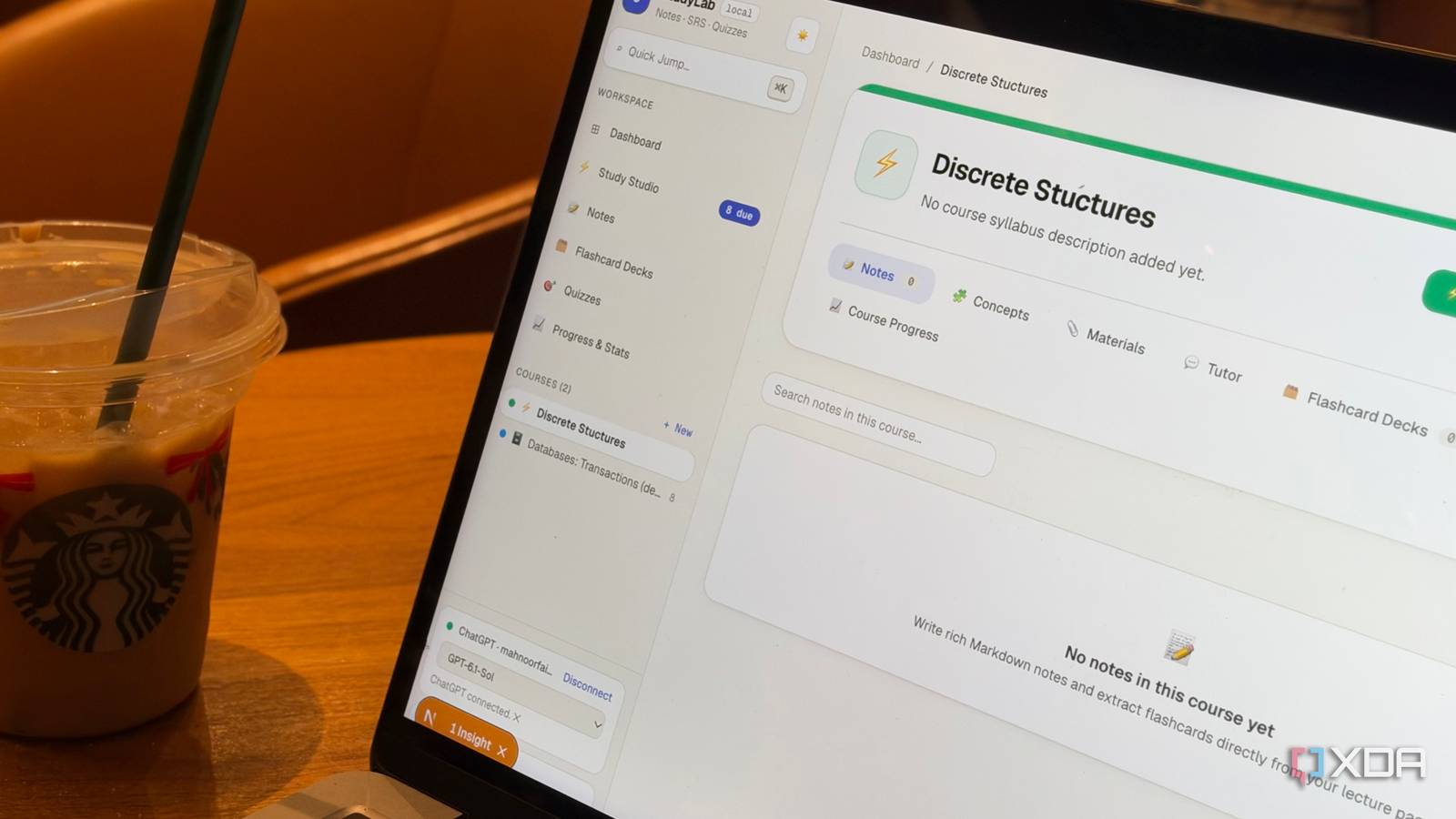
Educators, professors, and anyone involved in academia will probably resent me for saying this, but I think AI is a blessing for students in many ways. Yes, I'm not a fan of the fact that you can paste a prompt into an AI tool and get an entire assignment completed within minutes without putting a single thought into it. Yes, the prospect of AI coming for the very careers we're spending all this time studying for is terrifying. However, I also think there's a difference between using AI to avoid learning and using it to learn better. I've relied on AI for the latter massively, and it's become a pretty significant part of my study routine. Though that's largely involved relying on apps like NotebookLM, Quizlet, Anki, Notion, LongCut, and, of course, AI chatbots like Claude and ChatGPT, I recently decided to take things a step further. Instead of continuing to juggle a bunch of different tools, I decided to build my own study app using Claude Code. Every study app had its place in my routine My study routine was all over the place My study routine primarily included three apps: NotebookLM, Notion, and Anki. My process typically began with note-taking in Notion during class and when I'm actually exploring the material on my own. Once I had my notes ready, I'd move everything over to NotebookLM, where I'd use its AI-powered features to break down difficult concepts, generate Audio Overviews, and test my understanding through its Studio features. While NotebookLM has a Flashcards feature, it's fairly lacking, so I'd switch to Anki when it was time to make sure everything I learned actually stuck. While you'd think having your studying split across three apps is equivalent to having a physical binder, textbook, and a set of flashcards, switching between physical materials and jumping between entirely different apps aren't quite the same thing. For starters, for someone like me who gets distracted with just a single notification, constantly switching between apps is practically an invitation to lose focus. Then there's the fact that everything doesn't have one central place to live. With physical study materials, you can at least organize your notes, handouts, and flashcards into the same binder or folder. With digital tools, though, everything is scattered across different apps, each with its own way of organizing things. I built StudyLab to bring all three apps together If you can't find it, vibe-code it I decided to spend a weekend playing around with AI coding agents to put the frustrations above to rest, and the end result was an app called StudyLab. I used Codex, Claude Code, and Antigravity simultaneously to put together a study app that combined my favorite features from NotebookLM, Notion, and Anki. Instead of relying on a single agent to handle everything, I had the three working on different parts of the project. Once the foundations were in place, I switched to Claude Code with Opus 5.5 to finish the coding process, iron out issues, and continue adding features. Of course, combining three study apps isn't quite as simple as bringing their interfaces together. NotebookLM, in particular, relies heavily on AI to make sense of your study materials, and I wanted StudyLab to offer similar functionality. So, I asked Claude Code to build an integration that would let me connect my existing ChatGPT Pro subscription instead of setting up a separate API key and paying for usage. Getting that integration working took a fair bit of troubleshooting during testing, but the end result made it worth the effort. I can now connect ChatGPT to StudyLab and use it to power the app's AI-based features, all while keeping my notes, flashcards, and other study materials organized in one place. Notion takes care of the notes On the Notion side of things, StudyLab lets me create separate workspaces for each course, write Markdown notes, organize them with tags, and search through everything when I need to find something. There's also a dashboard that gives me a quick overview of my courses, notes, flashcard decks, and upcoming reviews. Anki makes sure I don't forget everything For revision, I borrowed heavily from Anki. I can create different types of flashcards, organize them into decks, and use spaced repetition to revisit information at the right intervals. There are also separate modes for learning new cards, reviewing due ones, and cramming before an exam without messing up my regular review schedule. StudyLab even tracks my retention, review streaks, and overall progress. NotebookLM handles the actual learning Finally, there's the NotebookLM-inspired side of StudyLab. I can upload PDFs and other study materials, have the AI identify important concepts, generate flashcard suggestions, and ask questions about my notes through a built-in tutor. The tutor also provides citations pointing back to the material it used, so I can check where an explanation came from. It also has NotebookLM-like grounding capabilities, which helps reduce the risk of hallucinations when I'm using the tutor to revise. For instance, I was using StudyLab to study for a Discrete Structures course, and I first asked the tutor a question about the course. The response included citations and was similar to what I'd have gotten if I were using NotebookLM. I then asked the tutor what XDA is, and I got a "Your sources don’t define XDA, so its meaning here isn’t clear" message. It did follow up with a brief description, but that was it. I've also added quizzes with multiple-choice, true-or-false, and written questions, giving me another way to test myself without switching apps. I even built my learning style into StudyLab I made my study app learn a thing or two about me Beyond consolidating the apps I already use, I wanted to make sure StudyLab was tailored to how I actually learn. After all, if I was going through the trouble of building my own study app, I figured I might as well make it work around my learning habits rather than forcing myself to adapt to yet another tool. That's when I had an idea. I've used ChatGPT extensively for study sessions throughout college, so I figured it probably knew a thing or two about how I learn. I decided to ask it to analyze our past study sessions and identify my learning preferences, habits, and areas where I tend to struggle. As expected, ChatGPT recognized I learn best by teaching people, so it suggested incorporating a feature that would let me explain concepts in my own words rather than simply reading through explanations. I fed these insights into Claude Code, and one of the features it built was called Teach It Back. The idea is pretty simple. After studying a concept, I explain it to StudyLab as though I'm teaching someone else. The AI then evaluates my explanation, breaking down what I covered correctly, what I missed, and any misconceptions I might have. It also asks a follow-up question to check whether I can actually apply what I've learned. For instance, while studying propositions and truth values for my Discrete Structures course, I deliberately gave StudyLab an incorrect explanation to see how it would respond. Here, it identified exactly where I'd gone wrong, explained the correct definition using my study materials, and asked me to classify two statements as propositions or non-propositions. When I answered the follow-up correctly, StudyLab recognized that I'd addressed my earlier misconceptions. However, it didn't immediately mark the concept as mastered. Despite my follow-up demonstrating a higher level of understanding, it only awarded me the Recognize level. That's because another feature I had Claude Code build was an evidence-based mastery system. Instead of assigning arbitrary percentages to how well I know something, StudyLab tracks my understanding across four levels: Recognize, Understand, Recall, and Apply. It uses evidence from flashcard reviews, quizzes, and Teach It Back sessions to determine where I stand, and requires multiple pieces of evidence before considering a concept mastered. Of course, StudyLab can't replace everything these apps do If you can't tell from the features I've integrated into StudyLab, the goal here isn't to replace all the apps I use at all. When I'm vibe-coding anything, I prefer to build something that brings together the features I actually use, rather than trying to recreate every single thing the original apps offer. For instance, StudyLab doesn't have NotebookLM's Audio Overviews, Notion's elaborate databases, or Anki's extensive collection of add-ons. That's not a deal-breaker for me! I can always return to the original apps when I need those features, and in the meantime, I have one place for the parts of my study routine that would otherwise require switching between three different tools.
I got tired of juggling NotebookLM, Notion, and Anki, so I vibe-coded my own study app
Full Article
Original Source
Read the full article at Xda-developers →KhanList aggregates and links to publicly available news content. We do not host full articles from third-party sources. Always verify important information with original sources.