
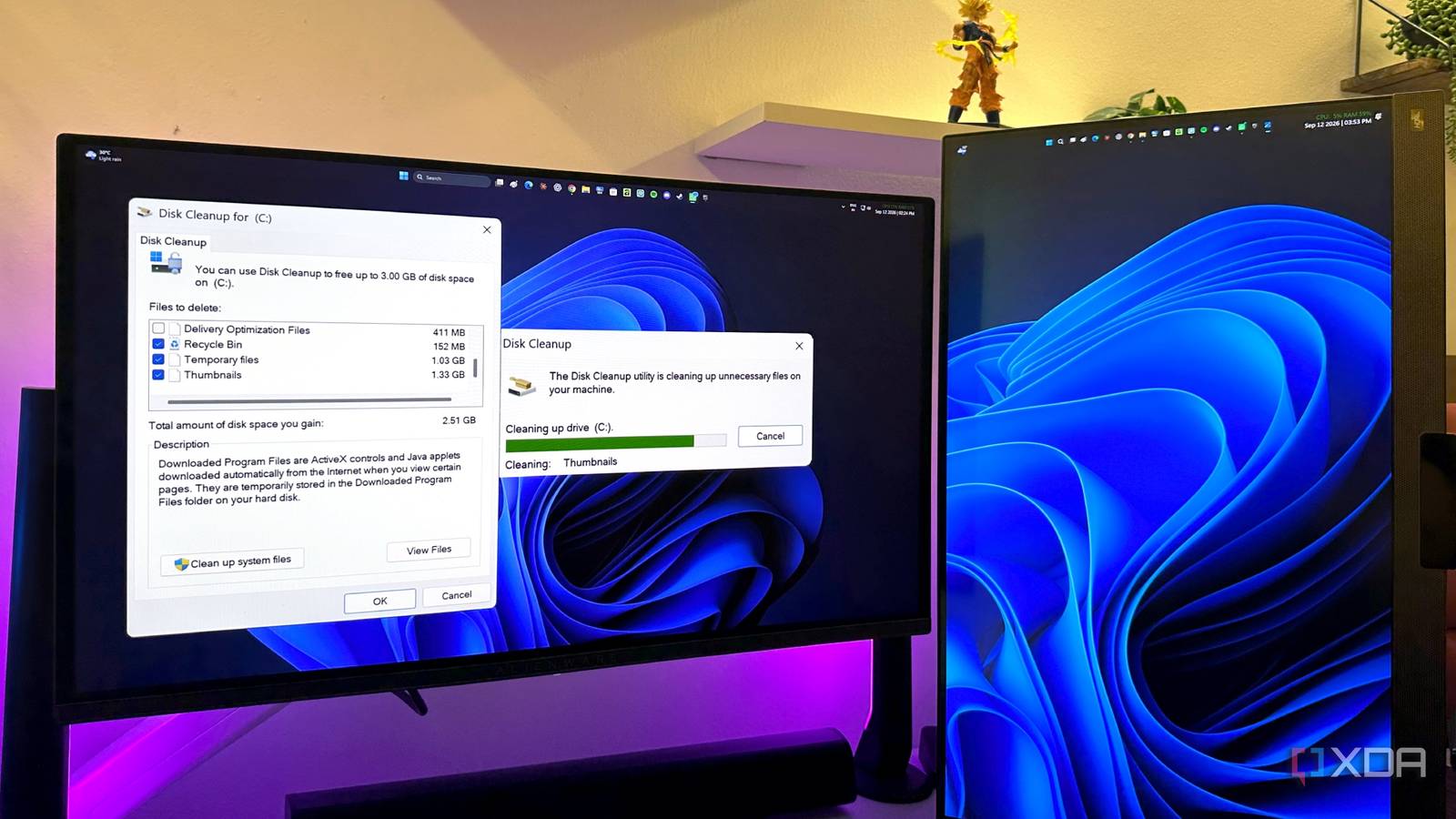
Published Sep 14, 2026, 8:01 PM EDT Gaming has been Samarveer’s greatest passion, and the Literature graduate in him takes immense joy in dissecting games for their themes, messages, and impact. Samarveer holds a deep appreciation of gaming, and considers the platform to be the most immersive and impactful across all media. He can be found engaging with gaming communities online, always ready to debate the finer points of ray tracing or itching to write an 8-page collegiate thesis on any game that impacts him emotionally. Every Windows user on the planet has been familiar with the Recycle Bin for years now. Its name itself has led me to believe that it's the final stop for anything I delete from Windows. By and large, I've always assumed that emptying the Recycle Bin meant that the files were gone, with the only exception being specialized recovery software. That assumption fell apart when I stumbled across a Windows folder that contained remnants of files I had deleted months and even years ago. Admittedly, I was caught just a little off guard by how ordinary this mechanism was, and how my old data had survived this long. Naturally, this sent me down a rabbit hole as I dug through my PC to figure out exactly what Windows was hoarding, why it was still there, and if those leftovers were any use at all. Windows doesn't forget as easily as you might think The Recycle Bin is only one layer The first clue I found was when I went looking for a bunch of screenshots I had deleted during a cleanup. I right-clicked the Screenshots folder, opened Properties, and noticed the Previous Versions tab. Truth be told, I wasn't expecting much, but one of the older versions opened into a familiar folder structure. Lo and behold, it also had my deleted files sitting exactly where I left them — Windows had apparently decided that deleting something didn't necessarily mean saying goodbye. That is essentially what shadow copies can do. Windows can preserve earlier states of files and folders, allowing Previous Versions to show what existed before you deleted something. Since the relevant snapshot still existed, I restored the file with remarkably little friction. Plus, I didn't even have to install any recovery software like DiskDrill, since I just effectively asked Windows to hand me an older copy of reality. The Previous Versions feature uses Windows' Volume Shadow Copy Service (or File History and System Restore Points) in order to snapshot file system states. Checking the previous version of a folder can bring back files deleted after that snapshot was initially created. Shadow copies are created during system restore points, Windows Updates, or scheduled tasks — they do not take real-time snapshots of every file change. There's also a cache that refuses to forget anything Windows keeps the picture but not the file itself Windows also holds a thumbnail cache of hundreds, if not thousands, of files. These are stored as thumbcache_*.db files on the PC, but you can't easily view them all. Viewing them requires software like Thumbcache Viewer to open the internal database files. What I found were recognizable images from files I had deleted months and years ago. The thumbnail cache showed me old photos, screenshots, and document pages — even highly sensitive ones — all still there. Now, it's not like Windows had preserved the original files themselves. What it had retained were representations generated for Explorer. For a photo, however, the difference is almost academic. A thumbnail can still reveal faces in photographs and screenshots. The thumbnail cache, when viewed with Thumbcache Viewer, showed me old photos I thought I'd deleted — even highly sensitive ones. The privacy problem felt difficult to ignore. It took me seconds to identify files I knew were gone, simply by looking at their previews. I blurred personal content in my screenshot, so if a thumbnail is enough to recognize something sensitive, there felt little point in "deleting" certain files. The cache isn't the only historian on Windows, either. Jump Lists and Recent Items can retain filenames and paths for files that no longer exist. They don't contain the original data, but preserve a breadcrumb trail. Unlike temporary leftovers, these records can survive years. Deleting a file is only the beginning The apps have their own version of "gone" By this point, I was wondering how many places on my PC had decided that my deleted files deserved a second life. The answer got more annoying when I stopped looking at Windows itself. Apparently, OneDrive has its own Recycle Bin, and it's not alone, either. Plenty of other apps maintain their own trash, recovery, or cache folders. Deleting something inside an app doesn't necessarily mean that Windows gets the final say. So I did the boring thing that turned out to be productive — I started cleaning. Windows 11's Storage Sense can automate some housekeeping, while Disk Cleanup let me dig deeper by selecting system files and clearing things such as Windows.old and cached thumbnails. I also checked which apps had accumulated debris and emptied the obvious bins. My cleanup recovered roughly 20GB. That was the useful part of this rabbit hole — the same leftovers that can rescue a deleted file can also be needlessly occupying valuable space on the SSD. Windows 11 Pro A USB installation drive and license key for Windows 11 Pro, with additional features like Hyper-V and Windows Sandbox support. Deleting something really shouldn't require a forensic investigation Windows clearly has a habit of keeping its leftovers around. A PC is a constantly-changing system that makes trade-offs on your behalf, often prioritizing convenience, recovery, and performance over the satisfying finality of a Delete key. Regardless, I don't plan on treating every cache on my PC as a privacy emergency. This data (or most of it, at least) exists for mundane reasons, and much of it also disappears eventually. Now when I delete something, I don't assume the operating system has forgotten it. I know better, and the extra bit of skepticism that Windows justifiably warrants is precisely what makes my PC easier to manage.
I found where Windows keeps files you deleted years ago, and it wasn't the Recycle Bin
Full Article
Original Source
Read the full article at Xda-developers →KhanList aggregates and links to publicly available news content. We do not host full articles from third-party sources. Always verify important information with original sources.