
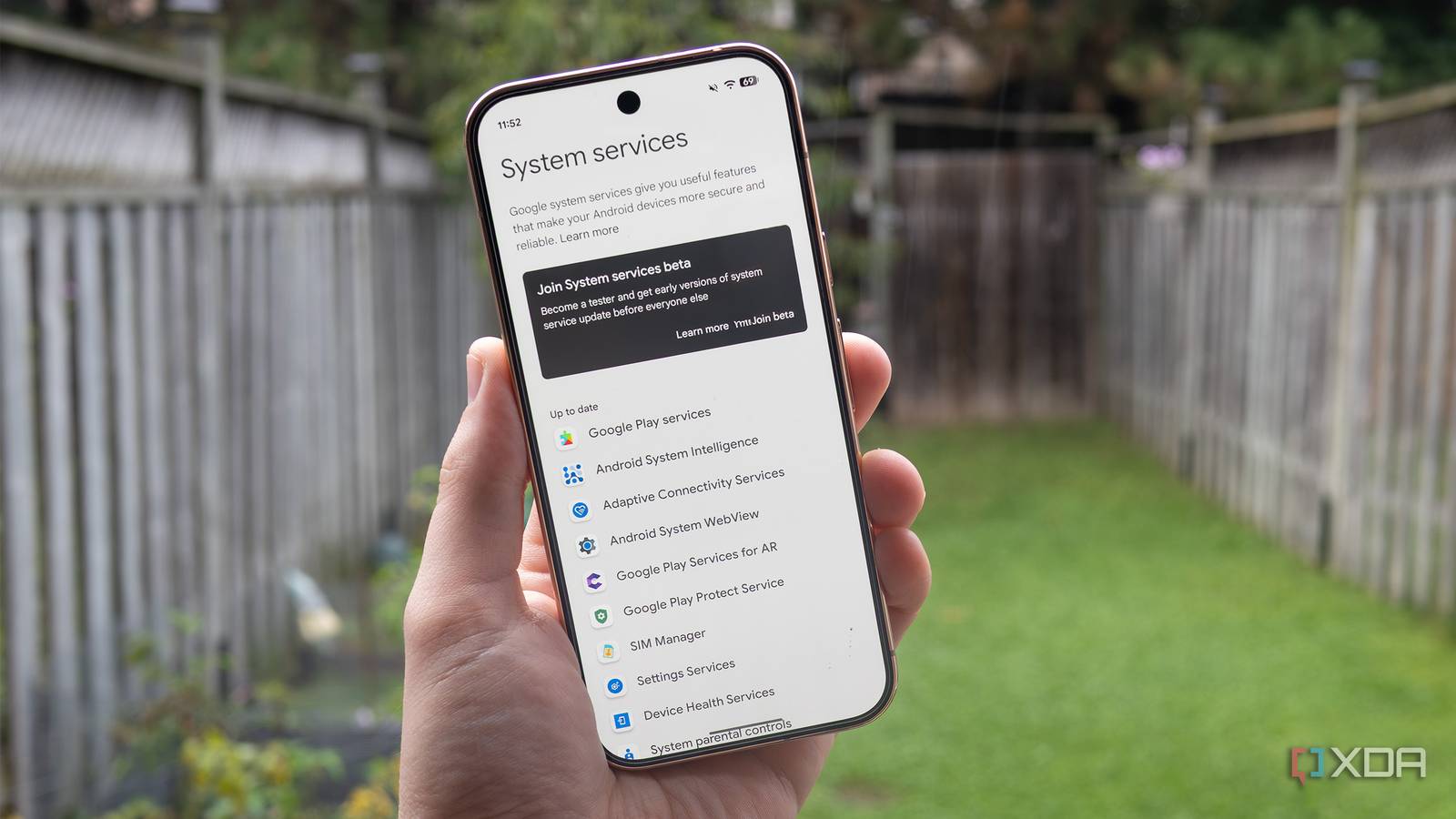
Published Sep 2, 2026, 1:30 PM EDT Patrick O'Rourke is XDA's News Editor and Entertainment Segment Lead. Previously, he was Pocket-lint's Editor-in-Chief, the Editor-in-Chief of Canadian tech publication MobileSyrup, and earlier in his career, he worked as the technology editor at the Financial Post and Postmedia. He's based in Toronto. Over the past 15 years, he's written thousands of articles. Patrick has also interviewed dozens of tech industry executives and covered GDC, E3, Gamescom, WWDC, Apple keynotes, Samsung Unpacked events and more. Patrick has a BA in journalism from Toronto Metropolitan University. A lot of Android users probably won't like to hear this, but keeping your phone up to date really is more complicated than it should be. OS updates and security patches are found under Software Updates, which makes sense. Then there are Google Play System Updates, which are buried in the Security and Privacy menu. And on top of that, you also need to update your apps through the Google Play Store. If you own a device like Google's Pixel, it's relatively easy to find all these updates in the unified Software Updates menu, but you still need to tap through each option manually. It's a chore to stay on top of all this, especially if you're waiting for a specific update to drop, which can get even more complicated if you're part of the Android beta program. Then, on top of these update options, I recently discovered yet another menu under Privacy & Security called System Services, which further complicates matters. Oh cool, another array of Android updates I need to stay on top of System Services are core to the Android operating system The System Services menu isn't exactly hidden, but I don't think it's that well-known either. In this menu, you'll find several Google-managed services, including Android System WebView, Google Play Services, Private Compute Services, and more. All of these services are critical to how your Android phone operates and aren't the kind of updates most people won't want to keep pushing back. In fact, in some cases, ensuring all of these services stay up to date can help resolve issues such as Android Auto disconnections or crashes with specific apps. For example, Android System WebView allows apps to display web content without opening the full browser. At the same time, Android System services are tied to the core functionality the entire operating system depends on. Then there are other core services like Android AICore, which manages on-device AI models, and Google Play Services, the background infrastructure layer that connects Android Apps and Google's services. While Google says these services are updated in the background when you get a security patch or OS update, that doesn't always seem to be the case. In some situations, these service updates drop ahead of Android updates. For example, while my Pixel 11 Pro didn't have any services updates available, my Pixel 10 Pro had several. Checking System Services is a simple process It's now part of my update-checking routine On my Pixel devices, I found this feature by going to Settings, tapping my Google Account profile picture at the top, and then navigating to All Services > Privacy & security > System Services. On other Android devices, the way you access this menu will likely be slightly different. It should look something like this, though: Settings app > All Services > Privacy & Security > System Services. Now that I know System Services exists and there's yet another update menu I can check manually, I've added checking it to my daily routine with my Pixel devices. While I don't check every day, I now go to Settings > System Software Updates and check for Google Play System Updates and App Updates. Next, I head over to System Services under Privacy & Security to make sure there aren't any additional updates I might be missing. To be clear, checking all these settings locations for updates is more than a bit ridiculous. Google really needs to find a way to simplify the process. Still, that's not the reality of the way Android works right now, unfortunately. It's also important to note that this isn't a magical menu that will give you access to new features before their public release. It's just a way to ensure Android's core system services are up-to-date and running as they should, giving you greater control over your smartphone. I understand that having updates available in multiple locations is necessary for Android to run consistently across a wide variety of devices and hardware, but that doesn't make hunting down updates across several locations any less frustrating for the average user.
I found a hidden Pixel menu that lets me get Google System Updates sooner
Full Article
Original Source
Read the full article at Xda-developers →KhanList aggregates and links to publicly available news content. We do not host full articles from third-party sources. Always verify important information with original sources.