
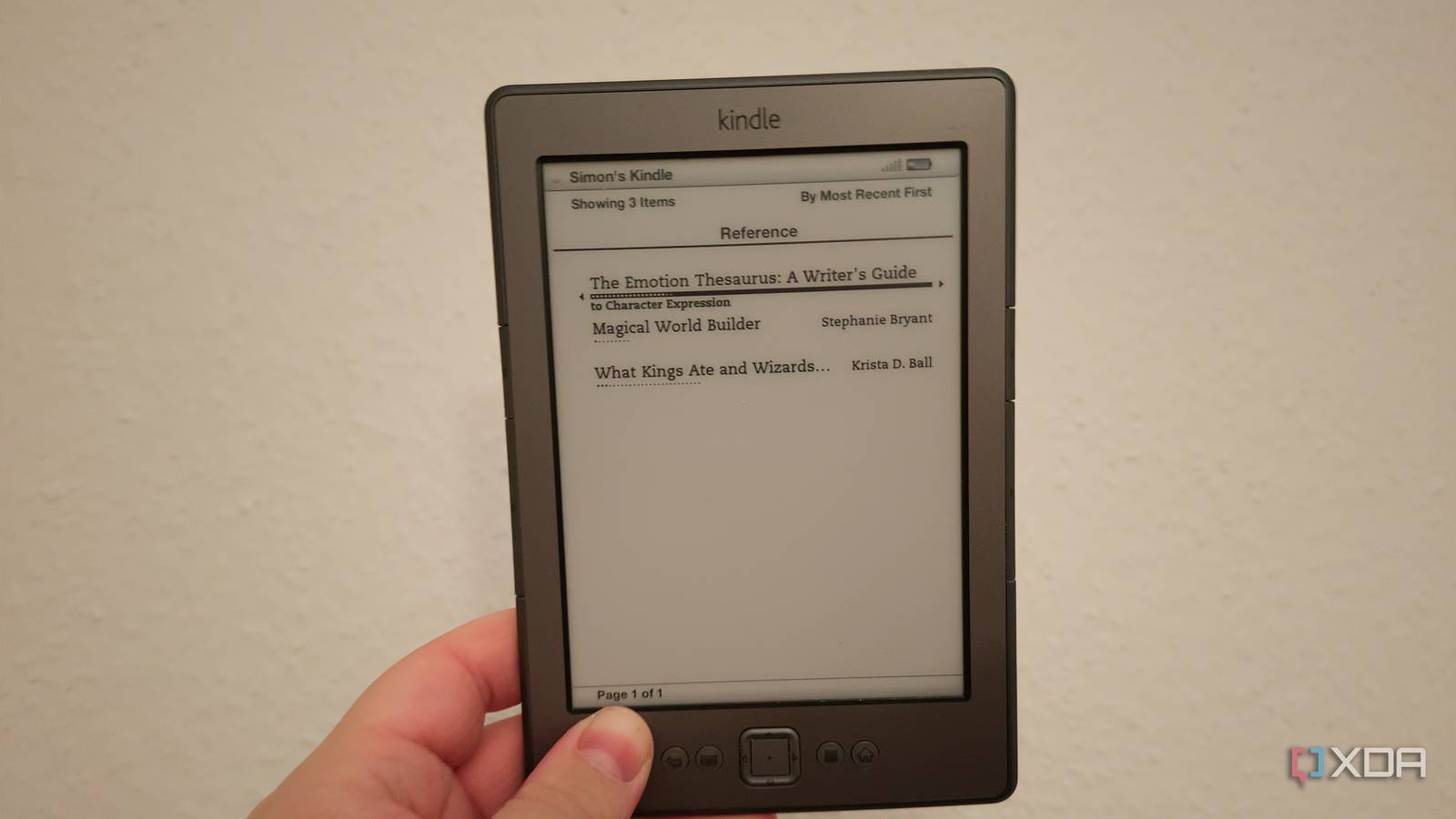
Published Oct 1, 2026, 1:30 PM EDT After a 7-year corporate stint, Tanveer found his love for writing and tech too much to resist. An MBA in Marketing and the owner of a PC building business, he writes on PC hardware, technology, and Windows. When not scouring the web for ideas, he can be found building PCs, watching anime, or playing Smash Karts on his RTX 3080 (sigh). If you've used more than one Kindle e-reader over the years, it's easy to see the upgrades. Larger screens, higher contrast, adjustable warm lighting, longer battery life, and faster page turns make the newer Kindles objectively better than the older ones. That said, I still feel that older Kindle models (before Kindle Paperwhite) somehow looked sharper than the ones Amazon sells now. And I found that I'm not remembering it wrong. The engineering behind the newer Kindles has changed substantially over the last decade and a half. More advanced display technology, front lighting, and laminated screens have made them superior to older displays, but they also make them look less lifelike. Older Kindles can feel limited in features, but their less advanced displays can look sharper in many cases. Older Kindle screens had fewer layers Light diffusion reduces contrast and sharpness on newer models Your latest Kindle Paperwhite has all the bells and whistles that make it the "best e-reader" on the market. A sensitive touchscreen and an advanced warm frontlight definitely make the reading experience more comfortable. However, the digitizer grid powering the touch-sensitive display or the frontlight layer over the E Ink screen can also diffuse the light slightly, reducing the perceived sharpness of the text on screen. These extra waterproofing and anti-glare layers on newer models make them better than older ones, but they also come in the way of a closer connection with the paperlike E Ink display. Older Kindles, especially the ones preceding the Kindle Paperwhite, still feel sharper due to a lot less processing sitting between the screen and your eyes. Built-in lighting sometimes makes newer models look less lifelike The raw, non-lit older Kindles had it better Credit: Credit: Older Kindles, such as the Kindle 4th Gen, didn't feature any built-in lighting. You had to rely on ambient light or a light source to read the E Ink display. This mimicked the experience of reading a real book. Later models, starting with the Kindle Paperwhite in 2012, introduced a front-lit display that illuminated the screen from below instead of from behind. Built-in lighting made nighttime reading easier, but it also introduced a problem. Even with the frontlight turned completely off, some Kindles appeared hazy or washed out in certain conditions. Older, non-lit screens lacked the refractive light guide layer, relying on ambient light reflecting the E Ink display directly. This made the screen more tactile, thanks to the "hazy" effect being absent. Users who've never used pre-2012 Kindles may not even find anything wrong with their readers. It's only when you've used old and new models that you can recognize the difference. Modern laminated screens can make text look slightly softer You win some, you lose some Credit: If you've used an older Kindle, the recessed display (sitting slightly lower than the bezel) makes the text look sharper. It felt closer to reading real ink on physical paper. Newer models use a seamless glass or plastic display sitting flush with the bezel. While the continuous screen makes cleaning and turning pages easier, it can introduce microscopic refractions, making text appear softer. Anti-reflective coatings on newer Kindle Paperwhite models mitigate this problem to a great extent, but it's still there, giving older models yet another win. Of course, I'm not advocating you hunt for older, discontinued Kindles. However, if you, too, remember those older models looking sharper than the newer ones, you now know why. Nostalgia clouds your memory, but I'm not wrong on this one Newer isn't always better, at least not in every way. Amazon's latest Kindles are superior to older models in almost every department, but the developments come with a loss in text sharpness. Extra layers on top of the E Ink layer, built-in lighting, and a laminated display come together to make a highly advanced screen, but it loses something in terms of the rawness of the display.
I finally understand why old Kindles have sharper text than new ones, and it's not just nostalgia
Full Article
Original Source
Read the full article at Xda-developers →KhanList aggregates and links to publicly available news content. We do not host full articles from third-party sources. Always verify important information with original sources.