
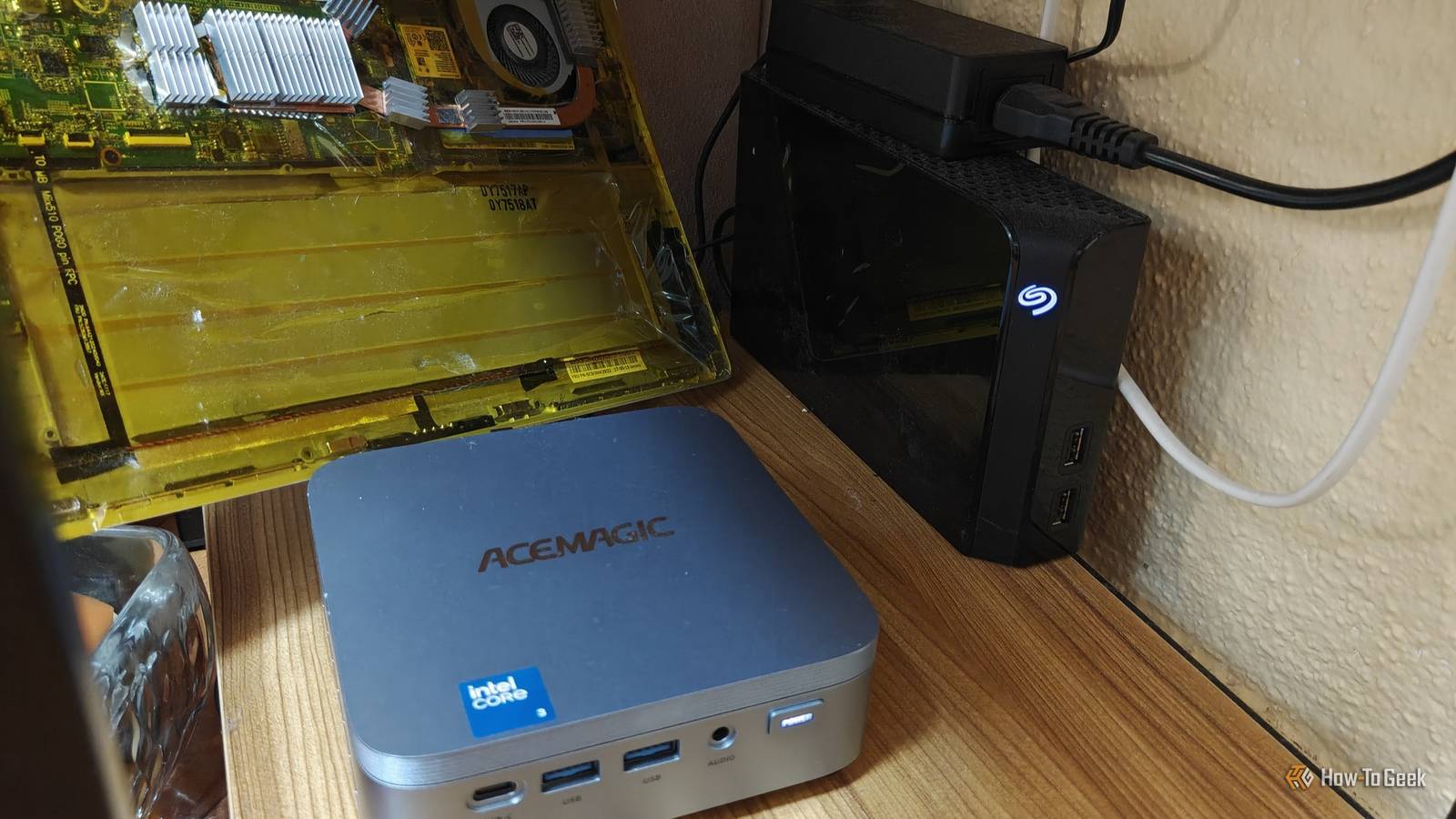
Published Nov 19, 2026, 11:30 AM EST Ismar is a Senior Author at How-To Geek. He previously worked as a writer, editor, and general manager at a content agency before joining the team in 2023. He began his writing career in 2021 after completing a BA in English Language and Literature. Beyond How-To Geek, Ismar has contributed to Red Stag Fulfillment and Authority Hacker. He has also worked on various SEO projects to help clients improve their search visibility. Ismar has been around Windows PCs since the age of three, so friends and family naturally chose him as the resident tech support. His projects often involve tinkering, such as disassembling mechanical keyboards and gaming mice to mod his beloved gear. He also enjoys pushing hardware to the max through overclocking while staying on a reasonable budget. An avid gamer, Ismar has logged thousands of hours across various genres, including first-person shooters, RPGs, racing games, and roguelites. When he is not at his desk, he is probably exploring other people’s phones to discover their quirks and features or experimenting with the latest AI tools. In his free time, Ismar enjoys spending time with his wife, working out at the gym, playing guitar and bass, cooking gourmet meals, and traveling. Above all else, he’s a proud cat owner. It's easy to see the appeal of mini PCs: they offer desktop- or laptop-class performance in a tiny package that can fit into the palm of your hand. If you need a machine for basic desktop use but don't need a built-in screen or have room for a full-sized desktop, these compact machines offer the perfect compromise. Mini PCs can be used like any regular Windows PC, but their unique benefits have also made them incredibly popular among homelabbers. After thinking it through, I finally decided to put a mini PC review unit to work replacing my laptop-powered home server, and I can finally understand why these little machines are such a great fit for running a homelab. My old laptop was constantly overheating while running my homelab My laptop just wasn't built for this Like many other people, my first experience with homelabbing came from an old piece of hardware that had been collecting dust for years. On a cold January morning earlier this year, I found my old Lenovo 2-in-1 laptop tucked away at the bottom of a drawer and decided to finally try building a NAS. This i5-7200U, 4GB RAM "beast" only had a 128GB NVMe SSD, so I gave it a storage upgrade with a couple of spare 128GB and 64GB USB drives I had lying around. After setting up Ubuntu Server and unifying the storage with mergerfs, I installed Docker and started adding apps that looked interesting. I started with Jellyfin, qBittorrent, and a few arr apps, which the laptop handled with relative ease. I was enjoying this little experiment, so I upgraded my meager storage solution with a proper 6TB external hard drive. Things worked well for the first few months. I cancelled my Netflix subscription in favor of collecting and watching movies and shows that I could store on my Jellyfin server, and the server doubled as a NAS for keeping my files backed up. However, I continued adding more Docker containers and services to the laptop, including Immich for photo backups, Home Assistant to manage my smart home, and AdGuard Home to block trackers across my network. At the same time, summer kicked in, and my poor laptop-turned-server, sitting on a bottom shelf in my sun-drenched kitchen, had to contend with indoor temperatures that sometimes exceeded 80°F. Unsurprisingly, my self-hosted services started becoming unresponsive more and more often. Part of the problem was the small internal SSD, which was now almost full, but the real culprit was overheating. The i5-7200U is an old dual-core CPU, and even though it doesn't draw that much power, the laptop's cooling system struggled with all the services I was asking it to run. I managed to alleviate the overheating somewhat, but my services would still randomly freeze. My new mini PC handles my entire homelab without getting hot or drawing much power It effortlessly handles always-on workloads After reviewing the ACEMAGIC K5 mini PC, I wanted to keep using it as my work PC and leave my primary gaming rig just for gaming. It drew a fraction of the power and generated less heat as a result, but after seeing my laptop continue to struggle with my ever-growing self-hosting demands, I caved and decided to upgrade my server. This mini PC has an Intel Core 3 304 with a 15W processor base power and 12GB of LPDDR5 RAM, making it a great low-power combination for an always-on home server. According to my measurements, it barely draws more than a few watts when it's just running my services in the background. Even under load, its power draw only experiences very modest spikes when running some of my typical workloads, like backing up photos from Immich or running Jellyfin on my phone. On top of barely drawing any power while running 24/7, the mini PC's robust heatsink is significantly larger, helping it stay cool even when I push it. The same can't be said for my old laptop. I have to say, I wasn't expecting the Intel Core 3 304 to be as good as it is. Intel's approach of pairing one fast performance core with four low-power efficient cores to handle lighter workloads is perfectly suited for a typical home server. When a task demands maximum performance, the performance core is there to step in. Plus, the CPU has a modest NPU for running light AI tasks, and it supports Quick Sync Video (QSV) with hardware AV1 encoding and decoding. Beyond the internals that power this mini PC, another thing many mini PCs have that homelabbers love is their extensive selection of ports. My mini PC has six USB-A ports, a USB-C 3.2 Gen 2x2 port, HDMI, and 2.5GbE for a fast local connection. The only thing it doesn't have is SATA, but you can always use external drives and adapters or even a DAS for mass storage. My mini PC handles workloads my old laptop couldn't even dream of More performance headroom for new projects The Intel Core 3 304 in this mini PC is many generations newer and more powerful than the old i5-7200U in my laptop, so it's not surprising that it's drastically better at everything. However, it's hard to overstate just how capable this entry-level mobile processor is. For example, I was incredibly frustrated with Immich when I ran it on my old laptop, as I couldn't get machine learning working to enable Smart Search. I attempted to run it several times, but the job would eventually freeze. The Core 3 304 made short work of this and every other job in Immich, processing my entire library of 40,000+ photos and 3,000 videos in just a few hours and finally allowing me to search for images by describing what's in them. Another big task I've undertaken recently is transcoding my entire library from H.264 to H.265 using Tdarr and Intel Quick Sync Video. This allowed me to reclaim a terabyte of storage on my server overnight. It's a task I don't think my laptop could have handled, not because the i5-7200U doesn't support H.265, but because it would likely overheat under such a demanding workload. The best part is that I've now set up my mini PC to handle these two tasks, along with everything else, in the background. I don't even notice when my mini PC is running resource-heavy transcoding jobs or optimizing my images, as all my other services continue working just fine. Truth be told, I'm running everything I want on this mini PC, and I still feel like I'm barely exploring its true capabilities. I've yet to run VMs or put the NPU to the test, but I'm sure I'll come up with some AI-assisted workload for it soon. I get why mini PCs have become a homelab staple For homelabbers who don't need a ridiculous amount of processing power, RAM, and storage for complex projects, a mini PC is often the best type of device they can pick up. It's drastically smaller and more power-efficient than a full-size tower, but it often offers better cooling and a richer selection of ports than a laptop. It's also considerably more powerful than many NAS devices you could get for the same price. This mini PC genuinely has everything I could need from a home server. Even if your homelab needs far exceed mine, mini PCs could still have a place in your setup. Many homelabbers use multiple mini PCs as independent Proxmox nodes, which is something my colleague Patrick also runs in his homelab. Acemagic K5 Brand Acemagic CPU Intel Core 3 304 The Intel Core 3 304-powered Acemagic K5 packs surprisingly capable everyday performance, rich I/O, and a dedicated AI NPU into a tiny, affordable desktop. Graphics Integrated Intel Graphics Memory 12GB LPDDR5-5600 MT/s Storage 256GB/512GB M.2 2280 NVMe SSD Ports 2× USB-A 3.2 Gen 2 (10Gbps), 4× USB-A 3.2 Gen 1 (5Gbps), 1× USB-C 3.2 Gen 2x2 (20Gbps) with DisplayPort 1.4 and up to 100W USB-PD, 1× HDMI 2.0, 1× DisplayPort 1.4, 1× 2.5GbE, 1× 3.5mm audio Display Up to three 4K 60Hz external displays Operating System Windows 11 Pro Dimension 5.05 × 5.05 × 1.61 inches Weight 1.98 pounds USB Ports 7 total: 6× USB-A, 1× USB-C Networking Wi-Fi 6, Bluetooth 5.2, 2.5GbE Price $550 CPU Cooling Heatsink and fan PSU External power adapter Fans 1× CPU fan Cables HDMI cable, power cable/adapter
I finally tried a mini PC as my homelab server, and now I see why everyone's buying them
Full Article
Original Source
Read the full article at Howtogeek →KhanList aggregates and links to publicly available news content. We do not host full articles from third-party sources. Always verify important information with original sources.